The Fundamental Project Management Skills You Must Have in 2020

FacebookLinkedInWhatsAppPocket

Get 7 days free access to all project management courses

Start free trial

The business world needs more highly skilled project managers. Otherwise, it will continue to bleed around a hundred million dollars (ouch!) for every billion it spends on projects and programs. Without the right talent and strategy, project schedules and budgets will remain elusive — with only 57% of all projects completed without additional funding, and only 51% successfully making the original deadline.

If you are a project management professional or planning to become one, the coming year will be a great time to progress your career and help businesses overcome the challenges ahead. But you’ll need the right project management skills to make an impact.

According to the Project Management Institute (PMI), a project’s success rate improves by approximately 40% when project managers possess and nurture the ideal skill set (a powerful mix of technical, leadership, and business management expertise).

Those in the know have been shining a spotlight on the increasing demand for project management skills in recent years. Computer World ranked project management among the hottest skills for 2017, while PMI projected a dramatic increase in the demand for project-oriented skills from 2017 through 2027. For each year during this period, companies around the world will need to fill an annualized figure of 2.2 million new project-oriented roles.

Despite the growing number of jobs, the serious lack of candidates with adequate project management skills creates a huge talent gap. With competition expected to become more intense across industries in the coming year, the scramble among recruiters for professionals with excellent project management skills will remain fierce in 2020, to say the least.      

Want to learn more?

Take your project management skills to the next level with our comprehensive (and free) ebook!

Enter your email address

How much do project managers make?

When strong demand meets scarce supply, prices go way up north. This can be alarming to employers but quite a good thing for project management practitioners. Entry level project managers in the U.S. receive a median annual salary of $70,249 while senior project managers easily take home $102,318 on average. The most skillful and ambitious — those at the high end of the scale — are worth more than $142,000 according to Glassdoor. 

Project managers who obtain an industry-recognized credential like PMI’s Project Management Professional (PMP) certification have an extra edge. Research by the Project Management Institute revealed that project managers who earned a PMP Certification received a 20% higher median salary than non-certified project managers. The study found the median salary of a PMP was $111,000, compared to the median salary of $91,000 for those without a PMP certification.

project-management-skills

Top 25 project management skills needed in 2020

Project management may well be the career where technical, business, and people skills routinely intersect.

To become a good project manager, technical skills are must-haves. You need full proficiency in the tools (such as project management software) and techniques (such as the Agile framework) of the trade.

While you don’t necessarily need to be a domain expert (e.g., non-architects or non-engineers can be project managers in construction while non-programmers can serve as project managers in software development), you need basic familiarity and topview knowledge of the field you are in.

In addition, you need to have a strategic and logistical perspective on each project you undertake to optimize cost efficiencies and benefits. And lastly, you need to possess leadership and people skills to effectively manage a diverse team of people who are also bringing their unique personalities and skill sets to the table.

We have broken down the top 25 project management skills for 2020 into 3 categories – technical skills, business management skills, and personality traits – in the handy matrix below.

free-trial

Project management skills matrix

Based on studies and recommendations from PMI, KPMG, EY (Ernst & Young), APM (Association for Project Management) and other domain experts, here’s a comprehensive project management skills matrix that can help you make a positive impact in 2020:

Technical skills and functional knowledge

Skill NameDescription
Project Management SoftwareProficiency with commonly used technology tools such as Microsoft Project, Asana, and Trello.
Project Management Methodologies and FrameworksAbility to apply frameworks and methodologies such as Agile and SCRUM throughout a project’s lifecycle.
Reporting/Stakeholder ManagementCoordinate with managers, clients and team members to set expectations, deliverables, and objectives.
Team Building/ManagementBuild and lead a team of people with different skill sets towards a unified goal by guiding each member to complete their unique deliverables on time.
Resource Planning and ManagementFormulate and implement a strategy on how project objectives can be met efficiently in the right sequence, by a group of people with unique skills within project constraints (time, budget, quality, etc.)
Time Management/SchedulingAbility to 1) accurately map out talent resources, tasks, and dependencies; 2) make timeline estimates and set specific and general schedules; and 3) keep everyone up to speed.
Cost Assessment/Budget ManagementAchieve cost efficiencies by optimizing work hours and establishing rationale for key procurements and other expenses.
Review/MonitoringTr
ack overall project and individual stakeholder progress throughout the project lifecycle, resolving conflicts and optimizing gains along the way.
Conflict Management and ResolutionFix project discrepancies, overlaps, stalled workflows, and other issues due to internal roadblocks or unforeseen external setbacks. Help address interpersonal conflicts among team members.
Policy KnowledgeAn adequate grasp of the regulatory regime governing the sector, including health, safety, business best practices, and environment.

Business management and soft skills

Skill NameDescription
LeadershipEnable, motivate, and inspire the team to meet deliverables within project constraints by demonstrating commitment, expertise, confidence, genuine concern, and ability to help everyone solve challenges and achieve goals.
Business CommunicationsUse the right language, tone, and storytelling techniques when communicating, describing, or explaining issues over email, chat, reports, presentations, and other forms and channels of communication. Generate the right impact or response from specific audiences (team members, managers, clients, vendors, partners, other stakeholders).
Collaboration/Relationship buildingEstablish a collaborative culture where people with unique personalities and skills happily work together towards a unified goal.
Decision-MakingMake prompt, informed, and fact-based decisions for the good of the project.
AccountabilityEmbrace ownership of and accountability for the project.
Problem Solving/Critical ThinkingAssess issues from different vantage points and formulate the best solution in addressing specific challenges.
Active ListeningPractice active listening to glean insight and truly understand the needs or message of all project stakeholders.
NegotiationApply the appropriate framework (SWOT, risk-reward, etc.) to arrive at a best-case scenario for all parties involved.
Research/Information GatheringFill knowledge gaps through active research or by directly engaging resource persons.

Personality traits

Skill NameDescription
Commitment/Motivation/DriveThe project manager owns the project and should be the person with the highest level of commitment and motivation to see it through from start to finish.
Goal-OrientednessNo one can become a decent project manager without a personality that places tremendous value on outcomes, objectives, and results. Project managers should be focused on the goal and the most efficient route to get there.
ConfidenceProject managers should exhibit process mastery with confidence and humility. Bragging, bullying, and bossing around don’t work.
Open-mindedness/TrainabilityBecause continuous learning and self-improvement are integral to project management, practitioners should be open to new technologies, approaches, and experiences.
Adaptability/ProactivityWorkplaces, workflows and project development practices rapidly change over time. Hence, project managers should possess the required agility to nimbly adapt to different situations and make proactive adjustments when necessary.
Inclusivity/SociabilityThe workplace is becoming more global and more diverse in terms of gender, race, ethnicity, and other demographics. As such, project managers should embrace everyone in the team and help nurture a culture of fairness, diversity, and inclusivity.

Key takeaways for project management job seekers in 2020

In addition to technical skills, companies are probing the job market for project management professionals with the right emotional intelligence, critical thinking, mentoring, and communication skills.

Here are some key takeaways for jobseekers who wish to participate in the project management field:

  1. A project is a unique and temporary undertaking that is defined via a specific scope, timeline, budget, quality standards, and a set of desired outputs, outcomes, or benefits. A project is often contrasted with “normal,” “as usual,” or “ongoing” business operations to describe or distinguish its nature. For example, corporate finance is a “business-as-usual” operation while the development of a mobile financial app for Android devices is a project.
  2. Project management refers to the systematic application of frameworks, processes, tools, and techniques to achieve the desired outcome for a project within a set of constraints such as quality, budget, and schedule. It covers strategic planning, resource allocation, process administration, overall monitoring, risk management, documentation and reporting.   
  3. With a projected job growth of 33% through 2027, a career in project management faces much-better-than-average outlook compared to other occupations.
  4. Project managers are in demand across many industries as the project-based approach to doing business becomes more widespread. While project management has reached high maturity levels in IT and construction, industries with the greatest current demand  include healthcare, telecommunications, manufacturing, and energy.     
  5. Project management ranks among the highest-paid careers, with well-experienced practitioners typically bringing home six-figure salaries.
  6. Because it is radically goal-oriented and requires collaboration with people of diverse backgrounds, project management is among the most fulfilling and satisfying career paths. Success (or failure) of each project has a palpable impact not only on the company’s bottom line but also on its morale and culture.     
  7. Success in project management requires a range of diverse skills spanning technical, strategic, business management, and leadership competencies. Examples of project management skills include negotiation, team-building, and technical proficiency in tools such as Microsoft Project, Asana, PowerPoint, Slack, and Trello.
  8. Project management takes its practitioners on a path of continuous learning, training, and skills development. Moreover, most skills learned in managing projects for one sector are easily transportable to other fields and industries.
  9. Certifications matter. Project managers with accredited certifications outearn non-certified practitioners by 20% on average.  
  10. Like sales, a successful stint in project management is considered a stepping stone towards executive leadership in many global companies. Simply put, if you are a successful project manager, then you have bragging rights to claim that you “literally get things done” pretty much all the time.

How strong are your project management competencies?

It’s easy to see why the appeal of a project management career can be very strong. The demand is high, the outlook is good, and the pay is head-turning. Job satisfaction, relevance, corporate impact, and self-worth similarly score very high on just about any metric.  

But project management is not for everyone. This skill-intensive role fits people who actively seek out learning opportunities so they can discover new things, improve competencies and build their skill sets over the course of their career.

If you are that person — someone who likes to get
things done and embark on a journey of continuous learning — then nothing is stopping you from becoming the best project manager you can be.        

Here’s a good place to start.

Looking for more project management resources around the web? Check out our list of the Top PM Blogs in 2020.

Want to learn more?

Take your project management skills to the next level with our comprehensive (and free) ebook!

Enter your email address

project management course

Joseph Mapue

Joseph Mapue

Joseph Mapue wears his writer’s hat wherever he goes, crafting top-notch content on business, technology, creativity, and innovation. He is also a dreamer, builder, father, and gamer.

Source

The Best Web Design Companies of 2020

Home// Design// Best Web Design Company

Last Updated November 1, 2019

Get A Web Design Quote

  • 1,128 Sites
    Launched
  • 32% Avg. Traffic
    Increase
  • 6,271,747 Leads
    Delivered
  • +1.6 M Hours of
    Expertise

Get A Free Design Quote Today

Hear From
Our Clients

Hear from Wheeler Machinery to learn how WebFX helped their business grow with web design.

Top 10 list: Best web design agencies of 2020

Here is our list of the top design companies:

6 qualities of the best web design companies

Defining the best website design company isn’t based on design alone. Not only is design subjective, it is also impossible to rate all the top web design companies based on only that set of criteria.

This means that you can’t determine if a company is one of the best, based on just their design portfolio. There are many other factors to consider as well.

So if it’s not just the quality of web design that qualifies a firm as a “best web design company,” then what does?

Here are the qualities that we feel the best web design company in the world should have.

1. Award-winning design

This is the most obvious on our list of criteria for the best web design company. It shouldn’t come as a surprise that an agency’s work has to be recognized for its quality and effectiveness to be considered one of the best.

graphic of award

National awards available for stellar website design include the Horizon Interactive Awards, the Webby Awards, and The Interactive Media Awards. There are also many awards available in specific regions or states that can be given to the best local web design.

2. Innovative approach

Because web design is a constantly-changing industry, the best web design companies are those who keep their clients’ sites up to date with the latest technology. Even the coolest designs are bound to feel outdated within a few years, and with modern consumers who are used to constant updates and innovation, it’s important for the best design company to provide cutting edge ideas that are unique, fresh, and satisfying for the customer.

graphic of cutting edge web design

Some companies may think that simply updating visual elements is enough to make clients happy, but true innovation means embracing change in all forms. To be a top design company, you need to do more than follow the trends—you need to be a trailblazer.

For example, the recent shift towards browsing the web on devices other than desktop computers led the best web design companies to develop an entirely new approach to design that is compatible with smartphones, tablets, and other devices.

This approach, called responsive design, is now essential for success in search engines.

Although most companies will eventually jump on the bandwagon if a new strategy or trend becomes popular enough, the best web design companies are those who stay at the forefront. True dedication to clients means always wanting them to have the best, and sometimes the way to give them that is by creating it.

3. Expansive portfolio

The best web design companies should have a wide range of past work.

To qualify for the “the best web design company” title, a firm needs to show that they’ve worked in a variety of industries. It’s not enough to build and design websites for just one industry or area of focus.

For example, does their portfolio include as diverse project as a roofing company website, followed by an online ecommerce store website? These different designs force the best web design agencies to get creative and change perspective.

graphic of expansive portfolio

In short, the best website design and development firms can display work with dozens of clients across multiple industries, showing strong elements of versatility and adaptation that is indicative of any good web design company. The best web design company could tailor their user experience and results to accommodate the needs of any business, from construction to textiles and more.

The more clients a design company works with, the better! Customers want to know that you can, without a doubt, work with their company to design the best possible website.

4. Extensive services offered

It would be easy to rank as the best web design company if the focus was solely on web design. To us, that’s not good enough.

To qualify as one of the best, a web design firm has to do more than just web design. The best website design companies offer a full-range of services to meet all the needs of clients, from Internet marketing to development.

The best website design and development firm should offer services like search engine optimization (SEO), pay-per-click (PPC) management,interactive coding, and more.

web design statistics chart

5. Track Record of Success

Just like only offering web design, not having proven records of successful work can easily knock an agency off the best web design company list.

To be considered in the running, a company needs to provide proof to show potential customers that their work has continuously satisfied customers.

To make our list of website design companies, a firm needs a history of satisfied clients that report success. Testimonials offered to web design companies are an excellent indication of happy customers, as are long-standing accounts and a high client retention rate. Combined with other important elements behind each company, these factors can all help indicate the best web company.

6. Company growth

Like any successful business, the best design company in the world should be constantly growing and increasing its revenue. These are both signs of continued development, and they’re good indicators that a company is worthy of being considered one of the best in the industry.

graphic showing company growth

This doesn’t necessarily mean that the largest web design company is the best, though.

Continued growth is integral to any business model. The top web designing company will show growth with its customer base, employees, revenue, and other elements which clearly sets them apart from their competitors.

Where does WebFX fall on the top web design companies list?

Knowing where WebFX ranks on the best website design companies list requires first, studying the other companies on the list.

Since we are a United States-based firm, the majority of the companies we researched were websites written in English, so our study might be better titled “The Best Web Design Company in the U.S. and Europe.”

In conducting our research on the best web design companies, we also limited our review to firms that had over 30 customers and had been in business at least three years. This is because we feel that a proven track record of success is necessary for being considered the world’s top web design company. We didn
‘t look at just the biggest web design companies, though, because we know bigger doesn’t always mean better.

After our research, we came up with our own list of web development companies we believe to be the top of their game.

How much does a web design from the best web design companies’ cost?

Professional web design costs vary, especially when looking at the rates of the best web design companies. Businesses can spend anywhere from $1000 to $100,000 on a custom design. For the most accurate rates, request a custom quote or use a free web design cost calculator, like from WebFX.

How long does a web design, from a top web design company, take?

A web design from a top web design company can take 12 to 16 weeks to complete. Depending on your site’s size, complexity, and design requirements, you may see a longer or shorter turnaround time. For the most accurate answer, talk with potential design agencies about your site and its needs.

How a Top Web Design Company Enhances Post-Launch Website Performance

A top web design company can help your business (and its site) after launch a few ways. How your web design agency assists your team, however, will depend on their services and specializations. If they only do web design, for instance, they probably won’t offer post-launch services, like site maintenance.

Either way, the best web design agencies will prep your website for success with the following:

  • A responsive design so that any device, from mobile to desktop, can use your site
  • A fast site so that users can access and browse your site fast
  • An SEO-friendly site so that your site has a better chance of appearing in Google search results

If you partner with a design company that specializes in other areas, like search engine optimization, they can help you grow your site’s presence in search results. A bigger presence (and position) in search results can drive more qualified traffic to your website, which can lead to more leads and revenue.

We don’t just want to tell you about the beautiful work we do.

WE WANT TO SHOW YOU

We’ve built over

WEBSITES IN INDUSTRIES LIKE YOURS

View Our Past Work

Is WebFX the best web design company in the world?

Even though WebFX has many of the qualities necessary to be the best web design firm in the world, we understand that there are always improvements to be made. We also can’t be the best judge since we aren’t completely objective.

But what we can comfortably say is that WebFX is one of the best web design firms out there. We have all the qualities that we defined as crucial—and then some! Read on to learn more about what makes us great.

Award-winning design

Our team of talented web designers has won numerous awards for their work, including the prestigious Horizon Interactive Awards. We create the best company website design for all our clients.

And our efforts pay off.

Clients who have a website designed by WebFX receive attractive, well-converting presences online. In other words, we offer the best web design services possible to make sure a website not only looks good, but functions well, too. Our testimonials speak for themselves: we know how to make customers happy!

Our award-winning designs are what put us on the list of best web design firms. Contact us to learn how we can provide the best company website design for your business.

Expansive portfolio

Our portfolio is massive. We’ve worked with hundreds of clients in many different industries. Our varied works show we’re one of the top web design companies out there, and that we’re flexible enough to meet almost any need.

We’ve worked in numerous industries, and with both B2B and B2C companies. We’ve designed websites for everything, including ecommerce stores, local businesses, and national service providers, always using the most current approaches, like responsive design.

No matter what kind of business you have, we can design something great for you.

Extensive services offered

Take a look around and you’ll see we aren’t just a web design company. What puts us on the list of the top web design companies is our ability to provide clients with a comprehensive solution. We know it takes more than just visual elements to be one of the top website design firms, and we’re prepared to go the extra mile for you.

Being one of the best web design companies means providing exceptional designs, integrating innovative development solutions, and increasing brand exposure through top-notch search engine optimization and other Internet Marketing strategies. We do just that, which is why we’re in the running for the best web design company title.

Track record of success

Our record of success is our pride and joy. Just take a look at our portfolio and you’ll find a slew of case studies, client testimonials, and search engine position results, that make us one of the top web design companies on the market.

WebFX customers praise us for our professional website design, our flexibility, and our great communication. We also have proven success in ranking websites for competitive keywords, and for building valuable links to websites. We have a track record of improving online business for customers in many industries.

You’ll find we easily qualify for one of the top web design companies because our work is not only innovative and cutting-edge, but also effective. Our site designs not only drive traffic, but also help create conversions.

We believe that in order to be the best website company, we have to please the ones that matter — the client.

Company growth

WebFX has enjoyed positive growth consistently over the past five years. We’re constantly expanding our team with the best talents in the industry. And our client list is swelling.

The growth of our agency also allows us to be closer to our clients and their businesses.

With offices in Pittsburgh, D.C., Orlando, and more, we make it easy for companies like yours to work with a leading web design agency that’s close by. Even if we aren’t near your business, you can easily call and connect with your site’s project manager to ask questions, provide feedback, and more.

While we may not be the very best web design company in the world, we’re definitely one of the best web design companies out there – and we’re committed to improving until we reach the top spot!

How is WebFX different from other top w
ebsite design agencies?

Quality and experience aren’t the major differing factors between WebFX and the others on the best web design companies list.

The major difference between WebFX and the biggest web design companies out there is the price. Those companies have project bill rates approximately 25 to 50 times higher than ours. That’s a lot of money to spend on website design!

WebFX offers professional, inspiring, and attractive website design at a fraction of the cost of our competitors, including those on our web design companies list. We strive to keep our prices reasonable so that we can deliver great design without draining your entire marketing budget.

And as a full-service marketing agency, our portfolio goes beyond design: we also offer Internet marketing services, SEO, social media management, content marketing, and so much more.

Want to work with the best web design company?

If you’re in the market for a new web design for your company’s website, some SEO, a PPC campaign, or just an update to some stale content, WebFX can help.

We’re one of the best in the industry, and have some of the best employees to prove it. Whatever website design or development project you may have, we can take it on and deliver extreme success.

Take a look at our custom web design plans, and contact us today to learn more. Did you know that we provide our web design services to clients located in New York to California? It’s true!

Want to work with one of the best web design companies in the world, but don’t have an unlimited budget? Call 888-601-5359 or contact us online today to get a free quote on our web design services.

Source

How to Build a Youtube Backlinks Strategy

People are now watching one billion hours of videos on YouTube every day. We’ve all fallen down the YouTube “rabbit hole,” losing hours of time after intending to watch a single video. But did you know that YouTube backlinks can give you as a serious boost in the search rankings?

Many people are still ignoring the incredible link building strategies waiting on YouTube. It’s easy to consider YouTube as “just video marketing” or a good place for “brand exposure.” Unfortunately, this means they’re missing out on a massive link building opportunity.

Luckily, this post will cover everything you need to know about YouTube backlinks. Let’s get started.

Building links on YouTube can seem complicated at first glance. But with a little practice, you’ll be a pro in no time. Here’s how to get started:

Keyword Research

By now, you probably know that anything in SEO begins with keyword research. And YouTube SEO is no different.

Your aim is to look for keywords that have results from YouTube on the first page of Google. These are known as Video Keywords.

In general, the search engine will use video results for the following keywords:

  • Funny videos (“Charlie bit my finger”)
  • Sports and fitness related (“Tae Kwon Do videos”)
  • Tutorials (“How to curl your hair with a straightener”)
  • Reviews (“Hostgator review”)
  • How-to keywords (“How to train a puppy”)

Why is this so important?

If you optimize your video around keywords that don’t have any video results within Google, you’ll only be getting traffic from people who search on YouTube. But if you optimize your video for Video Keywords, you can snag a whole lot of targeted traffic to your videos straight from the first page of Google.

How do you Find Video Keywords?

The first step is to simply look for keywords in your chosen niche. Then you can see if those keywords have video results on Google.

Next, you need to check if enough people are searching for that particular keyword. Look for one that’s getting at least 300 searches a month, which will mean it would also be getting plenty of searches within YouTube.

The goal is to get that video to rank well in Google so that those 300 people searching for your keyword will choose your video. That will mean that your video will be getting high-quality traffic which can be passed on to your website.

Create the Best Possible Video

The more effort you put into creating your videos, the more you’ll get out of them. If your videos stink, they won’t rank- regardless of how well you optimize them for SEO.

YouTube judges the quality of your videos based on how many people are interacting with them.

These metrics include:

  • Video retention (how many people watch)
  • Comments (how many people are engaging)
  • Subscribing after watching (a signal that your video is useful)
  • Shares (on social media sites)
  • Favorites (people adding it to “watch later” or favoriting it)
  • Thumbs up/down

Longer videos rank the best on YouTube. If you have something interesting to say, don’t worry about it being too long. Aim for at least five minutes.

Upload with YouTube SEO

Here’s how to make the most of YouTube backlinks with your video:

Filename

Use your keyword in your video’s filename. For example, if you’re aiming to rank for “meal prep recipes,” you’ll name your YouTube video meal_prep_recipes_video.mp4.

Title

This should be at least five words long. That way you can use your full keyword while avoiding keyword stuffing. Put your keywords at the beginning of your title for a slight SEO boost.

Description

This is hugely important. YouTube and Google can’t yet “listen” to your videos, which is why they rely on this description. They use it to determine the content of your videos.

Put your YouTube backlinks to your site at the very top of your video. This will maximize your click-through rate.

Make sure you include your keyword within the first 30 words of your description. Aim to include your keyword at least 4-5 times, and write at least 250 words for your description. This will tell YouTube and Google what your video is about without looking like spam.

Tags

Tags also help show Google and YouTube what your videos are about. They help you rank for your keywords, and help you show up as a related video in the sidebar on the right-hand side.

Using Annotations for YouTube Backlinks

Another place you can use backlinks for your website? In the YouTube Annotations.

These are little boxes that pop up while a viewer is watching your video. Use a compelling call-to-action and add your website, and you’re likely to see a huge increase in visitors for that page.

It’s often a good idea for the presenter to draw attention to the annotation when it pops up. Tell your viewers what the link is for, and let them know why they should click on it.

Using YouTube Cards for Backlinks

These are different from annotations in a big way: They work on mobile devices. This can make a massive difference to your clickthrough rate since so many people use their smartphones and tablets to watch YouTube videos.

Walmart uses YouTube cards incredibly well. They use a little “i” icon (for information) in the top right corner of their videos. When you click on that button, a “more info” button appears. These clickable links lead to the landing pages on the Walmart website for the items shown in the video.

If you do this well, with compelling images and links leading back to your site, you’re likely to see a massive increase in your visitors for those pages.

Wrapping Up

Ready to get started with your YouTube backlinking strategy? It doesn’t need to be complicated. Simply create an interesting video, choose the right keywords, use SEO effectively, and make the most of annotations and cards.

Have you been making the most of the backlinking opportunities available on YouTube? Get in touch to learn how we can help you get high-quality backlinks for your website.

Source

51 Best Project Management Tools Software for 2020 ProofHub

Are you looking for a project management tool that can help you manage your projects and team members in a better manner?

If the answer to the above question is yes, then you’ve come to the right place. It won’t be wrong to say that adopting new methodologies, implementing new technologies and tools has become the need of the hour to boost your standing in the current scenario

We have compiled the best project management tools to improve your game. Before we take a look at them, let’s understand why it’s important to use them in the first place.

Table of Contents

What is a project management tool?

A project management tool is what brings projects and team collaboration at one place for everyone to be on the same page.

Why should we use project management tools?

You might be living under a rock if you’re really not aware of the benefits that come along with project management tools. We’ve outlined some common benefits below:

  • Faster collaboration
  • Easier delegation
  • Accurate project tracking
  • Central data storage
  • Seamless communication
  • Quick file-sharing
  • Time tracking
  • Automated invoicing
  • Quick reporting

Now that you know the advantages offered by online project management tools, let’s learn how to choose the right one.

How to select the best online project management tool?

Make sure to check if your preferred project management software offers the following features or not.

  • Advanced feature-set
  • Intuitive user interface
  • Cloud-based access
  • Customizability
  • Security
  • Integrations
  • Cost-effective

Best Project Management Tools & Software in 2020

1. ProofHub

top Project management software- ProofHub

top Project management software- ProofHub

ProofHub is a versatile project management software used by leading organizations like NASA, Disney, Taco Bell and many more. This all-in-one tool comes packed with powerful features to eliminate the need of having too many different tools to run your business.
Features:

  • Online proofing software saves a lot of time during the feedback-sharing process
  • Makes task-management less stressful for teams
  • Get a visual picture of projects using Gantt charts in ProofHub
  • Also available as a mobile app for Android and iOS users.

See how ProofHub is the best of all project management tools. Try now!

2. Scoro

Scoro as project management tool

Scoro as project management tool

Scoro is known as one of the most comprehensive business management software for professional and creative services. For those who wish to bring structure to your work, Scoro is the right pm tool for you.

Features:

  • A single place for projects, clients, and teams
  • Be organized in every aspect of your business with seamless workflow
  • Get a real-time overview and automated reports
  • Can be integrated with tools like DropBox, Mailchimp, Outlook, and more

Pricing: Premium plan starts at $33/user/month

3. Workzone

Workzone - project management tool

Workzone - project management tool

Workzone is built by a highly dedicated team to help individuals and organizations gain better control and visibility in work management. It gives them a central place to manage and share work, so everyone stays on the same page.

Features:

  • Get top-level reports so everyone knows what’s next on the list
  • Makes way for faster communication
  • Features like creating tasks, to-do lists, sharing files easily improves collaboration
  • Set permission for different users including clients

Pricing: Starts from $200 per month

project management software

project management software

4. Zoho ProjectsZoho Projects as project management software

Zoho Projects as project management software

Without a doubt, Zoho Projects stands out as one of the best simple project management software that can help you streamline your upcoming work and tasks with a click.

Features:

  • Effective file management
  • Gantt charts to oversee project progress
  • One tool for teams to create, collaborate, and communicate
  • Can be integrated with ZOHO CRM and other tools to manage every aspect of a growing agency

Pricing:$25/month for up to 20 projects

Read on: Zoho Alternatives – 13 Tools Your Team Will Love

5. GanttPROGanttPRO as project management software

GanttPRO as project management software

GanttPRO is one of the best pm software, appreciated already by 250k project managers around the globe. It helps build project plans and timelines, track workflow, control expenses,  follow deadlines, and arrange productive collaboration in a single place. The solution offers ready-made templates for an easy start.

Features:

  • Workload: keep all resources engaged and balanced
  • Collaboration: comments, attachments, and notifications
  • Workspace: Gantt charts and Board view
  • Project templates for easy start

Pricing: Team plan starts from 7.90$ per user/month (billed annually)

6. nTask

ntask as project management tool

ntask as project management tool

New on the market, nTask is still in its burgeoning state of development, with new features and AI that are being introduced as the tool matures. Its intuitive software design that is easy on the eyes as well as easy to adopt, is one of the many reasons why start-ups, solopreneurs, and even enterprises will readily switch to this newcomer pm tool.

Features

  • Task & Project Management: Simple task & project creation using task checklists, updates, progress meter.
  • Risk Management: Use risk matrix to identify and assess potential risks and their frequency of occurrence.
  • Issue Management: Create and manage issues with customizable severity, priority, and status options.
  • Time Management: Beautifully designed weekly timesheets with manual hours linked to a suitable task or a project.
  • Resource Management – Manage resource allocation, project budget and currency using the Project Planner.
  • Meeting Management – Schedule multiple meetings at a time with a clear concise agenda, discussion points and follow-up actions

Pricing

  • Free plan- Unlimited workspaces, 100MB storage.
  • Pro Plan – $2.99, Unlimited everything.

7. FunctionfoxFuctionFox as project management software

FuctionFox as project management software

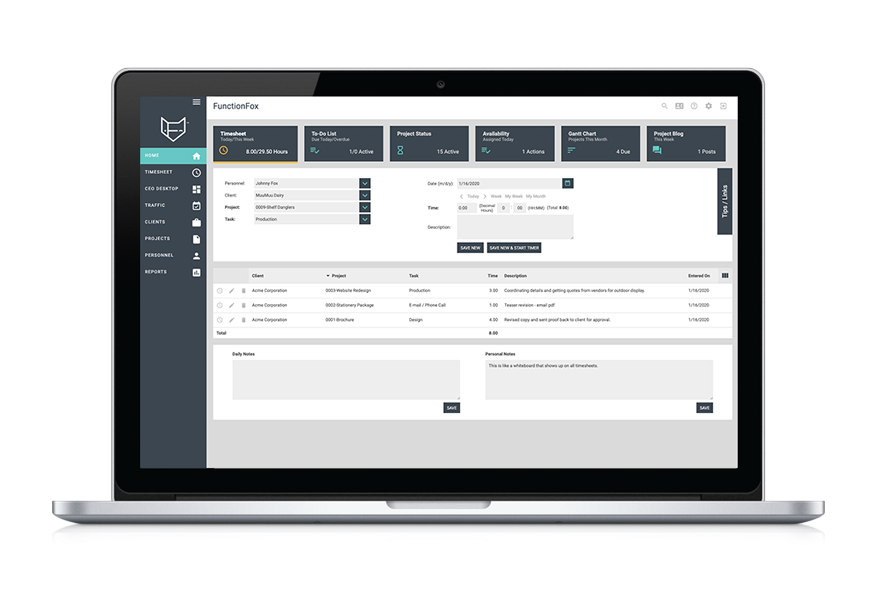
Functionfox is a timesheet tool trusted by creative professionals all around the world. It is both powerful and easy-to-use. You can track your projects accurately from conceptualization to completion, reduce admin time, and increase productivity and profits.

Features:

  • Simple project creation and management
  • Interactive real-time reporting
  • Compare budget estimates with actual figures

Pricing: From $5 user/month ($35/month for the 1st user)

8. Workbook

Workbook as project management tool

Workbook as project management tool

Workbook is a grown-up software suite for project and resource management, CRM, collaboration, file-sharing, forecasting, and accounting. You can choose exactly as per your requirements and only pay for it.
Features:

  • Create projects and tasks easily
  • Easily customizable
  • Supports a client portal

Pricing: $19 user/month, minimum 30 users

project management software

project management software

9. Redbooth

Task management software - Redbooth Task

Task management software - Redbooth Task

Redbooth is an easy-to-use online task and pm software for busy
teams. Moreover, you can keep your entire team organized, in alignment, and always on schedule with Redbooth.

Features:

  • Intuitive task and project management
  • Easily delegate and assign tasks
  • Mobile apps for iOS and Android

Pricing: From $5 user/month

10. Celoxis

Celoxis as project management tool

Celoxis as project management tool

Celoxis is an award winning all-in-one pm tool. It helps organizations to plan and track their portfolios, projects, tasks, resources, timesheets, issues and risks from one place. It has extensive collaboration features including a customizable free client portal. It’s dashboards and reporting capabilities are superb and one of the best in the market. It is feature rich, intuitive and highly customizable.

If you are comfortable with the Microsoft Project scheduling paradigm, Celoxis is one of the best alternatives to microsoft project.

Features:

  • All-in-one project management tool
  • Easy collaboration, share files, discuss and exchange comments not just with your colleagues but with your clients
  • 360-degree real-time insights with our super powerful reports and dashboards
  • Easy to customize and intuitive
  • Easily allocate resources to tasks based on availability, demand, and skills.

Pricing: SaaS: $25/user/month & On-Premise: $450/user

11. 10,000FT Plans

10,000FT as project management tool

10,000FT as project management tool

10,000ft is a simple yet powerful pm software that helps you make confident operational decisions about your teams and projects. Apart from this, it has resource management and time-tracking capabilities as well.

Features:

  • An effective visual resource planning software
  • Detailed project tracking
  • Flexible planning interface

Pricing: Basic plan starts from $10/month

12. TeamGantt
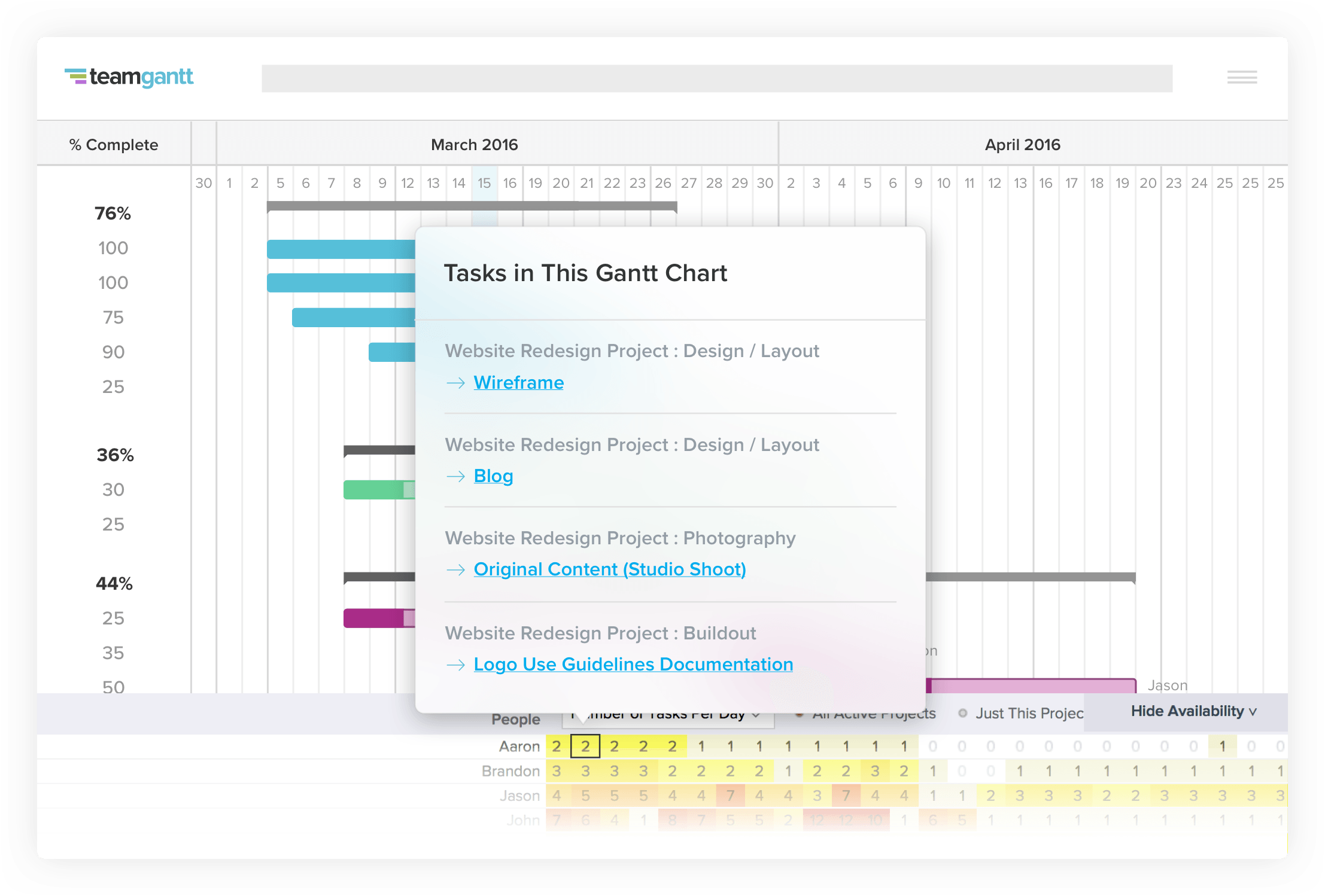
TeamGantt as project management software

TeamGantt as project management software

TeamGantt is a refreshing pm solution that brings project scheduling software online. You can manage projects with this super-easy Gantt software. Inviting your co-workers, teammates, and friends to view and edit your Gantt chart is simple and fun!

Features:

  • Fast drag and drop scheduling
  • Intuitive and easy-to-use
  • Real-time progress updates

Pricing: Standard plan starts from $7.90 /user per month (when billed annually)

Switch to a reliable project management software to deliver projects successfully. Try ProofHub

13. Proworkflow

ProWorkflow Dashboard as best project management tool

ProWorkflow Dashboard as best project management tool

Proworkflow is one of those project management software your teams would love. It’s beautiful, versatile and extremely easy to use. Also, it integrates with all the tools you need – saving you time and streamlining your processes.

Features:

  • Makes it a breeze to assign staff, track time or reschedule projects
  • Quoting and invoicing have never been simpler.
  • Reliable support and consultation

Pricing: From $22 month/user for team

14. Mavenlink

Mavenlink as project management tool

Mavenlink as project management tool

Mavenlink is a modern software designed for services organizations to connect with people, projects, and make profits. In a world where connectedness, transparency, and performance matter more than ever, Mavenlink helps you deliver projects successfully.

Features:

  • Manage multiple projects with ease
  • Handle project schedules in an intuitive interface
  • Gain visibility of all your projects in your portfolio

Pricing: Professional plan starts at $39/month/user

Read more: Mavenlink Alternatives and Competitors: Top 7 Tools You Should Try in 2020

15. Insightly

Insightly as project management software

Insightly as project management software

Insightly is a powerful CRM with a project and business management set. It allows you to grow your business faster than ever by building strong customer relationships over time.

Features:

  • Effortless tracking of project activity
  • Accelerate sales and manage leads
  • Helps you build meaningful relationships

Pricing: From $15 month/user for teams

16. Clarizen

Clarizen as project management software

Clarizen as project management software

If you are looking for a cloud-based project management tool to help your business grow, Clarizen can come to your rescue. It is a single collaborative pm solution that could manage projects and help you connect with team members effortlessly.
Features:

  • Automated processes and workflows
  • Budget tracking and expense management
  • Flexible UI

Pricing: From $60 user/month

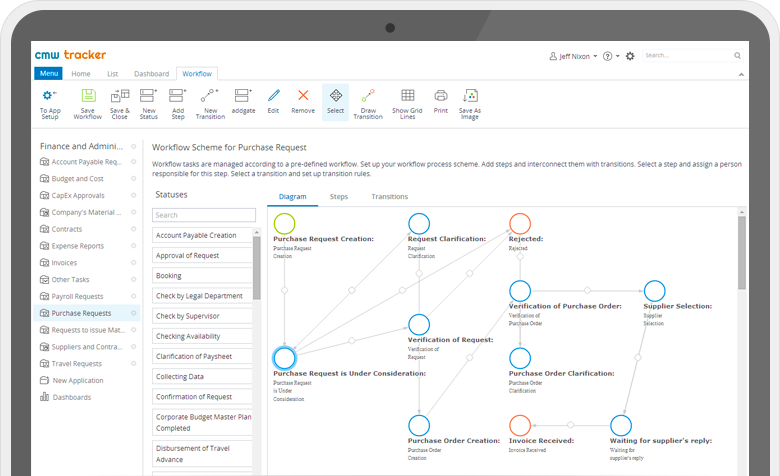
17. Comindware

Comindware as top project management tool

Comindware as top project management tool

Comindware is a popular workflow and business process management software. The workflow management software provides key capabilities for task, data and document management.

Features:

  • Focuses on process optimization
  • Customer order management and CRM capabilities
  • Full process automation, activity monitoring, business analytics as well as enterprise system integration.

Pricing: Starts at $29.99 per user

18. Easy Project

Easyprojects as best project management tool

Easyprojects as best project management tool

Easy Project is a professional project management tool for you, your team, and the whole company. Trusted by top-notch companies like Toyota, Lenovo, Bosch, it is a perfect fit for numerous industries be it IT or educational.

Features:

  • Visual project maps and plans
  • Compatible with modules for Resources, Finances, Help Desk and CRM
  • Integrated with Outlook, Project, Excel, Redmine

Pricing: $21/month per user Pro plan (60 portfolios, and 100 custom fields)

19. Crocagile

Crocagile top Project Management Tools

Crocagile top Project Management Tools

Crocagile is a simple agile project workspace designed to streamline communication and is focussed towards software development teams. It’s powerful pm tools and simple design is uniquely engineered for agile developers. It has all good stuff including collaboration and gamification feature giving a much-needed boost to agile practices with cutting-edge technology.

Features:

  • Activity Streams, Smart Alerts, and Group Chat to eliminate email
  • Team member updates are visible in one place, automatically
  • File Sharing – Store and Share files with commenting

Pricing: Starting from $2.50 per user, per month with the 30-day free trial.

20. Producteev

Producteev as project management software

Producteev as project management software

Producteev has been a task management solution for small and medium-sized teams. Project managers can easily access all their projects, tasks and other collaborators. With this pm tool you can easily plan any projects, map your route, organize files, delegate tasks, and various elements. Users can easily track the progress of each task.
Features:

  • Organize on your fingertips
  • Powerful collaboration
  • Seamless tracking
  • Interface customization
  • Personalized support

Pricing: The Premium plan is available at $99 per month

21. Teamdeck

Teamdeck top project management tool

Teamdeck top project management tool

Teamdeck offers a complete solution for companies to deliver projects faster. It is an essential pm software for managing resources and monitoring time spent on tasks and projects. With Teamdeck you can book your employees on different projects and create accurate timesheets with one-click time tracking.

Features:

  • Resource scheduling
  • Timesheets and time tracking
  • Leave management
  • Measure billable time

Pricing: Free startup plan limited to 6 team members. Business plan starts from $3.99 / team member / month, $1 / basic resource / month

22. Smartsheet

Smartsheet as pm tool

Smartsheet as pm tool

Smartsheet is a portable project management software to help teams collaborate, time-tracking, reporting, resource management, and planning tasks. The cloud-based software has some amazing features that brings it on the list of best project management tools.

Features:

  • Leverage team collaboration
  • Automatic update requests
  • File attachment from Google Drive, Onedrive, Dropbox and more
  • Gain visibility into who’s busy and who’s not
  • Secure permission control

Pricing: Individual plan starts $14 and business plan at $25 per user per month when billed annually.

Read more: Best Smartsheet Alternatives & Competitors for Work Management

23. Freedcamp

Freedcamp as pm software

Freedcamp as pm software

This is an extremely simple and intuitive tool for large organizations including architecture, interior design, IT services, retail, telecommunication and many more. Freedcamp offer functionality to unlimited users making organizing details and tasks quick and super easy.

Features:

  • Gantt chart to keep a bird’s eye view on tasks
  • Split large tasks into smaller subtasks
  • 3rd party integrations
  • Password manager
  • Shared file management

Pricing: Available at $3.99 for the owner and $0.99 for each additional user per month ( billed yearly )

24. Hive

Hive as project management software

Hive as project management software

Hive’s powerful project management and collaboration software put the needs of a team at a single place. The system lets you track project status, provide a Kanban-style status view, Gantt charts for project progress, and everything that a project team needs on a single page.
Features:

  • Provides a central platform for everything
  • Plan and repeat tasks using action templates
  • Move seamlessly between projects, messages, and files
  • Access anywhere from a desktop or mobile apps
  • 100
    0+ integrations

Price: Professional plan at  $12/user/month

25. Freshdesk

Freshdesk project management tool

Freshdesk project management tool

Freshdesk is a pm software with a comprehensive set of tools to help businesses support the need of customers. It’s simple to set up and offers the best value for money.

Features:

  • Integrated Live Chat, Phone Support, and Game Mechanics
  • High customizability
  • Multi-channel, multi-product and multi-lingual support
  • Great email messaging and self-service portals
  • Keep track of conversations
  • Resolve issues together through collaboration

Pricing: Freshdesk offers four price points for various business sizes. You can sign up for Freshdesk free trial.

26. Flock

Flock team collaboration tool.

Flock team collaboration tool.

Flock is every team’s collaboration hub. Packed with tons of productivity features, Flock is a messaging and communication tool for project management. It drives efficiency and boosts the speed of execution.

Features:

  • Collaboration in real time
  • Jump into video calls with just a click
  • Share all types of files and find them easily
  • Invite guests to work with you
  • Create notes and collaborate with teams on the go
  • Share code snippets on the go
  • Access your entire Google Drive from within Flock
  • Manage your GitHub repos without switching tabs

Pricing: Flock offers monthly and yearly billing. Pro plan starts at ₹ 149 per licensed user, per month billed annually (₹199 billed monthly).

27. LiquidPlanner

LiquidPlanner project management tool

LiquidPlanner project management tool

LiquidPlanner is a collaboration tool that combines project management and time-tracking. It has an interesting methodology for project management as it lets teams set realistic deadlines based on different scenarios.

Features:

  • A realistic range of time to complete tasks
  • Integrated time and budget tracking
  • Task-specific collaboration boards
  • Adding notes to projects
  • Cross-project visibility

Pricing: From $39 user/month, billed annually

28. CoSchedule

Coschedule as project management tools

Coschedule as project management tools

CoSchedule is an intuitive marketing project management tool that’s made to help marketers keep their work organized. It improves company visibility by simplifying all project workflows inside one cross-functional calendar. The possibilities of creation are now endless by being able to view all projects, tasks, deadlines, and ship dates in one place.

Features:

  • Complete more work by streamlining marketing workflows.
  • View, manage and approve all projects and tasks in one place with Marketing Campaigns and Marketing Projects.
  • Visualize project progress from start to finish more easily with Kanban Project Dashboard.

Pricing: Pricing begins at $20 a month and scales up to accommodate teams of all sizes.

29. MoneyPenny.me

moneypenny-project as top project management tool

moneypenny-project as top project management tool

The MoneyPenny Project Time Tracker is a smart and professional suite of online pm tools that
keeps projects and teams organized. By live-monitoring team performance against project deadlines, tasks, and budgets, businesses of any size can save more time and streamline
workflows.

Features:

  • Auto timesheet creation, management, and approval on the cloud, from any device
  • Full data integration, live synced online with invoicing, project tracking and team timers
  • Project progress live notifications and instant messaging team communication

Pricing: After the 30-day free trial, from $15/month/1 user (Starter plan) up to $55/month for 30 users (Enterprise plan).

30. BasecampBasecamp as best project management software

Basecamp as best project management software

Basecamp is one of the most popular online pm tool today. It combines all the necessary features at one place helping project members to know what to do and make sure nothing slips through the cracks.

Features:

  • Message boards, schedules, to-do lists
  • Document and file storage
  • Easy-to-use and simple interface
  • Tag team members easily

Pricing: $99/month.

Read on: Top 21 Basecamp Alternatives for Project Management

31. Monday.com
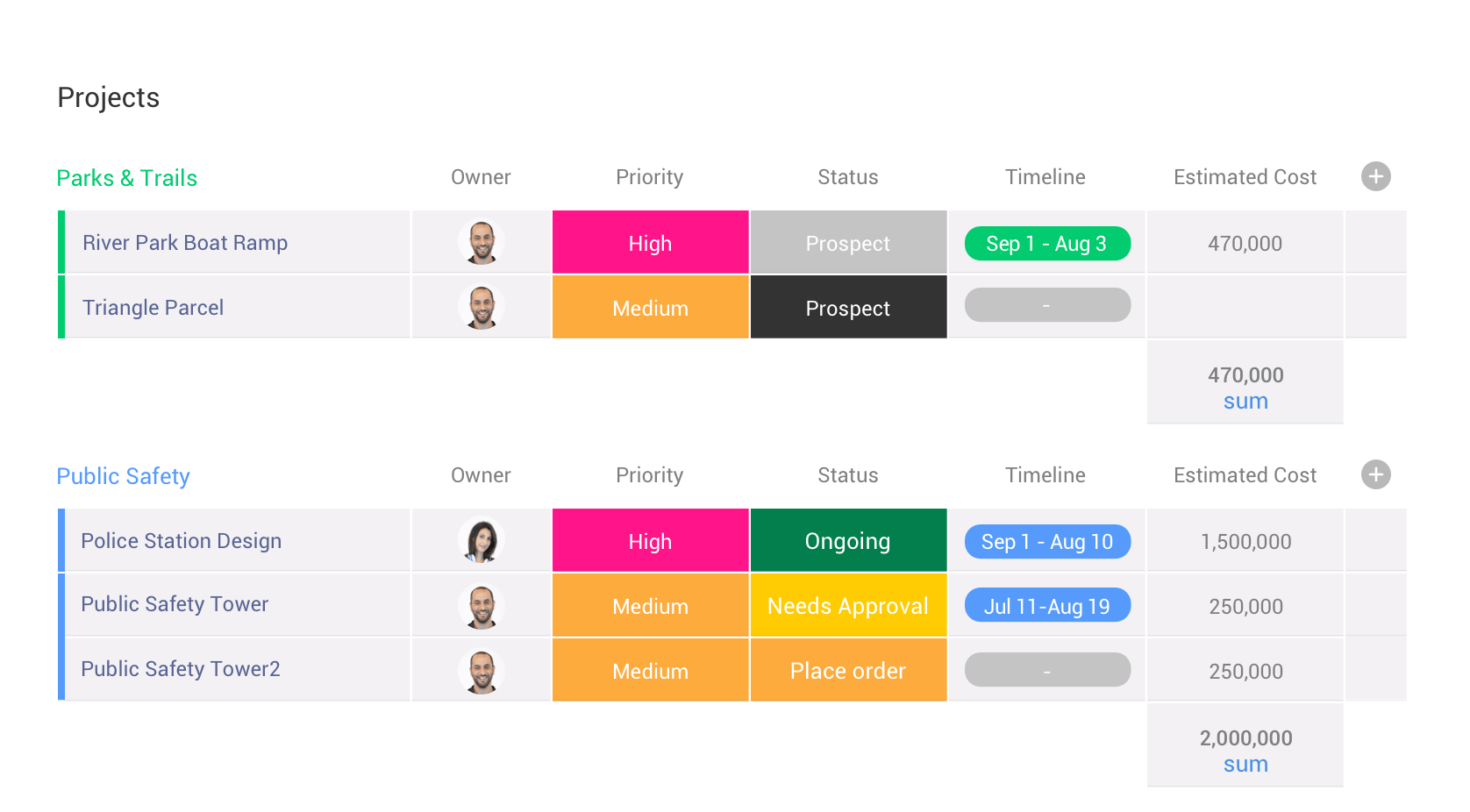
monday.com as project management software for teams

monday.com as project management software for teams

Monday.com is a simple but intuitive tool that enables people to manage work, meet deadlines, and build a culture of transparency. The solution is best for streamlining discussions, to see who is working on what, and keeping everyone in the know.

Features:

  • Centralized communication and document management
  • Visual project management and tracking
  • Analytics and reporting are well-executed
  • Smartly integrated with Dropbox, Zapier, Google Drive, and similar sharing and management tools

Pricing: Monday.com offers a free trial. The Basic plan is priced at $25 per month billed annually.

32. Wrike
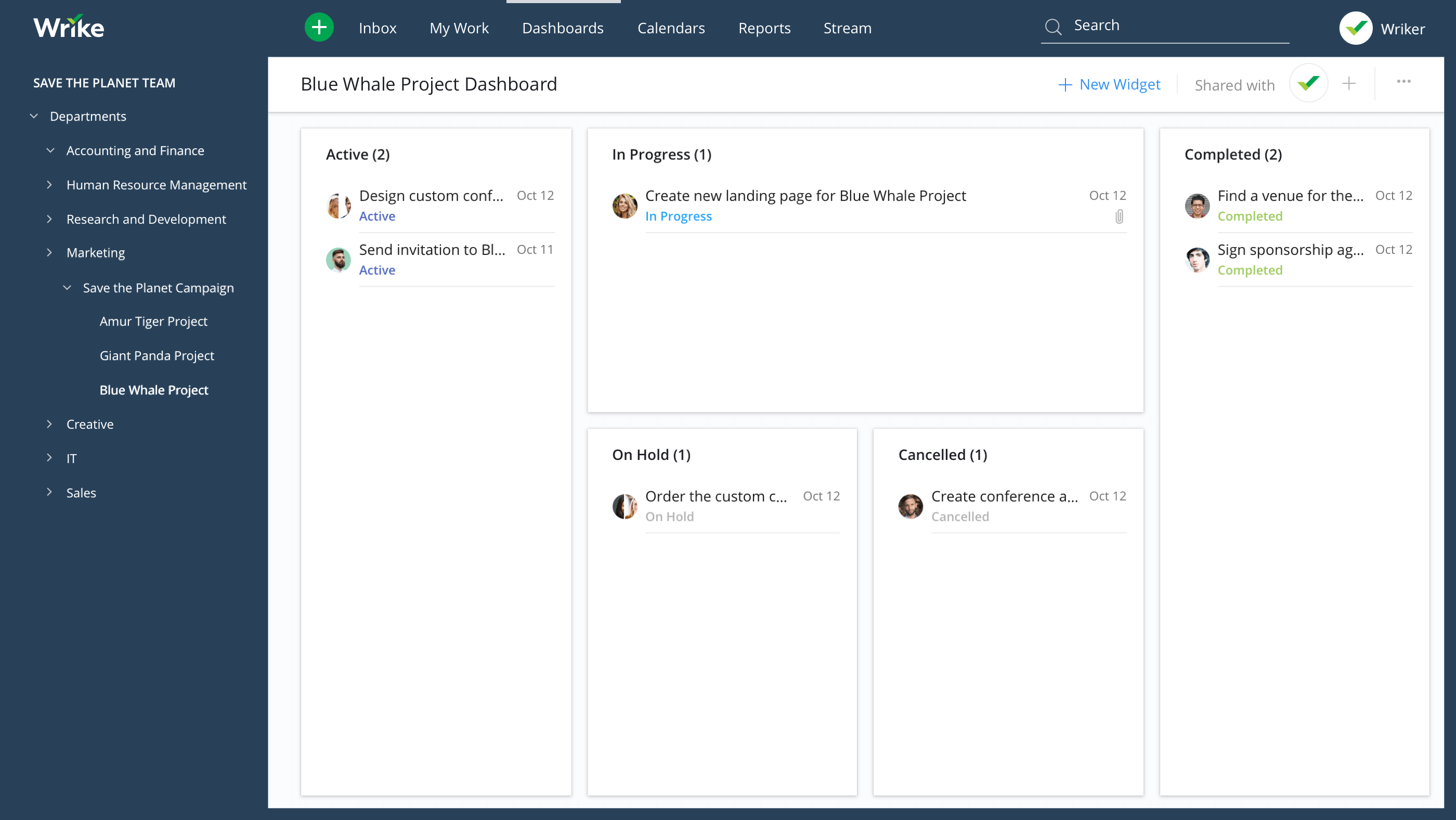
Wrike as best project management software

Wrike as best project management software

Wrike is a robust and versatile tool that helps team collaborate better and communicate with greater transparency. Wrike has plenty of best-in-class collaboration, communication and document management tools. The tool allows to set priorities and align your team to work faster and smarter.
Features:

  • Tasks and milestones can be synchronized to Google, iCalendar and Outlook calendars
  • Gantt charts help create visual timelines
  • Helps you to turn strategy into an actionable plan
  • Provide accurate and up-to-date info to clients

Pricing:  Professional Package – $9.80/user/month (billed annually)

33. Asana
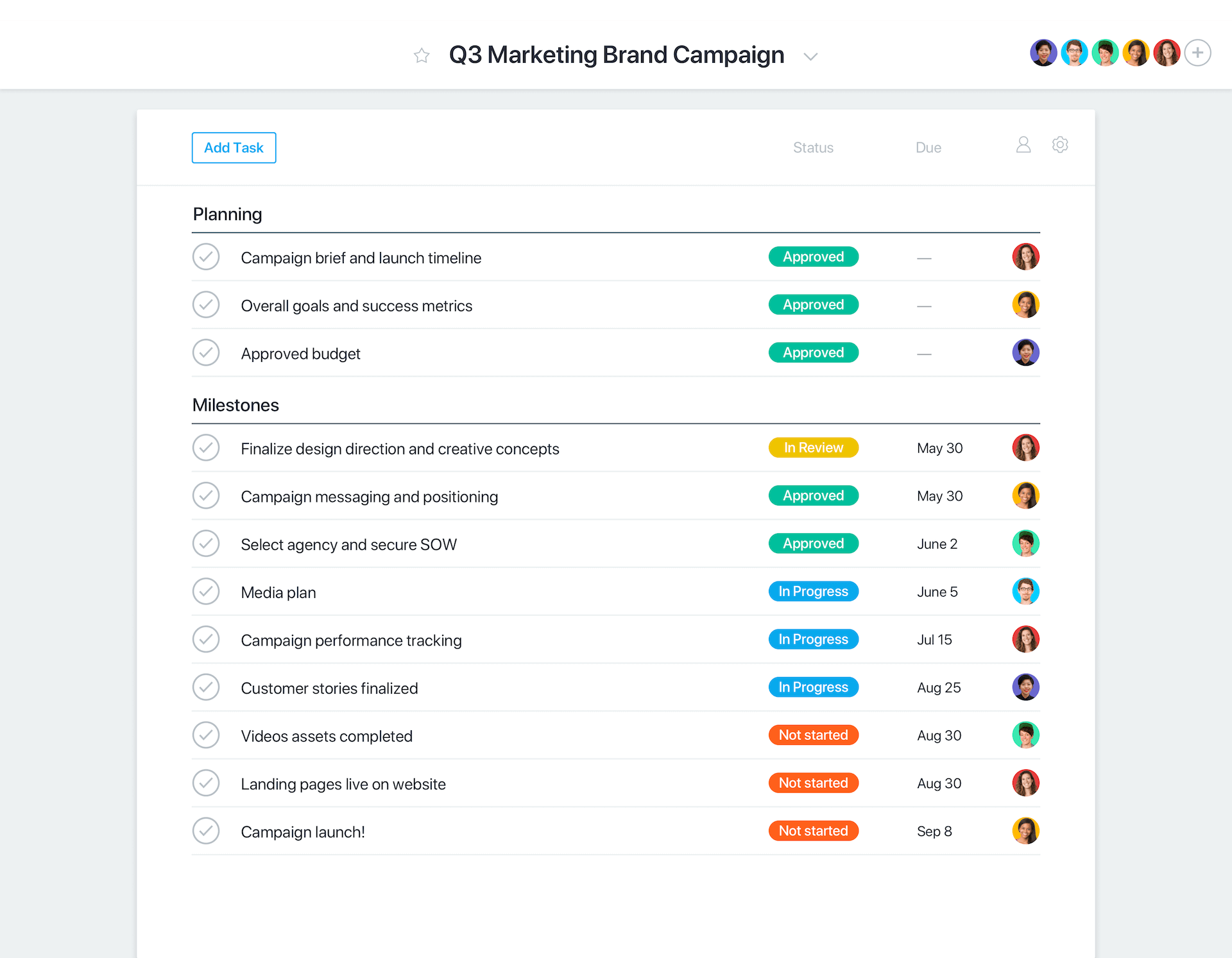
Asana as best pm software

Asana as best pm software

Asana is a cloud-based project management software that helps teams to map out every single detail of projects within an organization. Asana enables you to plan your work in a way that’s best for you. It is flexible enough to adapt to you.

Features:

  • The free tool offers a basic dashboard and search
  • Group tasks into sections or columns in a list or board project
  • Notify employees using a personalized inbox
  • A Gantt style view of how projects fit together
  • Schedule and prioritize tasks on a special Asana calendar
  • Generate detailed Progress reports

Pricing: Asana offers three tiers of pricing: Free, Premium and Enterprise. The premium plan starts at  $9.99 per member/month.

If Asana doesn’t come out to be your cup of team, you can pick any best Asana alternative.

34. Podio

Podio as pm tool

Podio as pm tool

Podio is an extremely versatile tool. More than 500,000 organizations use Podio to run projects. It is built with a series of app and tools that help teams organize tasks and track their work.

Features:

  • Break down large projects into simple to-do lists with assigned tasks
  • File uploads, progress statuses, updates, and comments done in real time
  • Real-time comments and deadlines are all laid out on one dashboard
  • Integrates with file sharing services, customer support, and help desk tools
  • Visualized reports to mark team’s progress

Pricing: Podio offers varying pricing tiers, which are priced per employee per month. Premium plan available at $24.

35. Project Insight
Project Insight as pm software

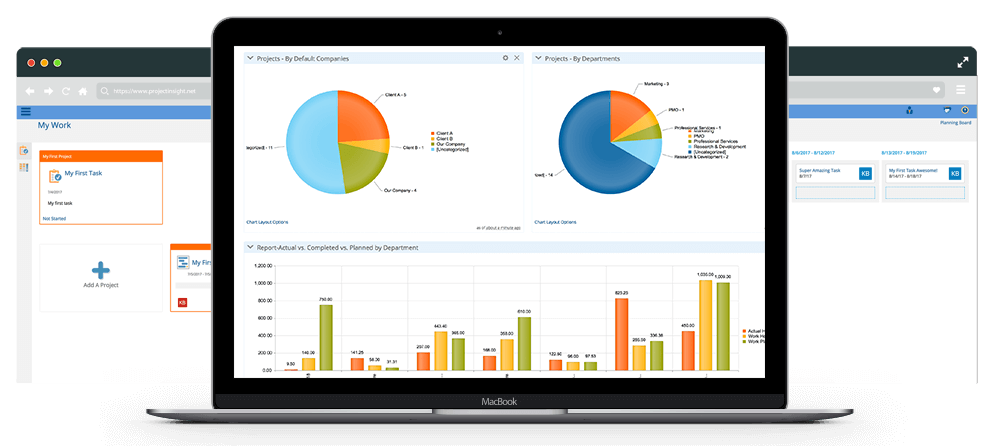
Project Insight as pm software

Project Insight is a simple and user-friendly interface that fits any team and project size. It offers notable integrations with Box, Microsoft Office, Microsoft Outlook, and Quickbooks. It comes with a simple and user-friendly interface. Users can track all steps of their projects from start to finish.

Features:

  • Real-time reports and manages projects from a single location
  • Time and expense tracking, resource management, and more
  • Real-time access to their tasks and project schedules
  • Balance resource work across all projects

Pricing: Business plan starts at $45 per user per month.

36. Teamwork Projects
Teamwork Projects as project management tool

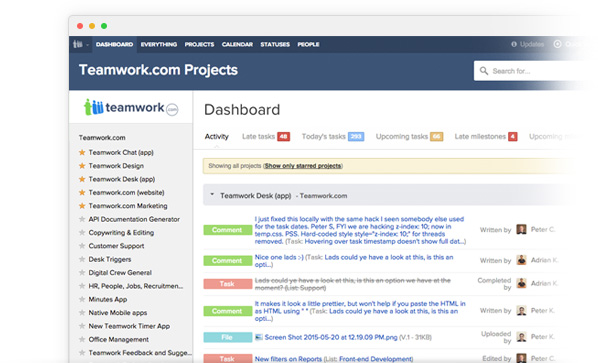
Teamwork Projects as project management tool

Teamwork Projects is designed to work seamlessly with the tools to form smarter workflows.  With a perky interface, easy-to-use toolset, users can create a project, and generate tasks and milestones. Teamwork Projects is available on iOS, Android, Google Chrome, and the Web.

Features:

  • Set start dates and end dates to your projects
  • Get a snapshot view of what your team is up to with the project activity overview
  • ‘Gantt’ style view of your projects
  • Gain valuable insights on your team’s performance
  • Assign low, medium, or high priorities to tasks

Pricing: Free 30 day trial. Pro plan is available at $9/month per user.

37. ProjectManager.com

ProjectManager.com as pm tool

ProjectManager.com as pm tool

Projectmanager.com is an online project management tool that helps users plan, track, and report on projects online. A powerful project planning and scheduling feature that allows users to manage a team of individuals, balance projects, and document effectiveness.

Features:

  • Attach files and comments to collaborate on tasks
  • Seamless importing and round-tripping of MS Project plans, Excel files & CSV files
  • Real-time dashboards show your status at-a-glance

Pricing: business plan with unlimited features at $25 per user per month.

38. ClickUp

ClickUp as pm tool

ClickUp as pm tool

ClickUp is a high-rated productivity solution helping you better manage your tasks, notes, projects, and time. The project management tool helps you figure out who’s doing what and brings all your tasks, projects, and resources in one place. ClickUp lays special attention on views, statuses, features, and processes to give you a better user experience

Features:

  • Customize workflow with stages to keep people on the same page
  • Create spaces to organize work with customized features, workflows, tags
  • Add time estimates for automatic scheduling
  • Control what others can see and what they can do
  • Make goals and track their success  

Pricing: $4.99 per user per month

39. EventCollab

EventCollab as project management software

EventCollab as project management software

EventCollab is a web-based application which focuses on event project management and logistics tracking. Whether it is about contacts, data, tasks, schedules, calendars – you can securely manage everything in EventCollab. The interface is easy to navigate which makes managing complex tasks easier than ever. EventCollab uses a variety of technologies to create effective solutions for project and event management.

Features:

  • Access projects in real-time
  • Keeps track of the details and connects team members
  • Restricted permissions, role settings, and data encryption
  • Available in the cloud at any time from any location

Pricing: From $20 per month

40. Advantage

Advantage as agency software for project management

Advantage as agency software for project management

Advantage software is a management tool best suited for business agencies and marketing companies to manage the business side. It successfully integrates all agency roles into a single solution with robust modules, powerful features, and extensive reporting. It automates all facets of project management, proofing, billing, client relationship management. The good news is that it works well for medium to large agencies.

Features:

  • Automate and manage projects more efficiently
  • Streamlined processes to manage time, tasks, and expenses
  • Complete reporting and forecasting
  • Share files and collaborate

Pricing: Upon request

41. Redmine

Redmine as project management app

Redmine as project management app

Redmine is an open-source tool which works cross-platform along with multilanguage support. It gives registered users the ability to create and manage their own projects meaning once you have registered, you are allowed to create your own projects and get access to their features. Being a free downloadable software, it is definitely worth a try.

Features:

  • Multiple project support
  • Role-based access control
  • Custom fields for issues, time entries, projects
  • Gantt chart, calendar, issue-tracking system

Pricing: Free

42. Nutcache

Nutcache as project management tool

Nutcache as project management tool

Nutcache brings the best of Agile workflow to manage to plan, track, and organize your projects and tasks better. It provides you with all the tools required to complete the project delivery lifecycle. It is trusted by 1,30,000+ companies worldwide to meet their deadlines. With its agile planner which allows you to see at a glance what others are working on.  

Features:

  • Assign cards to manage priorities
  • Set milestones and alerts to never miss a deadline
  • Bill time and expenses accurately
  • Customizable workflows and well-organized tasks

Pricing: $15/user/month

43. Notion

Notion as project management software

Notion as project management software

Notion is an all-in-one workspace where you can write, plan, and collaborate. Unlike traditional tools for project management, Notion has a modern feel both in its looks and features. It is being used to plan and discuss projects, communicate with teams and clients, and keep track of all the important stuff. Notion keeps records of everything and captures unique workflow in the best possible way.

Features:

  • Outline ideas and rearrange them in any way
  • Syncs across various devices and collaborators in real-time
  • Works in the browser and runs offline with the Mac, Windows, and mobile apps

Pricing: Starts at $4 a month

44. Paymo

project management tool for teams - Paymo

project management tool for teams - Paymo

Paymo is a full-fledged task management software helping teams to work better with advanced proper planning, scheduling, task management and time tracking features. It’s a great tool to bring everyone together and on the same page. Whether you’re a part of a creative, marketing, web designing, business consulting team, Paymo lets you work in harmony and help you manage work faster and better.

Features:

  • Advanced task management tools, Gantt charts and Kanban boards for accurate planning and scheduling
  • Discussions and comments for real-time seamless collaboration
  • Compare initial time estimates against actual work
  • Customizable time and work reports

Pricing: Business plan starts at $15.16/user/month

45. Cage

Cageapp as online proofing review

Cageapp as online proofing review

Cage is a media collaboration software best-suited for designers, creative agencies, and in-house teams. It lets you collaborate with your team directly on the work enabling you to deliver work on time. With its advanced toolkit, you get to gather, discuss, and act on feedback faster. You can also manage projects, teams, and communicate at a single place. It’s also quite effective to get a clear picture of ongoing projects and how your team is performing.

Features:

  • Add annotations directly to images, video, audio, PDFs
  • Share design decisions, customize color palettes and layouts
  • Record different work in progress

Pricing: Professional plan for $14 per user per month

46. Avaza

Avaza as pm tool

Avaza as pm tool

Avaza is productive solution that teams use to collaborate on projects, schedule resources, track time, m
anage expenses for a more efficient business. It helps you get more done faster with quick file-sharing, activity feeds and more. You get to see a bird’s eye view on who’s working on what and manage work assignments and make smarter scheduling decisions.

Features:

  • Visualize, filter, and group tasks within and across projects
  • Flexible project budgeting and billing options
  • Easily manage resource allocated to each project
  • One-click time tracking from every screen

Pricing: Basic plan starts at $19.95 per month

47. Dropbox Paper

project management tool

project management tool

Dropbox Paper launched by Dropbox is a new way to collaborate, organize teamwork and work from anywhere. It is a collaboration app that runs on shared Dropbox space to collect ideas, create documents, chat, and keep everything together in one place.

Features:

  • Help teams collaborate in a distraction-free environment
  • Keeps people in loop with real-time collaboration
  • Link your Google Calendar or Microsoft Office 365 account
  • Visual representation of whatever is happening

48. Evernote

evernote as project management tool

evernote as project management tool

When you’re planning a project, having all the information in one place makes it easier to keep things organized. Evernote is an app for all your needs of taking notes, making lists, reading content online, and having to look up something that you’ve written before. Keeping everyone on the same page will always make sure that you focus on what matters as projects from start to finish.

Features:

  • Set reminders, track deadlines, and gather feedback
  • Save important emails
  • Stay on schedule with checklists and reminders
  • Add keyword tags on notes to find it quickly

49. Todoist

todoist as time tracking software

todoist as time tracking software

Todoist is a customizable solution to meet project management needs of small and midsize businesses. It is a powerful task manager loaded with great features to boost productivity as well as organize tasks and set schedules.

Features:

  • Capture and organize tasks with Quick Add
  • Measure your progress with visualization
  • Email tasks and subtasks directly to your inbox
  • Sync across all your devices and integrates with all your favorite apps

50. TimeCamp

timecamp as time tracking software

timecamp as time tracking software

Time Camp lets you easily track the time spent collectively on each project to keep the team’s work under control and communicate with them efficiently. The tool allows its users to manage unlimited projects and customers without any additional costs.

Features:

  • Track the progress and detect possible delays
  • Collect valuable information about how much time tasks take
  • Plan the work of your team
  • More precisely estimate time needed to do a particular type of task
  • Bill your clients accurately

51. Confluence

Confluence as project management software

Confluence as project management software

Confluence helps you manage the details of all your projects. Atlassian’s Confluence  provides powerful tools for teams to collaborate, complete projects, and review task.

Features:

  • No more separate documentation process
  • Powerful task management to assign a tag, assignee, and due date
  • Organize, track, and review decisions
  • Hassle-free file sharing

Conclusion

With the changing times, the needs of businesses are changing as well. Spend a good amount of time to figure out if you need an invoicing tool, robust reporting software, or a holistic view of projects and processes at one place.

We hope that the above list would serve the purpose and provides you a list of top project management tools to be used in 2020. If you think, we have missed a tool that could make a difference in your life, don’t forget to drop your comment below.

What are project management tools?

Using project management tools is an effective way to deliver projects on time and organize tasks. It is the way to track progress and manage time for successful projects.

What are the top features in project management tools?

Some of the key features are collaboration, task management, file sharing, reports, Gantt chart, & Kanban. To a great surprise, this is all that ProofHub has and a lot more.

What is the best project management tool in 2020?

ProofHub is the most highly rated project management tool today. It is ahead of the rest as it gives all the features at a great price for unlimited users.

How much does a project management tool cost?

Different project management tools have a different plan for everybody but the one like ProofHub has a plan that is available for unlimited users when you pay once.

Vartika Kashyap

Vartika Kashyap

Vartika Kashyap

Vartika Kashyap is the Chief Marketing Officer at ProofHub and has been one of the LinkedIn Top Voices in 2018. Her articles are inspired by office situations and work-related events. She likes to write about productivity, team building, work culture, leadership, entrepreneurship among others and contributing to a better workplace is what makes her click.

Source

The 8 biggest web design trends 2020

Web design trends are constantly changing. In 2020, the technical possibilities seem endless and we’re seeing designers play with extremes, reinvent previous styles and ceaselessly experiment with new techniques. At the same time, there are some popular styles that just won’t go away, such as the ever-present minimalism and colorful flat illustrations we’ve been seeing for some time now.

So, what will the web design trends 2020 be? If you want to discern the newest trends early on you’ll need help from the experts. We asked some of the top designers in the 99designs community what 2020 web design trends they’re seeing. Here’s what they came up with, based on their knowledge of the craft.

Here are the biggest web design trends 2020:

  1. Dark mode
  2. Imperfections that add personality
  3. Immersive 3D elements
  4. Soft shadows, layers and floating elements
  5. Mixing photography with graphics
  6. Solid frames of white space
  7. Glowing, luminous color schemes
  8. Ultra minimalist navigation

1. Dark mode

Example of 2020 web design trend dark modeby DarkDesign Studio

I believe that one of the main trends of 2020 will be dark design, mainly focusing on UI design giving users an option to enable dark theme. Dark backgrounds make design elements stand out more, creating a higher contrast ratio with the use of other colors, but still improving visual ergonomics by reducing eye strain.

DarkDesign Studio

Dark mode web designs not only look ultra modern, but they’re easy on the eyes and make colors and design elements pop.

Sometimes the most visually stunning web design trends have practical beginnings. Dark themes are better for OLED screens—saving power and extending screen lifespans—but that utility doesn’t stop them from looking good. Dark backgrounds improve the visibility of other accent colors for truly dynamic design.

Dark mode is so hot right now.

– Sam Chang, Product Designer at 99designs

Coincidentally, the dark mode design aesthetic also fits in perfectly with other prevalent 2020 design trends that include dark and moody color schemes combined with glowing neons as well as futuristic yet dark cyberpunk and dystopian styles.

2. Imperfections that add personality

Example of 2020 web design trend hand-drawn icons and elementsvia Zhenya RynzhukExample of 2020 web design trend hand-drawn icons and elementsvia Cuberto

Imperfect, hand-drawn design elements inject emotion and humanity into websites, which users seem to be craving after seeing perfected yet impersonal graphics dominate web designs for years. In 2020, adding some hand-drawn realness gives web designs the heart and soul visitors find appealing.

A big trend next year will be hand-drawn icons. They’re more emotional, but on a positive note. This trend is connected to the fact that we need more positive stuff around, something that can brighten up the day.

Elisabetta Calabritto

Example of 2020 web design trend hand-drawn icons and elementsvia Chelsea Carlson

Indeed, who couldn’t use a little extra positivity these days. Unique and stylized, hand-drawn icons and other elements show off your brand personality and stand out from your competitors. In fact, this rebellious trend is almost a countermovement to the trend of pixel-perfect flat designs—so flaunt your scratchy edges and open shapes to show how human and lifelike your brand is.

Whether it’s hand-drawn icons or hand-made illustrations, in 2020 we’ll see more designers adding purposefully messy-looking elements to their web designs.

3. Immersive 3D elements

Example of 2020 web design trend of 3D elementsvia GG Marmont GucciExample of 2020 web design trend of 3D elementsvia UenoWeb design trends 2020 example: 3d websitevia A-0 Design

I expect to see more use of 3D technology in graphic design and interaction design. Technology pushes the design and vice versa. Designers are armed to their teeth with vast options for creative “roaming” in 3D space. They step up the interaction game by including all of our senses in the experience.

Pinch Studio

3D visuals have always delighted people; what held this trend back was technology and the (previously) expensive price tag. But as Pinch Studio explains, the technology is now in a place where you can design in 3D without NASA-tier equipment, opening the gates to more and more designers.

Until VR becomes more mainstream and cost-effective, hyper-realistic 3D that’s often taking up the whole screen is
the best way to create an immersive experience for your site. That’s not just an advantage for visuals, but for UX as well—interactive 3D design encourages users to stay longer. As 2020 unfolds, expect to see more immersive 3D web designs drawing users in and visually breaking down the boundaries between digital space and reality.

4. Soft shadows, layers and floating elements

Example of 2020 web design trend of soft shadows and floating elementsby Gilles Tossoukpé (via Dribbble)Web design trends 2020 example: layers and shadowsvia Mike, Creative Mints

Soft shadows and floating elements create a pseudo-3D effect and make the design more layered and more interesting.

Alex Ivanov

This trend is all about creating depth. Like the 3D effect from above but want to tone it down? Soft shadows and floating elements add interest and depth and give your web page a “3D Lite” look. It’s not just graphics either: you can use this effect with text and photos, too.

Taking the principles of material design a step further, designers can add a little extra pizzazz to 2D layouts with soft drop shadows and layering elements on top of each other for extended depth. These effects give the design a lightweight feel, as if the elements are floating over each other—a sharp contrast from classic, impenetrable flat design where the layers seem, well, flat.

5. Mixing photography with graphics

Example of 2020 web design trend of mixing real photographs with graphicsvia Zhenya RynzhukExample of 2020 web design trend of bold duotoneBy Ashish Rai (via Dribbble)Example of 2020 web design trend of mixing real photographs with graphicsvia PlanitExample of 2020 web design trend of mixing real photographs with graphicsBy Rosee Byrne (via Dribbble)

Using real photographs mixed with illustrations or graphics communicates a really customized message. Whether photos of products or people, these images can more fully support branding and help websites stand out from the crowd.

Hiroshy

Overlapping original graphics on top of real photographs creates a memorable visual, which lends itself to letting your creativity go wild.

This collage-like trend is a versatile one; you can use it to add a special cuteness and charm to otherwise bland product photo (TSP stoneware, above), or you can use its more serious attributes to better communicate complicated or abstract concepts like tech or finance. It’s a way to customize your imagery and add more personality (a reoccurring trend in 2020) to your web design.

To make the most of this trend’s flexibility, be sure to match the style of the illustrations and graphics with your brand personality. Their style can sway how people interpret the photograph—cartoon squiggles for something more playful, or geometric and detailed illustrations for something more sophisticated.

6. Solid frames of white space

Web design trends 2020 example: web design with neat white space framingby akorn.creativeExample of 2020 web design trend of framing with blank spacevia GladeyeExample of 2020 web design trend of framing with blank spacevia Patrick DavidWeb design trends 2020 example: web design with white space framing imagesby Daan Spits via QVT

I am really digging the white space around websites, steering away from full bleed images and parallax designs. When something is ‘framed’ it gives the image more of a position on the site so that websites tend to ‘pop’ and stand out more.

Daan Spits

Full bleed layouts have been trending in web design for quite some time. Now, designers are gravitating towards solid structures and playing with different ways to use lots of white space (and space of any color, for that matter) to give their designs more structure and make use of clean framing to give their designs stability and a canvas to jump off of.

In 2020, we’ll see wide frames of white space giving web designs a solid structure. By allowing each element on the page a generous amount of space, framing creates the perfect foundation for making visuals shine. Neatly structured frames around websites create a satisfying sense of order and help prioritize and separate all the different parts of a page.

7. Glowing, luminous color schemes

Example of 2020 web design trend of bold duotonevia MONOGRIDExample of 2020 web design trend of bold duotonevia Matthias VambairgueExample of 2020 web design trend of bold duotonevia Magic People Voodoo People

Futuristic color schemes and designs will be on trend next year, continuing with the isometric trend and bringing in colors like blues and purples and hot pink to give designs that futuristic glowing feel.

– Adrianne Mesnard, Art Director at 99designs

As we head into 2020, we’ll be seeing courageous color pairings, used strategically to make web designs jump off the screen. Web design is becoming more bold and daring, using glow-in-the-dark neons and highly saturated colors in combination with darker, muted shades to give the designs a luminous feel.

Duotone web designs in particular make this trend shine. Duotone keeps reinventing itself to maintain its place at the forefront of design. This latest iteration is the boldest yet, relying on futuristic, neon pops of color and stark color opposites to make veritably vivacious visuals.

Unique duotone web designs are visually interesting and appealing. And with the help of the duotone effect, you can transform almost any image into your company’s branding.

deandesign

In 2020, intriguing color schemes will play a critical role in web design. With web design trends like extreme minimalism and dark mode on the rise, glowing and luminous colors can really shine.

8. Ultra minimalist navigation

Example of 2020 web design trend of large photos and videosby Alt*CEVAExample of 2020 web design trend of large photos and videosBy Mike | Creative Mints (via Dribbble)Example of 2020 web design trend of minimalist navigationby Sathish (via Dribbble)

In 2020, website content will be more video with voice script and less text, heading towards precision over description. Overall, web design is going to be more simplistic to facilitate easier navigation.

Ananya Roy

With the rise of wearable devices like smartwatches, web design in general is thinking smaller. The area most affected by this is navigation, the glue that holds a website together. Over the last few years, navigation has been getting simpler and simpler to accommodate extremely small devices and even smaller attention spans.

Extremely minimalist navigation takes away much of the difficulty in usability. The less a user has to think about moving around, the more time they spend immersed in the site, actually moving around instead of wondering how.

At the same time, imagery is becoming more important.  Large-scale photos and videos are your chance to impress users—while only using the bare minimum of text.

Example of 2020 web design trend of large photos and videosA minimalist web design with large photography by David & GeorgeExample of 2020 web design trend of large photos and videosA minimalist web design with large photography by Hitron

Huge photos and videos have some vivid benefits. They draw attention to your business objective. I believe this is why more and more websites are starting to use big images to deliver beautiful visuals to their viewers.

Coincept

With less text on the page large images are being pulled to the foreground and represent the main focus of the composition. Because the image gets the lion’s share of attention, make sure it’s worthy; use a powerful or artful visual that says it all.

Looking forward to web design trends 2020

With those annoying 2010s coming to a close, web design trends 2020 are embracing futurism like never before. Attention-grabbing visuals and colors, 3D effects and old trends reinvented are all clear indicators of this new 2020 style. This movement extends beyond the screen as well, with modern web design emphasizing more user friendly site experiences, as with minimalist navigation and less eye-straining dark design.

At the brink of this new decade web designers are simultaneously looking to the future and to the past for inspiration. And thanks to this multitude of opposing design trends, movements and styles it’s safe to say that web design in 2020 will be full of surprises.

Let our designers create something unique for you.

Get a web design

Source

What are the Benefits of Managed IT Services

Do you feel like you spend half of your workday dealing with IT issues?

Are you concerned that your current IT strategy isn’t doing enough to protect your customer data?

Do you simply lack the IT knowledge and expertise to lower your risk and keep things running smoothly on your own?

If so, then you need to keep on reading.

In this post, we’ll help you to understand what managed IT services are. We’ll also discuss just a few of the many managed service benefits that working with a professional can offer you, your employees, and your company at large.

Read on to learn why now is the time to make the switch to managed IT services.

What is Managed IT Services?

Before we get into the many benefits of managed IT services, let’s make sure you’re clear on what they are. Essentially, these services give control over IT equipment, installation/updates, software, and the day-to-day functionality of your IT needs to a professional service.

In general, these IT services include data protection and 24/7 monitoring, network administration, software integration, data migrations, and much more. In exchange for these managed IT services, you pay a set monthly fee to the professional company.

Managed Service Benefits

There are countless benefits to making the choice to go with managed IT services. Whether you’re a large or small business, and regardless of which phase of business you’re in, we know that working with these services will save you both time and money.

Let’s take a look at some of the most popular reasons to make the switch now.

1. Increased Security

With about 14 million businesses hacked within a single year, the reality is that the odds aren’t always in your favor when it comes to cybersecurity.

Managed IT services offer proactive security solutions that help you mitigate your risk. They’ll be able to identify both the digital and the “real-world” threats to your business and work to mitigate them.

Plus, remember that a security breach can seriously damage the reputation of your company. Once you’ve lost that consumer trust, it can be tough to get it back.

In fact, about 60% of smaller businesses that are hacked end up closing their doors within just six months.

It’s not worth the risk.

Managed IT services will constantly monitor your website, run backups of your data, and alert you as soon as they notice any suspicious activity.

2. Lowered Business Costs

We know that you’re always looking for ways to save on the overall operating costs of your business. Are you a little uncertain about whether or not you can afford the monthly fees of a managed IT service?

You need to consider how much money — and time that you can spend pitching instead of updating your software — it will save you down the line. First of all, you’ll lower your risk for violations and data breaches, which can cost tens of thousands of dollars to fix.

You’ll also know exactly how much you’ll need to put towards the cost of your IT services, which helps you to keep your expenses consistent.

3. Assistance with Compliance

Did you know that a shocking 80% of companies are not actually PCI compliant?

If you suspect that your business may not be in complete compliance with industry standards, you need to take immediate action. Especially if you’re in the beginning phases of your business, the hefty fines associated with being in violation of regulations could very well cost you your business.

Managed IT services can help.

First of all, they’re likely familiar with the compliance regulations that you need to follow. They can quickly pinpoint areas that aren’t in compliance, and work to find a solution.

This helps to ensure that your software is always up-to-date, your clients’ credit card numbers/payment information are safe, and that your security practices are in line with current regulations.

4. Access to Professional Expertise

The final benefit of managed IT services that we’ll discuss in this post?

Immediate access to the expertise of IT professionals who can quickly diagnose a problem and prevent new ones from cropping up at the same time.

When your website is down, you’re experiencing technical difficulties with your software, or if you’re struggling with your email accounts, every second counts.

This is true not only when it comes to security and data protection. But it also helps you increase your overall operating efficiency and site uptime.

Your team of IT professionals will have the experience to quickly and correctly identify the problems so you don’t have to lose two full business days (or more) waiting for things to be fixed.

Plus, remember that it’s likely that the majority of your competitors are also using some type of IT managed services. In order to keep up with the advantages that these services offer your competitors, you’ll need to leverage the benefits of IT services for your own company, too.

Ready to Work With Managed IT Services?

From helping you to lower your business costs to providing assistance with data security and backup, we hope this post has helped you to see the benefits of managed IT services.

When you’re looking to streamline your business and lower its operating costs at the same time, make the switch to a managed IT service.

We want to be able to provide you with the level of service and expertise that you deserve. Spend some time on our website to learn more about how we can make that happen — from IT services to web design and more.

When you’re ready to have access to some of the top IT services in the industry, reach out to us to get started.

Source

Location Targeting AdWords API Google Developers

This guide describes location targeting, and how you can use the AdWords API to add, retrieve, and update location targeting for your campaigns. It also examines advanced geo-targeting concepts like physical location and location of interest, as well as how to run reports and evaluate your campaign’s geo performance.

Code examples in this guide use the AdWords API Java library. Check the complete list of client libraries for other languages. Also, note that using a client library is recommended, but optional; you may use any SOAP kit in the programming language of your choice to make calls to the API.

Why is geo targeting important?

Location targeting allows you to serve ads to users in a particular geographical region. For example, assume you’re advertising for a chain of supermarkets. Without location targeting, your ads would show in all regions worldwide, and your ads might receive clicks from users in regions where you have no supermarket locations. This generates cost while providing no possibility of a return on the investment. With location targeting, your campaigns show ads only in regions where you have open supermarkets. This approach also allows you to directly target customers searching locally for supermarkets.

The AdWords API allows you to target your ads by country, region, or proximity around a specific geographical point.

If you need to brush up on location targeting concepts, see this Help Center article.

Geo target campaigns for a region

You can target campaigns to a specific geographical region (e.g., country, state, city, postal region) for which Google Ads supports location targeting. Each targetable location is uniquely identified by a Criterion ID.

You can add geo targets to your campaigns using the CampaignCriterionService. The following code snippet shows how to target your campaigns to California (USA) and Mexico.

// Create locations. The IDs can be found in the documentation or // retrieved with the LocationCriterionService. Location california = new Location(); california.setId(21137L); Location mexico = new Location(); mexico.setId(2484L); List operations = new ArrayList(); for (Criterion criterion : new Criterion[] {california, mexico}) { CampaignCriterionOperation operation = new CampaignCriterionOperation(); CampaignCriterion campaignCriterion = new CampaignCriterion(); campaignCriterion.setCampaignId(campaignId); campaignCriterion.setCriterion(criterion); operation.setOperand(campaignCriterion); operation.setOperator(Operator.ADD); operations.add(operation); } CampaignCriterionReturnValue result = campaignCriterionService.mutate(operations .toArray(new CampaignCriterionOperation[operations.size()]));

As shown in the code, you need to create Location objects for each region you want to target, and add them using CampaignCriteronService.mutate(). In the example, 21137 is the code for California, while 2484 is the code for Mexico.

Google may occasionally phase out some location criteria for various reasons: the location may be restructured into smaller (or larger areas), geo-political changes, etc. Refer to the targetingStatus field of a Location object to determine if a location is ACTIVE, OBSOLETE, or PHASING_OUT. See this blog post for more details about phasing out location targets.

Look up location codes for a region

As mentioned above, you need to create a Location object with an appropriate code to target a region. You can use the LocationCriterionService to look up the criterion ID for a location. The following code example shows how to look up a location criterion ID by location name.

String[] locationNames = new String[] {“Quebec”}; Selector selector = new Selector(); selector.setFields(new String[] {“Id”, “LocationName”, “CanonicalName”, “DisplayType”, “ParentLocations”, “Reach”}); selector.setPredicates(new Predicate[] { // Location names must match exactly, only EQUALS and IN are // supported. new Predicate(“LocationName”, PredicateOperator.IN, locationNames), // Set the locale of the returned location names. new Predicate(“Locale”, PredicateOperator.EQUALS, new String[] {“en”}) }); // Make the get request. LocationCriterion[] locationCriteria = locationCriterionService.get(selector); // Display the resulting location criteria. for (LocationCriterion locationCriterion : locationCriteria) { String parentString = getParentLocationString(locationCriterion.getLocation().getParentLocations()); System.out.printf(“The search term ‘%s’ returned the location ‘%s (%d)’ of type ‘%s’ ” + “with parent locations ‘%s’ and reach ‘%d’.n”, locationCriterion.getSearchTerm(), locationCriterion.getLocation().getLocationName(), locationCriterion.getLocation().getId(), locationCriterion.getLocation().getDisplayType(), parentString, locationCriterion.getReach()); } /** * Helper function to format a string for parent locations. * * @param parents List of parent locations. * @return Formatted string representing parent locations. */ public static String getParentLocationString(Location[] parents) { StringBuilder sb = new StringBuilder(); if (parents != null) { for (Location parent : parents) { if (sb.length() > 0) { sb.append(“, “); } sb.append(String.format(“%s (%s)”, parent.getLocationName(), parent.getDisplayType())); } } else { sb.append(“N/A”); } return sb.toString(); }

The code example above generates the following output:

The search term ‘Quebec’ returned the location ‘Quebec'(20123) of type ‘Province’ with parent locations ‘Canada (Country)’ and reach ‘5070000’. The search term ‘Quebec’ returned the location ‘Quebec City'(1002624) of type ‘City’ with parent locations ‘Quebec (Province), Canada (Country), ‘ and reach ‘356000’.

You can now target Quebec (Province) using location code 20123, and Quebec City using the location code 1002624.

The LocationCriterionService allows for retrieval of a location’s parents. This is done by adding ParentLocations to the list of selector fields. For example, our previous code returned the location (Quebec City) as well as its parent location (Canada). This feature is useful if you want to display a hierarchical list of locations to your customers, or if you want to add inclusion or exclusion logic for locations when targeting your campaigns.

An important thing to remember while working with parent locations is that you shouldn’t make any assumptions about a location’s displayType in a hierarchy. For example, USA may be divided into states and further into cities, but this isn’t true for every country in the world.

You can use the LocationCriterionService more effectively if you know the location name somewhat accurately. The lookup will try to match the name you give it. If you want to retrieve the location codes for a large number of regions, it may be more efficient to save the list locally in a database and write your own location lookup logic. You can easily look up the codes for a location, or download the list of all codes, from the targets table, which is periodically updated with the latest targets.

Target campaigns for proximity to a location

There are ti
mes when you might want to target even more precisely than a city or country. For example, you may want to advertise your supermarkets within 10 kilometers of your shop location. In such cases, you can use proximity targeting. The code to create a proximity target is similar to adding a location target, except that you have to create a Proximity object instead of a Location object.

// Create the address whose surrounding area you want to target. Address myAddress = new Address(); address.setStreetAddress(“38 avenue de l’Opéra”); address.setCityName(“Paris”); address.setPostalCode(“75002”); address.setCountryCode(“FR”); // Use myAddress to create a Proximity object Proximity proximity = new Proximity(); proximity.address = myAddress; proximity.radiusDistanceUnits = ProximityDistanceUnits.KILOMETERS; proximity.radiusInUnits = 10;

Target campaigns to a polygon region

In the past, Google Ads allowed you to target your campaigns to a specified polygon region. However, polygon targets have been deprecated in favor of proximity regions, so you can no longer add a polygon target using the AdWords API. However, if you’re retrieving geo targets for an existing campaign, you may encounter one. You can use the API to remove an existing polygon target.

Retrieve geo targets

You can retrieve the geo targets for a campaign using the CampaignCriterionService.get() method. You can filter your results by CriteriaType to restrict the results to Location alone, and use paging to limit the number of targets you retrieve.

int offset = 0; // Create selector. Selector selector = new Selector(); selector.setFields(new String[] {“CampaignId”, “Id”, “CriteriaType”, “LocationName”}); selector.setOrdering(new OrderBy[] {new OrderBy(“Name”, SortOrder.ASCENDING)}); selector.setPredicates(new Predicate[] {new Predicate(“CriteriaType”, PredicateOperator.EQUALS, new String[] {“LOCATION”})}); selector.setPaging(new Paging(offset, PAGE_SIZE)); CampaignCriterionPage page = null; do { page = campaignCriterionService.get(selector); if (page.getEntries() != null) { // Display campaigns. for (CampaignCriterion campaignCriterion : page.getEntries()) { System.out.printf(“Campaign criterion with campaign id ‘%s’, criterion id ‘%s’, ” + “and type ‘%s’ was found.n”, campaignCriterion.getCampaignId(), campaignCriterion.getCriterion().getId(), campaignCriterion.getCriterion().getCriterionType()); } Thread.sleep(1000); } else { System.out.println(“No campaign criteria were found.”); } offset += PAGE_SIZE; selector.getPaging().setStartIndex(offset); } while (offset

Note that if your campaign is targeting all countries and regions, you’ll get an empty list of location targets.

To update location targets for a campaign, you need to retrieve the list of existing location targets and compare it with the list of new targets. You can then use the REMOVE operator to remove the targets you don’t need, and the ADD operator to add the new geo targets you need (but are missing in the existing campaign). In the past, the AdWords API allowed you to overwrite the geo targeting of a campaign using the SET operator. However, this behavior is no longer supported and you’ll need to use the REMOVE + ADD combination when updating geo targets for your campaign.

Exclude geo targets

You can also exclude a region. This feature is most useful if you want to target a region, but exclude a sub-region (for example, to target the entire United States, except for New York City). To exclude a region, create a NegativeCampaignCriterion, with its criterion as the location to exclude.

// Add a negative campaign geo target. NegativeCampaignCriterion negativeCriterion = new NegativeCampaignCriterion(); negativeCriterion.campaignId = campaignId; negativeCriterion.criterion = locationToExclude;

Advanced geotargeting settings

Google Ads allows you to specify whether to show your ads to users by their physical location or by their location of interest. For example, assume you run a campaign for a flower shop, you target only New York City, and that “flowers” is a keyword in your campaign. Consider a user located in California, searching for “flowers in new york”: In this case, California is the physical location for the user, whereas New York is the location of interest.

You can add a GeoTargetTypeSetting to your campaign to decide whether to show your ads to users based on (1) the location the user searched for, (2) their physical location, or (3) either their location of interest or physical location.

Note: AOI is not supported for Display Network campaigns. LOP and DONT_CARE are the only supported options for Display Network campaigns.

Geo performance reporting

You can analyze the effectiveness of geo targeting in your campaigns by running the following two report types to get geo performance data:

  1. The Geo Performance report.
  2. The Criteria Performance report, filtering by CriteriaType=LOCATION or PROXIMITY to get performance data for a particular geo target.

See the Reporting guide for more information.

Source

Guide to VoIP MoneySuperMarket

Voice over Internet Protocol (VoIP) – also known as an internet phone or a broadband phone is a technical term for what is actually a straightforward concept of making calls over the internet. VoIP has expanded in popularity in recent years and is now seen as a genuine and money-saving alternative to making phone calls on a traditional landline.

So could the writing be on the wall for standard phone services? Is VoIP really the future? And how does it all work? This guide to VoIP will explain.

What is VoIP and how does it work?

Voice over Internet Protocol may sound like a new innovation as it has only become popular in homes over the last five-ten years; however, it actually dates back to the 1970s when it was used as an experiment by the US department of defence.

Traditional phone networks use circuit switching – that is when a call is made, circuits are switched in the intervening exchange creating a connection between the caller and the person being called.

By contrast, VoIP employs packet switching – which has typically been used by data networks connecting computers. Within this network, data is divided into small packets which are given identifying information and are then transported across the network. At the end of the line, they are reassembled to provide the information to the receiver.

This process is now applied to voice calls through VoIP. In the past packet switching was rarely used for voice calls because the reassembling of information would seriously deteriorate the quality of the call. However, thanks to improved systems which now give priority to voice calls over data, the quality of VoIP is now arguably on the same level as a regular phone call.

With the emergence of the internet and its incredible boom in popularity, particularly in the late 1990s, more companies began to explore VoIP as a serious alternative to regular landline calls.

There are now a host of companies that offer VoIP services in the UK. These services take a variety of forms:

  • PC to PC – This form of VoIP takes place with a headset and is usually used on an instant messenger service. A common example is Skype.
  • PC to telephone network – This is when only the caller uses a headset. A common example is CallServe.
  • Telephone network to telephone network – When the caller uses an adaptor on the telephone. A common example is BT Broadband Voice.
  • IP phone to telephone network – This is when the phone itself is IP enabled and so there is no need for an adaptor. A common example is Vonage.

It has been suggested that Voice over Internet Protocol (VoIP) could be the long term successor to regular phone calls. So is VoIP as good as it sounds? Just what are the benefits of this new service and are there any disadvantages?

What are the pros and cons of VoIP?

The biggest advantage of VoIP is that it offers significantly cheaper calls than traditional landline services – including, with many services, free international calls.

If you plan to use VoIP to contact other VoIP customers, then call charges are very straightforward – in many cases they are completely free. Clearly therefore, the long term aim is that as VoIP becomes more popular you will be able to contact more and more people using this service, saving significant amounts of money.

Where VoIP is less straightforward is how it pertains to calls that are made or received by people who do not have VoIP. In this case, they are reliant on gateway services.

These gateway providers give you a telephone number which allows you to call people on regular landlines and mobiles, and to receive calls from those numbers too. Unlike VoIP-VoIP services, this type of calling is not free as there is usually a flat monthly fee to pay out.

However, calls made in this manner are generally much cheaper than making landline-landline or mobile-mobile phone calls. This especially applies to the international rates offered by companies such as Skype and Vonage. As the calls are all made over the VoIP data network, it makes no difference whether you are talking to someone in the USA or the UK – the call costs are the same. As a result, most providers offer free international calls to select countries as part of their monthly subscription fee.

VoIP is also extremely beneficial for businesses. Not only does having one supplier for voice and data provide greater efficiency, but it also means computer applications and technologies can be linked which helps to streamline the working environment. If a business operates over several sites, VoIP can make good financial sense as it avoids expensive internal calls – and even if a business operates at just one site, using VoIP can be beneficial when contacting customers.

The major concern with VoIP remains the quality on the lines. However, this fear has greatly decreased in recent years and it is now difficult to tell the difference between a regular phone call and a VoIP to phone network call. Perhaps the biggest problem currently facing VoIP therefore is its lack of familiarity and education on the subject – not enough people know about it to take full advantage of its potential. However, its popularity is increasing and will no doubt continue to do so.

So now you’ve learned about VoIP you might be eager to get online and start making free phone calls. This section of the VoIP guide will put you on track.

What do you need to make VoIP work?

The first thing you need to join the VoIP revolution is a Windows or Mac computer and a broadband connection. For the most basic form of VoIP, getting started from there is easy – all you will need is:

  • An instant messenger service – common examples includes MSN Messenger, Yahoo Messenger, Skype and ICQ. All of these services are free.
  • A microphone or integrated headset.
  • Headphones or speakers.

You should choose your software wisely. Find out what services your friends and family use as you might not be able to call from one instant messenger service to another.

If you wish to take VoIP to the next level and make calls to non-VoIP customers you will require an IP phone. This is connected directly to your modem or router and you can make phone calls without even switching your computer on. IP phones are available for free as soon as you sign up for monthly subscriptions from many providers.

In addition, some providers have now released dual-purpose phones, from which you can make VoIP calls as well as conventional calls via a landline.

What else does VoIP have to offer?

Most VoIP services come with a number of bonus services. These may include:

  • Anonymous call block – Giving you the chance to shut out calls from numbers that are withheld.
  • Caller ID – Allowing you to see who is calling before you pick up the phone.
  • Call diversion – The ability to send incoming calls to other UK phone numbers.
  • Call waiting – The chance to take an incoming call while you’re still busy with another phone call.
  • Do not disturb – Have your calls instantly forwarded to your voicemail without ringing at your end.
  • Emergency calls – Previously lacking on some VoIP services, most providers now allow you to call emergency numbers just by dialling 999 as you would on a conventional phone.
  • Ring back – A feature that allows you to continually call a busy line until you get through.
  • Three-way calling – Particularly useful for small businesses looking to hold conference calls.
  • Voicemail – Not just an answering service on your phone, but one that can be accessed via email or online.

These are just some of the features that may be offered by a VoIP provider.

Hopefully by reading the earlier parts of this guide you now have a greater understanding of what VoIP is and how it works. So should you opt for VoIP internet phone instead of a landline? This section will help you decide.

Which should you c
hoose – VoIP or a landline?

The choice between VoIP and landlines is not as straightforward as it may seem given the huge gulf in costs of landline calls by comparison to the cheaper VoIP services.

The main reason for this is that some VoIP services won’t offer the same features you would expect from a traditional landline. For example, some VoIP providers still will not allow you to call the emergency services and some international destinations are restricted. Furthermore, if you were to suffer a power failure or a loss of internet service you would not be able to use VoIP – or even inform your ISP that the service was down, unless you had a mobile phone.

In addition, as most people have ADSL broadband, you will still need to pay line rental. As a consequence, at this stage, most users cannot dismiss landlines outright – and instead prefer to use VoIP to complement their home phone service.

Certainly VoIP can be hugely beneficial when used in this manner. If you have a family or friend overseas, the ability to call them, free of charge, whenever you want, should not be underestimated.

Think about your current phone bill. Do you make a lot of international or long distance calls? Are your bills high? If so, VoIP could offer you large savings even though you will have to pay a set monthly fee to use an IP phone.

At the moment therefore, it seems that VoIP will be used alongside landlines and not as a direct replacement. However, it’s clear that VoIP technology is already useful and may very well soon be the standard in all homes.

Related articles

Source

Best Small Business PBX phone systems for 2020

Best business phone systems 2020.These small business PBX phone systems are the best in their category for 2020. Different types of businesses require distinctly different phone systems. Although hosted VoIP or a cloud based phone system is the preferred solution for many, offering lower initial costs, advanced feature sets with easy installation and self management, some businesses find that they need a hybrid on-premise PBX solution that can be installed with their existing cabling and connect to a T1/PRI circuit. Other small companies just want a good quality durable phone system to use with their existing phone lines, be reasonable in price and has an attendant, voicemail and is easy to park, page and transfer calls. Some others want an affordable system on premise that they can manage themselves. Whichever category your company may fall into, here are the top picks for both a cloud based PBX and a premise PBX for 2020.

Three of our top choices are award winning cloud based PBX systems from established hosted VoIP providers. All are well tested with thousands of customers getting high marks in overall satisfaction. RingCentral Office and Vonage Business are great choices for any size business, from a 7 phone small business to a 100 plus person multi-location organization. On the other hand, Grasshopper’s virtual phone system is a stand-out with an entirely different platform, which was designed for the entrepreneur or micro-business.
Our other three choices are all on premise PBX systems, each earning a top choice for a particular business situation. Ayaya’s IP Office has been a worldwide go to solution for many years delivering outstanding features and reliability from a more traditional IP-PBX that can solve more complex needs. The award winning Grandstream UCM6200 series IP-PBX delivers robust features without license fees that can be managed in house with support from the manufacturer. And the NEC DSX-40 brings a solid small digital phone system that can connect to regular phone lines with just enough of the important features that they have been chosen by numerous businesses for their durability and lasting performance.

Best Cloud PBX Companies 2020

RingCentral Cloud PBX best business phone service.RingCentral is a multi-award winning cloud PBX provider that is great for any size company. With four excellent plans to choose from users can get just the right package of features without having to pay for those that they do not need. RingCentral touts their service as affordable, simple to set up, manage and use and with each, they succeed. It’s well designed with advanced features that include call recording, video conferencing, and Internet fax and integrates with most CRM software packages. By cutting down on vendors and using RingCentral services for multiple needs, not only will it simplify every businesses’ communications, it saves on additional expenses. (more at RingCentral Review)

Best For:
  • One provider for advanced features with multiple communications platforms.
Pros
  • Reliable with excellent easy to choose feature rich plans.
  • Top choice for offices, small contact centers, professional services, multi-location businesses, sales organizations.
  • Great service for remote workers.
  • Easy quick setup with included customer service and support.
Cons
  • Must pay yearly for the best price.

Vonage Business Cloud PBX service picked for 2020 by PbxMechanic.Vonage  Business Cloud, offers unified communications to connect from anywhere through voice, chat, text messaging or video. Their service brings a robust set of features for small to medium sized businesses. Their services are broken into a three tier pricing model, Mobile, Premium and Advanced, with each plan having their own set of features, although certain features like Call recording and Visual Voicemail requires the top plan. Vonage has worked on app Integration with its service and brings an impressive list of popular business applications that will work.
Best For:
  • Scalable custom platform as business needs grow.
Pros
  • Numerous CRM integrations.
  • Great for a wide array of businesses including insurance, law firms, healthcare, real estate, and retail companies.
  • Highly competitive flexible plans where the greater number of lines lowers the cost.
Cons
  • Cumbersome to determine exact pricing without talking with a representative.
  • Adding extra features can increase costs.

Grasshopper Virtual phone service, best 2020 pick by PbxMechanic.com.Grasshopper virtual phone service is designed for very small micro businesses or entrepreneurs. Integrated to deliver big PBX basic features without even the need to spend money on a traditional IP desk phone, it’s a service that can be up and operating in an hour. Using your smart phone, you’ll get your own business number with ways of keeping your business customers distinct. Their service ensures that you can make and receive business calls and texts from anywhere using their app. Handle multiple business calls distinctly with automated professional greetings, call forwarding, and voicemail transcription. For those that fall into the right category (a micro business) Grasshopper is an affordable well designed phone service that will take a business to a “bigger” and more professional level. (more at Grasshopper Review)

Best For:
  • On the go micro-businesses.
Pros
  • Lots of features that are easy to setup.
  • Excellent for very small companies or business entrepreneurs; real estate agents, food trucks, landscapers, home inspectors, appraisers, etc..
Cons
  • Getting the best price requires an annual payment.
  • Requires an existing phone service of some sort (mobile or landline).

Best On Premise PBXs 2020

Avaya IP Office best hybrid on premise PBX for T1/PRI.Avaya’s IP Office, one of the world’s most popular hybrid UC IP-PBXs, is an extremely flexible and totally scalable solution. The Basic Edition, which can handle up to 100 users, has voice mail, message to email conversion, call forwarding, audio conferencing, and as automated attendant. From there Avaya offers enhancements with both on premise and cloud based services for a total business Unified Communications platform. Being a hybrid IP-PBX, businesses get a flexible deployment allowing for the use of digital phones where older cabling may exist while still incorporating IP phones in offices. Connect through any type of service; FXO, SIP and T1/PRI.

Best For:
  • Hybrid deployment connected to T1/PRI.
Pros
  • Hybrid IP-PBX phone system that’s totally scalable.
  • Great for medical, retail, existing mixed use facilities, office/manufacturing, engineering, industrial.
  • Well tested with deployments worldwide. Onsite signaling.
Cons
  • Requires an Avaya phone technician.
  • Requires proprietary digital phones and specific IP phones.
  • License fees for additional or new features.

Grandstream VoIP appliance, best on premise self manag ement PBX.Grandstream UCM 6202 VoIP IP-PBX is an excellent appliance that gives the benefits of VoIP, such as multiple SIP trunk connections, no license fees, affordability and a management GUI that is intuitive and well designed, to name just a few. Two FXO ports are built in for those that want failover using one or two traditional phone lines.

You can choose almost any IP phones as all are fairly easy to configure, however Yealink phones will be matched the best. With the available help and guidance from Grandstream the UCM series VoIP PBX is one of the few that allow for a tech savvy IT person to self management and install.

Best For:
  • On premise IP-PBX for self management.
Pros
  • Feature rich VoIP ready IP-PBX without license fees.
  • More control and personal customization. Onsite signaling.
  • Excellent choice for offices, manufacturing facilities, hospitality, small contact centers, etc..
  • Good choice for in house management.
Cons
  • Need to ensure someone has the capabilities to manage the system.

NEC business DSX-40 digtal PBX for traditional phone lines.The NEC DSX-40 with IntraMail has built a reputation of being an affordable and reliable digital PBX business phone solution for companies that want to keep their existing telephone lines. Good for up to 8 incoming lines, the DSX-40 is capable of handling up to 24 stylish digital telephone stations. Durability and intuitive operation are the hall marks of the desk phones with either a 22 or a 34 button model available. With lots of standard features including an Attendant, Directory Dialing, Message on Hold, and Conversation Record most small businesses will find the DSX-40 just enough with an affordable price. Once installed and setup this system will operate for years without any need for service. In June 2019 NEC ended support for all DSX products, however they will remain a popular small PBX for years to come and systems are readily available refurbished from many installers and suppliers.

Best For:
  • Small businesses that want to connect to traditional business telephone lines and/or have poor Internet service.
Pros
  • Well tested, many deployed. Does not require Internet.
  • Capable of using SIP trunks for low cost VoIP.
  • Best for small companies that want to keep their existing telephone lines; mixed business office/warehouse, manufacturing facilities, warehouses, parts stores, etc..
Cons
  • Requires a phone technician for installation and changes.
  • Limited advanced features; digital phone system
  • Requires proprietary digital phones.
Business phone system salesperson.Conclusion

Our six PBX choices all offer an outstanding phone system for a particular business situation. Each of our three hosted VoIP picks are established providers and should continue to advance their platform and offer new advanced features as they are developed. The number of companies choosing cloud based services have accelerated and that trend will continue as initial costs are low and overall value very high.

Grasshopper now offers a 7 day,
no commitment trial.
Trying Grasshopper is easy!

The three best on premise PBX systems are excellent choices given particular needs or circumstances (as noted), and have proven to be stable, robust systems. For those that want control and the ability to self install and manage their own VoIP phone system, the UCM6200 series appliance is a top choice with a great feature set and an intuitive GUI.


With so many phone system choices it’s easy to get overwhelmed. Not all systems are right for everyone. A telecom professional can guide you to the best solution.

Professional advice from business telecom installers.Want to streamline the process and get competitive Tailored quotes for the best business phone system?
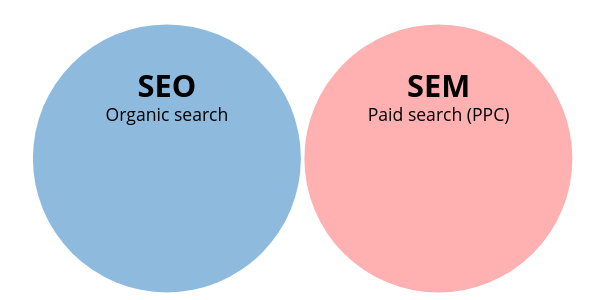
Just complete a few questions in the form. It only takes 2 minutes.

Best Cloud Based Phone Service   Best On premise PBX System

Related Articles

Find out which are best cloud PBX phone companies. These are the top rated hosted VoIP providers: Best Cloud PBX Companies

Keeping with transparency; when visitors purchase products and/or services discussed on our site through onsite affiliate links or ads, we usually then earn affiliate commissions.

Source

What Is SEM & Does SEM Include SEO

What Is SEM & Does SEM Include SEO?

Search engine marketing is one of the most misunderstood concepts in digital marketing. Business owners, marketers, and even agencies often use SEM and SEO interchangeably, while others treat them as completely separate disciplines. This confusion leads to poor strategy, wasted ad spend, and missed growth opportunities.

So let’s clear it up once and for all:

What is SEM?
Does SEM include SEO?
And how should businesses actually use SEM and SEO together?

This guide breaks everything down clearly—without jargon—so you understand how search engine marketing really works in today’s digital landscape.


What Is SEM (Search Engine Marketing)?

SEM stands for Search Engine Marketing, a digital marketing strategy used to increase a website’s visibility in search engine results pages (SERPs).

At its core, SEM is about getting traffic from search engines—specifically when users are actively searching for products, services, or information.

Historically, SEM referred to all marketing efforts within search engines, both paid and organic. Over time, however, the industry has evolved, and the meaning of SEM has shifted.


The Modern Definition of SEM

Today, SEM is most commonly used to describe paid search advertising, particularly:

  • Google Ads

  • Microsoft (Bing) Ads

  • Paid search campaigns

  • PPC (pay-per-click) advertising

In modern usage:

  • SEM = Paid search

  • SEO = Organic search

However, this is where confusion begins—because technically and historically, SEO is part of SEM.


Does SEM Include SEO? (Short Answer)

✅ Yes — technically and historically, SEM includes SEO.

❌ No — in modern marketing language, SEM usually refers only to paid search.

Both answers are correct depending on context.

Let’s break this down clearly.


The Original Meaning: SEM Included SEO

When search engines first became marketing platforms, SEM was the umbrella term that included:

  • Search Engine Optimization (SEO)

  • Paid search advertising (PPC)

  • Keyword research

  • Search analytics

  • Conversion tracking

Under this definition:

SEM = SEO + Paid Search

This definition is still technically correct and used in academic and legacy marketing contexts.


The Modern Industry Usage: SEM ≠ SEO

In today’s marketing world, most professionals use the terms like this:

  • SEO → Organic search optimization

  • SEM → Paid search advertising

This distinction became common because:

  • Paid search platforms (like Google Ads) grew more complex

  • SEO became a specialized discipline of its own

  • Businesses needed clearer budget separation

As a result, SEM has become shorthand for PPC advertising, even though SEO still falls under the broader concept of search marketing.


Why This Confusion Matters

Misunderstanding SEM vs SEO leads to real problems, such as:

  • Businesses thinking SEO is “free SEM”

  • Marketers ignoring organic search in their strategy

  • Overspending on ads while neglecting long-term growth

  • Poor reporting and unclear ROI

To build an effective search strategy, you must understand how SEO and SEM work independently—and together.


What Is SEO (Search Engine Optimization)?

SEO is the process of optimizing a website to rank organically in search engine results.

SEO focuses on earning traffic naturally by improving relevance, authority, and user experience.

Core SEO Components:

  • Keyword research

  • On-page optimization

  • Technical SEO

  • Content creation

  • Link building

  • Local SEO

  • User experience (UX)

SEO does not involve paying for clicks. Instead, it requires time, consistency, and strategy.


What Is Paid SEM (PPC Advertising)?

Paid SEM refers to advertising in search engines where you pay for each click or impression.

Common Paid SEM Platforms:

  • Google Ads

  • Microsoft Ads (Bing)

  • YouTube Ads (search-driven intent)

Paid SEM Includes:

  • Keyword bidding

  • Ad copy creation

  • Landing page optimization

  • Conversion tracking

  • Quality Score optimization

  • Budget management

Paid SEM delivers immediate visibility, but traffic stops when you stop paying.


SEO vs SEM: Key Differences

FeatureSEOSEM (Paid Search)
CostNo cost per clickPay per click
SpeedSlow to buildImmediate
LongevityLong-termShort-term
TrustHigher user trustLower trust
ControlLess controlFull control
ScalabilityCompounds over timeLimited by budget

Both are powerful—but serve different roles.


How SEO and SEM Work Together

The best digital strategies do not choose SEO or SEM.

They use SEO and SEM together.

Why Combining SEO and SEM Works:

  • Covers all stages of buyer intent

  • Maximizes SERP real estate

  • Improves data sharing

  • Reduces overall cost per acquisition

  • Strengthens brand authority

When SEO and SEM work in isolation, performance suffers.


Example: SEO + SEM in Action

Imagine a business offering managed IT services.

SEO Strategy:

  • Rank for informational searches:

    • “What is managed IT services”

    • “Benefits of outsourced IT”

  • Rank for local searches:

    • “Managed IT services Spring TX”

  • Publish blog content and service pages

SEM Strategy:

  • Bid on high-intent keywords:

    • “IT support company near me”

    • “Managed IT services pricing”

  • Run ads to conversion-optimized landing pages

Result:

  • SEO builds long-term authority

  • SEM captures ready-to-buy users

  • Combined strategy dominates search results


When Should You Use SEO?

SEO is ideal when you want:

  • Long-term growth

  • Sustainable traffic

  • Brand authority

  • Lower long-term costs

  • Consistent inbound leads

SEO is especially powerful for:

  • Service businesses

  • B2B companies

  • Local businesses

  • Content-driven brands


When Should You Use SEM?

Paid SEM is ideal when you need:

  • Immediate results

  • Predictable traffic

  • New product launches

  • Competitive keyword coverage

  • Lead generation at scale

SEM is especially effective for:

  • High-margin services

  • Time-sensitive offers

  • Competitive markets

  • Retargeting campaigns


Is SEM Better Than SEO?

This is the wrong question.

The right question is:

How should SEO and SEM support each other?

SEM Without SEO:

  • Expensive

  • Short-term

  • No compounding growth

SEO Without SEM:

  • Slow

  • Misses high-intent traffic

  • Vulnerable to algorithm changes

The strongest strategy uses both.


How Google Actually Views SEO and SEM

Google does not rank SEO higher because you run ads.
Google does not penalize sites for advertising.

But Google does reward strong user experience, relevance, and authority—which both SEO and SEM can improve when aligned.

Shared Factors:

  • Landing page quality

  • Page speed

  • Mobile usability

  • Content relevance

  • Conversion experience

This is why SEO improvements often lower paid ad costs.


SEM Myths That Hurt Businesses

❌ “SEO is free”

SEO costs time, expertise, content, and resources.

❌ “Paid ads replace SEO”

The moment ads stop, traffic disappears.

❌ “SEM is just Google Ads”

SEM is broader—it’s about search intent marketing.

❌ “You must choose one”

Choosing only one limits growth.


SEM, SEO, and Buyer Intent

Search intent is the foundation of both SEO and SEM.

Types of Search Intent:

  • Informational

  • Navigational

  • Commercial

  • Transactional

How SEO & SEM Map to Intent:

  • SEO dominates informational and commercial intent

  • SEM dominates transactional and urgent intent

Using both ensures full-funnel coverage.


Does SEM Include Local SEO?

Local SEO is part of organic search, which historically falls under SEM.

Local SEO includes:

  • Google Business Profile optimization

  • Local citations

  • Reviews

  • Local landing pages

Paid local ads (like Local Services Ads) fall under paid SEM.

Again—SEM is the umbrella, but modern usage separates paid and organic.


Reporting SEO vs SEM Correctly

Many businesses misreport performance by lumping SEO and SEM together incorrectly.

Best Practice:

  • Report SEO separately (organic traffic, rankings, conversions)

  • Report SEM separately (ad spend, CPC, CPA, ROAS)

  • Analyze combined search performance

This gives clarity and smarter budget decisions.


The Future of SEM and SEO

In 2025 and beyond:

  • AI-driven search is increasing

  • Zero-click searches are growing

  • Paid competition is rising

  • Organic trust still dominates decisions

SEO is becoming more strategic.
SEM is becoming more expensive.

The businesses that win will integrate both intelligently.


So, Does SEM Include SEO? (Final Answer)

Technically: Yes

Historically: Yes

Practically (today): Usually no

SEM is the strategy of marketing through search engines.
SEO and paid search are the two execution channels.

Understanding this distinction allows you to:

  • Build smarter campaigns

  • Allocate budgets properly

  • Generate higher-quality leads

  • Scale sustainably


Final Thoughts

If you remember only one thing, remember this:

SEO builds authority. SEM buys attention. Together, they dominate search.

Businesses that treat SEO and SEM as separate silos leave money on the table. Those that align them create predictable, scalable growth.

Skip to content