Learn IT Software development

1. What is software development?

Software development is the process of developing software through successive phases in an orderly way. This process includes not only the actual writing of code but also the preparation of requirements and objectives, the design of what is to be coded, and confirmation that what is developed has met objectives.

Before systems development methods came into being, the development of new systems or products was often carried out by using the experienceand intuition of management and technical personnel. However, the complexityof modern systems and computer products long ago made the need clear forsome kind of orderly development process.

Typical phases of software development:

1) Identification of required software
2) Analysis of the software requirements
3) Detailed specification of the software requirements
4) Software design
5) Programming
6) Testing
7) Maintenance

In general, the development of commercial software is usually a result of demand in the marketplace, while enterprise software developmentgenerally arises from a need or a problem within the enterprise environment.
 

Related Links:

Rafeeq Ur Rehman and Christopher Paul’s Introduction to software development goes into more detail about the software development process.
 

SearchVB offers a selection of resources about design and development.


2. How is software development guided?
 

The software development process is almost invariably guided bysome systematic software development method (SDM). Referred to by a numberof terms, including process models, development guidelines,and systems development life cycle models (SDLC), software development methods nevertheless generally include the same development phases:
 

  • The existing system is evaluated and its deficiencies identified, usually through interviewing system users and support personnel.
  • The new system requirements are defined. In particular, the deficiencies in the existing system must be addressed with specific proposals for improvement.
  • The proposed system is designed. Plans are laid out concerning the physical construction, hardware, operating systems, programming, communications, and security issues.
  • The new system is developed. The new components and programs must be obtained and installed. Users of the system must be trained in its use, and all aspects of performance must be tested. If necessary, adjustments must be made at this stage.
  • The system is put into use. This can be done in various ways. The new system can phased in, according to application or location, andthe old system gradually replaced. In some cases, it may be more cost-effective to shut down the old system and implement the new system all at once.
  • Once the new system is up and running for awhile, it should be exhaustively evaluated. Maintenance must be kept up rigorously at all times.Users of the system should be kept up-to-date concerning the latest modificationsand procedures.

The systems development life cycle model was developed as a structured approach to information system development that guides all the processesinvolved from an initial feasibility study through to maintenance of thefinished application. SDLC models take a variety of approaches to development.


Systems development life cycle models include:
 

· The waterfall model: This is the classic SDLC model, with a linear and sequential method that has goals for each developmentphase. The waterfall model simplifies task scheduling, because there areno iterative or overlapping steps. One drawback of the waterfall is thatit does not allow for much revision.
 

· Rapid application development (RAD): This modelis based on the concept that better products can be developed more quicklyby: using workshops or focus groups to gather system requirements; prototyping and reiterative testing of designs; rigid adherence to schedule; and less formality of team communications such as reviews.
 

· Joint application development (JAD): This modelinvolves the client or end user in the design and development of an application,through a series of collaborative workshops called JAD sessions.
 

· The prototyping model: In this model, a prototype (an early approximation of a final system or product) is built, tested,and then reworked as necessary until an acceptable prototype is finallyachieved from which the complete system or product can now be developed.
 

· Synchronize-and-stabilize: This model involves teams working in parallel on individual application modules, frequently synchronizing their code with that of other teams and stabilizing code frequently throughout the development process.
 

· The spiral model: This model of development combines the features of the prototyping model and the waterfall model. The spiral model is favored for large, expensive, and complicated projects.
 

Related Links:

Peter H. Gregory’s SearchNetworking article explores “Security in the software development life cycle.
 

The CTG also offers a white paper on the “Systems Development Process Model.
 

Bender RBT provides their document on “Systems Development Life Cycle Objectives and Requirements.


3. How has the open source development process influenced software development in general?

Open source software is developed collaboratively; source code is freely available for use and modification. The open source movement arose because some developers came to believe that competition amongst vendors leads to inferior products and that the best approach to development isa collaborative one.

The OSI (Open Source Initiative) is an industry body that certifies products as open source if they conform to a number of rules:
 

· The software being distributed must be redistributed to anyone else without any restriction
 

· The source code must be made available (so that the receiving party will be able to improve or modify it)
 

· The license can require improved versions of the software to carry a different name or version from the original software
 

Despite its emphasis on the collaborative process, the biggest influence that open source has had on software development in general may be through competition: by competing with proprietary software products, open source products force vendors to work that much harder to hold their market share in the face of viable open source alternatives.
 

Related Links:

The OSI has a Web site.

Margie Semilof’s SearchWin2000 article is called “Battening down the Windows: Open source vs. commercial tools.”

Jan Stafford’s SearchEnterpriseLinux article is called “Perens: IT pros must lobby for open source.”


4. What are some generally accepted best practices common to all or most development models?

Here’s a collection of some of the top tips from a variety of industry sources:
 

· Make sure that you’ve chosen a systems development life cycle model that suits your project, because every one of the processesinvolved depends on the model. That said, however, implementin
g any modelis better than none — much of the success of a project depends upon howscrupulously the model is adhered to.
 

· Reuse software components when it’s appropriate, but don’t use code that doesn’t work perfectly for its intended purpose just because you have it on hand.
 

· Be very thorough in gathering requirements, ensuring that all parties agree on what they are — and make sure you document them.
 

· Don’t promise the moon, if you can’t deliver it. Avoidletting someone who isn’t fully informed negotiate with the client.
 

· Make sure that the architecture you’ve chosen is appropriate for the application you’re building. To retain perspective, you might want to look at the smaller picture and plan the architecture incrementally.
 

· Change is part of life, including software development. You have to accept that various things — requirements, for example — are likely to change throughout the life of the project. Keep control of them, but not too rigidly.
 

· Set up peer review processes for every element of the project.
 

· Design thoroughly and with care, but remember the KISSprinciple: Keep it simple.
 

· In your project plan, split big projects into manageable chunks, with concrete milestones and deadlines.
 

· Ensure accountability: make sure that deadlines are clear and that people have to report on whether they made them, and explain why not if they don’t.
 

· Implement quality control procedures throughout the project.
 

· Test exhaustively — there’s no point in doing a cursory run through only to have an application fail when you run it for the client.
 

· After the project is completed, conduct a thorough post-mortem, with everyone involved. You’ll see what worked well and what should havebeen differently, and your future projects will benefit.
 

Related Links:

The IBM Web site offers Mike Perk’s article, “Best Practices for Software Development Projects.”

IEEE Software promotes the “Daily Build and Smoke Test” as a development best practice.

The Standish group provides a “Recipe for Success.”

W. Edwards Deming offers more advice in his list, 14 Points for Software Development.

Johanna Rothman advises developers to write out goals inplain English to help managers, team members and stakeholders find consensusin this Software Development Magazine article. (requires free registration)


5. What are some common mistakes in software development?

According to a Standish Group report, corporations in the United States spend over $275 billion every year on software development projects, many of which are doomed to failure. Research by the group found that over 80% of projects fail for various reasons, and that fully 30% of projectswere cancelled prior to completion because of poor execution.
 

David B. Stewart, at the University of Maryland, set out to document the 10 most common mistakes of software development. He found, however,that the sheer number of errors that were commonly practiced made it impossible to keep the number to ten. He ended up calling his article “Twenty-FiveMost Common Mistakes with Real-Time Software Development.” Even so, afterthe title had been established, he found another five errors so common thathe felt compelled to add them.
 

According to Dr. Michael Stovsky, of Stovsky and Associates, the most common project problems are due to failure to manage project elements successfully:
 

· Requirements are not clearly and accurately defined, and agreed upon by all concerned.
 

· Resources are not adequately planned and allocated.
 

· Threats to project success are not clearly detected, identified, and protected against.
 

· Critical path analysis is omitted, or poorly executed.
 

· The project’s progress is not tracked adequately.
 

· Quality management is not carried out well enough throughout the life of the project.
 

· Too little data is collected, or data is ignored or poorly understood.
 

Correcting flaws identified during software security audits is expensive and time consuming. Worse, vast resources are spent on containing and recovering from exploits. Fortunately, providing development staff with the knowledge and tools to avoid many of these pitfalls is easy and inexpensive.


Related Links:

David B. Stewart lists the Twenty-Five Most Common Mistakes in Software Development .

In this paper, Dr. Michael P. Stovsky explores Common Mistakes in Software Project Management.

6. Given a particular process model, is there a set of tools(a development environment) to support it?

In general, a process model usually begins as a philosophy of “who does what development when” rather than a rigid methodology complete with tools. For example, rapid application development (RAD) is an approach that can make use of existing development tools. In general, tools for supporting all or part of a process model tend to arrive later, if at all.

Historically, development tools have focused on the code-building, code archive management, documentation, testing, and packaging parts ofthe process, sometimes offered as a suite. Such a suite is generally knownas an integrated development environment (IDE).

A set of tools for managing or supporting a development project is generally known as a computer-assisted software environment (CASE). A number of companies offer products that support early stages of development such as requirements gathering, design prototyping, and data modeling. A number of these provide tools that support data modeling with the Unified Modeling Language. Overall, there is a trend toward providing all or most of the tools for a development project in a single product or related set of products.

Today, the main code-building development environments or program suites come from Microsoft with its Visual Studio and Visual Studio .NET, providing support for Visual Basic, Visual C#, Visual C++, and Visual J#; Sun Microsystems with its Java 2 Enterprise Environment; and numerous software vendors such as Borland who repackage these environments with some value-added features. Recently, almost all providers of software development environments have added features that enable the software to be used on the Web.
 

Related Links:

Microsoft provides a case study of a company that created an accounting system with its VisualBasic .NET product and additional products from PDSA.

The Caldera OpenLinux Workstation describes several different integrated development environments it provides for Linux and Unix systems.

Knowledgestorm lists many products that describe themselves as integrated development environment products.

Carnegie-Mellon Software Engineering Institute answers the question “What is a CASE Environment?”


7. How do you choose the “right” programming language for your project?

For
most projects, the right language is easy to choose. Your company may have standardized on a particular development environment and language (and you may have been hired because you were already familiar with the language). Or you may be updating or enhancing an existing program; it’s almost always best to use the same language the existing program is written in. In some cases, however, someone will need to select the best (or, since the best may be somewhat arguable, at least an appropriate language). In somecases, you or your team of developers may need to know several languages fordifferent purposes.

General truisms about programming languages are that:
 

  • Perl or a similar script language is most suitable for small tasks and sometimes acting as a program that goes between other, largerprograms.
  • Visual Basic is most suitable for relatively novice programmers and relatively simple programs.
  • Java, C++, or comparable languages like Python and Tcl aremost suitable for larger applications using object orientation as a designmodel.
  • C is most suitable for programs where efficiency and performance are the primary concern.
  • The appropriate assembler language is most suitable where the program is relatively short and high performance is critical.

Where constraints permit, some programmers may favor one object-oriented language over another (for example, Java, C++, Python, or Tcl). A programmer with skills in C is likely to prefer C++, which combines the proceduraland other concepts and syntax of C with object-oriented concepts.
 

Related Links:

Outback Software compares three object-oriented languages: C++, Smalltalk, and Java.

Kuro5hin compares three Visual Studio languages: C#, C++, and Java.

Jason Voegele’s table compares 21 features of nine pure or hybrid object-oriented languages, including Perl and Basic.

The Open Directory Project offers a list of links relating to programming language comparisons.


8. What are some trends regarding the future of software development?
 

Blogs  – A growing number of big-name softwaredevelopers are finding they can make better software applications if theyshare information with potential customers from the start and incorporate customer feedback into development decisions. While developers of gamessoftware have used this method for years, business software makers are nowalso catching on and using blogs (Web logs) as an important part of the development process.

Big-name support for independent software vendors (ISVs) –  Big players like Microsoft, IBM, and Sun have recognized that they cannot fill every niche industry’s software demands, so they have begun to activelyseek partnerships with small ISVs, in hopes that by encouraging ISVs to focuson nichy vertical industry applications, everyone will benefit.
 

Component-based development – In this approach, softwareis developed in modules that are linked dynamically to construct a completeapplication. Charles Simonyi (creator of the WYSIWYG editor) believes thateventually, software development will become so modular that  even lay-peoplewill be able to assemble  components effectively to create customizedsoftware applications.
 

Continued improvements in refactoring tools – Eric Raymond,a leading philosopher about program development, maintains that the conceptof refactoring is consistent with the idea of get-something-working-now-and-perfect-it-laterapproach long familiar to Unix and open source programmers. The idea is alsoembodied in the approach known as Extreme Programming. As software applicationsbecome larger, better refactoring tools will be required to maintain codebases and diagnose bugs.
 

Outsourcing – Using this approach, software companies hire employees around the world to take advantage of time zone and labor/cost differences.Proponents say that in effect, software development teams now have a 24-hourwork day, and are able to provide fast turn-around. Detractors say that outsourcingparts of a project leads to sloppy coding and only works if there is a highdegree of coordination regarding modularized tasks, and above-average communicationwithin the team.

Related Links:

Rormer CNET developers Dan Seewer and Kevin Cobb discuss the future of software development.


Charles Simonyi, creator of the WYSIWYG, is in the process of designing programming tools for the future that are so simple that even laypeople can use them.
 

Developers are using blogs to get closer to their users.

IBM DeveloperWorks is one of many free resources available for developers


10. Software Development Words-to-Go Glossary:

Browse through instant messaging vocabulary in a handy printable glossary.


11. Self-assessment:

After you’ve looked at the glossary, quiz yourself to see what you’ve learned about software development terms.

 

Source

How to solve the 10 most common tech support problems

Whether you’re dealing with your dad’s decade-old computer or your own custom-built gaming rig, troubleshooting PC problems is a part of everyday life. Before you make that $50 support call, though, try your hand at homebrew tech support. We spoke to some of the best support reps in the business about the most common problems they fix—and how you can do it yourself.

Try this first

I know it sounds like a no-brainer, but before you do anything else, restart your computer. Matthew Petrie of Falcon Northwest technical support says that most of his customers solve their problems with this simple step. “This long-standing maxim can work wonders,” says Petrie.

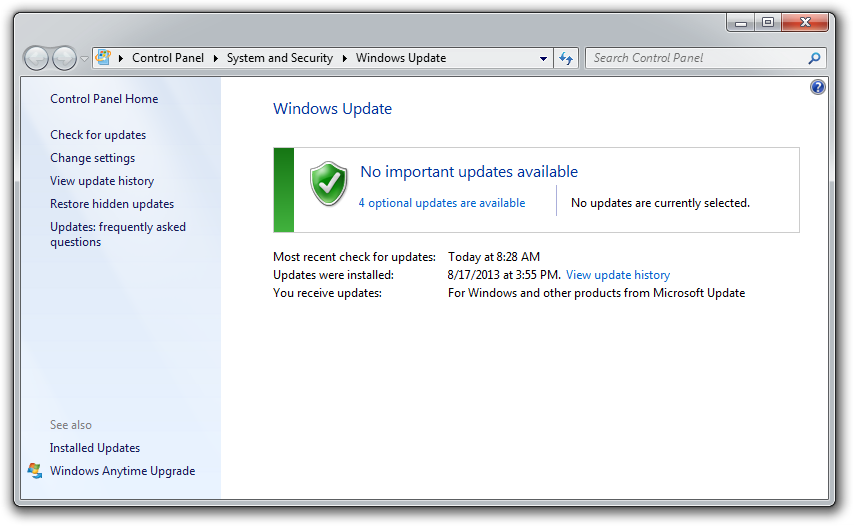
Regularly checking for operating system updates is important, because forgetting to do so could significantly impair your PC’s performance.

While you’re at it, make sure that your operating system is fully updated by running Windows Update. Neglecting updates could deprive you of important bug and performance fixes.

If you’re having problems with a peripheral, try switching it on and off. If that doesn’t work, try disconnecting and reconnecting the device. As a last resort, download the latest drivers and perform a full reinstall.

My computer is too slow

The first step to fixing a slow computer is to verify that your machine is the actual source of the problem. Videos that seem to buffer forever, and websites that take ages to load, may not be your computer’s fault. Geek Squad agent Derek Meister claims that many people mistakenly identify a slow system as the problem when “it’s actually not the computer, [but] their broadband connection.” See “Downloads are taking forever” below for instructions on how to use Speedtest.net to diagnose a slow connection.

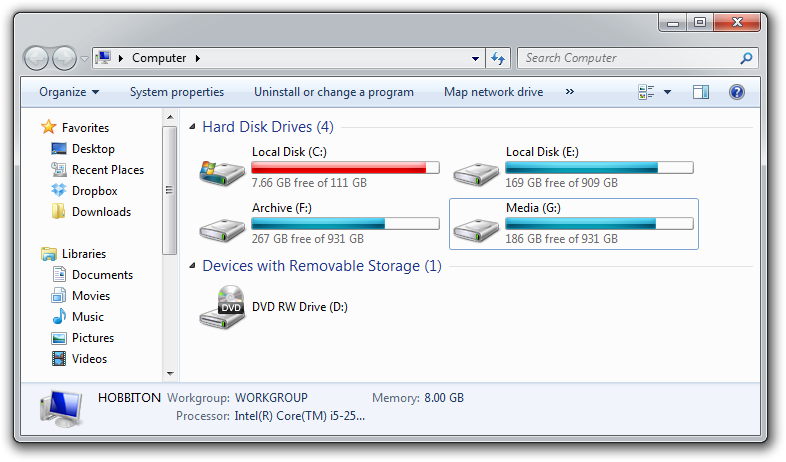
If the problem is your PC, check whether you have plenty of free space on the hard drive holding your operating system. Windows needs room to create files while your system is running. If your hard drive is maxed out, performance suffers. Now is the perfect time to clear some space.

If your computer’s operating system resides on an overstuffed C: drive, clearing out some space could boost OS performance.

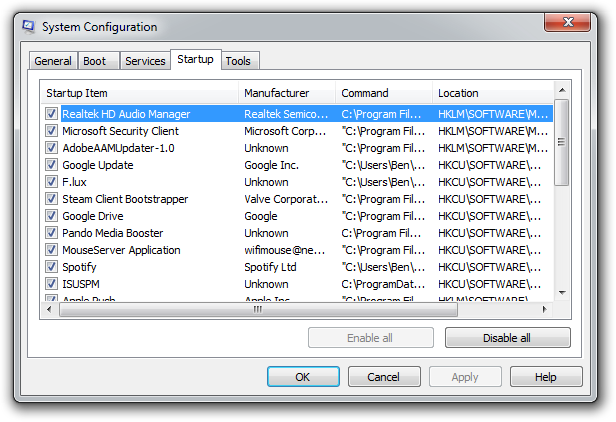
Microsoft’s System Configuration tool is your next-best bet for tackling slow performance. Many applications launch automatically when your machine boots up, which can stretch out boot time—especially on older, slower PCs. Make a habit of trimming the startup items. Open the tool by pressing Windows-R, typing msconfig, and pressing the Enter key.

Checking the Startup Item and Manufacturer columns is the best way to figure out which potential performance-killers you can safely disable. Avoid messing with any of the services and programs that have Microsoft Corporation listed as the manufacturer. Items such as AdobeAAMUpdater, Google Update, Pando Media Booster, Spotify, and Steam Client Bootstrapper are all fair game. Regardless, err on the side of caution: If you’re not sure what the program or service does, don’t disable it.

Windows’ System Configuration Tool lets you disable programs and services that automatically start when you boot your computer.

Once you’ve made all your changes, click OK and restart the computer. It should boot up quicker and feel noticeably faster.

Downloads are taking forever

Speedtest.net is your best friend when you’re having connectivity problems. Run a speed test to see what your download and upload speeds are—ideally they should be at least 50 percent of your Internet service provider’s advertised speeds, with a ping under 100 milliseconds.

If the speeds seem solid, make sure that you aren’t inadvertently downloading or uploading anything. Many torrent downloading programs run in the background and minimize into the system tray instead of the taskbar.

A good speed test should give you an accurate assessment of your ping, download speed, and upload speed.

Check your network hardware. Updates for network cards aren’t all that common, but if your card’s manufacturer offers a newer driver, download it. Resetting your router and modem can help with connection problems, too. Most routers and modems have reset buttons, but pulling the power cable for a second or two can do the same thing. Don’t cut the power for much longer, or the hardware may reset itself to factory defaults.

Still having problems? Call your ISP, which can tell you whether the problem is on your end. As a last-ditch measure, the ISP could reset the master connection to your home.

My machine keeps restarting

Hardware problems are hard to diagnose and solve. First, confirm that you aren’t just getting the latest wave of Windows updates, which can automatically restart your computer during installation. Then work on updating all of your critical system drivers. Your graphics card, motherboard, and network card drivers are crucial.

“Sometimes it can be viruses, sometimes it can be adware, sometimes it can be overheating, and sometimes it can be something as simple as making sure your video card is updated,” Geek Squad’s Meister says.

Is your computer making weird noises? If you’re lucky all you’ll need to do is give the machine a thorough cleaning. Modern computers have safeguards that shut down the system if a component is overheating, which can be the cause of frequent restarts when you’re running resource-intensive programs or video games.

Pop-up ads are appearing on my desktop

If you’re not running your Web browser and are still getting pop-up ads on your desktop, you’ve most likely installed adware—a program that displays unwanted ads. Although benevolent adware exists, most of the time adware is up to no good. Getting rid of it isn’t easy. “There’s a ton of little system-utility tools out there that promise to clean up everything, with names like PC Speed-up, PC Speed Pro, PC Speedifier,” Geek Squad’s Meister says. “A lot of times those programs are not going to do much. Some programs will work, others are snake oil.”

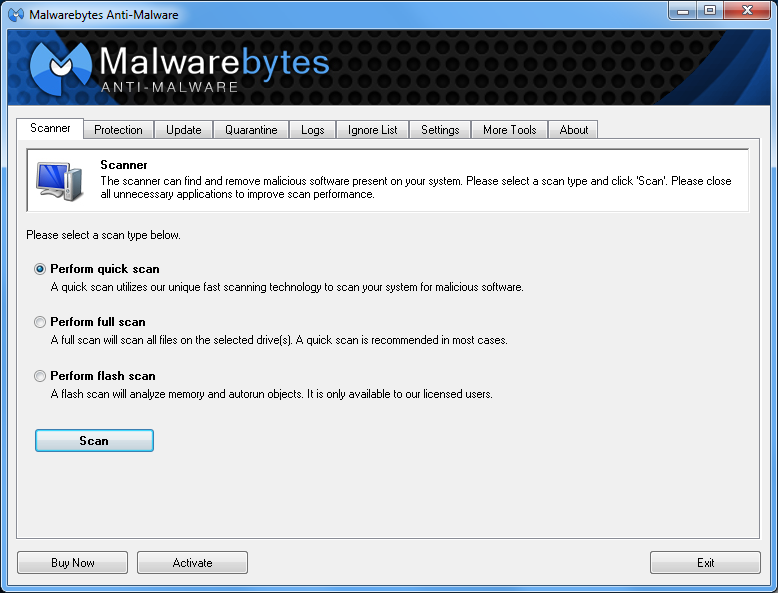
Avoid downloading programs that offer to speed up your PC or clean up your registry. Instead, use a trustworthy adware scanner like the free version of Malwarebytes’ Anti-Malware tool.

Running a full scan with credible antivirus software is your first step. If that program doesn’t find and remove the adware, turn to Malwarebytes Anti-Malware Free, a great utility for removing all types of malware. Just make sure to disable your standard antivirus software before running it.

“Multiple antivir
us programs working at the same time will often result in problems,” Falcon Northwest’s Petrie says. “You only want one active, real-time antivirus scanner installed, but it doesn’t hurt to run an additional ‘on demand’ virus or malware scanner.”

Searching online for the name of the advertised product can sometimes yield solutions from fellow victims. If all else fails, there’s always the nuclear option: a complete system reinstall. It might take a long time, but it’s the only surefire way to remove adware or spyware. Remember to back up all your personal files.

Google doesn’t look right

Browser hijackers are a particularly nasty breed of malware. Such programs take over your Web browser and can stealthily redirect your Google searches and other queries to fake pages meant to steal your personal information or to further infect your system.

Running a real-time antivirus utility is the best way to stay safe. If your browser has already been hijacked, uninstall the browser and use your antivirus program in conjunction with Malwarebytes to remove the intruder.

My Wi-Fi keeps disconnecting

Spotty wireless connections can be a puzzler. Is it your computer? Your router? Your ISP? Try a few things before calling your Internet service provider.

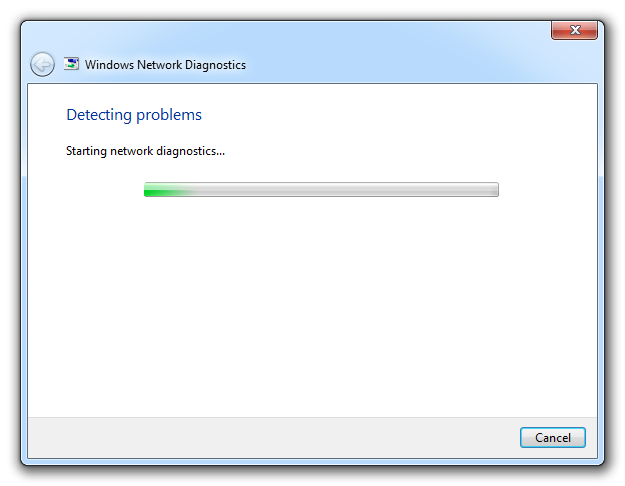
Windows Network Diagnostics may not always solve your problem, but it will usually point you in the right direction.

Confirm that your computer is within range of your wireless router. Weak signals mean weak connections. Next, make sure your PC’s wireless card has the latest drivers. Try letting Windows troubleshoot for you by right-clicking the Wi-Fi icon in the taskbar and selecting Troubleshoot problems.

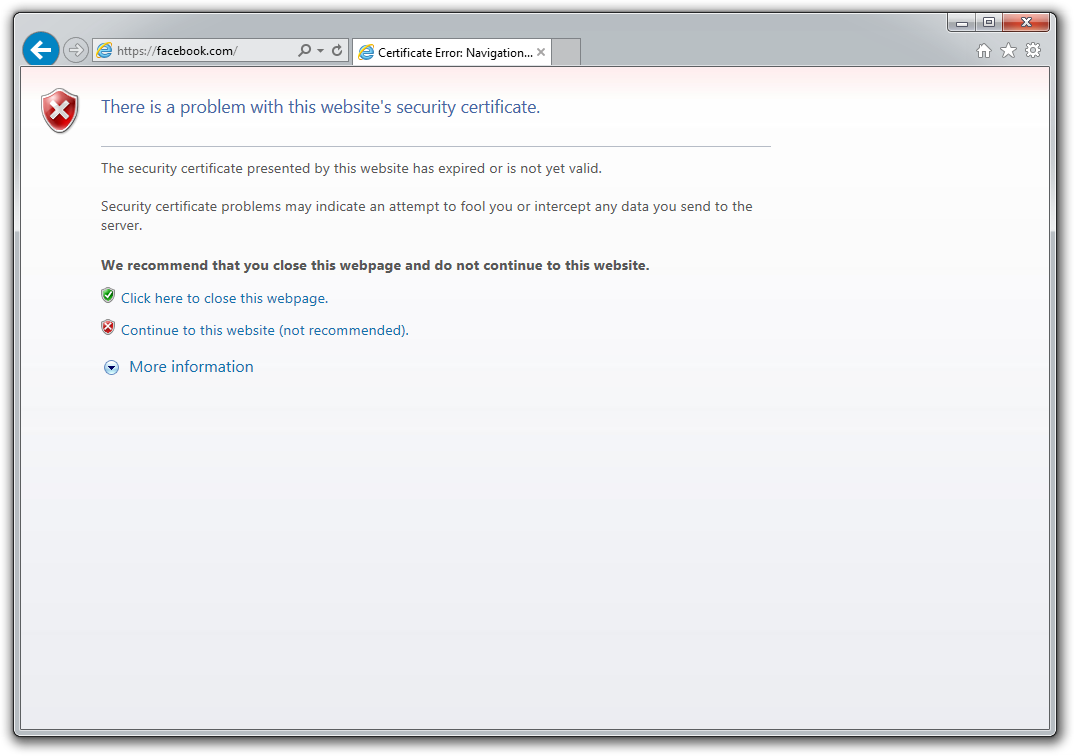
I keep seeing ‘There is a problem with this website’s security certificate’

Sometimes the biggest problems have the easiest fixes. According to support technicians, the lion’s share of issues are due to an incorrect system clock.

The problem is probably with your computer.

Website security certificates sync up with your computer’s clock. Old computers in particular run the risk of having a dead CMOS battery—the watch battery in your computer that keeps its system clock ticking. Click the clock in the system tray and select Change date and time settings to correct any issues.

My printer won’t print

Let’s assume that your printer’s drivers are up-to-date, and that it has enough paper and ink or toner to print. Try turning the printer off and on. Unplug the printer and plug it back in. Check your printer’s print queue by looking for the printer icon in the system tray and double-clicking it. The print queue shows you the status of each job as well as the general status of your printer.

The print queue is your best bet for troubleshooting printer problems—just make sure that ‘Use Printer Offline’ isn’t selected.

Ensure that ‘Use Printer Offline’ isn’t checked. Sometimes, printing while your printer is turned off can cause Windows to set your printer to work offline, and that can stall jobs sent later.

I can’t open email attachments

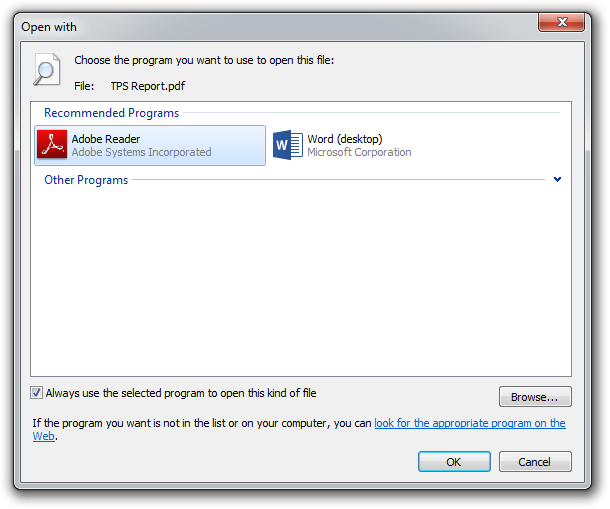
If you have ever encountered an attachment that you couldn’t open, it was probably because you didn’t have the software necessary to view the file.

If you don’t have Adobe Reader or another PDF-compatible program, you won’t be able to open that TPS report.

The usual suspect is the .pdf file, for which you can download a free PDF reader. If your problem involves a different file format, a quick search on the attachment’s file extension (the three letters after the period in the filename) should tell you what type of program you need. If the attachment lacks a file extension (which might happen if it was renamed), adding it back should set things right.

My favorite program isn’t working on my new PC

Before you call tech support, make sure that the software you’re trying to run is compatible with your operating system. Older software might not function on Windows 8, and an app created for Mac OS X definitely won’t run on your Windows PC. A 32-bit program might run on your 64-bit operating system, but it doesn’t work the other way around.

Not all file types work on Windows. For example, files that have the .app extension run exclusively on Mac OS X.

If an online game balks, you might be missing the required plug-ins—Java and Flash are the usual culprits. Most browsers will alert you to install these items if necessary.

When to throw in the towel

Falcon Northwest’s Petrie recommends connecting with tech support for “any problems that you aren’t comfortable addressing personally.” When in doubt, it’s better to steer clear of voiding a warranty or potentially damaging your system. “Being aware of your own skill set and limitations is important,” says Petrie, because “it’s often easy to make matters worse.” If you think the problem is too complicated, call up a more knowledgeable friend, or bite the bullet and work with a professional tech support service.

Note: When you purchase something after clicking links in our articles, we may earn a small commission. Read our affiliate link policy for more details.

Source

Managed IT Services What is it and why it matters

Gordon Tan, Managing Director of R&G Technologies shares his opinion:

Managed services is designed to be an all-you-can-eat model where both organisations are aligned so that they work together, where in the past, an IT provider might bill hourly and fix problems on an issue-by-issue basis. Now with managed services, the IT provider has a vested interest in aligning the organisation outcomes to provide a proactive service that minimises problems.

In simple terms, managed services puts the focus back on the IT firm. The more problems that your organisation has, the more time and resources the IT firm needs to designate. This results in less profit for the IT firm and causes it to take more proactive measures to reduce the amount of problems the organisation has. This inevitably aligns both organisations’ outcomes.

Why are Managed IT Services important?

  • It aligns the outcomes of the organisation. An IT company is incentivised to do a very good job; they want to minimise problems for your organisation because they hvae KPIs directly linked to the efficiency of your IT.
  • IT experts give you peace of mind. You’re not an IT expert. Managed service providers take care of your IT so you can focus on running your business.
  • Proactive support. Managed services offer proactive support. So instead of your IT firm constantly fixing problems, they will actually try to identify problems before they happen, keeping your systems up and your problems down.
  • Strategic IT planning. What IT systems do you need in 12 or 24 months’ time? Managed services help you think ahead and give you advice on what you need to be planning from an IT department. This links to proactive support and ensures that your IT infrastructure and software is upgraded and updated to minimise risks such as downtime, viruses and crashes.
  • Complete outsourced IT. Managed services give you access to a complete IT department. You don’t just get day-to-day IT support; you also get an IT manager and a virtual CIO so you can think strategically about how IT fits into your organisation.

Challenges of Managed IT Services

Here are some challenges that you need to be aware of when looking to move to a managed services arrangement.

  • Holding providers accountable. The reason you go with managed services is because you want to improve your operational efficiency and remove the amount of IT problems or roadblocks that affect your team. You need to hold providers accountable and make sure they are delivering these improvements. Most providers will offer effective reporting so you can see exactly how much work they are doing for you and how much improvement in efficiency and productivity they are providing.
  • Getting strategic IT planning. As part of a managed service contract, you should be given some strategic IT planning. You might struggle to see the benefits of a managed services contract if you don’t get this component. Make sure that your IT firm is proactively planning for the next 12 or 24 months and that it has strategies in place to improve IT infrastructure and upgrade software.
  • Finding a provider with a good track record. You need to check the track record of your provider before engaging in a contract. They should be able to demonstrate a track record on delivering proactive service and measurable outcomes. Check references before you commit, and ask what clients they have, and if they have experience dealing with companies similar to yours.

Four keys to successfully implementing Managed IT Services

There are a number of decisions that your organisation needs to make when moving to a managed services IT contract. Here are a few things to consider:

  • Complete a total cost of IT to determine the real cost of IT for your organisation.
  • Identify potential providers; request an audit of your current systems.
  • Choose a managed services provider and complete on-boarding process with provider.

Complete a total cost of IT to determine the real cost of IT for your organisation.

The first step in moving to managed services is to perform a total cost of IT analysis.
This is a calculation of what you are currently paying for IT support, combined with accounting for the cost of lost productivity and downtime that you may be experiencing.

A simple way to quantify this is to look at the total cost of your staff salaries within the organisation; then factor in how much your inefficiency is costing the organisation every day. It might be as simple as 20 minutes every day due to inefficient systems, but those minutes add up quickly.

You should also calculate downtime. Are you down for three hours every month? How much is that worth to your organisation in respect to your team’s hourly wage?

Identify potential companies; request an audit of your current systems

Once you’ve completed the total cost of IT analysis, it’s time to shortlist some managed IT service providers. This process is generally about finding a company with which you feel comfortable working, and which has a track record of success and is familiar with your industry and the requirements that go along with it.

You should request an IT audit. This is generally pretty intrusive and will involve an IT professional giving your entire IT infrastructure, software and systems a full review. It can usually be done on site or remotely.

Choose a managed services provider and complete the on-boarding process.

When selecting a provider, make sure they meet your requirements. Often, if you are evaluating based purely on cost, you may not find the right partner. Remember that IT plays a significant role in your entire organisation now. It’s important to work with someone that has your best interests in mind and can provide a proactive service that delivers outcomes.

Will they be able to help you improve IT efficiency?

Will that increase productivity and minimise downtime?

These are the questions you need to be asking when evaluating providers.

The on-boarding process is the final step. This is about making security changes to ensure that the incumbent IT company no longer has access to your systems. There may be some remediation work that’s required to bring your site up to best practice level. Then ultimately, it’s about collecting and consolidating documentation, checklists, network diagrams and whatnot to be able to effectively manage your IT environment.

This general process should take about 30 days in most instances, meaning your managed service contract would not take effect for at least 30 to 45 days from the time you sign.

R&G Managed IT Services Solutions

Are you thinking of moving to a managed services contract?

We have experience helping organisations make the transition, and help them to see the benefits of increased efficiencies, improved productivity and minimised downtime.

Request a no obligation free managed services assessment today.

Source

What is SEM And How It Benefits Your Business Marketing

You see a lot of acronyms thrown around these days. SEO, SEM, SMO, CRO. It’s hard to keep it all straight. It’s easy to think that words that sound similar may be variations of the same thing. So what is SEM?

You’re not the only one asking this question. We’re here to clear it up.

SEM is a very effective way for small businesses to reach new customers, increase revenues, and trim acquisition costs.

To answer your question: What is SEM? And how can SEM benefit my business?

Here’s what you need to know.

What is SEM? A Beginner’s Guide

SEM is  search engine marketing. This may seem very broad. But the term has actually come to mean a very specific type of marketing on search engines. That’s paid search. The most commonly known and used paid search tool is Google Ads.

But Bing or Yahoo may also be worth your time and money.

How is SEM used in marketing?

Well, SEM leverages the power of search engines like Google to reach potential customers at the perfect time and place.

If you have heard of pay-per-click advertising, this may sound familiar.

With that being said, you may ask, “Is PPC the same as SEM?” The answer is yes. PPC is the same as SEM.

But it’s also known by many other names. To answer the question, what is SEM?, it’s important to make note of them. People may use them interchangeably. And you may find you know more about SEM than you think you do.

It’s also called:

  • Paid search ads
  • Paid Advertising (which just assumes you know it’s on searches)

types of digital marketing

You’ll also want to learn terms that are used often when discussing SEM. Through them, you’ll better understand how SEM works. Some of the most important ones include:

  • Impressions — How many times your ad was visible on a screen. It doesn’t actually mean the person saw it.
  • CPC (cost-per-click) — how much you pay when someone clicks your ad
  • CPM (Cost per million impressions) — This is another way to pay for a search ad. Depending on your goals and how the ad tool is set up, you may want to pay just to be seen.
  • CTR (click through rate) — the number of clicks you got to your website from people that saw the ad, even if they didn’t click on the actual ad itself.

What Is SEM Compared to Social Media Advertising?

Some social networks also offer ad services that we can include when we ask, what is SEM? They involve a search function. But social media advertising and SEM aren’t generally the same thing.

social media and SEM

In social media advertising, ads typically display based upon data that the social media company collected about that individual. This allows you to target people based on specific interests, locations, buying behaviors and more.

Search engine marketing, on the other hand, relies on keyword phrases to target people when they’re performing searches in places like Google.

Social media advertising and SEM aren’t interchangeable. But they can work together very effectively to increase brand awareness and sales. It’s not uncommon for people to see your social media ads for a few days.

Then when they do a search, their eyes are drawn to your ad because they recognize you. They’re more likely to click. This may also happen in reverse. For this reason, it’s often effective to use both methods when marketing your business.

People also often wonder, “What is the difference between SEM and SEO?” Frankly, you can blame the confusion on the similar appearance of the terms.

What is SEM Compared to SEO?

They are not the same. The difference between SEM and SEO is SEM primarily uses paid search advertising, while SEO is more organic.

But it’s not really SEO vs SEM either. They do work together closely as a team.

SEO is search engine optimization. With SEO, you take certain steps to help your website appear higher in the organic search results in Google.

seo vs sem

When someone searches for “How to make an offer on a house”, Google uses an algorithm to determine which web page can best answer that query. It then ranks the pages according to how sure it is that that page can answer that question.

Google’s goal is that you find what you’re looking for at the top of page 1 in search results. SEO is about positioning your website so that Google determines that you’re the best website to answer the question.

Google factors in many elements to determine this, including:

  • How fast your website is
  • Whether people click when they see you in search results
  • How people interact with your website. Do they click on other pages? Do they stay a little while?
  • How in depth the answer appears to be

They also want to know that others trust your website.

One of the top ways that Google determines if you’re trusted is by looking at the number of links from other trusted websites (backlinks).

backlinks

It takes some time to build this trust and get to the first page in a Google search. By contrast, with SEM, you bid on the keyword phrase “How to make an offer on a house”. If you win the bid, your ad will show up on page one instantly. And even at the top if you bid enough and meet Google’s requirements.

In this ad, you would write copy that compels a person to click on that ad.

Do Businesses Who Use SEM Need SEO?

Many people ask if SEO is still important when SEM is your primary marketing method. The answer to this is: Absolutely!

For starters, part of SEO is making sure your site is fast and user-friendly. You need this for SEM as well. If it isn’t, you’ll waste money on that click.

On top of this, Google has a system in place called Quality Score. If they see that people click. Then they leave because of a bad experience, they charge you more for each click.

Secondly, SEO is the long game. When you appear in more searches organically, you can focus your SEM efforts on other keywords to expand your reach.

How Much Does SEM Cost Compared to Other Methods?

People want to kno
w, What is SEM in terms of cost? That’s actually a loaded question. Here’s why.

When you run effective SEM campaigns, Google rewards you with lower costs and higher visibility.

But if you choose the “set it and forget it” method, then Google will increase how much you pay. Other platforms have similar systems that reward quality.

When you hear people talking about how expensive Ads has become, it’s because so many small businesses don’t understand why they’re paying more. They don’t get the secret to keeping Ads cost low.

SEM is more expensive if you’re not also focusing on long-term strategies including keeping that quality score up, SEO, and a social media presence. But in the short term, nothing can drive more leads and sales faster than SEM.

Now let’s answer the second part of our question – What is SEM and what are the benefits for business?

How Does SEM Benefit Small Business?

Let’s take a look!

1. It’s Instant Brand Awareness in Search Engines

As stated, SEO and unpaid social media take time. Google says it can take up to a year for a quality site to scale the rankings. And your ability to do so depends on strategies applied and what the competition is doing.

In contrast, SEM positions you at the top or bottom of page one. A business that has no current visibility or brand recognition can instantly get some attention.

If you have the right systems in place to turn this visibility into paying customers, that’s a huge impact on your revenues.

2. It Can Generate Revenues Quickly

With the right ad copy and strategies in place, see sales coming in the same day. It doesn’t need time to rev up. It’s really easy to get started with something like Ads.

It does, however, require maintenance to get the right SEM ROI.

3. It Grows with Your Business

What is SEM? It’s incredibly scalable. It’s easy to start small. Test things out. See what works. Keep costs low if you have a very limited budget.

Then as revenues go up thanks to SEM, increase the number of ads. Remove ads that aren’t working. Refine your campaigns. And increase your daily ad spend.

In Ads and most other PPC platforms, you can set a daily budget of as low as $10. This way you never get surprised by a really high bill for advertising.

4. It Reaches People in the Right Place & Time

Nearly half of the world’s population is now online. Over 93% of online experiences start with a search engine. Search engines drive more traffic to websites than any other source.

It doesn’t matter what your product or service is. With only some rare exceptions, their journey starts online.

Being visible in search results means being where the customers are. It’s also the perfect time to earn a new customer.

People use search engines because they’re looking for something. Being the one to deliver it, helps you build a trust bank account with that person. Even if that click doesn’t result in an immediate sale, it’s a touch point that furthers the person’s journey toward becoming a paying customer.

5. It Reinforces Name Recognition

When you get a new customer, you may think that person just found you and made a purchase. But chances are that journey started days, weeks, or even months ago. The way you consistently and repeatedly presented your brand during that time has helped turn a prospect into a paying customer.

prospect touches

Experts estimate that it takes 7-13 touch points with a business before someone converts. Each time they see you in social media, searches, on websites and in their inbox, you’re reinforcing name recognition with that individual.

Recognition becomes familiarity. People notice brands they’re familiar with over brands they aren’t. Most people would rather spend a little more with a brand they know than a no-name brand.

What is SEM if not a great way to improve brand recognition in the place 93% of people start each online experience.

what is sem6. It Reaches Your Prime Target

Search engine marketing allows you to get really focused in on your target customers in a way you never could with traditional marketing. Why? Because it would be insanely expensive the traditional route.

An ad in Ads doesn’t cost you anything until someone clicks it. You can create 10. Or create 100.

We don’t recommend you try to manage that many at first. But the more targeted you can make that ad, the better that ad will perform with customers.

When you target at this level, you connect at a meaningful level. Demonstrate that you’re not casting your nets wide and seeing what you drag in. Instead, you know exactly who will benefit most from a product or service. Speak directly to that person.

7. It Can Give You a Competitive Advantage

Through exceptional SEO, does your competitor already have a coveted top spot in the organic search results? You can appear above them with paid ads. Swipe a click that would have been theirs.

Is your competitor also using paid ads? You need to as well to cancel out that competitive advantage they have on you.

The vast majority of businesses aren’t using SEM to its full potential. They’re paying more and getting less because of it. Chances are your competition is one of these.

With a strong SEM strategy and compelling copy of your own, you’ll have the advantage over the less savvy competition. Have a smart competitor? The right strategies can also outsmart them to increase your own market share.

8. It’s Less Expensive than Traditional Advertising

Why is SEM so much more affordable than traditional marketing? It’s simple. Because, you’re in control. Here’s how.

You’re not paying $1M to reach 10,000 people who watch a specific program but may or may not be your target customers. Instead of very broadly targeting a demographic as you might in a TV ad, you can place a narrow focus to increase the conversion rate.

If an ad has a low conversion rate, you can pull it or fix it quickly. A traditional ad keeps running for the length of your contract. You have to get approval to change it. And it costs a lot more to do so.

If an SEM ad performs really well or you experience an unexpected decline in sales, it’s easy to scale up quickly. Increase traffic and revenues with just a few clicks.

Suspend ads if you get more orders than you can handle. It’s that easy.

Finally, it costs less because you know so much more about what’s working and what isn’t. You can directly attribute a sale to an ad. 

You can see how people respond to the ad. Do they click it? Do they spend time on the landing page? Do they watch a video or click something else while there?

You can do all of this with digital marketing analytics and learn more about your customers. Make smarter decisions about how you spend your marketing money when you can make data-driven decisions.

The Smart & Cost Effective Way to Do SEM?

We’ve discussed, what is SEM? We compared it to SEO and Social media.

We’ve also looked at how SEM benefits small businesses like yours.

But you may be saying to yourself, this hasn’t been my experience. PPC costs me a lot of money. My acquisition costs are hard to justify.

We don’t want to leave you feeling that the benefits of SEM are out of reach for your business.

So, briefly, let’s explore how your business can benefit from SEM by running smart campaigns.

Learn Why Your Customers Use Search Engines

Yes, you’re trying to sell something. But SEM is much more than just an ad for a product or service. To meet various marketing goals, learn why your customers use search engines. How can you leverage that to earn their business?

Particularly, if you’re in a competitive space, this broader look at SEM can be the competitive advantage you need to get the right ROI on SEM.

Search Engines for Dummies gets it right with the 3 top reasons people use search engines:

  • Research — A person may want to learn about a brand, product or service. They may be researching the solution to a problem. They may be looking for the best place to eat dinner tonight. They may be checking out the reviews on a business. Reach people with SEM when they’re doing research. Help them make a smart decision.
  • Entertainment — The Internet is a plethora of things to do. Some are looking for videos. Others are looking for games. Many are entertained by new stories. Others like financial calculators. Others want to learn something new. Think about what kind of entertainment your target is looking for. Relate it back to your brand. That’s a great way to use SEM to connect.
  • Buy Something — They go onto Google with the intention of buying something. These are people that can often be convinced to buy right now. Make them a compelling offer in your ad.

To these, we will add one more that’s very important. People use search engines to find specific websites instead of typing in the address.

They may use Google to pull up Facebook or Chase banking or your competition. With the right ad, you may be able to use this time to get your own brand onto the target’s radar. If the ad is compelling, you’ll steal their click.

Type “Visit Biltmore” into a search.

Google Search

The official Biltmore website is understandably in the #1 spot in Google.

Google search results

But Trip Advisor has this compelling SEM ad above the organic search results.

sem ad

That’s how it’s done.

Set a Budget

If you don’t have a budget, you’ll always overspend. You’ll “forget” about certain expenses and have to find a way to pay them. You won’t recognize when you’re paying too much.

Your SEM budget should include funding of time and money for:

  • Writing copy
  • Creating landing pages
  • Doing research
  • Managing the campaigns
  • Analytics (free and paid tools as well as time set aside to do it)
  • CPC (cost for clicks)

Also, if you’re site isn’t user-friendly, mobile-friendly and fast, you’ll need to do this first. That will require investment into your website and SEO. The great news is that expert SEO will help make all of your marketing efforts more efficient.

Set Clear Goals

Without clear goals, you won’t know when you’ve achieved results. Is your campaign working? A goal isn’t always a sale. It may be to generate a lead. It may be to increase brand awareness.

Determine what your goal is. How will you measure it?

Set up Google Analytics funnels to track what happens once people reach your website.

Know Who Your Target Is

What is SEM to your customers? It’s an opportunity to find exactly what they were looking for. Your business is the one providing it. Know what your target customers want. Build your ads around these challenges and goals to earn clicks.

To better understand who your target customers are, compile and analyze data about existing customers. Your target customers will likely be a lot like them.

Conduct surveys and use reporting software to learn more about your customers.

target market

You’ll learn a whole lot about them once you start effectively managing SEM. Reporting in Ads together with Google Analytics helps you understand who customers are and who they aren’t.

More importantly, find out which ones are more likely to convert and spend more money. A successful SEM campaign will lower acquisition costs while increasing the average lifetime customer value.

That’s because you’re attracting people that are more aligned with your brand.

Use Ad Groups

You probably won’t start out with 100 ads. And you may not need anywhere near that many. But in order to connect to your target you need to:

  • Speak to different goals and challenges among the same audience
  • Speak to different audiences
  • Test various messaging with the same audience

Ad groups make it easy to stay organized while applying various strategies.

Create Seamless Landing Pages

A landing page is a page on your website that has a single specific goal to accomplish. It’s not your homepage. And it’s not a page with multiple offers.

Some ads may be able to share a landing page. That means they’re both directed to one webpage. But the landing page itself should clearly continue with the messaging in the ad.

Only 48% of businesses create even one new landing page when they launch a campaign. You’re ahead in the game if you do.

Landing pages make taking the desired step a no-brainer. They eliminate obstacles between you and reaching your goal.

If the ad offered a free eBook, the landing page quickly tells you how to redeem it. The landing page isn’t typically the place to do a lot of selling about who you are or what you do. You don’t want a lot of distractions on your landing page. 

congruent landing page

Does your business take a lot of explaining? The best time to go into detail is after you’ve captured the lead. Instead, use your landing page to capture that lead.

You might include some client logos or other social proof. You might add some bullet points. Keep it brief. Then give people a CTA (call to action).

And lastly, remember to correlate your ads and your landing page. Some marketers focus too much on optimizing the ads while others work more on designing the landing page. Doing so can hurt your conversions. The landing page doesn’t only need to be user friendly and attractive. It should focus more on providing essential information about the product or service promoted in your PPC ads. This is what you call ad scent.

Do Your Keyword Research

What is SEM without keyword research? It’s not much. This research tells you what phrases people are using to find sites like yours. It also gives you an idea of about how much you’ll pay for that keyword.

Consider how keywords align with your ad copy. it will not benefit you in SEM to just include as many keywords if you can. If they aren’t relevant or don’t align well with the ad, they will lower your quality score over time. Remember, that means you pay more.

Use Negative Keywords

You’ll also need to use negative keywords to run a smart SEM campaign. These are words you don’t want associated with your brand. People might use these words with a keyword you’re targeting in a search. If you appeared in these searches, it might appear misleading to searchers because that’s not really what you’re all about.

By telling the search engine advertising platform what these are, you reduce the chances that you appear in irrelevant searches.

For example, you probably don’t want “free” to pull up your ad when someone uses it with your keyword.

“Bookkeeping software” and “free bookkeeping software” are two very different things.

But “free bookkeeping software” is a great phrase to target if you are offering a free trial like these companies.

sem results

Build your list as you go. It may include words like the following if they don’t apply to the offer.

  • Tutorial /DIY
  • eBook
  • Stats

Consider the difference in these examples.

Pet grooming vs pet grooming tutorial.

Reputation management vs reputation management eBook.

Video marketing vs video marketing stats.

Keep It Relevant to Keep the Quality Score High

Keep the Quality Score up. Keep costs low.

In Ads the quality score is a determined by how well your ad performs in these areas:

  • CTR (click through rate) What percentage of impressions result in a click?
  • Keyword relevance — If people aren’t clicking the ad when they enter that keyword, the ad appears to be irrelevant for that keyword.
  • Landing page quality — Yes, Google is looking at what happens after they click on the ad. If the person leaves your website quickly or doesn’t click on your CTA, it looks like you have a bad website experience or your ad was misleading.
  • Ad text relevance — how relevant is the ad text within the search
  • Historical performance — Start running campaigns. Ignore the quality score. If you do, it takes a while to recover because Ads looks at how you perform over time.

Google quality score

Quality score is a real factor in the affordability of Ads. People with a low score pay as much as 400% more than other with an average score. People with a great score will pay a lot less.

What Is SEM & How Does it Benefit Your Business

It’s a form of advertising that targets people when they’re searching for something in a search engine like Google. It’s an effective way to target potential customers and guide them to your website. Because SEM is so scalable, it’s always the perfect size for small business. It grows as you grow.

But you can end up spending way too much in SEM if you don’t set goals and budget. It will cost you more if you don’t keep the quality score up.

Want to get the most out of your small business marketing budget? Work with a company that can help you with your “what is SEM” woes by building and managing a smart SEM campaign. Contact us today.

Source

30 Tips to Learn Web Design in 30 Days


30 Tips to Learn Web Design in 30 Days

Is learning the basics of web design still on your “someday” list? Why haven’t you got started yet? We’ve put together 30 tips and resources to help you start learning web design this month (and maybe even find yourself a new career path!)

Graphic designers, print designers, and creatives looking to learn something new or break into website need to quit procrastinating. Every day that you don’t take that first step leaves you one day further behind everyone else!

Follow these steps to begin learning how to create your first website, industry best practices, and much more—all in 30 days!

The Ultimate Designer Toolkit: 2 Million+ Assets

Envato Elements gives you unlimited access to 2 million+ pro design resources, themes, templates, photos, graphics and more. Everything you’ll ever need in your design resource toolkit.

See More

1. Start a Website

learn web design

The best way to start learning web design is to start doing it. That’s the advice from David Kadavy, author of Design Hackers.

I recommend you start a blog. I started a blog just to have a web design playground, and 7 years later, I launched a best-selling book on the subject. Having a personal project, such as a blog, gives you a place where you can try new things, and your boss won’t fire you if you mess up.

You don’t have to start with a massive website or crazy design; start small. Play with the website, figure out what makes things work. (And make sure to inspect the code, so you can start getting familiar with what’s making your website work.)

Want to get started quickly? A website builder like Wix can help to give you a head start with a stylish website design, as you begin to learn the concepts and building blocks of what goes into a website.

2. Read Everything You Can

learn web design

Start reading. Because you are on this blog, you’re probably used to keeping track of what’s happening in the world of design. Keep reading.

Read everything you can about website design, and trends, and techniques, and best practices. Follow designers you admire on social media.

Cast a wide net for your website design reading as well. Read about the basics to learn some code, read about design theory and read tutorials and current articles.

3. Be An Effective Communicator

If you aren’t the most articulate person, brush up on those skills. A big part of website design is communication.

Website designers have to communicate with clients regularly to figure out what problem the design needs to solve; they have to communicate those solutions and implement them as well.

4. Subscribe to Tuts+ & Envato Elements

Consider a subscription to Envato Elements, which also gets you access to the excellent Tuts+ learning resource.

Tuts+ publish regular courses on graphic and web design, from basic techniques, through to the latest advanced approaches and developments. It’s completely self-paced, taught by expert instructors. You’ll also get access to Envato Elements, which is a great resource for finding graphics, templates, and more to plug into your web design work.

5. Think in HTML

HTML, or hypertext markup language, is a cornerstone of website design. HTML is the skeleton that helps create the structure of a website and once you can read the language, the world of website design will make a lot more sense.

W3Schools has a great HTML starter tutorial with hundreds of HTML examples that you can play with on the screen to see what happens and exactly how it works. (You might find it more intuitive than you imagined.)

6. Play with Code at Codeacademy

learn web design

While HTML is a good start, you can learn almost any programming language from Codeacademy. The free set of tools teaches you to code using interactive activities and games.

You can pick up a Codeacademy course where and when you need it and start and stop as needed. Pick a subject to learn – web development, programming, data science – or language to focus on – HTML & CSS (a great place to start), Python, Java, SQL, Ruby, and more.

7. Learn to Understand CSS

CSS, or cascading style sheets, define the presentation of a document written in HTML, or XML and SVG.

As defined by Mozilla

CSS describes how elements should be rendered on screen, on paper, in speech, or on other media.

Mozilla also has a great collection of CSS resources to get started, with a solid introduction of how CSS works, including selectors and properties, writing CSS rules, applying CSS to HTML, how to specify length, color, and other units in CSS, cascade and inheritance, box model basics, and debugging CSS. Then modules move on to explain styling text and boxes.

8. Apply Your Design Skills to the Web

If you are already working in a creative or graphic design field, think about the things you already know that you can apply to website design as well. The principles that make something visually appealing don’t change based on medium and all that design theory will come in handy in the digital space as well.

While elements such as learning code might not feel natural, having a design background is a huge bonus. What good is a beautifully coded website if not one wants to interact with it?

9. Pay Attention to Websites You Love

Take note of websites that you love. What about them is appealing to you? (And how can you learn to replicate those elements?) Pay attention to:

  • Typography
  • Navigation
  • Use of images and space
  • Design of forms
  • Animation and scroll effects
  • Color

10. Draw a Wireframe

learn web design

Wireframing is a web designer’s brainstorming.

In its purest form, a wireframe is a sketch of what the website will be. It’s not an outline of aesthetic elements, rather a blueprint of the website. Drawing a wireframe isn’t really about the look of this design, it’s about the information structure therein.

Not sure how to create a wireframe? Digital Telepathy has a guide of best practices to help you learn.

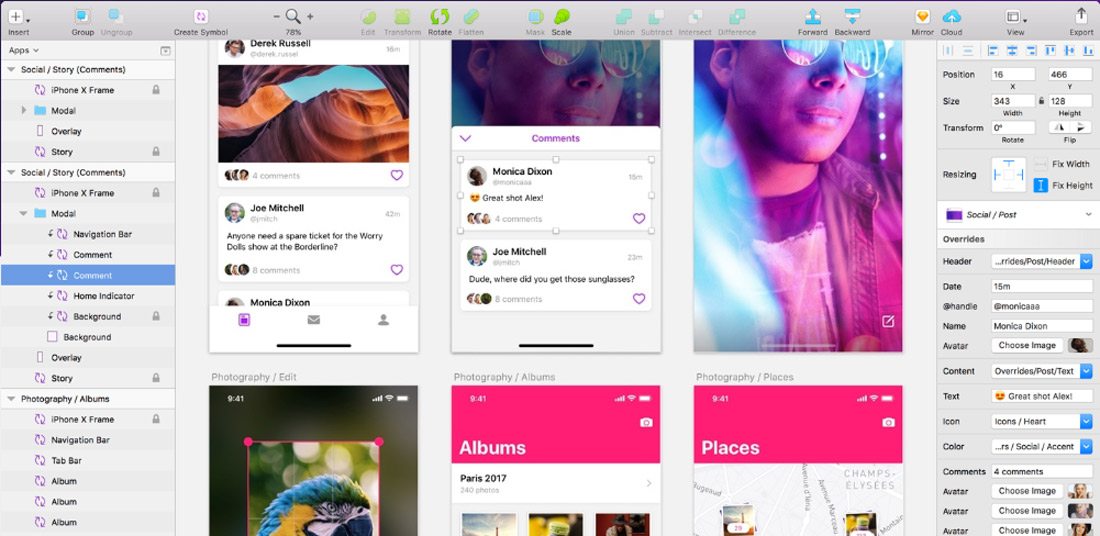
11. Take Some Time to Learn Sketch

learn web design

Sketch is a vector-drawing tool for Mac that makes it easy to create design elements. A lot of designers are turning to Sketch to create UI elements and repeating design blocks.

It’s packed with plugins and allows you to export code for easy use and access. It’s one of the most powerful, and popular, tools to come around since Adobe’s Creative Suite and worth your time.

12. Stay Up to Date with Technology

AI, VR, AR, 360-degree video, bots.

It can be hard to keep up with so many new technologies and trend. But you need to make a point to stay on top of these changes.

Tackle them one at a time and start with technologies that are the most directly related to the work you do. If you have a website with online chat, start by learning about bots. Or if you use a lot of video content, play around with 360-degree video.

Elements such as artificial intelligence and virtual or augmented reality are even more complex but are likely to become integrated parts of the website design landscape down the road. At a minimum, you should know what they are and what the potential uses might be.

13. Get Comfortable with SEO

learn web design

While many web designers think an SEO specialist can handle getting a website ready for search engines to read, there’s a lot of design work that’s connected to SEO.

From the way images are uploaded to creating clean code that’s fast to including meta descriptions on pages and elements, the designer should incorporate search thinking into their workflow.

Freelancers, this is vitally important for you as well. Most clients are savvy enough to ask for an SEO-optimized website. If you work alone, you need to know enough to create a solid framework that Google can read (and be able to refer the client to an SEO specialist if more work needs to be done).

14. Play with a Website Builder

A website builder can be a great way to get comfortable with best practices and how to start building and designing websites.

Most of these tools have plenty of templates and allow you to customize elements and even add code snippets. For simple sites, many website builders also have a free plan where you can create a personal portfolio page or basic website that serves as a playground for you.

Then pick apart the pieces within the website builder. Look at how they are designed and coded to get a feel for how it all comes together. You’ll be amazed by what you can figure out just by picking another design apart.

15. Find a Mentor

Is there someone you work with that you admire as a web designer? Take them to lunch and pick their brain about the industry.

Finding a mentor that is willing to work with you and help you think about the field and how to learn web design on your own can be invaluable. And while you can probably find a mentor in an online community, nothing is better than a live person that you can meet face-to-face periodically. (Maybe it is worth having online and in-person mentors.)

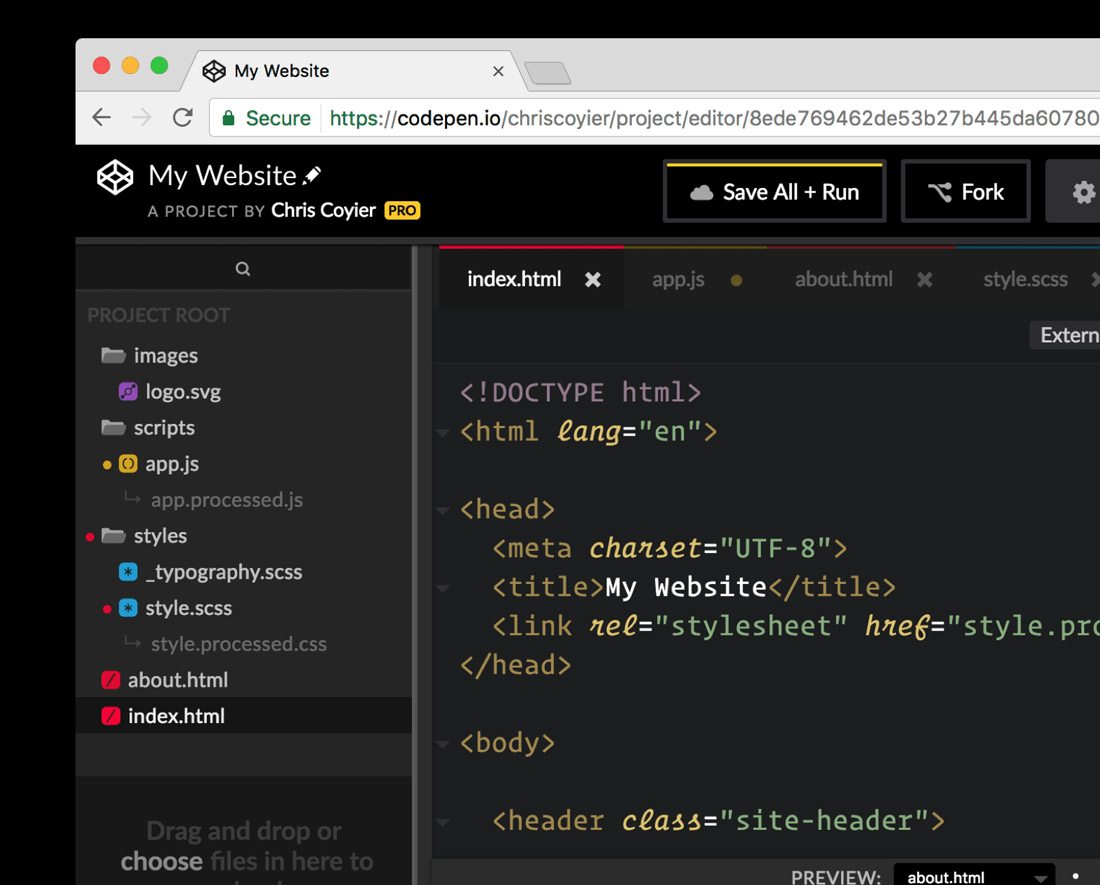
16. Join the CodePen Community

learn web design

Once you start getting comfortable with some code and programming, you want to join the CodePen community. The open-source community allows you to share and edit code snippets in a social network of sorts.

Here’s a little more from the site’s founders: “CodePen is a social development environment. At its heart, it allows you to write code in the browser, and see the results of it as you build. A useful and liberating tool for developers of any skill, and particularly empowering for people learning to code. We focus primarily on front-end languages like HTML, CSS, JavaScript and preprocessing syntaxes that turn into those things.”

17. Take a Class

For some learners, a more formal classroom setting is best.

There are a ton of classes available – in-person and online – for you to learn web design basics. Start with a local college or online learning hubs such as Udemy or Coursera. Pick up a class at your current ability level and just keep moving forward.

18. Want to Do Something? Google It

For the not-so-traditional-learner, find the answer to the web design problem on Google. There are so many tutorials and videos available that can walk you through almost any problem – and solution.

The key is to search exactly what you need to know and look to a reputable source for the answer. Here’s another tip when it comes to tutorials and videos – more recent content is probably going to give you a better, more complete and more relevant answer. (Remember, some of this stuff is changing fast.)

19. Pay Attention to the User Experience

Nothing can make or break a website like user experience design. You need to plan for it and understand it.

Here’s how the Interaction Design Foundation describes UX design:

User experience (UX) design is the process of creating products that provide meaningful and personally relevant experiences. This involves the careful design of both a product’s usability and the pleasure consumers will derive from using it. It is also concerned with the entire process of acquiring and integrating the product, including aspects of branding, design, usability, and function.

UX designers, or designers who are aware of the process of experience formation, seek to create and shape the factors influencing the process deliberately. To do this, a UX designer will consider the Why, What, and How of product use.

20. Pay Attention to Design Trends

What does a modern website design look like? It’s not a trick question. To design modern websites and user experiences, you need to know what users want and how they are interacting with it. If the last time you downloaded an app or looked at a website on your phone was 2016, you’ve got a lot of ground to make up.

Creating website designs that have modern touches and trends integrated into the design will help your projects stand out. How do you know what’s trending? Keep reading sites like this and pay attention to what other designers are doing. Take note of colors and styles and features that are included in the websites you visit frequently.

21. Create Without Color

learn web design

Start every design without color. A great designer once told me that if your design works in black and white, it will be flawless in color.

That might not always hold, but it is a great starting point.

By creating designs in black and white, you can see where elements contrast and how they play together. You’ve stripped out any emotional associations with color or eye movement that happens because of it. This simplest form of design will give you an idea if something works as a concept before you move on to finalizing it.

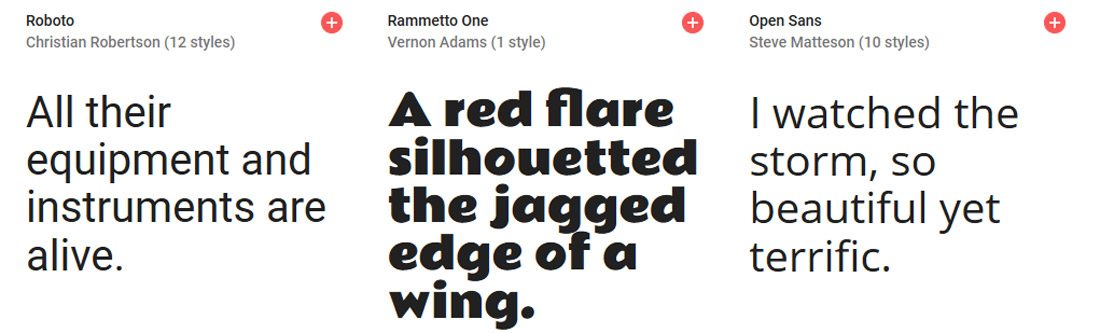
22. Learn to Love Google Fonts

learn web design

Google Fonts is your friend.

Regardless of how you feel about Google, the ability to browse, sort and select typefaces that you know will work in website designs is important. You don’t have to think about licensing or if typefaces are compatible with specific browsers or not.

The limitation is that you only have what’s in the Google Fonts library to work with. But if you try you can find something that will fit almost every project. It’ll save you a lot of time in the long run.

23. Pick Apart a UI Kit

Download a user interface or icon kit and pick it apart.

Just as you can inspect the code of a website, look at how design elements are constructed for the web. Take note of the scale and grid, look at the color mixes and how files are organized within Photoshop or Illustrator.

Look for a kit to download that includes elements in multiple formats for high-resolution displays. (Downloading a bunch of JPEGs isn’t going to serve you all that well.)

Then try to build or customize an element or two of your own.

24. Become a Typographer

Modern website design has a strong focus on typography … good typography. From hero headers with giant words to layers of text that draw a user into the design, understanding the principles of how to pair type elements and construct engaging text blocks is vital.

Start with Ellen Lupton’s Thinking with Type. (There’s also a book of the same name.) Lupton is the authority on typography and her information will have you thinking like a typographer in no time.

25. Jump into JavaScript

When you are starting to feel pretty good about dabbling with web design, challenge yourself again to learn JavaScript. After HTML and CSS, it is the most important language of the web.

JavaScript is a tool that allows designers to implement complex things and interaction on web pages. It’s what makes a slider slide or that parallax animation animate.

Learn JS has an interactive tutorial to help you get started.

26. Update Your Portfolio

learn web design

Once you start designing for the web, make sure to update your portfolio with web design projects. This simple action will help you show yourself … and others … that web design is part of your repertoire.

An updated portfolio can help potential clients see what your “style” looks like. Make sure to showcase layouts, colors, typography and different techniques that show what you can do.

27. Challenge Yourself

With so many shortcuts and code snippets to help you fix almost any website issue you are having, don’t get lazy. Remember to challenge yourself continually to learn new skills, new technologies and keep improving your web design game.

The one thing about this field is that it is constantly changing; there’s always something new to learn or try.

28. Maximise Your Experience

Get out there and design. You have to start designing websites to be a web designer.

Start small, but take on projects with others. Ask to join in on a project with a team at work. Tackle a small website for a friend. The more experience you have building websites, the better and faster you will get.

What are you waiting for? Stop procrastinating.

29. Ask for Feedback

Use your network to collect feedback on your website design projects, no matter how small you think they are. Listen to this feedback – even if you don’t like it and see what you can learn.

Aside from visual preference, did the person providing feedback offer suggestions for making the website function better? Could they easily understand the goal of the design? Did they connect with the messaging?

30. Keep Learning New Things

learn web design

To be a great website designer, you just need to keep playing, trying and learning new things. Make a point to network and communicate with others in the field so that you can stay on top of techniques and visual changes that are in-demand.

If you are looking to learn website design, then this is probably already something you regularly do. But this is an evolving field, and it keeps changing almost every day. Just ask anyone who is doing it.

Source

Guide to Server Management

Burning questions lead to best practices for virtual server management

Tips on tying physical and virtual server management together


By Denise Dubie

The hottest thing in server management these days is taming the virtual server beast.

Server virtualization makes it possible to run multiple applications and operating systems on fewer hardware resources, which appeals to many IT managers looking to improve utilization. According to a recent Forrester Research poll, respondents have virtualized about one-quarter of their servers and plan to have close to 50% virtualized in two years. As enterprise IT teams look to broaden their server virtualization deployments, it’s important to get in front of the management challenges.
For those who are struggling with how to manage virtual machines, here are answers to six important questions.

1. What’s so tough about managing virtual servers?
Some will tell you that managing virtual machines varies little from managing physical servers, and others will say it depends on what you’re managing. But all agree you need to have a comprehensive management plan in place before widely deploying virtualization in production environments.

“Management is not a single discipline. It can range from business continuity planning to patch management,” says Andi Mann, a research director at Enterprise Management Associates. In the case of business continuity planning, virtual servers could be considered easier to manage than physical servers, Mann explains, but when it comes to patching multiple systems, the virtual world introduces complexities. “You can’t always be certain if all virtual systems are patched, and obviously that’s a problem,” Mann says.

Consistency and standardization also become a bigger issue when managing virtual servers alongside physical machines. The perks of virtualization include easy-to-deploy resources, and that demands IT managers have predefined configuration parameters for application and database servers, for instance. Experts say keeping configurations accurate and up-to-date becomes more critical in the virtual environment because configuration drift is more apt to happen on virtual machines. The same goes for patching.

“The focus shifts to managing templates and preventing drift,” says Jasmine Noel, principal analyst with Ptak, Noel and Associates. IT managers would ideally create a standard template that details the operating system, vendor software, patch levels, custom code and more. The template would be maintained so that every new virtual server deployed remained consistent with the predefined standard. Patching would also become part of the template, Noel says.

Beyond maintenance and availability management, another key management issue is performance. The complexity of a virtual environment makes determining the root cause of performance issues a more daunting task, industry watchers say.

“Performance management becomes trickier because for the more difficult problems you’ll need to understand how physical server issues manifest in the [virtual machines] and vice versa,” Noel says.

While virtualization provides flexible resources, multiple virtual machines residing on one box compete for the same resources, and IT managers need to keep that in mind.

2. How do I curb virtual server sprawl?
Virtualization offers ease of deployment, which can become a bit of a Catch-22 scenario for IT managers. The faster servers can be provisioned, the more it seems they are in demand – and that quickly leads to too many virtual machines.

IT managers and industry watchers say controlling virtual server sprawl requires the same processes and auditing that would be used in physical server deployments to ensure only as many machines as needed get provisioned.

“We have it set up so that no one has the rights to add virtual servers without requesting them through IT,” says Marc Kraus, manager of IT infrastructure at Merkle in Lanham, Md. “We run weekly scans as well to keep that in check.”

While policy-based management and inventory tools can help IT stay on top of the number of servers, IT has to be disciplined about putting processes in place to prevent virtual sprawl from corrupting the success of a deployment.

“People know we are able to bring up a new virtual server and turn that around quickly so the requests have increased. We basically have had to push back a bit against server creep,” says Albert Ganzon, director of network services and engineering at international law firm Pillsbury Winthrop Shaw Pittman LLP in San Francisco.

Industry watchers suggest adopting a server life-cycle management process in which a virtual or physical server’s purpose and status from creation to retirement is tracked. Failure to curb lax deployment habits can exacerbate other challenges around managing virtual machines, such as patch management.

3. Are traditional management tools good enough for virtual servers?
Management vendors would answer, “Yes!” and for the most part, they have stepped up their support for virtual environments.

From systems management market leaders such as CA to data center management players such as BladeLogic, vendors have partnered with or built APIs into VMware’s tools to enable the exchange of data and provide some metrics around the health and availability of virtual servers. Several vendors promise to provide virtual and physical management metrics such as CPU, disk and memory usage side by side, but IT managers need more than the basic information provided with some tools.

“Yes, my existing management tools work just as well with virtual servers as any other server. The difference, however, is you don’t have the advantage of seeing the whole machine and manipulating that in the same tools you do the [virtual machines],” says Cars.com’s Christensen. “Visual representations of environments and good dashboards are key in managing a virtual environment.”

Start-ups such as PlateSpin, Scalent Systems, Veeam, Vizioncore and several others have emerged to fill the virtual management gap they say incumbent vendors can’t address. For instance, some of the areas that start-ups focus on are identifying applications running on the virtual machines and gaining visibility into the requests and responses in the virtual stack. Innovative virtual server management tools can help IT managers more quickly identify which application on which virtual machines is performing poorly.

For IT managers who aren’t ready to invest in specialized software for virtual management, there are things they can do to make their tried-and-true techniques better suited to a virtual environment.

For instance, Ganzon increased his investment in Network General products to monitor traffic to and from virtual servers. He coupled the traffic analysis from Network General (recently acquired by NetScout) with physical server performance metrics from Compuware’s ServerVantage software.

4. Can tools that come bundled with virtualization hypervisors do the job?
The consensus is that the management tools that come bundled with VMware or Xen hypervisors won’t cut it in a large virtualization deployment.

While the software provided with, say, VMware’s hypervisor enables management of the hypervisor and that environment, industry watchers say the capabilities don’t go much beyond availability to cover performance or other vendors’ products.

Additionally, most networks have more than one type of hypervisor running, so there is a demand for a heterogeneous approach to virtual server management.

Plus the technology available today from virtualization vendors won’t work as well when IT managers look to scale their virtualization deployments from dozens to hundreds of servers. While virtualization vendors are expected to differentiate themselves with management capabilities in the future, toda
y’s tools aren’t up to snuff for large multivendor, multisite networks. Of course, that timeline doesn’t mean IT managers getting started with virtualization can’t put the tools to use.

5. Should I wait for Microsoft to deliver its virtualization hypervisor?
Whatever your opinion of Microsoft, you can’t deny the company knows how to generate excitement over products. The operating system vendor’s much-anticipated Windows Server Virtualization hypervisor technology, code-named Viridian, isn’t expected to be released until 2008 at the earliest – which has some wondering if they should hold off their virtualization investment until then.

“Microsoft may want you to wait, but why wait? Whatever Microsoft does will be Microsoft-specific,” Yankee Group’s Hamilton say. Others agree, saying that Microsoft’s product could make or break decisions in smaller Windows-centric shops but not for large heterogeneous environments.

“I’m unconvinced it is worth the wait for most large enterprises with a specific server virtualization project that they want done now,” Noel says.

But if you are a Microsoft shop, you should take into consideration the vendor’s plans. Waiting might be a bit counterproductive, but planning a short-term tactical approach until Microsoft reveals its bigger plans makes sense. While users question if Microsoft will broaden its reach to manage hypervisors other than its own, industry watchers are positive the vendor will couple its virtualization play with more management technologies.

6. What are my freeware and open source options for managing virtual servers?
Companies such as Hyperic and Veeam have released products designed to manage virtual environments. Hyperic, which released its Hyperic HQ for VMware software last year, built capabilities to extend the company’s flagship software into virtual environments. The vendor wrote integrations into VMware’s APIs and Virtual Center interface to discover both physical and virtual servers and incorporate virtual instances into an inventory of all systems. If something changes, the software detects it, updates the repository and alerts IT. HQ performs what the company calls “physical to virtual mapping” that shows IT managers the virtual machines and their hosts, as well as operating systems and applications running within the virtual machines.

In Veeam’s case, the start-up is building a commercial software business off of the success of its freeware application. FastSCP 2.0 for VMware is a freeware file-management product that helps customers move virtual machines and copy instances from one server to another. FastSCP was originally released in October 2006 and “became the de facto standard for ESX file management,” says Veeam President and CEO Ratmir Timashev.

Other industry watchers shy away from advocating freeware or open source applications for full-blown virtual server management.

“The risk in using freeware or open source is really low if it fills a gap in existing management tools, but I’d be nervous about trying to extend the capabilities or scale the application to cover an enterprise-level deployment. You don’t want to get too far down the path with the freeware or open source application and realize it will not meet all the needs,” Yankee Group’s Hamilton says.

Source

What Is SEM PPC Paid Search Marketing Explained

What Is SEM PPC Paid Search Marketing Explained

Search engines are where buying decisions begin. Whether someone is looking for a local service, enterprise software, or a solution to a pressing problem, the first step is often a search query. This is where SEM, PPC, and paid search marketing come into play.

However, these terms are often misunderstood, misused interchangeably, or explained in overly technical ways. Business owners frequently ask:

  • What is SEM?

  • What does PPC mean?

  • Is paid search the same as SEO?

  • How does paid search marketing actually work?

  • Is it worth the investment?

This guide explains SEM, PPC, and paid search marketing in plain language, while also diving deep enough to help business owners and marketers use it effectively.


What Is SEM (Search Engine Marketing)?

SEM stands for Search Engine Marketing, a digital marketing strategy designed to increase visibility in search engine results pages (SERPs).

At its highest level, SEM refers to marketing through search engines, where businesses target users who are actively searching for products, services, or information.

Historically, SEM included:

  • Search Engine Optimization (SEO)

  • Paid search advertising (PPC)

In modern usage, however, SEM most commonly refers to paid search marketing, especially Google Ads and Microsoft Ads.


What Is PPC (Pay-Per-Click)?

PPC stands for Pay-Per-Click, a pricing model used in paid search marketing.

With PPC:

  • You only pay when someone clicks your ad

  • You are not charged for impressions alone

  • Costs vary based on keyword competition

PPC is not a platform—it’s a payment model used in SEM campaigns.


What Is Paid Search Marketing?

Paid search marketing is the practice of running paid advertisements within search engines to appear for specific keywords.

These ads typically appear:

  • At the top of Google search results

  • At the bottom of search results

  • On partner networks (depending on settings)

Paid search marketing allows businesses to buy visibility for high-intent searches instead of waiting to rank organically.


SEM vs PPC vs Paid Search: How They Relate

To clarify:

  • SEM = The strategy of marketing through search engines (modern usage = paid search)

  • PPC = The pricing model used in paid search campaigns

  • Paid Search = The execution of running ads in search engines

In practice, most marketers use these terms interchangeably—but understanding the distinction helps you build better campaigns.


Why Paid Search Marketing Is So Powerful

Paid search marketing works because it targets intent, not interruption.

Unlike social ads or display advertising, paid search reaches people who are:

  • Actively searching

  • Aware of their problem

  • Often ready to take action

This makes paid search one of the highest-converting digital marketing channels available.


How Paid Search Marketing Works Step by Step

1. Keyword Research

Everything in SEM starts with keywords.

Advertisers choose keywords that:

  • Match user intent

  • Align with their services or products

  • Have commercial or transactional value

Examples:

  • “IT support company near me”

  • “SEO agency in Texas”

  • “Roof replacement cost”

These keywords signal readiness to buy.


2. Keyword Bidding

Once keywords are selected, advertisers bid on them.

  • Bids represent the maximum you’re willing to pay per click

  • Higher bids don’t guarantee placement

  • Google uses an auction system, not simple bidding

This ensures ad quality matters as much as budget.


3. Ad Creation

Advertisers write search ads that appear in results.

Search ads typically include:

  • Headlines

  • Descriptions

  • Display URLs

  • Extensions (phone, location, links)

Ad copy must:

  • Match search intent

  • Communicate value clearly

  • Encourage action

Strong ad copy directly impacts cost and performance.


4. Quality Score (Critical Factor)

Google assigns a Quality Score to each keyword.

Quality Score is based on:

  • Expected click-through rate (CTR)

  • Ad relevance

  • Landing page experience

A higher Quality Score:

  • Lowers cost per click

  • Improves ad position

  • Increases return on ad spend

This is why strategy beats budget.


5. Ad Auction & Placement

Every search triggers an auction.

Google determines:

  • Which ads appear

  • In what order

  • At what cost

Factors include:

  • Bid amount

  • Quality Score

  • Ad relevance

  • User context (location, device, time)

You don’t automatically pay your max bid—you pay what’s required to beat the next competitor.


6. Landing Pages & Conversions

When users click an ad, they land on a page designed to convert.

Effective landing pages:

  • Match the keyword intent

  • Load quickly

  • Have clear calls-to-action

  • Build trust

  • Remove distractions

Paid search success depends as much on landing pages as ads.


Types of Paid Search Campaigns

Search Campaigns

  • Text ads triggered by keywords

  • Highest intent and conversion rates

  • Core of most SEM strategies

Display Campaigns

  • Visual ads across partner websites

  • Lower intent, higher reach

  • Often used for retargeting

Shopping Campaigns

  • Product-based ads

  • Ideal for eCommerce

  • Include pricing and images

Performance Max

  • Automated, multi-channel campaigns

  • Uses AI and machine learning

  • Requires strong conversion tracking


Match Types in PPC Campaigns

Keyword match types control how closely searches must match your keywords.

Broad Match

  • Reaches the widest audience

  • Higher volume, less control

Phrase Match

  • Matches searches with similar meaning

  • Balanced reach and control

Exact Match

  • Tightest targeting

  • Highest relevance

  • Lower volume, higher quality

Successful campaigns use a mix of match types.


Negative Keywords: The Hidden Profit Lever

Negative keywords prevent ads from showing for irrelevant searches.

Examples:

  • “free”

  • “jobs”

  • “DIY”

  • “cheap”

Using negative keywords:

  • Reduces wasted spend

  • Improves conversion rates

  • Increases ROI

Negatives are essential to profitable SEM.


How SEM Differs From SEO

Feature Paid Search (SEM) SEO
Cost Pay per click No per-click cost
Speed Immediate results Long-term
Control High Limited
Longevity Stops when budget stops Compounds over time
Trust Lower Higher

The best strategies use both together.


When Businesses Should Use Paid Search Marketing

Paid search is ideal when:

  • You need leads quickly

  • You’re entering a competitive market

  • SEO results are still developing

  • You’re launching a new service

  • You want predictable traffic

It’s especially effective for:

  • Local service businesses

  • B2B lead generation

  • High-margin services

  • Emergency or urgent needs


Common PPC Mistakes That Waste Money

Sending Traffic to the Homepage

Ads should point to dedicated landing pages.

Ignoring Conversion Tracking

If you don’t track conversions, you can’t optimize.

Using Broad Keywords Only

This leads to irrelevant clicks.

Poor Ad Copy

Weak ads increase cost and lower performance.

No Ongoing Optimization

SEM is not “set it and forget it.”


Conversion Tracking in Paid Search

Tracking is the backbone of optimization.

Track:

  • Form submissions

  • Phone calls

  • Appointments

  • Purchases

  • Chats

Without tracking, SEM becomes guesswork.


Cost of SEM PPC Paid Search Marketing

Costs vary widely based on:

  • Industry

  • Competition

  • Location

  • Keyword intent

Typical CPC Ranges:

  • Local services: $2–$10

  • Professional services: $5–$30

  • Legal & insurance: $20–$100+

The goal isn’t cheap clicks—it’s profitable conversions.


SEM for Local Businesses

Local SEM targets:

  • “near me” searches

  • City-based keywords

  • Service-area searches

Combined with call tracking and location extensions, local SEM can generate immediate leads.


SEM for B2B Companies

B2B SEM focuses on:

  • High-intent keywords

  • Longer sales cycles

  • Lead quality over volume

Landing pages often include:

  • Consultations

  • Demos

  • Whitepapers

  • Case studies


How SEM and SEO Work Best Together

SEO builds:

  • Authority

  • Long-term traffic

  • Brand trust

SEM delivers:

  • Immediate leads

  • Keyword testing

  • Funnel acceleration

Data from SEM improves SEO, and SEO improves SEM performance.


The Role of AI in Paid Search Marketing

AI now influences:

  • Bidding strategies

  • Ad rotation

  • Audience targeting

  • Performance Max campaigns

AI enhances efficiency—but still requires human strategy.


Is Paid Search Marketing Worth It?

Paid search is worth it when:

  • Campaigns are properly structured

  • Landing pages convert

  • Tracking is accurate

  • Optimization is ongoing

Poorly managed SEM loses money.
Well-managed SEM becomes a growth engine.


How Long Does It Take to See Results?

Unlike SEO:

  • Results can appear the same day

  • Optimization improves over weeks

  • Peak performance often occurs after 60–90 days

SEM rewards testing and refinement.


SEM Myths to Ignore

  • “Higher bids always win” (false)

  • “Paid ads hurt SEO” (false)

  • “SEM replaces SEO” (false)

  • “Automation means no management” (false)

Understanding SEM correctly protects your budget.


Final Thoughts: SEM PPC Paid Search Marketing Explained

SEM, PPC, and paid search marketing are not mysterious or risky when done right. They are precision tools designed to connect businesses with customers at the exact moment of intent.

When properly executed, paid search:

  • Delivers immediate results

  • Complements SEO

  • Scales predictably

  • Generates qualified leads

The key is strategy, structure, and continuous optimization.


Key Takeaway

Paid search doesn’t buy success—it buys opportunity. Strategy turns that opportunity into profit.

Fundamentals of digital marketing

Learn the fundamentals of digital marketing to help your business or career.

Start course

Get certified in the Fundamentals of Digital MarketingCourse DetailreorderModules: 26access_timeHours: 40BeginnerFree

Why get certified

Why get certified

Accordion aria label closed

Getting certified shows employers that you have a clear understanding of the core concepts of digital marketing. You can also add the qualification to your CV, and easily upload it to your LinkedIn profile.

Accordion aria label closed

Becoming certified shows you have strong digital skills and that you’re motivated to learn: two essential qualities in the workplace. Demonstrating these qualities can help improve your chances of finding the job you want.

Accordion aria label closed

Improving your digital knowledge can help you find a job, get promoted, or start a whole new career.

How it works

Complete all 26 modules

Learn new skills with our bite-sized video tutorials, then test your knowledge with a quick quiz.

Take the final exam

Pass the final 40-question exam and get certified.

Share your certificate

Download and showcase your new qualification on LinkedIn and your CV.

Skills you’ll learn

insert_chart_outlined

Analytics and data insights

In this introduction to Analytics, we’ll show you how to collect and analyse user data and turn it into actionable insights.

timeline

Business strategy

Learn how to define and track clear goals, segment audiences and analyse data to help improve your online marketing efforts.

chrome_reader_mode

Content marketing

Learn how to grow brand awareness and get more conversions by creating and distributing high-value content to potential customers.

picture_in_picture

Display advertising

Get noticed online by identifying the right audiences, ad networks and strategies for your display ads.

shopping_basket

E-commerce

All the strategies and tools you need to build an online store, sell effectively online and optimise the user experience.

mail_outline

Email marketing

Master the basics of email marketing, including how to track responses, create simple landing pages and use A/B testing.

person_pin_circle

Local marketing

Reach and engage potential customers nearby, using local directories, mobile marketing and by building a local search presence.

phone_android

Mobile

Learn the differences between mobile sites and apps and develop the most effective mobile SEO and advertising strategies.

find_in_page

SEM

In this introduction to Google Ads, learn about the different research tools available, plus how to choose keywords and optimise campaigns for a better return.

pageview

SEO

Understand the differences between organic and paid search, learn how to develop the most effective SEO plan and optimise web pages so that users can find content easier.

textsms

Social media

Find out how to identify the right social network sites, create great content users will love and measure your success.

play_circle_outline

Video

Discover how to integrate video into an online strategy, create video ads on a budget and make sure they’re seen by the right people.

important_devices

Web optimisation

Identify the right digital channels that will help you achieve your business goals and create better online user experiences.

Success stories

Over 300,000 people have already gained this qualification, and are using it to develop and improve their careers.

FAQs

Accordion aria label closed

You will be able to download your digital marketing certificate from the Google Fundamentals of Digital Marketing course landing page when you’ve completed the course. A progress indicator on the certification course page will show you how far you’ve come, and what modules you need to complete to earn your certificate.

Accordion aria label closed

You’ll earn an authentic Digital Marketing certification from Google, by completing all modules in The Digital Garage.

Accordion aria label closed

You’ll be able to download a PDF copy of the digital marketing certificate from the Fundamentals of Digital Marketing course page once you’ve passed the final test.

See all FAQs

Start today and get certified in Fundamentals of digital marketing Start course

Source

Guided HTML, CSS, Design Courses

Source

Managed IT Services Outsourcing for Companies of All Sizes

IT Support and Security

Just about any area of your business can be hectic and prone to stress, but there’s a special kind of pressure that accompanies IT security. This pressure is consistent across all types and sizes of businesses. When a server goes down in the middle of a workday, it means instant losses in productivity and eventually sales. Plus, fixing a down server can be disruptive and confusing; it can even leave your data vulnerable.

Besides keeping your technology up and running, IT professionals face constant pressure to stay one step ahead when it comes to new technology, industry best practices and security. And don’t forget about the end-users. They need help and guidance as they learn how to use your business technology while keeping sensitive data secure. With all that, it’s no surprise there’s a growing number of businesses choosing to work with Managed IT service providers. Marco has the resources to keep your business secure, you have more than enough on your plate.

Learn More

IT Outsourcing Without the Stress

Marco’s Managed IT Services can provide stressed-out IT staff with real-time relief. We offer high-end expertise to help you manage your infrastructure while providing a friendly voice at the end of the line. By helping manage day-to-day maintenance and support responsibilities, organizations are able to run their businesses safely and effectively.

With Managed IT Services, organizations stay up-to-date with the latest business technologies without adding expenses. Managed IT clients receive enterprise-scale IT support and regular maintenance upgrades to their IT infrastructure.

Since Managed IT allows businesses to hand over the responsibility of infrastructure issues, connection problems and software downtime to a Managed Services provider they’re no longer tasked with patching together solutions or crossing their fingers to hope this next fix is the right one. With the burden of office support taken off the shoulders of your internal tech department, your IT team is able to focus on efforts that move your business forward, like building a technology roadmap and implementing vital initiatives to reach your intended goals.


Stay Ahead Of Cyber Criminals

Security is a hot topic when it comes to business technology, but did you know it isn’t just giant corporate companies at risk? Small to medium-sized companies are prime targets too because many lack security practices employed by big business.

With Marco’s Managed IT, you can rest easy knowing Marco security experts have your back. We are always on call monitoring suspicious activity – hackers might be smart, but we work tirelessly to stay a step ahead of the cyber criminals. We also educate and test end users to correctly utilize your business technology and keep your network protected.

Managed IT will also give your organization a game plan to meet the National Institute of Standards and Technology cyber security framework. An important protocol to help you identify risks, protect your environment and respond to suspicious activity.

If needed, our experts can help you recover after an attack. You will have access to our 10+ years of MIT experience offered in house at Marco.

Enterprise-Level and Small Business Security Support

Marco’s Managed IT Services are developed to fit the needs of businesses of all sizes. We work with enterprise-level organizations that want to eliminate the time-consuming, day-to-day tasks for their internal staff. On the other end of the spectrum, small businesses that don’t have an information technology department can outsource IT help through Managed Services. Talk about efficient.

Any business, regardless of size, has probably struggled to recruit and hire internal IT staff who have the right capabilities and qualifications for the organization. Managed IT Services is a cost-effective, long-term solution for businesses experiencing staffing issues. From small business support to enterprise-level organizations, Managed IT can be as comprehensive as you need it to be. 

IT Expertise with a Proactive Approach

With over 750 factory-trained, certified systems engineers and technical representatives on staff, we don’t outsource our services. Our network of professionals is certified at the highest level for all areas of expertise. Because we put in the effort to know your technology inside and out, we’re qualified to fix problems on the spot instead of running through checklists.  

Many of our clients wonder about the comparison of break/fix versus Managed IT Services. Break/fix is a model where solutions to IT problems are figured out after a problem has already occurred. If you’ve ever encountered a broken piece of business technology and worked to solve it, you’ve experienced break/fix. In other words, break/fix is a reactive way of managing IT needs. This automatically puts your business at risk.

The Managed IT model, on the other hand, is a proactive approach to business IT. With the use of 24/7 monitoring, Managed IT makes it possible to find small issues before they become big problems. Instead of waiting for something to break, we figure out which areas are vulnerable and fix them before a large problem occurs. Managed IT is anything but break/fix.

No Worries, You’re Covered

Most providers only support certain components in their Managed IT plan. They’ll cover these desktops and those servers, but not this router or that switch. Marco is not most providers. We’re different. It doesn’t matter what hardware or software you’re using; we’ll provide support. This means you never have to worry about which vendor is maintaining what technology. We’ve got you covered.

Managed IT Services makes it possible to outsource the day-to-day technical management of a business. As a proven, strategic method for advancing operations and cutting expenses, businesses of all sizes find value in outsourcing IT. Take a look at the individual components that make up our Managed IT Services offering.


Source

Skip to content