Guide to VoIP MoneySuperMarket

Voice over Internet Protocol (VoIP) – also known as an internet phone or a broadband phone is a technical term for what is actually a straightforward concept of making calls over the internet. VoIP has expanded in popularity in recent years and is now seen as a genuine and money-saving alternative to making phone calls on a traditional landline.

So could the writing be on the wall for standard phone services? Is VoIP really the future? And how does it all work? This guide to VoIP will explain.

What is VoIP and how does it work?

Voice over Internet Protocol may sound like a new innovation as it has only become popular in homes over the last five-ten years; however, it actually dates back to the 1970s when it was used as an experiment by the US department of defence.

Traditional phone networks use circuit switching – that is when a call is made, circuits are switched in the intervening exchange creating a connection between the caller and the person being called.

By contrast, VoIP employs packet switching – which has typically been used by data networks connecting computers. Within this network, data is divided into small packets which are given identifying information and are then transported across the network. At the end of the line, they are reassembled to provide the information to the receiver.

This process is now applied to voice calls through VoIP. In the past packet switching was rarely used for voice calls because the reassembling of information would seriously deteriorate the quality of the call. However, thanks to improved systems which now give priority to voice calls over data, the quality of VoIP is now arguably on the same level as a regular phone call.

With the emergence of the internet and its incredible boom in popularity, particularly in the late 1990s, more companies began to explore VoIP as a serious alternative to regular landline calls.

There are now a host of companies that offer VoIP services in the UK. These services take a variety of forms:

  • PC to PC – This form of VoIP takes place with a headset and is usually used on an instant messenger service. A common example is Skype.
  • PC to telephone network – This is when only the caller uses a headset. A common example is CallServe.
  • Telephone network to telephone network – When the caller uses an adaptor on the telephone. A common example is BT Broadband Voice.
  • IP phone to telephone network – This is when the phone itself is IP enabled and so there is no need for an adaptor. A common example is Vonage.

It has been suggested that Voice over Internet Protocol (VoIP) could be the long term successor to regular phone calls. So is VoIP as good as it sounds? Just what are the benefits of this new service and are there any disadvantages?

What are the pros and cons of VoIP?

The biggest advantage of VoIP is that it offers significantly cheaper calls than traditional landline services – including, with many services, free international calls.

If you plan to use VoIP to contact other VoIP customers, then call charges are very straightforward – in many cases they are completely free. Clearly therefore, the long term aim is that as VoIP becomes more popular you will be able to contact more and more people using this service, saving significant amounts of money.

Where VoIP is less straightforward is how it pertains to calls that are made or received by people who do not have VoIP. In this case, they are reliant on gateway services.

These gateway providers give you a telephone number which allows you to call people on regular landlines and mobiles, and to receive calls from those numbers too. Unlike VoIP-VoIP services, this type of calling is not free as there is usually a flat monthly fee to pay out.

However, calls made in this manner are generally much cheaper than making landline-landline or mobile-mobile phone calls. This especially applies to the international rates offered by companies such as Skype and Vonage. As the calls are all made over the VoIP data network, it makes no difference whether you are talking to someone in the USA or the UK – the call costs are the same. As a result, most providers offer free international calls to select countries as part of their monthly subscription fee.

VoIP is also extremely beneficial for businesses. Not only does having one supplier for voice and data provide greater efficiency, but it also means computer applications and technologies can be linked which helps to streamline the working environment. If a business operates over several sites, VoIP can make good financial sense as it avoids expensive internal calls – and even if a business operates at just one site, using VoIP can be beneficial when contacting customers.

The major concern with VoIP remains the quality on the lines. However, this fear has greatly decreased in recent years and it is now difficult to tell the difference between a regular phone call and a VoIP to phone network call. Perhaps the biggest problem currently facing VoIP therefore is its lack of familiarity and education on the subject – not enough people know about it to take full advantage of its potential. However, its popularity is increasing and will no doubt continue to do so.

So now you’ve learned about VoIP you might be eager to get online and start making free phone calls. This section of the VoIP guide will put you on track.

What do you need to make VoIP work?

The first thing you need to join the VoIP revolution is a Windows or Mac computer and a broadband connection. For the most basic form of VoIP, getting started from there is easy – all you will need is:

  • An instant messenger service – common examples includes MSN Messenger, Yahoo Messenger, Skype and ICQ. All of these services are free.
  • A microphone or integrated headset.
  • Headphones or speakers.

You should choose your software wisely. Find out what services your friends and family use as you might not be able to call from one instant messenger service to another.

If you wish to take VoIP to the next level and make calls to non-VoIP customers you will require an IP phone. This is connected directly to your modem or router and you can make phone calls without even switching your computer on. IP phones are available for free as soon as you sign up for monthly subscriptions from many providers.

In addition, some providers have now released dual-purpose phones, from which you can make VoIP calls as well as conventional calls via a landline.

What else does VoIP have to offer?

Most VoIP services come with a number of bonus services. These may include:

  • Anonymous call block – Giving you the chance to shut out calls from numbers that are withheld.
  • Caller ID – Allowing you to see who is calling before you pick up the phone.
  • Call diversion – The ability to send incoming calls to other UK phone numbers.
  • Call waiting – The chance to take an incoming call while you’re still busy with another phone call.
  • Do not disturb – Have your calls instantly forwarded to your voicemail without ringing at your end.
  • Emergency calls – Previously lacking on some VoIP services, most providers now allow you to call emergency numbers just by dialling 999 as you would on a conventional phone.
  • Ring back – A feature that allows you to continually call a busy line until you get through.
  • Three-way calling – Particularly useful for small businesses looking to hold conference calls.
  • Voicemail – Not just an answering service on your phone, but one that can be accessed via email or online.

These are just some of the features that may be offered by a VoIP provider.

Hopefully by reading the earlier parts of this guide you now have a greater understanding of what VoIP is and how it works. So should you opt for VoIP internet phone instead of a landline? This section will help you decide.

Which should you c
hoose – VoIP or a landline?

The choice between VoIP and landlines is not as straightforward as it may seem given the huge gulf in costs of landline calls by comparison to the cheaper VoIP services.

The main reason for this is that some VoIP services won’t offer the same features you would expect from a traditional landline. For example, some VoIP providers still will not allow you to call the emergency services and some international destinations are restricted. Furthermore, if you were to suffer a power failure or a loss of internet service you would not be able to use VoIP – or even inform your ISP that the service was down, unless you had a mobile phone.

In addition, as most people have ADSL broadband, you will still need to pay line rental. As a consequence, at this stage, most users cannot dismiss landlines outright – and instead prefer to use VoIP to complement their home phone service.

Certainly VoIP can be hugely beneficial when used in this manner. If you have a family or friend overseas, the ability to call them, free of charge, whenever you want, should not be underestimated.

Think about your current phone bill. Do you make a lot of international or long distance calls? Are your bills high? If so, VoIP could offer you large savings even though you will have to pay a set monthly fee to use an IP phone.

At the moment therefore, it seems that VoIP will be used alongside landlines and not as a direct replacement. However, it’s clear that VoIP technology is already useful and may very well soon be the standard in all homes.


Related articles

Source

Best Small Business PBX phone systems for 2020

Best business phone systems 2020.These small business PBX phone systems are the best in their category for 2020. Different types of businesses require distinctly different phone systems. Although hosted VoIP or a cloud based phone system is the preferred solution for many, offering lower initial costs, advanced feature sets with easy installation and self management, some businesses find that they need a hybrid on-premise PBX solution that can be installed with their existing cabling and connect to a T1/PRI circuit. Other small companies just want a good quality durable phone system to use with their existing phone lines, be reasonable in price and has an attendant, voicemail and is easy to park, page and transfer calls. Some others want an affordable system on premise that they can manage themselves. Whichever category your company may fall into, here are the top picks for both a cloud based PBX and a premise PBX for 2020.

Three of our top choices are award winning cloud based PBX systems from established hosted VoIP providers. All are well tested with thousands of customers getting high marks in overall satisfaction. RingCentral Office and Vonage Business are great choices for any size business, from a 7 phone small business to a 100 plus person multi-location organization. On the other hand, Grasshopper’s virtual phone system is a stand-out with an entirely different platform, which was designed for the entrepreneur or micro-business.
Our other three choices are all on premise PBX systems, each earning a top choice for a particular business situation. Ayaya’s IP Office has been a worldwide go to solution for many years delivering outstanding features and reliability from a more traditional IP-PBX that can solve more complex needs. The award winning Grandstream UCM6200 series IP-PBX delivers robust features without license fees that can be managed in house with support from the manufacturer. And the NEC DSX-40 brings a solid small digital phone system that can connect to regular phone lines with just enough of the important features that they have been chosen by numerous businesses for their durability and lasting performance.

Best Cloud PBX Companies 2020

RingCentral Cloud PBX best business phone service.RingCentral is a multi-award winning cloud PBX provider that is great for any size company. With four excellent plans to choose from users can get just the right package of features without having to pay for those that they do not need. RingCentral touts their service as affordable, simple to set up, manage and use and with each, they succeed. It’s well designed with advanced features that include call recording, video conferencing, and Internet fax and integrates with most CRM software packages. By cutting down on vendors and using RingCentral services for multiple needs, not only will it simplify every businesses’ communications, it saves on additional expenses. (more at RingCentral Review)

Best For:
  • One provider for advanced features with multiple communications platforms.
Pros
  • Reliable with excellent easy to choose feature rich plans.
  • Top choice for offices, small contact centers, professional services, multi-location businesses, sales organizations.
  • Great service for remote workers.
  • Easy quick setup with included customer service and support.
Cons
  • Must pay yearly for the best price.

Vonage Business Cloud PBX service picked for 2020 by PbxMechanic.Vonage  Business Cloud, offers unified communications to connect from anywhere through voice, chat, text messaging or video. Their service brings a robust set of features for small to medium sized businesses. Their services are broken into a three tier pricing model, Mobile, Premium and Advanced, with each plan having their own set of features, although certain features like Call recording and Visual Voicemail requires the top plan. Vonage has worked on app Integration with its service and brings an impressive list of popular business applications that will work.

Best For:
  • Scalable custom platform as business needs grow.
Pros
  • Numerous CRM integrations.
  • Great for a wide array of businesses including insurance, law firms, healthcare, real estate, and retail companies.
  • Highly competitive flexible plans where the greater number of lines lowers the cost.
Cons
  • Cumbersome to determine exact pricing without talking with a representative.
  • Adding extra features can increase costs.

Grasshopper Virtual phone service, best 2020 pick by PbxMechanic.com.Grasshopper virtual phone service is designed for very small micro businesses or entrepreneurs. Integrated to deliver big PBX basic features without even the need to spend money on a traditional IP desk phone, it’s a service that can be up and operating in an hour. Using your smart phone, you’ll get your own business number with ways of keeping your business customers distinct. Their service ensures that you can make and receive business calls and texts from anywhere using their app. Handle multiple business calls distinctly with automated professional greetings, call forwarding, and voicemail transcription. For those that fall into the right category (a micro business) Grasshopper is an affordable well designed phone service that will take a business to a “bigger” and more professional level. (more at Grasshopper Review)

Best For:
  • On the go micro-businesses.
Pros
  • Lots of features that are easy to setup.
  • Excellent for very small companies or business entrepreneurs; real estate agents, food trucks, landscapers, home inspectors, appraisers, etc..
Cons
  • Getting the best price requires an annual payment.
  • Requires an existing phone service of some sort (mobile or landline).

Best On Premise PBXs 2020

Avaya IP Office best hybrid on premise PBX for T1/PRI.Avaya’s IP Office, one of the world’s most popular hybrid UC IP-PBXs, is an extremely flexible and totally scalable solution. The Basic Edition, which can handle up to 100 users, has voice mail, message to email conversion, call forwarding, audio conferencing, and as automated attendant. From there Avaya offers enhancements with both on premise and cloud based services for a total business Unified Communications platform. Being a hybrid IP-PBX, businesses get a flexible deployment allowing for the use of digital phones where older cabling may exist while still incorporating IP phones in offices. Connect through any type of service; FXO, SIP and T1/PRI.

Best For:
  • Hybrid deployment connected to T1/PRI.
Pros
  • Hybrid IP-PBX phone system that’s totally scalable.
  • Great for medical, retail, existing mixed use facilities, office/manufacturing, engineering, industrial.
  • Well tested with deployments worldwide. Onsite signaling.
Cons
  • Requires an Avaya phone technician.
  • Requires proprietary digital phones and specific IP phones.
  • License fees for additional or new features.

Grandstream VoIP appliance, best on premise self manag
ement PBX.Grandstream UCM 6202 VoIP IP-PBX is an excellent appliance that gives the benefits of VoIP, such as multiple SIP trunk connections, no license fees, affordability and a management GUI that is intuitive and well designed, to name just a few. Two FXO ports are built in for those that want failover using one or two traditional phone lines.

You can choose almost any IP phones as all are fairly easy to configure, however Yealink phones will be matched the best. With the available help and guidance from Grandstream the UCM series VoIP PBX is one of the few that allow for a tech savvy IT person to self management and install.

Best For:
  • On premise IP-PBX for self management.
Pros
  • Feature rich VoIP ready IP-PBX without license fees.
  • More control and personal customization. Onsite signaling.
  • Excellent choice for offices, manufacturing facilities, hospitality, small contact centers, etc..
  • Good choice for in house management.
Cons
  • Need to ensure someone has the capabilities to manage the system.

NEC business DSX-40 digtal PBX for traditional phone lines.The NEC DSX-40 with IntraMail has built a reputation of being an affordable and reliable digital PBX business phone solution for companies that want to keep their existing telephone lines. Good for up to 8 incoming lines, the DSX-40 is capable of handling up to 24 stylish digital telephone stations. Durability and intuitive operation are the hall marks of the desk phones with either a 22 or a 34 button model available. With lots of standard features including an Attendant, Directory Dialing, Message on Hold, and Conversation Record most small businesses will find the DSX-40 just enough with an affordable price. Once installed and setup this system will operate for years without any need for service. In June 2019 NEC ended support for all DSX products, however they will remain a popular small PBX for years to come and systems are readily available refurbished from many installers and suppliers.

Best For:
  • Small businesses that want to connect to traditional business telephone lines and/or have poor Internet service.
Pros
  • Well tested, many deployed. Does not require Internet.
  • Capable of using SIP trunks for low cost VoIP.
  • Best for small companies that want to keep their existing telephone lines; mixed business office/warehouse, manufacturing facilities, warehouses, parts stores, etc..
Cons
  • Requires a phone technician for installation and changes.
  • Limited advanced features; digital phone system
  • Requires proprietary digital phones.
Business phone system salesperson.Conclusion

Our six PBX choices all offer an outstanding phone system for a particular business situation. Each of our three hosted VoIP picks are established providers and should continue to advance their platform and offer new advanced features as they are developed. The number of companies choosing cloud based services have accelerated and that trend will continue as initial costs are low and overall value very high.

Grasshopper now offers a 7 day,
no commitment trial.
Trying Grasshopper is easy!

The three best on premise PBX systems are excellent choices given particular needs or circumstances (as noted), and have proven to be stable, robust systems. For those that want control and the ability to self install and manage their own VoIP phone system, the UCM6200 series appliance is a top choice with a great feature set and an intuitive GUI.


With so many phone system choices it’s easy to get overwhelmed. Not all systems are right for everyone. A telecom professional can guide you to the best solution.

Professional advice from business telecom installers.Want to streamline the process and get competitive Tailored quotes for the best business phone system?
Just complete a few questions in the form. It only takes 2 minutes.

Best Cloud Based Phone Service   Best On premise PBX System

Related Articles

Find out which are best cloud PBX phone companies. These are the top rated hosted VoIP providers: Best Cloud PBX Companies

Keeping with transparency; when visitors purchase products and/or services discussed on our site through onsite affiliate links or ads, we usually then earn affiliate commissions.

Source

What Is SEM & Does SEM Include SEO

What Is SEM & Does SEM Include SEO?

Search engine marketing is one of the most misunderstood concepts in digital marketing. Business owners, marketers, and even agencies often use SEM and SEO interchangeably, while others treat them as completely separate disciplines. This confusion leads to poor strategy, wasted ad spend, and missed growth opportunities.

So let’s clear it up once and for all:

What is SEM?
Does SEM include SEO?
And how should businesses actually use SEM and SEO together?

This guide breaks everything down clearly—without jargon—so you understand how search engine marketing really works in today’s digital landscape.


What Is SEM (Search Engine Marketing)?

SEM stands for Search Engine Marketing, a digital marketing strategy used to increase a website’s visibility in search engine results pages (SERPs).

At its core, SEM is about getting traffic from search engines—specifically when users are actively searching for products, services, or information.

Historically, SEM referred to all marketing efforts within search engines, both paid and organic. Over time, however, the industry has evolved, and the meaning of SEM has shifted.


The Modern Definition of SEM

Today, SEM is most commonly used to describe paid search advertising, particularly:

  • Google Ads

  • Microsoft (Bing) Ads

  • Paid search campaigns

  • PPC (pay-per-click) advertising

In modern usage:

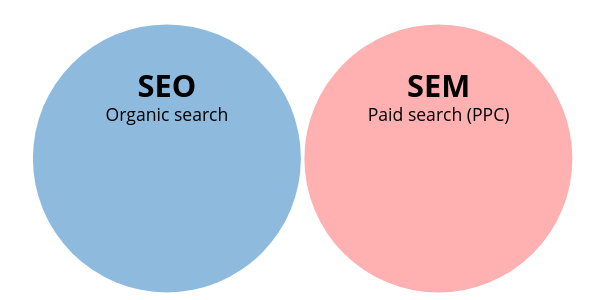
  • SEM = Paid search

  • SEO = Organic search

However, this is where confusion begins—because technically and historically, SEO is part of SEM.


Does SEM Include SEO? (Short Answer)

✅ Yes — technically and historically, SEM includes SEO.

❌ No — in modern marketing language, SEM usually refers only to paid search.

Both answers are correct depending on context.

Let’s break this down clearly.


The Original Meaning: SEM Included SEO

When search engines first became marketing platforms, SEM was the umbrella term that included:

  • Search Engine Optimization (SEO)

  • Paid search advertising (PPC)

  • Keyword research

  • Search analytics

  • Conversion tracking

Under this definition:

SEM = SEO + Paid Search

This definition is still technically correct and used in academic and legacy marketing contexts.


The Modern Industry Usage: SEM ≠ SEO

In today’s marketing world, most professionals use the terms like this:

  • SEO → Organic search optimization

  • SEM → Paid search advertising

This distinction became common because:

  • Paid search platforms (like Google Ads) grew more complex

  • SEO became a specialized discipline of its own

  • Businesses needed clearer budget separation

As a result, SEM has become shorthand for PPC advertising, even though SEO still falls under the broader concept of search marketing.


Why This Confusion Matters

Misunderstanding SEM vs SEO leads to real problems, such as:

  • Businesses thinking SEO is “free SEM”

  • Marketers ignoring organic search in their strategy

  • Overspending on ads while neglecting long-term growth

  • Poor reporting and unclear ROI

To build an effective search strategy, you must understand how SEO and SEM work independently—and together.


What Is SEO (Search Engine Optimization)?

SEO is the process of optimizing a website to rank organically in search engine results.

SEO focuses on earning traffic naturally by improving relevance, authority, and user experience.

Core SEO Components:

  • Keyword research

  • On-page optimization

  • Technical SEO

  • Content creation

  • Link building

  • Local SEO

  • User experience (UX)

SEO does not involve paying for clicks. Instead, it requires time, consistency, and strategy.


What Is Paid SEM (PPC Advertising)?

Paid SEM refers to advertising in search engines where you pay for each click or impression.

Common Paid SEM Platforms:

  • Google Ads

  • Microsoft Ads (Bing)

  • YouTube Ads (search-driven intent)

Paid SEM Includes:

  • Keyword bidding

  • Ad copy creation

  • Landing page optimization

  • Conversion tracking

  • Quality Score optimization

  • Budget management

Paid SEM delivers immediate visibility, but traffic stops when you stop paying.


SEO vs SEM: Key Differences

Feature SEO SEM (Paid Search)
Cost No cost per click Pay per click
Speed Slow to build Immediate
Longevity Long-term Short-term
Trust Higher user trust Lower trust
Control Less control Full control
Scalability Compounds over time Limited by budget

Both are powerful—but serve different roles.


How SEO and SEM Work Together

The best digital strategies do not choose SEO or SEM.

They use SEO and SEM together.

Why Combining SEO and SEM Works:

  • Covers all stages of buyer intent

  • Maximizes SERP real estate

  • Improves data sharing

  • Reduces overall cost per acquisition

  • Strengthens brand authority

When SEO and SEM work in isolation, performance suffers.


Example: SEO + SEM in Action

Imagine a business offering managed IT services.

SEO Strategy:

  • Rank for informational searches:

    • “What is managed IT services”

    • “Benefits of outsourced IT”

  • Rank for local searches:

    • “Managed IT services Spring TX”

  • Publish blog content and service pages

SEM Strategy:

  • Bid on high-intent keywords:

    • “IT support company near me”

    • “Managed IT services pricing”

  • Run ads to conversion-optimized landing pages

Result:

  • SEO builds long-term authority

  • SEM captures ready-to-buy users

  • Combined strategy dominates search results


When Should You Use SEO?

SEO is ideal when you want:

  • Long-term growth

  • Sustainable traffic

  • Brand authority

  • Lower long-term costs

  • Consistent inbound leads

SEO is especially powerful for:

  • Service businesses

  • B2B companies

  • Local businesses

  • Content-driven brands


When Should You Use SEM?

Paid SEM is ideal when you need:

  • Immediate results

  • Predictable traffic

  • New product launches

  • Competitive keyword coverage

  • Lead generation at scale

SEM is especially effective for:

  • High-margin services

  • Time-sensitive offers

  • Competitive markets

  • Retargeting campaigns


Is SEM Better Than SEO?

This is the wrong question.

The right question is:

How should SEO and SEM support each other?

SEM Without SEO:

  • Expensive

  • Short-term

  • No compounding growth

SEO Without SEM:

  • Slow

  • Misses high-intent traffic

  • Vulnerable to algorithm changes

The strongest strategy uses both.


How Google Actually Views SEO and SEM

Google does not rank SEO higher because you run ads.
Google does not penalize sites for advertising.

But Google does reward strong user experience, relevance, and authority—which both SEO and SEM can improve when aligned.

Shared Factors:

  • Landing page quality

  • Page speed

  • Mobile usability

  • Content relevance

  • Conversion experience

This is why SEO improvements often lower paid ad costs.


SEM Myths That Hurt Businesses

❌ “SEO is free”

SEO costs time, expertise, content, and resources.

❌ “Paid ads replace SEO”

The moment ads stop, traffic disappears.

❌ “SEM is just Google Ads”

SEM is broader—it’s about search intent marketing.

❌ “You must choose one”

Choosing only one limits growth.


SEM, SEO, and Buyer Intent

Search intent is the foundation of both SEO and SEM.

Types of Search Intent:

  • Informational

  • Navigational

  • Commercial

  • Transactional

How SEO & SEM Map to Intent:

  • SEO dominates informational and commercial intent

  • SEM dominates transactional and urgent intent

Using both ensures full-funnel coverage.


Does SEM Include Local SEO?

Local SEO is part of organic search, which historically falls under SEM.

Local SEO includes:

  • Google Business Profile optimization

  • Local citations

  • Reviews

  • Local landing pages

Paid local ads (like Local Services Ads) fall under paid SEM.

Again—SEM is the umbrella, but modern usage separates paid and organic.


Reporting SEO vs SEM Correctly

Many businesses misreport performance by lumping SEO and SEM together incorrectly.

Best Practice:

  • Report SEO separately (organic traffic, rankings, conversions)

  • Report SEM separately (ad spend, CPC, CPA, ROAS)

  • Analyze combined search performance

This gives clarity and smarter budget decisions.


The Future of SEM and SEO

In 2025 and beyond:

  • AI-driven search is increasing

  • Zero-click searches are growing

  • Paid competition is rising

  • Organic trust still dominates decisions

SEO is becoming more strategic.
SEM is becoming more expensive.

The businesses that win will integrate both intelligently.


So, Does SEM Include SEO? (Final Answer)

Technically: Yes

Historically: Yes

Practically (today): Usually no

SEM is the strategy of marketing through search engines.
SEO and paid search are the two execution channels.

Understanding this distinction allows you to:

  • Build smarter campaigns

  • Allocate budgets properly

  • Generate higher-quality leads

  • Scale sustainably


Final Thoughts

If you remember only one thing, remember this:

SEO builds authority. SEM buys attention. Together, they dominate search.

Businesses that treat SEO and SEM as separate silos leave money on the table. Those that align them create predictable, scalable growth.

Skip to content