Managed IT Services What is it and why it matters

Gordon Tan, Managing Director of R&G Technologies shares his opinion:

Managed services is designed to be an all-you-can-eat model where both organisations are aligned so that they work together, where in the past, an IT provider might bill hourly and fix problems on an issue-by-issue basis. Now with managed services, the IT provider has a vested interest in aligning the organisation outcomes to provide a proactive service that minimises problems.

In simple terms, managed services puts the focus back on the IT firm. The more problems that your organisation has, the more time and resources the IT firm needs to designate. This results in less profit for the IT firm and causes it to take more proactive measures to reduce the amount of problems the organisation has. This inevitably aligns both organisations’ outcomes.

Why are Managed IT Services important?

  • It aligns the outcomes of the organisation. An IT company is incentivised to do a very good job; they want to minimise problems for your organisation because they hvae KPIs directly linked to the efficiency of your IT.
  • IT experts give you peace of mind. You’re not an IT expert. Managed service providers take care of your IT so you can focus on running your business.
  • Proactive support. Managed services offer proactive support. So instead of your IT firm constantly fixing problems, they will actually try to identify problems before they happen, keeping your systems up and your problems down.
  • Strategic IT planning. What IT systems do you need in 12 or 24 months’ time? Managed services help you think ahead and give you advice on what you need to be planning from an IT department. This links to proactive support and ensures that your IT infrastructure and software is upgraded and updated to minimise risks such as downtime, viruses and crashes.
  • Complete outsourced IT. Managed services give you access to a complete IT department. You don’t just get day-to-day IT support; you also get an IT manager and a virtual CIO so you can think strategically about how IT fits into your organisation.

Challenges of Managed IT Services

Here are some challenges that you need to be aware of when looking to move to a managed services arrangement.

  • Holding providers accountable. The reason you go with managed services is because you want to improve your operational efficiency and remove the amount of IT problems or roadblocks that affect your team. You need to hold providers accountable and make sure they are delivering these improvements. Most providers will offer effective reporting so you can see exactly how much work they are doing for you and how much improvement in efficiency and productivity they are providing.
  • Getting strategic IT planning. As part of a managed service contract, you should be given some strategic IT planning. You might struggle to see the benefits of a managed services contract if you don’t get this component. Make sure that your IT firm is proactively planning for the next 12 or 24 months and that it has strategies in place to improve IT infrastructure and upgrade software.
  • Finding a provider with a good track record. You need to check the track record of your provider before engaging in a contract. They should be able to demonstrate a track record on delivering proactive service and measurable outcomes. Check references before you commit, and ask what clients they have, and if they have experience dealing with companies similar to yours.

Four keys to successfully implementing Managed IT Services

There are a number of decisions that your organisation needs to make when moving to a managed services IT contract. Here are a few things to consider:

  • Complete a total cost of IT to determine the real cost of IT for your organisation.
  • Identify potential providers; request an audit of your current systems.
  • Choose a managed services provider and complete on-boarding process with provider.

Complete a total cost of IT to determine the real cost of IT for your organisation.

The first step in moving to managed services is to perform a total cost of IT analysis.
This is a calculation of what you are currently paying for IT support, combined with accounting for the cost of lost productivity and downtime that you may be experiencing.

A simple way to quantify this is to look at the total cost of your staff salaries within the organisation; then factor in how much your inefficiency is costing the organisation every day. It might be as simple as 20 minutes every day due to inefficient systems, but those minutes add up quickly.

You should also calculate downtime. Are you down for three hours every month? How much is that worth to your organisation in respect to your team’s hourly wage?

Identify potential companies; request an audit of your current systems

Once you’ve completed the total cost of IT analysis, it’s time to shortlist some managed IT service providers. This process is generally about finding a company with which you feel comfortable working, and which has a track record of success and is familiar with your industry and the requirements that go along with it.

You should request an IT audit. This is generally pretty intrusive and will involve an IT professional giving your entire IT infrastructure, software and systems a full review. It can usually be done on site or remotely.

Choose a managed services provider and complete the on-boarding process.

When selecting a provider, make sure they meet your requirements. Often, if you are evaluating based purely on cost, you may not find the right partner. Remember that IT plays a significant role in your entire organisation now. It’s important to work with someone that has your best interests in mind and can provide a proactive service that delivers outcomes.

Will they be able to help you improve IT efficiency?

Will that increase productivity and minimise downtime?

These are the questions you need to be asking when evaluating providers.

The on-boarding process is the final step. This is about making security changes to ensure that the incumbent IT company no longer has access to your systems. There may be some remediation work that’s required to bring your site up to best practice level. Then ultimately, it’s about collecting and consolidating documentation, checklists, network diagrams and whatnot to be able to effectively manage your IT environment.

This general process should take about 30 days in most instances, meaning your managed service contract would not take effect for at least 30 to 45 days from the time you sign.

R&G Managed IT Services Solutions

Are you thinking of moving to a managed services contract?

We have experience helping organisations make the transition, and help them to see the benefits of increased efficiencies, improved productivity and minimised downtime.

Request a no obligation free managed services assessment today.

Source

What is SEM And How It Benefits Your Business Marketing

You see a lot of acronyms thrown around these days. SEO, SEM, SMO, CRO. It’s hard to keep it all straight. It’s easy to think that words that sound similar may be variations of the same thing. So what is SEM?

You’re not the only one asking this question. We’re here to clear it up.

SEM is a very effective way for small businesses to reach new customers, increase revenues, and trim acquisition costs.

To answer your question: What is SEM? And how can SEM benefit my business?

Here’s what you need to know.

What is SEM? A Beginner’s Guide

SEM is  search engine marketing. This may seem very broad. But the term has actually come to mean a very specific type of marketing on search engines. That’s paid search. The most commonly known and used paid search tool is Google Ads.

But Bing or Yahoo may also be worth your time and money.

How is SEM used in marketing?

Well, SEM leverages the power of search engines like Google to reach potential customers at the perfect time and place.

If you have heard of pay-per-click advertising, this may sound familiar.

With that being said, you may ask, “Is PPC the same as SEM?” The answer is yes. PPC is the same as SEM.

But it’s also known by many other names. To answer the question, what is SEM?, it’s important to make note of them. People may use them interchangeably. And you may find you know more about SEM than you think you do.

It’s also called:

  • Paid search ads
  • Paid Advertising (which just assumes you know it’s on searches)

types of digital marketing

You’ll also want to learn terms that are used often when discussing SEM. Through them, you’ll better understand how SEM works. Some of the most important ones include:

  • Impressions — How many times your ad was visible on a screen. It doesn’t actually mean the person saw it.
  • CPC (cost-per-click) — how much you pay when someone clicks your ad
  • CPM (Cost per million impressions) — This is another way to pay for a search ad. Depending on your goals and how the ad tool is set up, you may want to pay just to be seen.
  • CTR (click through rate) — the number of clicks you got to your website from people that saw the ad, even if they didn’t click on the actual ad itself.

What Is SEM Compared to Social Media Advertising?

Some social networks also offer ad services that we can include when we ask, what is SEM? They involve a search function. But social media advertising and SEM aren’t generally the same thing.

social media and SEM

In social media advertising, ads typically display based upon data that the social media company collected about that individual. This allows you to target people based on specific interests, locations, buying behaviors and more.

Search engine marketing, on the other hand, relies on keyword phrases to target people when they’re performing searches in places like Google.

Social media advertising and SEM aren’t interchangeable. But they can work together very effectively to increase brand awareness and sales. It’s not uncommon for people to see your social media ads for a few days.

Then when they do a search, their eyes are drawn to your ad because they recognize you. They’re more likely to click. This may also happen in reverse. For this reason, it’s often effective to use both methods when marketing your business.

People also often wonder, “What is the difference between SEM and SEO?” Frankly, you can blame the confusion on the similar appearance of the terms.

What is SEM Compared to SEO?

They are not the same. The difference between SEM and SEO is SEM primarily uses paid search advertising, while SEO is more organic.

But it’s not really SEO vs SEM either. They do work together closely as a team.

SEO is search engine optimization. With SEO, you take certain steps to help your website appear higher in the organic search results in Google.

seo vs sem

When someone searches for “How to make an offer on a house”, Google uses an algorithm to determine which web page can best answer that query. It then ranks the pages according to how sure it is that that page can answer that question.

Google’s goal is that you find what you’re looking for at the top of page 1 in search results. SEO is about positioning your website so that Google determines that you’re the best website to answer the question.

Google factors in many elements to determine this, including:

  • How fast your website is
  • Whether people click when they see you in search results
  • How people interact with your website. Do they click on other pages? Do they stay a little while?
  • How in depth the answer appears to be

They also want to know that others trust your website.

One of the top ways that Google determines if you’re trusted is by looking at the number of links from other trusted websites (backlinks).

backlinks

It takes some time to build this trust and get to the first page in a Google search. By contrast, with SEM, you bid on the keyword phrase “How to make an offer on a house”. If you win the bid, your ad will show up on page one instantly. And even at the top if you bid enough and meet Google’s requirements.

In this ad, you would write copy that compels a person to click on that ad.

Do Businesses Who Use SEM Need SEO?

Many people ask if SEO is still important when SEM is your primary marketing method. The answer to this is: Absolutely!

For starters, part of SEO is making sure your site is fast and user-friendly. You need this for SEM as well. If it isn’t, you’ll waste money on that click.

On top of this, Google has a system in place called Quality Score. If they see that people click. Then they leave because of a bad experience, they charge you more for each click.

Secondly, SEO is the long game. When you appear in more searches organically, you can focus your SEM efforts on other keywords to expand your reach.

How Much Does SEM Cost Compared to Other Methods?

People want to kno
w, What is SEM in terms of cost? That’s actually a loaded question. Here’s why.

When you run effective SEM campaigns, Google rewards you with lower costs and higher visibility.

But if you choose the “set it and forget it” method, then Google will increase how much you pay. Other platforms have similar systems that reward quality.

When you hear people talking about how expensive Ads has become, it’s because so many small businesses don’t understand why they’re paying more. They don’t get the secret to keeping Ads cost low.

SEM is more expensive if you’re not also focusing on long-term strategies including keeping that quality score up, SEO, and a social media presence. But in the short term, nothing can drive more leads and sales faster than SEM.

Now let’s answer the second part of our question – What is SEM and what are the benefits for business?

How Does SEM Benefit Small Business?

Let’s take a look!

1. It’s Instant Brand Awareness in Search Engines

As stated, SEO and unpaid social media take time. Google says it can take up to a year for a quality site to scale the rankings. And your ability to do so depends on strategies applied and what the competition is doing.

In contrast, SEM positions you at the top or bottom of page one. A business that has no current visibility or brand recognition can instantly get some attention.

If you have the right systems in place to turn this visibility into paying customers, that’s a huge impact on your revenues.

2. It Can Generate Revenues Quickly

With the right ad copy and strategies in place, see sales coming in the same day. It doesn’t need time to rev up. It’s really easy to get started with something like Ads.

It does, however, require maintenance to get the right SEM ROI.

3. It Grows with Your Business

What is SEM? It’s incredibly scalable. It’s easy to start small. Test things out. See what works. Keep costs low if you have a very limited budget.

Then as revenues go up thanks to SEM, increase the number of ads. Remove ads that aren’t working. Refine your campaigns. And increase your daily ad spend.

In Ads and most other PPC platforms, you can set a daily budget of as low as $10. This way you never get surprised by a really high bill for advertising.

4. It Reaches People in the Right Place & Time

Nearly half of the world’s population is now online. Over 93% of online experiences start with a search engine. Search engines drive more traffic to websites than any other source.

It doesn’t matter what your product or service is. With only some rare exceptions, their journey starts online.

Being visible in search results means being where the customers are. It’s also the perfect time to earn a new customer.

People use search engines because they’re looking for something. Being the one to deliver it, helps you build a trust bank account with that person. Even if that click doesn’t result in an immediate sale, it’s a touch point that furthers the person’s journey toward becoming a paying customer.

5. It Reinforces Name Recognition

When you get a new customer, you may think that person just found you and made a purchase. But chances are that journey started days, weeks, or even months ago. The way you consistently and repeatedly presented your brand during that time has helped turn a prospect into a paying customer.

prospect touches

Experts estimate that it takes 7-13 touch points with a business before someone converts. Each time they see you in social media, searches, on websites and in their inbox, you’re reinforcing name recognition with that individual.

Recognition becomes familiarity. People notice brands they’re familiar with over brands they aren’t. Most people would rather spend a little more with a brand they know than a no-name brand.

What is SEM if not a great way to improve brand recognition in the place 93% of people start each online experience.

what is sem6. It Reaches Your Prime Target

Search engine marketing allows you to get really focused in on your target customers in a way you never could with traditional marketing. Why? Because it would be insanely expensive the traditional route.

An ad in Ads doesn’t cost you anything until someone clicks it. You can create 10. Or create 100.

We don’t recommend you try to manage that many at first. But the more targeted you can make that ad, the better that ad will perform with customers.

When you target at this level, you connect at a meaningful level. Demonstrate that you’re not casting your nets wide and seeing what you drag in. Instead, you know exactly who will benefit most from a product or service. Speak directly to that person.

7. It Can Give You a Competitive Advantage

Through exceptional SEO, does your competitor already have a coveted top spot in the organic search results? You can appear above them with paid ads. Swipe a click that would have been theirs.

Is your competitor also using paid ads? You need to as well to cancel out that competitive advantage they have on you.

The vast majority of businesses aren’t using SEM to its full potential. They’re paying more and getting less because of it. Chances are your competition is one of these.

With a strong SEM strategy and compelling copy of your own, you’ll have the advantage over the less savvy competition. Have a smart competitor? The right strategies can also outsmart them to increase your own market share.

8. It’s Less Expensive than Traditional Advertising

Why is SEM so much more affordable than traditional marketing? It’s simple. Because, you’re in control. Here’s how.

You’re not paying $1M to reach 10,000 people who watch a specific program but may or may not be your target customers. Instead of very broadly targeting a demographic as you might in a TV ad, you can place a narrow focus to increase the conversion rate.

If an ad has a low conversion rate, you can pull it or fix it quickly. A traditional ad keeps running for the length of your contract. You have to get approval to change it. And it costs a lot more to do so.

If an SEM ad performs really well or you experience an unexpected decline in sales, it’s easy to scale up quickly. Increase traffic and revenues with just a few clicks.

Suspend ads if you get more orders than you can handle. It’s that easy.

Finally, it costs less because you know so much more about what’s working and what isn’t. You can directly attribute a sale to an ad. 

You can see how people respond to the ad. Do they click it? Do they spend time on the landing page? Do they watch a video or click something else while there?

You can do all of this with digital marketing analytics and learn more about your customers. Make smarter decisions about how you spend your marketing money when you can make data-driven decisions.

The Smart & Cost Effective Way to Do SEM?

We’ve discussed, what is SEM? We compared it to SEO and Social media.

We’ve also looked at how SEM benefits small businesses like yours.

But you may be saying to yourself, this hasn’t been my experience. PPC costs me a lot of money. My acquisition costs are hard to justify.

We don’t want to leave you feeling that the benefits of SEM are out of reach for your business.

So, briefly, let’s explore how your business can benefit from SEM by running smart campaigns.

Learn Why Your Customers Use Search Engines

Yes, you’re trying to sell something. But SEM is much more than just an ad for a product or service. To meet various marketing goals, learn why your customers use search engines. How can you leverage that to earn their business?

Particularly, if you’re in a competitive space, this broader look at SEM can be the competitive advantage you need to get the right ROI on SEM.

Search Engines for Dummies gets it right with the 3 top reasons people use search engines:

  • Research — A person may want to learn about a brand, product or service. They may be researching the solution to a problem. They may be looking for the best place to eat dinner tonight. They may be checking out the reviews on a business. Reach people with SEM when they’re doing research. Help them make a smart decision.
  • Entertainment — The Internet is a plethora of things to do. Some are looking for videos. Others are looking for games. Many are entertained by new stories. Others like financial calculators. Others want to learn something new. Think about what kind of entertainment your target is looking for. Relate it back to your brand. That’s a great way to use SEM to connect.
  • Buy Something — They go onto Google with the intention of buying something. These are people that can often be convinced to buy right now. Make them a compelling offer in your ad.

To these, we will add one more that’s very important. People use search engines to find specific websites instead of typing in the address.

They may use Google to pull up Facebook or Chase banking or your competition. With the right ad, you may be able to use this time to get your own brand onto the target’s radar. If the ad is compelling, you’ll steal their click.

Type “Visit Biltmore” into a search.

Google Search

The official Biltmore website is understandably in the #1 spot in Google.

Google search results

But Trip Advisor has this compelling SEM ad above the organic search results.

sem ad

That’s how it’s done.

Set a Budget

If you don’t have a budget, you’ll always overspend. You’ll “forget” about certain expenses and have to find a way to pay them. You won’t recognize when you’re paying too much.

Your SEM budget should include funding of time and money for:

  • Writing copy
  • Creating landing pages
  • Doing research
  • Managing the campaigns
  • Analytics (free and paid tools as well as time set aside to do it)
  • CPC (cost for clicks)

Also, if you’re site isn’t user-friendly, mobile-friendly and fast, you’ll need to do this first. That will require investment into your website and SEO. The great news is that expert SEO will help make all of your marketing efforts more efficient.

Set Clear Goals

Without clear goals, you won’t know when you’ve achieved results. Is your campaign working? A goal isn’t always a sale. It may be to generate a lead. It may be to increase brand awareness.

Determine what your goal is. How will you measure it?

Set up Google Analytics funnels to track what happens once people reach your website.

Know Who Your Target Is

What is SEM to your customers? It’s an opportunity to find exactly what they were looking for. Your business is the one providing it. Know what your target customers want. Build your ads around these challenges and goals to earn clicks.

To better understand who your target customers are, compile and analyze data about existing customers. Your target customers will likely be a lot like them.

Conduct surveys and use reporting software to learn more about your customers.

target market

You’ll learn a whole lot about them once you start effectively managing SEM. Reporting in Ads together with Google Analytics helps you understand who customers are and who they aren’t.

More importantly, find out which ones are more likely to convert and spend more money. A successful SEM campaign will lower acquisition costs while increasing the average lifetime customer value.

That’s because you’re attracting people that are more aligned with your brand.

Use Ad Groups

You probably won’t start out with 100 ads. And you may not need anywhere near that many. But in order to connect to your target you need to:

  • Speak to different goals and challenges among the same audience
  • Speak to different audiences
  • Test various messaging with the same audience

Ad groups make it easy to stay organized while applying various strategies.

Create Seamless Landing Pages

A landing page is a page on your website that has a single specific goal to accomplish. It’s not your homepage. And it’s not a page with multiple offers.

Some ads may be able to share a landing page. That means they’re both directed to one webpage. But the landing page itself should clearly continue with the messaging in the ad.

Only 48% of businesses create even one new landing page when they launch a campaign. You’re ahead in the game if you do.

Landing pages make taking the desired step a no-brainer. They eliminate obstacles between you and reaching your goal.

If the ad offered a free eBook, the landing page quickly tells you how to redeem it. The landing page isn’t typically the place to do a lot of selling about who you are or what you do. You don’t want a lot of distractions on your landing page. 

congruent landing page

Does your business take a lot of explaining? The best time to go into detail is after you’ve captured the lead. Instead, use your landing page to capture that lead.

You might include some client logos or other social proof. You might add some bullet points. Keep it brief. Then give people a CTA (call to action).

And lastly, remember to correlate your ads and your landing page. Some marketers focus too much on optimizing the ads while others work more on designing the landing page. Doing so can hurt your conversions. The landing page doesn’t only need to be user friendly and attractive. It should focus more on providing essential information about the product or service promoted in your PPC ads. This is what you call ad scent.

Do Your Keyword Research

What is SEM without keyword research? It’s not much. This research tells you what phrases people are using to find sites like yours. It also gives you an idea of about how much you’ll pay for that keyword.

Consider how keywords align with your ad copy. it will not benefit you in SEM to just include as many keywords if you can. If they aren’t relevant or don’t align well with the ad, they will lower your quality score over time. Remember, that means you pay more.

Use Negative Keywords

You’ll also need to use negative keywords to run a smart SEM campaign. These are words you don’t want associated with your brand. People might use these words with a keyword you’re targeting in a search. If you appeared in these searches, it might appear misleading to searchers because that’s not really what you’re all about.

By telling the search engine advertising platform what these are, you reduce the chances that you appear in irrelevant searches.

For example, you probably don’t want “free” to pull up your ad when someone uses it with your keyword.

“Bookkeeping software” and “free bookkeeping software” are two very different things.

But “free bookkeeping software” is a great phrase to target if you are offering a free trial like these companies.

sem results

Build your list as you go. It may include words like the following if they don’t apply to the offer.

  • Tutorial /DIY
  • eBook
  • Stats

Consider the difference in these examples.

Pet grooming vs pet grooming tutorial.

Reputation management vs reputation management eBook.

Video marketing vs video marketing stats.

Keep It Relevant to Keep the Quality Score High

Keep the Quality Score up. Keep costs low.

In Ads the quality score is a determined by how well your ad performs in these areas:

  • CTR (click through rate) What percentage of impressions result in a click?
  • Keyword relevance — If people aren’t clicking the ad when they enter that keyword, the ad appears to be irrelevant for that keyword.
  • Landing page quality — Yes, Google is looking at what happens after they click on the ad. If the person leaves your website quickly or doesn’t click on your CTA, it looks like you have a bad website experience or your ad was misleading.
  • Ad text relevance — how relevant is the ad text within the search
  • Historical performance — Start running campaigns. Ignore the quality score. If you do, it takes a while to recover because Ads looks at how you perform over time.

Google quality score

Quality score is a real factor in the affordability of Ads. People with a low score pay as much as 400% more than other with an average score. People with a great score will pay a lot less.

What Is SEM & How Does it Benefit Your Business

It’s a form of advertising that targets people when they’re searching for something in a search engine like Google. It’s an effective way to target potential customers and guide them to your website. Because SEM is so scalable, it’s always the perfect size for small business. It grows as you grow.

But you can end up spending way too much in SEM if you don’t set goals and budget. It will cost you more if you don’t keep the quality score up.

Want to get the most out of your small business marketing budget? Work with a company that can help you with your “what is SEM” woes by building and managing a smart SEM campaign. Contact us today.

Source

30 Tips to Learn Web Design in 30 Days


30 Tips to Learn Web Design in 30 Days

Is learning the basics of web design still on your “someday” list? Why haven’t you got started yet? We’ve put together 30 tips and resources to help you start learning web design this month (and maybe even find yourself a new career path!)

Graphic designers, print designers, and creatives looking to learn something new or break into website need to quit procrastinating. Every day that you don’t take that first step leaves you one day further behind everyone else!

Follow these steps to begin learning how to create your first website, industry best practices, and much more—all in 30 days!

The Ultimate Designer Toolkit: 2 Million+ Assets

Envato Elements gives you unlimited access to 2 million+ pro design resources, themes, templates, photos, graphics and more. Everything you’ll ever need in your design resource toolkit.

See More

Understanding the Meaning Behind "Ooops" in IT and Support Services

learn web design

The best way to start learning web design is to start doing it. That’s the advice from David Kadavy, author of Design Hackers.

I recommend you start a blog. I started a blog just to have a web design playground, and 7 years later, I launched a best-selling book on the subject. Having a personal project, such as a blog, gives you a place where you can try new things, and your boss won’t fire you if you mess up.

You don’t have to start with a massive website or crazy design; start small. Play with the website, figure out what makes things work. (And make sure to inspect the code, so you can start getting familiar with what’s making your website work.)

Want to get started quickly? A website builder like Wix can help to give you a head start with a stylish website design, as you begin to learn the concepts and building blocks of what goes into a website.

2. Read Everything You Can

learn web design

Start reading. Because you are on this blog, you’re probably used to keeping track of what’s happening in the world of design. Keep reading.

Read everything you can about website design, and trends, and techniques, and best practices. Follow designers you admire on social media.

Cast a wide net for your website design reading as well. Read about the basics to learn some code, read about design theory and read tutorials and current articles.

3. Be An Effective Communicator

If you aren’t the most articulate person, brush up on those skills. A big part of website design is communication.

Website designers have to communicate with clients regularly to figure out what problem the design needs to solve; they have to communicate those solutions and implement them as well.

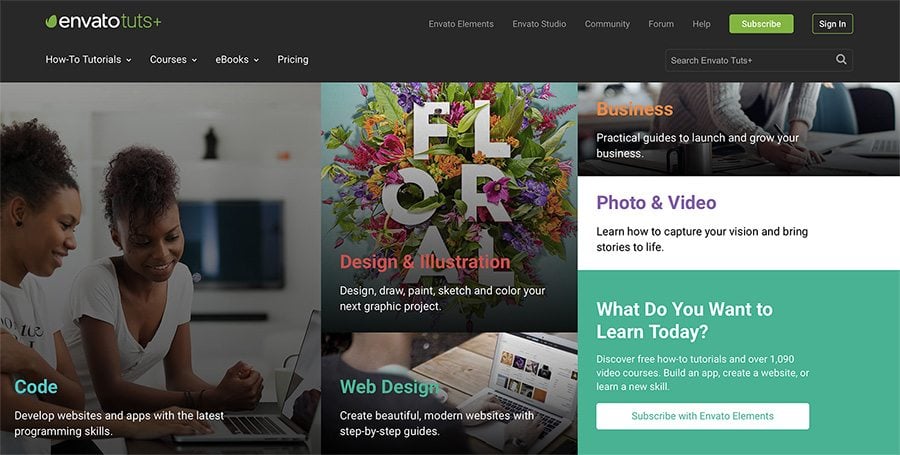
4. Subscribe to Tuts+ & Envato Elements

Consider a subscription to Envato Elements, which also gets you access to the excellent Tuts+ learning resource.

Tuts+ publish regular courses on graphic and web design, from basic techniques, through to the latest advanced approaches and developments. It’s completely self-paced, taught by expert instructors. You’ll also get access to Envato Elements, which is a great resource for finding graphics, templates, and more to plug into your web design work.

5. Think in HTML

HTML, or hypertext markup language, is a cornerstone of website design. HTML is the skeleton that helps create the structure of a website and once you can read the language, the world of website design will make a lot more sense.

W3Schools has a great HTML starter tutorial with hundreds of HTML examples that you can play with on the screen to see what happens and exactly how it works. (You might find it more intuitive than you imagined.)

6. Play with Code at Codeacademy

learn web design

While HTML is a good start, you can learn almost any programming language from Codeacademy. The free set of tools teaches you to code using interactive activities and games.

You can pick up a Codeacademy course where and when you need it and start and stop as needed. Pick a subject to learn – web development, programming, data science – or language to focus on – HTML & CSS (a great place to start), Python, Java, SQL, Ruby, and more.

7. Learn to Understand CSS

CSS, or cascading style sheets, define the presentation of a document written in HTML, or XML and SVG.

As defined by Mozilla

CSS describes how elements should be rendered on screen, on paper, in speech, or on other media.

Mozilla also has a great collection of CSS resources to get started, with a solid introduction of how CSS works, including selectors and properties, writing CSS rules, applying CSS to HTML, how to specify length, color, and other units in CSS, cascade and inheritance, box model basics, and debugging CSS. Then modules move on to explain styling text and boxes.

8. Apply Your Design Skills to the Web

If you are already working in a creative or graphic design field, think about the things you already know that you can apply to website design as well. The principles that make something visually appealing don’t change based on medium and all that design theory will come in handy in the digital space as well.

While elements such as learning code might not feel natural, having a design background is a huge bonus. What good is a beautifully coded website if not one wants to interact with it?

9. Pay Attention to Websites You Love

Take note of websites that you love. What about them is appealing to you? (And how can you learn to replicate those elements?) Pay attention to:

  • Typography
  • Navigation
  • Use of images and space
  • Design of forms
  • Animation and scroll effects
  • Color

10. Draw a Wireframe

learn web design

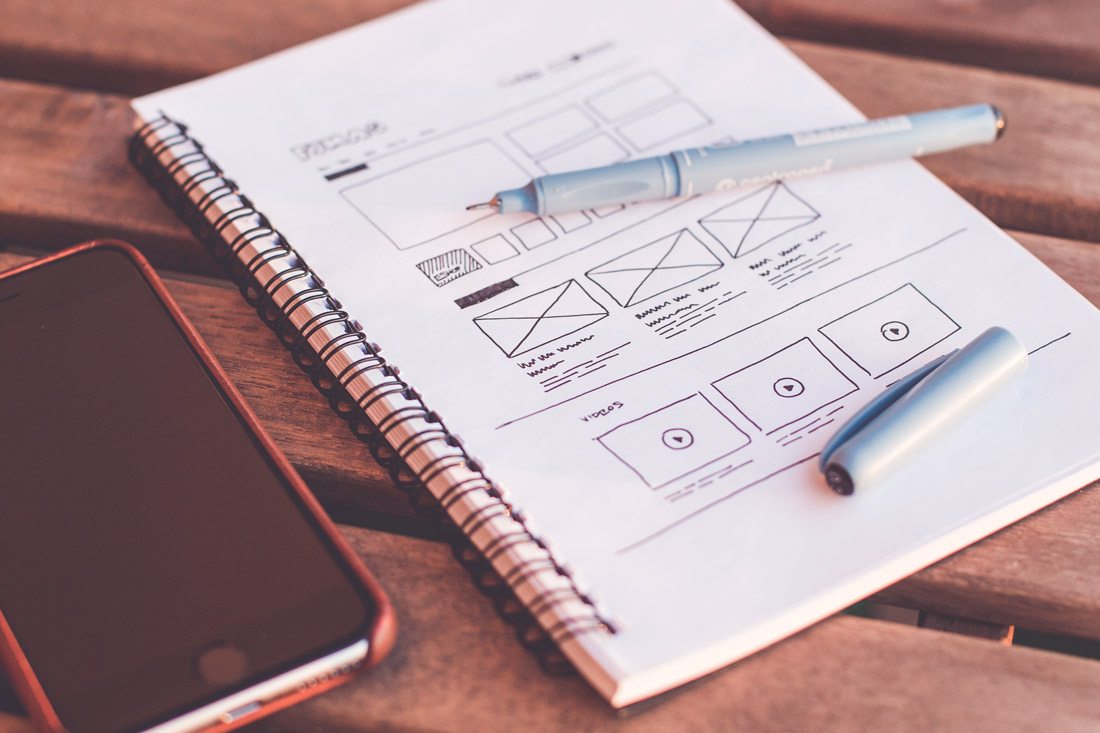
Wireframing is a web designer’s brainstorming.

In its purest form, a wireframe is a sketch of what the website will be. It’s not an outline of aesthetic elements, rather a blueprint of the website. Drawing a wireframe isn’t really about the look of this design, it’s about the information structure therein.

Not sure how to create a wireframe? Digital Telepathy has a guide of best practices to help you learn.

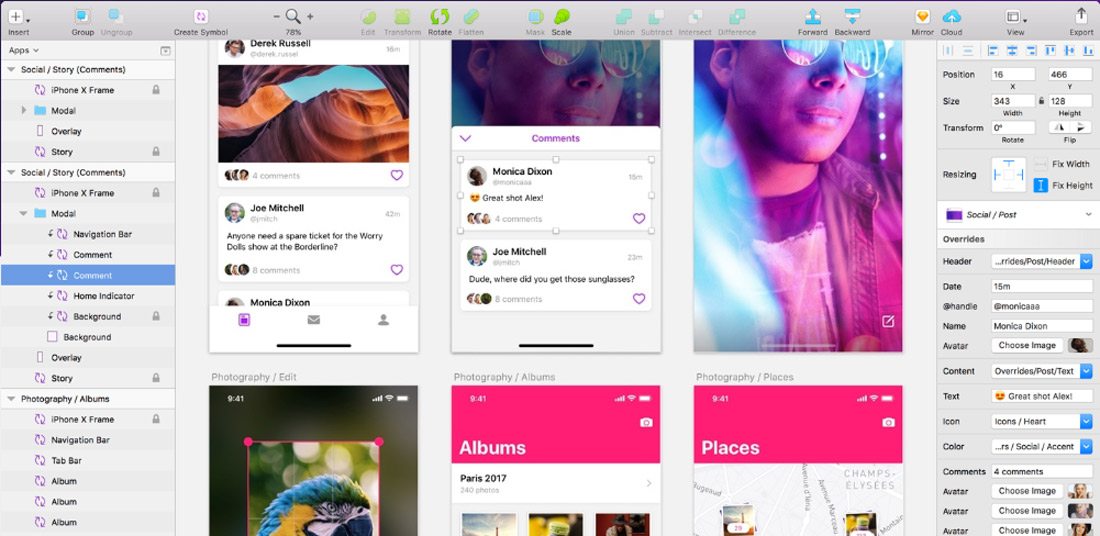
11. Take Some Time to Learn Sketch

learn web design

Sketch is a vector-drawing tool for Mac that makes it easy to create design elements. A lot of designers are turning to Sketch to create UI elements and repeating design blocks.

It’s packed with plugins and allows you to export code for easy use and access. It’s one of the most powerful, and popular, tools to come around since Adobe’s Creative Suite and worth your time.

12. Stay Up to Date with Technology

AI, VR, AR, 360-degree video, bots.

It can be hard to keep up with so many new technologies and trend. But you need to make a point to stay on top of these changes.

Tackle them one at a time and start with technologies that are the most directly related to the work you do. If you have a website with online chat, start by learning about bots. Or if you use a lot of video content, play around with 360-degree video.

Elements such as artificial intelligence and virtual or augmented reality are even more complex but are likely to become integrated parts of the website design landscape down the road. At a minimum, you should know what they are and what the potential uses might be.

13. Get Comfortable with SEO

learn web design

While many web designers think an SEO specialist can handle getting a website ready for search engines to read, there’s a lot of design work that’s connected to SEO.

From the way images are uploaded to creating clean code that’s fast to including meta descriptions on pages and elements, the designer should incorporate search thinking into their workflow.

Freelancers, this is vitally important for you as well. Most clients are savvy enough to ask for an SEO-optimized website. If you work alone, you need to know enough to create a solid framework that Google can read (and be able to refer the client to an SEO specialist if more work needs to be done).

14. Play with a Website Builder

A website builder can be a great way to get comfortable with best practices and how to start building and designing websites.

Most of these tools have plenty of templates and allow you to customize elements and even add code snippets. For simple sites, many website builders also have a free plan where you can create a personal portfolio page or basic website that serves as a playground for you.

Then pick apart the pieces within the website builder. Look at how they are designed and coded to get a feel for how it all comes together. You’ll be amazed by what you can figure out just by picking another design apart.

15. Find a Mentor

Is there someone you work with that you admire as a web designer? Take them to lunch and pick their brain about the industry.

Finding a mentor that is willing to work with you and help you think about the field and how to learn web design on your own can be invaluable. And while you can probably find a mentor in an online community, nothing is better than a live person that you can meet face-to-face periodically. (Maybe it is worth having online and in-person mentors.)

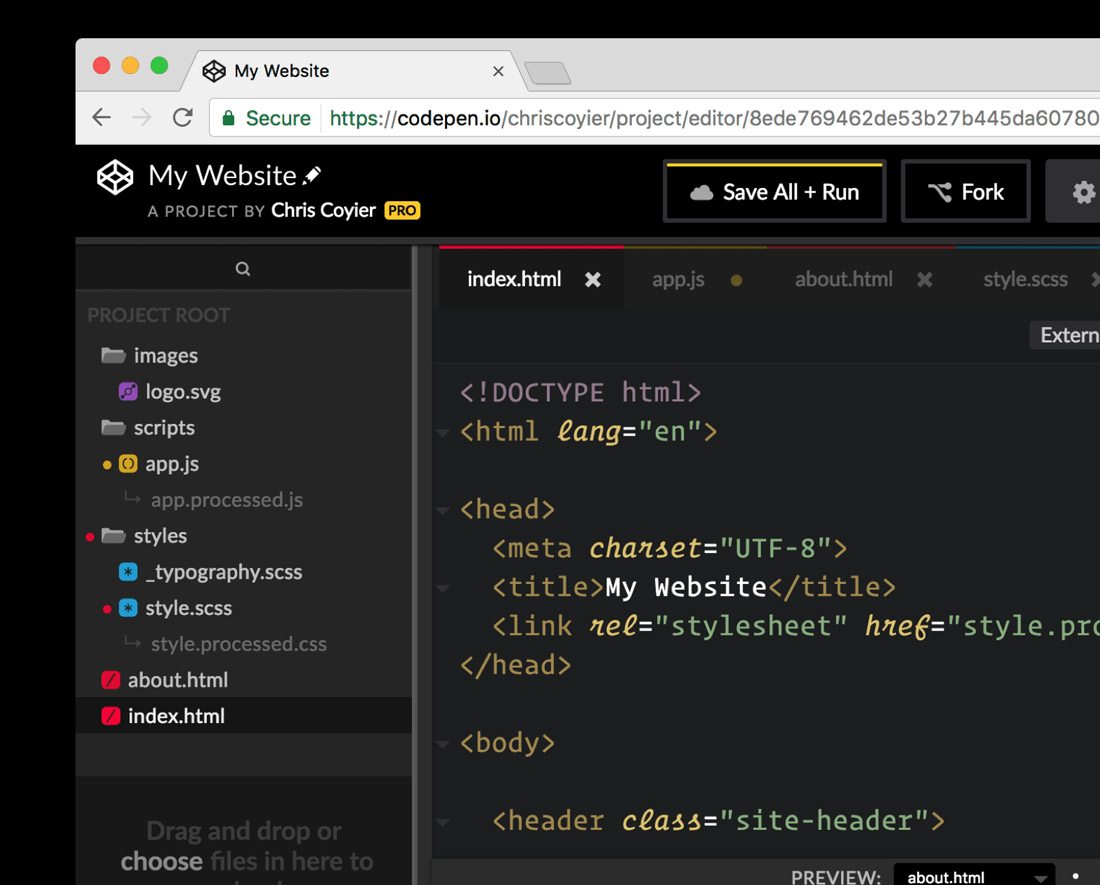
16. Join the CodePen Community

learn web design

Once you start getting comfortable with some code and programming, you want to join the CodePen community. The open-source community allows you to share and edit code snippets in a social network of sorts.

Here’s a little more from the site’s founders: “CodePen is a social development environment. At its heart, it allows you to write code in the browser, and see the results of it as you build. A useful and liberating tool for developers of any skill, and particularly empowering for people learning to code. We focus primarily on front-end languages like HTML, CSS, JavaScript and preprocessing syntaxes that turn into those things.”

17. Take a Class

For some learners, a more formal classroom setting is best.

There are a ton of classes available – in-person and online – for you to learn web design basics. Start with a local college or online learning hubs such as Udemy or Coursera. Pick up a class at your current ability level and just keep moving forward.

18. Want to Do Something? Google It

For the not-so-traditional-learner, find the answer to the web design problem on Google. There are so many tutorials and videos available that can walk you through almost any problem – and solution.

The key is to search exactly what you need to know and look to a reputable source for the answer. Here’s another tip when it comes to tutorials and videos – more recent content is probably going to give you a better, more complete and more relevant answer. (Remember, some of this stuff is changing fast.)

19. Pay Attention to the User Experience

Nothing can make or break a website like user experience design. You need to plan for it and understand it.

Here’s how the Interaction Design Foundation describes UX design:

User experience (UX) design is the process of creating products that provide meaningful and personally relevant experiences. This involves the careful design of both a product’s usability and the pleasure consumers will derive from using it. It is also concerned with the entire process of acquiring and integrating the product, including aspects of branding, design, usability, and function.

UX designers, or designers who are aware of the process of experience formation, seek to create and shape the factors influencing the process deliberately. To do this, a UX designer will consider the Why, What, and How of product use.

20. Pay Attention to Design Trends

What does a modern website design look like? It’s not a trick question. To design modern websites and user experiences, you need to know what users want and how they are interacting with it. If the last time you downloaded an app or looked at a website on your phone was 2016, you’ve got a lot of ground to make up.

Creating website designs that have modern touches and trends integrated into the design will help your projects stand out. How do you know what’s trending? Keep reading sites like this and pay attention to what other designers are doing. Take note of colors and styles and features that are included in the websites you visit frequently.

21. Create Without Color

learn web design

Start every design without color. A great designer once told me that if your design works in black and white, it will be flawless in color.

That might not always hold, but it is a great starting point.

By creating designs in black and white, you can see where elements contrast and how they play together. You’ve stripped out any emotional associations with color or eye movement that happens because of it. This simplest form of design will give you an idea if something works as a concept before you move on to finalizing it.

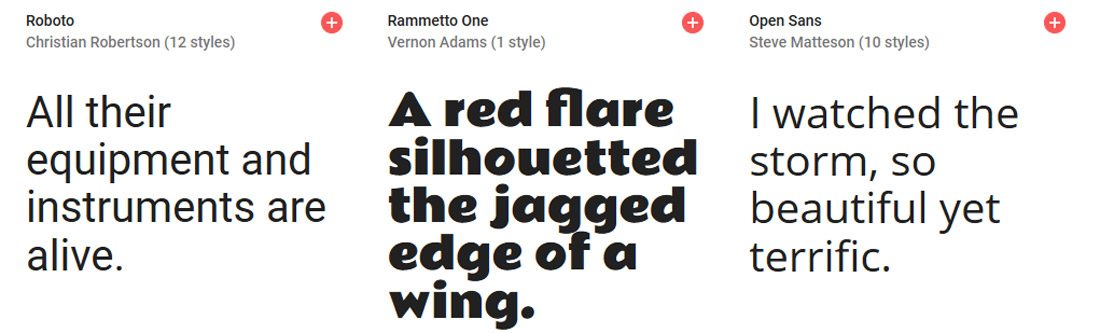
22. Learn to Love Google Fonts

learn web design

Google Fonts is your friend.

Regardless of how you feel about Google, the ability to browse, sort and select typefaces that you know will work in website designs is important. You don’t have to think about licensing or if typefaces are compatible with specific browsers or not.

The limitation is that you only have what’s in the Google Fonts library to work with. But if you try you can find something that will fit almost every project. It’ll save you a lot of time in the long run.

23. Pick Apart a UI Kit

Download a user interface or icon kit and pick it apart.

Just as you can inspect the code of a website, look at how design elements are constructed for the web. Take note of the scale and grid, look at the color mixes and how files are organized within Photoshop or Illustrator.

Look for a kit to download that includes elements in multiple formats for high-resolution displays. (Downloading a bunch of JPEGs isn’t going to serve you all that well.)

Then try to build or customize an element or two of your own.

24. Become a Typographer

Modern website design has a strong focus on typography … good typography. From hero headers with giant words to layers of text that draw a user into the design, understanding the principles of how to pair type elements and construct engaging text blocks is vital.

Start with Ellen Lupton’s Thinking with Type. (There’s also a book of the same name.) Lupton is the authority on typography and her information will have you thinking like a typographer in no time.

25. Jump into JavaScript

When you are starting to feel pretty good about dabbling with web design, challenge yourself again to learn JavaScript. After HTML and CSS, it is the most important language of the web.

JavaScript is a tool that allows designers to implement complex things and interaction on web pages. It’s what makes a slider slide or that parallax animation animate.

Learn JS has an interactive tutorial to help you get started.

26. Update Your Portfolio

learn web design

Once you start designing for the web, make sure to update your portfolio with web design projects. This simple action will help you show yourself … and others … that web design is part of your repertoire.

An updated portfolio can help potential clients see what your “style” looks like. Make sure to showcase layouts, colors, typography and different techniques that show what you can do.

27. Challenge Yourself

With so many shortcuts and code snippets to help you fix almost any website issue you are having, don’t get lazy. Remember to challenge yourself continually to learn new skills, new technologies and keep improving your web design game.

The one thing about this field is that it is constantly changing; there’s always something new to learn or try.

28. Maximise Your Experience

Get out there and design. You have to start designing websites to be a web designer.

Start small, but take on projects with others. Ask to join in on a project with a team at work. Tackle a small website for a friend. The more experience you have building websites, the better and faster you will get.

What are you waiting for? Stop procrastinating.

29. Ask for Feedback

Use your network to collect feedback on your website design projects, no matter how small you think they are. Listen to this feedback – even if you don’t like it and see what you can learn.

Aside from visual preference, did the person providing feedback offer suggestions for making the website function better? Could they easily understand the goal of the design? Did they connect with the messaging?

30. Keep Learning New Things

learn web design

To be a great website designer, you just need to keep playing, trying and learning new things. Make a point to network and communicate with others in the field so that you can stay on top of techniques and visual changes that are in-demand.

If you are looking to learn website design, then this is probably already something you regularly do. But this is an evolving field, and it keeps changing almost every day. Just ask anyone who is doing it.

Source

Skip to content