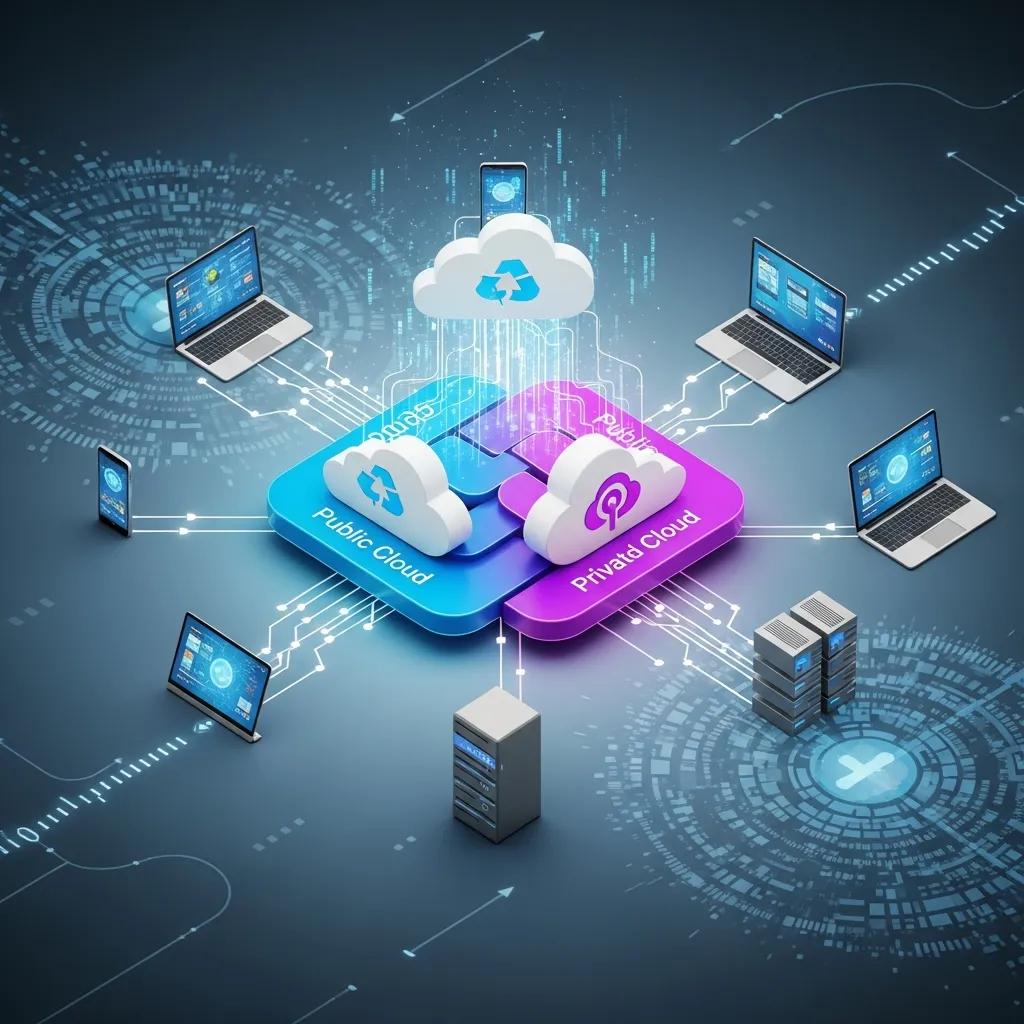
Flexible Hybrid Cloud Solutions for Businesses

Flexible Hybrid Cloud Solutions for Businesses

HOW SOLUTION PROVIDERS ENHANCE COMPANY PRODUCTIVITY

Flexible hybrid cloud is an IT approach that blends public cloud capacity with private cloud or on‑premises infrastructure to deliver agility, stronger data control, and better cost outcomes. This guide shows how hybrid architecture places each workload where it drives the most business value, how managed hybrid services strengthen security and operations, and the practical steps SMBs can take to adopt a hybrid strategy. Many organizations juggle agility and compliance; a flexible hybrid model eases that tradeoff by letting you burst into public cloud for variable demand while keeping sensitive systems on private platforms. Below we define terms, compare public, private, and hybrid models, outline expected business outcomes, provide an implementation roadmap, and describe disaster recovery patterns that reduce downtime and cost. We also highlight managed operations and vendor selection points to help leaders connect strategy with procurement and ongoing support.

What are flexible hybrid cloud solutions and why do businesses need them?

Flexible hybrid cloud solutions let organizations mix deployment models so each workload runs where it makes the most sense. Strong network links, unified identity, and orchestration tools enable secure workload placement and mobility across environments, lowering cost and improving performance for critical apps. Businesses choose hybrid patterns to keep control of sensitive data, optimize cloud spend, and scale for seasonal demand without heavy capital outlay. The sections that follow compare models and explain the integration components that make hybrid practical for SMBs. Leading industry reports consistently underscore hybrid cloud as a foundational strategy for modern enterprises aiming for agility, security, and cost efficiency.

This table summarizes common deployment options and typical use cases to help you decide.

Deployment ModelCharacteristicTypical use case
Public CloudElastic, pay‑as‑you‑go compute and managed platform servicesShort‑term scaling, analytics, development and test
Private CloudDedicated infrastructure with tighter data controlRegulated data, legacy systems, sensitive workloads
Hybrid CloudCombined environments connected and orchestrated securelyMixed compliance needs, burst capacity, cost optimization

This side‑by‑side view makes it easier to see when hybrid is the smarter path to balance agility and control, and prepares you to evaluate integration components—VPN/Direct Connect, identity federation, and orchestration tools—before migrating.

How does hybrid cloud combine public and private cloud environments?

Hybrid cloud links public and private platforms by matching workload needs to infrastructure attributes, then enforcing secure connectivity and unified identity. You classify workloads first: compute‑heavy or low‑risk tasks move to public cloud; regulated or latency‑sensitive services stay on private infrastructure. Connectivity options (VPNs, direct connections) and consistent IAM policies form the secure boundary that lets data move without exposing sensitive information. Understanding these integration pieces shows why hybrid is a practical modernization path for SMBs that need predictable costs and staged change.

What makes flexible hybrid cloud ideal for small and medium businesses?

SMBs benefit from hybrid cloud because it enables gradual modernization while avoiding large upfront capital investment and heavy staffing requirements. Hybrid supports predictable OPEX through managed services and lets you scale for peaks without overprovisioning on‑premises hardware. Managed providers can handle routine operations so internal teams focus on business outcomes instead of infrastructure care. Those advantages make a measured, low‑risk migration plan possible and improve time‑to‑value for organizations with constrained IT resources.

“Hybrid cloud isn’t just a trend; it’s the strategic imperative for businesses navigating complex digital landscapes. Organizations that master hybrid architectures are consistently outperforming peers in agility and resilience.”

— Leading Industry Analyst Firm

What are the key benefits of managed hybrid cloud services for businesses?

Managed hybrid cloud services combine scalability, stronger security, cost control, and better business continuity through continuous operations and specialist support. Providers unify orchestration and monitoring across environments so workloads scale automatically and security controls stay consistent, delivering measurable outcomes like faster deployments and lower operational overhead. Below is a focused breakdown of benefit categories and the business results they enable to help decision makers prioritize objectives.

Benefit CategoryHow it worksBusiness outcome
Scalability & AgilityManaged provisioning with burst to public cloudFaster time‑to‑market; handles seasonal demand smoothly
Security & ComplianceCentralized IAM, encryption, and network segmentationLower breach risk; improved audit readiness
Cost OptimizationSmart workload placement and usage‑based billingLower TCO and more predictable operating costs
Continuity & Support24/7 monitoring and incident responseReduced downtime and faster recovery

These benefits show how a managed model shifts operational risk from internal teams to specialists and turns complex hybrid topologies into predictable business value. The next subsection explains the scalability mechanisms that deliver those results.

A brief practical note on managed offerings:

  • Proactive 24/7 monitoring: Continuous telemetry across environments detects anomalies before users are affected.
  • Helpdesk & rapid response: Tiered support resolves incidents quickly and reduces mean time to repair.
  • Strategic IT consulting: Roadmaps that align cloud choices with your business goals.

These managed capabilities make hybrid adoption achievable for smaller teams and set the stage for a planned migration.

How does hybrid cloud improve scalability and agility?

Hybrid cloud boosts scalability through bursting and automated provisioning that expand capacity on demand while keeping critical data under control. Orchestration and autoscaling policies shift stateless workloads to public clouds when use spikes, avoiding long procurement cycles and speeding feature delivery. For example, an e‑commerce site can push web traffic to public resources during peak sales and keep core databases on private infrastructure. These mechanisms shorten release cycles and reduce the lead time for launching new services, enabling faster experimentation and growth.

In what ways does hybrid cloud enhance security and compliance?

Hybrid architectures let you retain regulated data on private platforms while using public clouds for non‑sensitive processing, preserving data sovereignty and simplifying compliance. Encryption in transit and at rest, centralized identity and access management, and network segmentation maintain a consistent security posture across environments. Mapping controls to standards such as HIPAA, PCI DSS, or GDPR becomes more straightforward when sensitive assets remain in private domains and audit trails cover the hybrid estate. These patterns lower compliance risk while still allowing you to use public cloud capabilities.

How can businesses implement a successful hybrid cloud strategy?

A successful hybrid strategy starts with assessment, then moves through design, migration, and operations—with governance and testing at every stage. First, classify workloads by sensitivity, performance needs, and cost profile. Then design connectivity and identity patterns that keep systems secure while enabling mobility. Finally, plan migration waves, automate deployments, and validate operations through testing and observability. The steps below give SMBs a clear, executable roadmap.

  • Assess & classify workloads: Inventory applications and map them to compliance, latency, and scaling requirements.
  • Design architecture & connectivity: Define network topology, direct connections, and IAM federation.
  • Plan migration waves: Start with low‑risk moves and automate deployment pipelines.
  • Operationalize & monitor: Implement unified monitoring, backups, and runbooks for failover.
Implementation PhaseTaskBest practice / Action
AssessmentWorkload classificationUse metrics and business rules to decide placement
DesignConnectivity & securityStandardize IAM and fast, encrypted networking
MigrationCutover methodUse staged migration and rollback plans

These mapped actions help teams turn strategy into practical tasks and prepare for managed operations when appropriate.

What are best practices for public and private cloud integration?

Core best practices include unifying identity across environments, using secure low‑latency connectivity, automating deployments, and centralizing logging and observability. Identity federation enforces consistent access controls and reduces drift between platforms. Network design should prioritize encrypted direct links for sensitive traffic plus resilient fallbacks for failover. CI/CD automation reduces human error and speeds repeatable migrations. Together, these practices create a dependable foundation for hybrid operations and make managed support more effective.

How does Precise Business Solutions support hybrid cloud migration and management?

Precise Business Solutions: Your Trusted Partner for Hybrid Cloud Excellence

With a proven track record and a team of highly certified experts, Precise Business Solutions delivers unparalleled managed migration and continuous hybrid management, meticulously tailored to SMB constraints. Our award-winning, industry-leading approach integrates comprehensive assessment, sophisticated migration orchestration, and robust 24/7 operations. This ensures not only a significant reduction in migration risk but also the consistent maintenance of superior service levels, consistently validated by our extensive client success stories and industry recognition.

  • Expert-led Assessment and Planning: Services precisely matched to your unique workload profiles and stringent compliance requirements.
  • Seamless Migration Execution: Advanced orchestration across public and private environments, ensuring minimal disruption.
  • Proactive Managed Operations: Comprehensive 24/7 monitoring, proactive patch management, and continuous optimization.
  • Dedicated Support & Strategic Guidance: Rapid-response helpdesk support and strategic IT consulting to align your cloud roadmap with long-term business objectives.

Our commitment to excellence makes hybrid adoption not just practical, but a strategic advantage, minimizing internal staffing burdens and maximizing your return on investment. The next section explains how hybrid supports continuity and recovery.

How do flexible hybrid cloud solutions support business continuity and disaster recovery?

Data center with cloud overlay illustrating disaster recovery and continuity

In an era where business continuity is paramount, hybrid cloud solutions offer a robust framework for disaster recovery, a fact increasingly recognized by global enterprises. Hybrid cloud enables recovery architectures that balance cost and readiness by combining replication to private or hosted infrastructure with cloud‑based standby capacity. This approach lets you tune both recovery time objectives (RTO) and recovery point objectives (RPO) depending on replication and failover settings. Businesses can keep warm standbys in private environments and use public cloud resources as on‑demand recovery targets to control costs. The examples and practices below illustrate how hybrid reduces downtime and preserves operations during failures.

Hybrid recovery patterns typically fall into these categories:

  • Cross‑site replication: Synchronous or asynchronous replication between private and cloud sites.
  • Warm/cold standby: Cost‑weighted standby tiers that match recovery objectives.
  • On‑demand cloud failover: Use public cloud capacity during extended outages.

These patterns let SMBs tailor disaster recovery to budget and risk tolerance while retaining the option to scale recovery capacity quickly.

What disaster recovery benefits does hybrid cloud provide?

Hybrid DR offers flexible tradeoffs between cost and readiness by letting you set replication frequency and standby posture per workload. For critical services, synchronous replication to a private secondary site can minimize data loss; less‑critical workloads can rely on cloud‑based recovery to save cost. Automation and regular testing ensure runbooks run reliably and validate RTO/RPO assumptions. Implementing these controls helps organizations improve uptime without excessive capital expense.

Hybrid cloud for healthcare disaster recovery: ensuring data continuity and compliance

Disaster recovery is essential in healthcare to preserve patient care and data integrity amid cyber incidents, outages, or natural disasters. Hybrid cloud combines local infrastructure with cloud scalability to enable automated backups, near‑real‑time replication, and stronger cybersecurity controls. These architectures reduce downtime, support regulatory requirements like HIPAA and GDPR, and have proven effective in real‑world healthcare case studies that increased operational resilience while protecting sensitive records.

The healthcare sector highlights how hybrid cloud preserves data continuity and simplifies compliance when disaster recovery is critical.

How does proactive monitoring ensure hybrid cloud performance?

Proactive monitoring across infrastructure, applications, and security telemetry detects degradation before users notice it and enables automated remediation workflows. Monitoring should cover infrastructure health, application performance, and security events, all feeding centralized alerting and incident response playbooks. That visibility supports capacity planning and performance tuning so hybrid environments stay efficient and reliable. For teams that prefer hands-off support, managed services and consultative onboarding provide the operational layer needed to sustain hybrid performance and continuity.

Frequently asked questions

What are the common challenges businesses face when adopting hybrid cloud solutions?

Common challenges include integration complexity, ensuring consistent security across environments, and meeting compliance obligations. Linking public and private systems requires robust orchestration and networking, while data governance and regulatory mappings (GDPR, HIPAA, etc.) add overhead. Cost management can also be tricky without visibility and policies to prevent unexpected spend. Careful planning, tooling, and a phased migration reduce these risks.

How can businesses ensure data security in a hybrid cloud environment?

Use a multi‑layered security approach: encrypt data in transit and at rest, centralize identity and access management, apply segmentation, and run regular security audits. Consistent IAM and logging across environments prevent drift in access controls, while routine assessments and compliance checks surface vulnerabilities before they become incidents.

What role does automation play in hybrid cloud management?

Automation reduces manual work, cuts human error, and speeds repeatable tasks. CI/CD pipelines standardize deployments across environments, while orchestration handles workload placement and autoscaling. Automated monitoring and remediation let teams resolve issues faster and free up staff to focus on strategic projects instead of routine maintenance.

How can businesses measure the success of their hybrid cloud strategy?

Track KPIs such as total cost of ownership (TCO), application performance, uptime, deployment frequency, and mean time to recovery. Combine operational metrics with business measures—time‑to‑market, user satisfaction—to gauge whether hybrid delivers the intended value. Regular reviews let you refine placement rules and operational practices.

What are the best practices for disaster recovery in a hybrid cloud setup?

Maintain a clear recovery plan, automate backups, and test recovery procedures regularly. Classify workloads by criticality and set appropriate RTOs and RPOs. Use cross‑site replication, warm or cold standbys, and periodic rehearsals to ensure teams can execute the plan and meet recovery objectives.

How does vendor selection impact hybrid cloud implementation?

Vendor choice affects available services, support quality, and long‑term flexibility. Pick vendors with proven hybrid experience, strong security controls, and responsive support. Verify compliance capabilities and review customer references to ensure the provider’s roadmap and service model match your needs.

Conclusion

Flexible hybrid cloud lets businesses gain IT agility, strengthen security, and manage costs without surrendering control of sensitive data. With managed services, organizations can scale more predictably, improve continuity, and lower operational risk. A well‑structured hybrid strategy aligns compliance and growth priorities while unlocking public cloud benefits. Contact Precise Business Solutions to discuss a hybrid approach tailored to your business and timeline.


Boost Your Security: Essential Antivirus Solutions Explained

Boost Your Security: Essential Antivirus Solutions Explained

Modern office devices connected in a secure network representing advanced endpoint security management

Advanced Endpoint Security Management: Practical, Comprehensive Solutions for SMBs

Advanced Endpoint Security Management brings together device protection, threat detection and automated response across workstations, servers and mobile devices so you can lower breach risk and keep the business running. Drawing on leading industry frameworks and expert consensus, this guide details how modern stacks—EPP, EDR, NGAV, UEM/MDM and unified firewall management—work together to prevent, detect and remediate the incidents that most often disrupt SMBs. You’ll learn how advanced endpoint security differs from legacy antivirus, which threats deserve priority today, how EDR shortens dwell time through automation, and practical Zero Trust steps that fit small and mid-sized organizations. We close with simple checklists, compact comparison tables and clear next steps to help IT leaders choose a defensible path that balances cost, complexity and risk.

What Is Advanced Endpoint Security and Why It Matters for SMBs?

Advanced endpoint security is a coordinated set of prevention, detection and response technologies that go beyond signature-based antivirus. Using behavioral analysis, machine learning and centralized management, these solutions catch fileless attacks, script abuse and credential misuse that traditional AV often misses. SMBs are especially vulnerable because smaller IT teams mean higher recovery costs and a greater chance of lateral spread after a compromise. Recognizing these differences is why adopting an endpoint protection platform, EDR capabilities, NGAV and device management is now a business-continuity priority.

This section highlights three practical business benefits SMBs gain from modern endpoint security:

  • Less downtime thanks to faster detection and automated containment.
  • Lower remediation costs through centralized management and rollback tools.
  • Simplified compliance and reporting with unified logging and consistent policies.

These outcomes reduce operational risk and free small IT teams to focus on running the business while keeping endpoints resilient.

How Does Advanced Endpoint Security Differ from Traditional Antivirus?

Traditional antivirus focuses on signatures and file scanning; modern endpoint security adds behavioral and memory/process analysis, machine learning and centralized controls. That expanded scope lets advanced platforms detect fileless attacks, zero‑day techniques and anomalous activity while enabling faster incident response. For SMBs, shifting from signature-only defenses to behavior-driven platforms significantly lowers dwell time and the risk of lateral movement.

ApproachDetection MethodBusiness Benefit
Traditional AntivirusSignature-based file scanningLow overhead but vulnerable to fileless and script attacks
Next-Gen/EDRBehavioral analysis and machine learningFinds fileless, zero-day and anomalous behavior
Managed Endpoint Services24/7 monitoring with automated remediationFaster containment, predictable costs, compliance support

The comparison shows why moving from signature-only protection to behavior-driven platforms materially improves an SMB’s security posture and incident outcomes.

What Are the Main Threats Targeting Endpoints Today?

Today’s endpoint threats include ransomware, fileless attacks, phishing-delivered malware, insider misuse and supply‑chain exploits that bypass legacy defenses via scripts and stolen credentials. Ransomware remains the highest-impact danger for SMBs because it can halt operations and lead to data loss or extortion. Fileless and script-based attacks use legitimate system tools to run, so behavioral detection is essential. Supply‑chain and zero‑day threats demand continuous threat intelligence and fast patching to limit exposure.

Common endpoint threats SMBs should prioritize:

  • Ransomware and encrypting malware that interrupt operations.
  • Fileless attacks and living‑off‑the‑land techniques that avoid signatures.
  • Phishing and credential theft that enable lateral movement and privilege escalation.

Defending against these threats requires layered prevention, continuous monitoring and rapid containment to minimize business impact.

How Does Endpoint Detection and Response Enhance Endpoint Security?

Security analyst watching endpoint telemetry in an operations center

Endpoint Detection and Response (EDR) continuously collects telemetry, analyzes behavior and automates containment and remediation to shorten mean time to detect and respond. EDR ingests endpoint signals, applies analytics and threat intelligence and enables automated or guided actions to isolate compromised devices and remove malicious artifacts. For SMBs, EDR reduces manual triage and dwell time so small IT teams can respond effectively without a full SOC. The following section lists the EDR capabilities most valuable in constrained environments.

EDR delivers tangible improvements for SMB operations:

  • Real‑time process and behavior monitoring to spot anomalies early.
  • Automated containment (for example, device isolation) to stop lateral movement.
  • Forensic telemetry that speeds investigations and improves remediation accuracy.

Together, these features increase detection fidelity while lowering the operational load on small teams.

What Are the Key Features of EDR for Small and Medium Businesses?

Key EDR features for SMBs include continuous telemetry capture, behavioral analytics, threat‑hunting support and automated rollback/remediation that limit damage with minimal manual effort. Telemetry provides process and network context so analysts can trace attack paths quickly. Behavioral analytics and ML reveal deviations from baseline activity and surface fileless and credential-based attacks missed by signatures. Automated actions—stopping processes, isolating hosts, restoring from snapshots—speed recovery and reduce downtime.

EDR features translate into clear outcomes:

  • Quicker containment to reduce spread and disruption.
  • Detailed telemetry that shortens resolution time and supports reporting.
  • Automation that lowers the expertise needed for effective incident response.

How Does EDR Automate Threat Detection and Response?

EDR automation follows a simple lifecycle: detect anomalies via analytics, analyze context to prioritize alerts, then run containment or remediation playbooks to neutralize threats. Alerts are enriched with process trees, user sessions and network context so teams focus on high-risk events. Automated playbooks can isolate endpoints, terminate malicious processes and trigger rollback to restore integrity. Integrations with ticketing and managed SOC workflows streamline handoffs and ensure human oversight where required.

A compact EDR automation flow:

  • Behavioral analytics generate alerts.
  • Contextual analysis prioritizes incidents using telemetry and threat intelligence.
  • Automated containment and remediation run, with optional human verification.

This flow reduces mean time to respond and lets SMBs scale security without a proportional increase in staff.

For organizations that prefer managed coverage, Precise Business Solutions offers managed EDR with 24/7 monitoring, automated containment and proactive threat hunting tailored to SMB constraints. Our managed model pairs advanced detection with continuous oversight to reduce dwell time, simplify escalation and provide a single point of contact for investigations—delivering enterprise-style response without building an internal SOC.

What Role Does Zero Trust Security Play in Endpoint Protection?

Digital lock over a network diagram illustrating Zero Trust for endpoints

Zero Trust for endpoints means continuously verifying users and devices, enforcing least privilege and segmenting resources to shrink the blast radius of any compromise. This approach aligns with leading cybersecurity frameworks, such as NIST’s Zero Trust Architecture, emphasizing continuous verification and explicit authorization. Instead of assuming trust inside the network, Zero Trust uses conditional access checks, device posture assessments and microsegmentation to contain threats. For SMBs, a phased Zero Trust rollout—starting with inventory, MFA and conditional access—delivers quick wins before moving to deeper segmentation, balancing security gains with implementation effort.

Core Zero Trust principles for endpoints:

  • Never trust, always verify: require continuous authentication and posture checks.
  • Least privilege: limit access with role-based and time-bound permissions.
  • Microsegmentation and monitoring: isolate resources and observe traffic flows closely.

Applying these principles makes it much harder for attackers to move from one compromised endpoint to broad network access.

Collaborative Zero-Trust Integration for Advanced Endpoint Security Management

This paper examines how combining collaborative Zero Trust principles with multi‑agent systems strengthens endpoint security. It argues that perimeter-only defenses are no longer sufficient and recommends shifting to granular, continuous authentication and authorization so organizations can detect threats more reliably and improve resilience.

Enhancing Endpoint Security through Collaborative Zero-Trust Integration: A Multi-Agent Approach, 2024

What Are the Core Principles of Zero Trust for Endpoints?

The core Zero Trust principles—continuous verification, least privilege and microsegmentation—translate into practical controls such as MFA, device posture checks and segmented network zones that limit lateral movement. Continuous verification re-evaluates trust each session using telemetry and posture signals. Least privilege restricts access and uses just-in-time elevation when necessary. Microsegmentation splits the network into smaller trust zones so a compromised endpoint can’t freely reach critical assets.

These principles guide control selection and rollout sequencing for SMBs, keeping initial steps low‑cost and high‑impact.

How Can SMBs Implement Zero Trust Endpoint Security Effectively?

SMBs can implement Zero Trust in phases: inventory and assess posture, enable MFA and conditional access, segment high-value resources, and continuously monitor for policy deviations. Start by using UEM/MDM to inventory endpoints and identify unmanaged devices. Enforce MFA on remote access and critical apps to reduce credential-based attacks. Apply microsegmentation around sensitive data and require device compliance checks before granting access.

A practical 4-step Zero Trust checklist for SMBs:

  • Inventory all endpoints and classify risk.
  • Require MFA and conditional access for privileged resources.
  • Segment networks to isolate critical systems and data.
  • Continuously monitor posture and automate remediation for non-compliant devices.

These steps deliver measurable security improvements while keeping deployment effort manageable.

How Do Managed Endpoint Security Services Provide Comprehensive Protection?

Managed endpoint security combines technology—EDR, NGAV, unified firewall management, patching and UEM—with people and processes to deliver continuous protection and predictable outcomes for SMBs. The managed model centralizes monitoring, automates routine responses and consolidates vendor touchpoints so small IT teams face less complexity. Together, round‑the‑clock detection, faster containment and regular patch cycles shrink exploitable windows and reduce both breach likelihood and remediation cost.

Key managed-service outcomes for SMBs include:

  • Predictable monthly costs and less reliance on in‑house specialists.
  • 24/7 monitoring and incident response to limit business impact.
  • Unified logging and reporting that support compliance and insurance needs.

These benefits make managed security a practical choice for SMBs seeking strong protection without scaling internal resources.

What Are the Benefits of Combining Firewall Management with Endpoint Protection?

Pairing unified firewall management with endpoint protection produces coordinated defenses that block threats at both the perimeter and the device, reducing blind spots and speeding containment. Firewalls can stop malicious command‑and‑control traffic while endpoints detect and remediate local compromise, creating complementary telemetry for faster triage. Synchronized policies and consolidated logs reduce false positives and enable automated playbooks that orchestrate network blocks and endpoint isolation together.

Coordinated controls deliver measurable advantages:

  • Stronger containment through linked network and endpoint actions.
  • Simpler investigations with consolidated, correlated logs.
  • Lower operational overhead by centralizing policy and workflow management.

How Does Precise Business Solutions Tailor Endpoint Security for Local SMBs?

Precise Business Solutions bundles managed endpoint stacks—EDR, next‑gen antivirus, unified firewall management, patching and device management—into scalable plans designed for SMB budgets and day‑to‑day operations. Our team of certified cybersecurity professionals acts as a single point of contact, focusing on proactive prevention grounded in industry best practices to reduce incidents, and providing 24/7 responsive support so local businesses get continuous coverage without hiring specialized teams. Our proven approach emphasizes tailored assessments, predictable pricing and regional responsiveness for Houston‑area organizations that want simple, effective security.

Service ComponentManaged FeatureBusiness Value
EDR24/7 monitoring & automated containmentFaster response and reduced dwell time
NGAVBehavioral and signatureless detectionBroader prevention against zero‑day threats
Unified FirewallCentralized policy and loggingCoordinated network and endpoint defense

This managed stack reduces vendor complexity and lets SMBs focus on growth while security experts handle protection and response.

Frequently Asked Questions

What are the costs associated with implementing advanced endpoint security for SMBs?

Costs vary by solution and provider, but typically include software licenses, managed services and any needed hardware or upgrades. Many managed providers offer predictable monthly pricing that helps with budgeting. Remember that a well-implemented security program often saves money long term by reducing breach recovery costs, downtime and potential compliance fines.

How can SMBs assess their current endpoint security posture?

Start with a security audit: inventory all devices, review existing controls and scan for vulnerabilities. Endpoint management and vulnerability scanners provide visibility into gaps. A third‑party risk assessment or a short engagement with a managed provider can help prioritize fixes based on business impact and available resources.

What role does employee training play in endpoint security?

Employee training is essential—human error is a common factor in breaches. Train staff to recognize phishing, practice safe browsing and use strong credentials. Regular refreshers and simulated phishing tests help build a security‑aware culture and reduce the chance of successful social‑engineering attacks.

How often should SMBs update their endpoint security solutions?

Keep endpoint security tools and patches current—apply updates and definitions as soon as practical. Adopt a proactive schedule for policy and configuration reviews (quarterly is a good baseline) and stay informed about emerging threats so you can adjust controls and response plans as needed.

What are the signs that an SMB may have experienced a security breach?

Watch for unusual network traffic, unexpected system slowdowns, unauthorized access attempts or unfamiliar software on devices. Employee reports of strange emails or login issues can also be indicators. Effective monitoring and alerting help detect anomalies early so you can investigate and contain incidents quickly.

Can SMBs benefit from using a combination of on-premises and cloud-based security solutions?

Yes. A hybrid approach lets SMBs keep sensitive data under local control while leveraging cloud services for scalability and advanced threat detection. Combining both approaches provides flexibility and can create a more comprehensive defense that fits operational needs and risk tolerance.

Conclusion

Advanced endpoint security management gives SMBs practical defenses against evolving threats while helping maintain business continuity. By combining EDR, NGAV, unified firewall controls and Zero Trust principles, organizations can strengthen their security posture, simplify compliance and produce measurable outcomes. That frees IT teams to focus on strategic priorities instead of constant firefighting. To take the next step, explore our tailored managed endpoint security solutions and let us help you build a defensible, cost‑effective program.

Transform Your Business with Our Cloud Migration Services

Transform Your Business with Our Cloud Migration Services

Professionals collaborating on cloud migration strategies in a modern office

Seamless Cloud Migration Services — Practical, Expert Support for Moving Your Business to the Cloud

Seamless cloud migration involves moving applications, data, and workloads from on‑premises or legacy systems to a cloud platform with minimal disruption and clear business outcomes. This guide outlines a structured migration strategy to minimize downtime, control costs, and enable scalable, faster delivery for businesses. It covers common migration patterns (the 6 Rs), governance, cost controls, and security, offering practical guidance for leaders planning a cloud move.

What Are the Key Benefits of Seamless Cloud Migration Services?

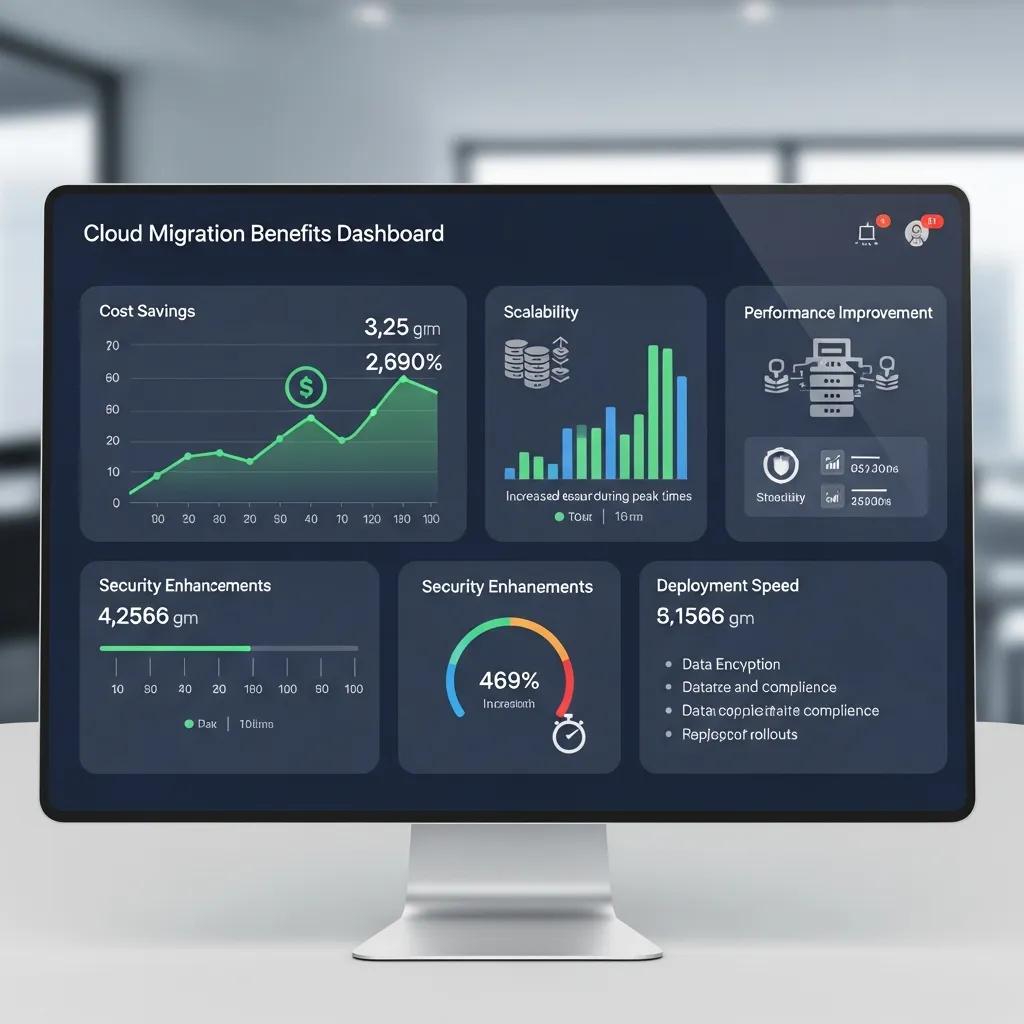
Dashboard showing cloud migration benefits such as cost savings and flexible scaling

Correctly executed cloud migration lowers operating costs, provides elastic capacity, strengthens security, and improves business continuity by consolidating infrastructure onto managed cloud platforms. These gains stem from separating compute/storage, pay-as-you-go billing, centralized access, and automated backup. For decision-makers, this means faster time-to-market, clearer operational spend, and fewer outages. cloud solutions

Primary benefits for executives at a glance:

  • Cost Optimization: Lower capital outlay and the ability to size resources to actual demand.
  • Scalability and Agility: Elastic compute and storage let teams scale quickly without long procurement cycles.
  • Resilience and Continuity: Built‑in replication and disaster recovery patterns reduce recovery time and the risk of data loss.

These improvements free IT teams to focus on innovation, shortening product cycles, and stabilizing operating budgets.

The table below helps leadership weigh cost, savings, and business impact.

Benefit CategoryTypical Savings/MetricBusiness Impact
Cost Optimization10–30% operational savings (benchmark range)Frees budget for innovation and reduces CAPEX
ScalabilityInstant resource scalingSupports variable demand without service delays
Business ContinuityFaster RTO/RPO (minutes to hours)Minimizes revenue loss from outages

This table aids executives in prioritizing migration based on ROI.

Precise Business Solutions offers tailored migration paths with proactive monitoring, 24/7 helpdesk, and a single point of contact, guiding assessment and execution to translate benefits into realistic budgets and timelines.

Effective Cloud Migration Approach for SMEs: From Consideration to Post-Migration

This paper outlines a practical approach to cloud migration for small and medium enterprises, covering steps from initial evaluation through post‑migration follow‑up. The framework is designed to guide organizations through cloud adoption while reducing risk and improving the chances of a smooth, measurable transition.

An effective approach to cloud migration for small and medium enterprises (SMEs), A Balobaid, 2020

How Does Cloud Migration Improve Business Scalability and Cost Efficiency?

Cloud migration unlocks scalability by decoupling capacity from hardware, allowing apps to consume elastic compute and storage on demand. Autoscaling, managed databases, and serverless components reduce overprovisioning while maintaining performance. Cost savings arise from shifting CAPEX to OPEX, pay-as-you-go pricing, reserved capacity, and continuous rightsizing via cost governance. Tagging, budgets, and automated scaling policies ensure measurable savings and aid forecasting.

Teams should begin with a phased assessment: inventorying workloads and dependencies to select a migration approach that avoids hidden operational costs.

Scalable Cloud Data Migration: Framework, Strategy, and Best Practices

This work describes a scalable framework for cloud data migration, detailing architecture and best practices applied across each phase of a migration. The methods help organizations achieve efficient transitions while aligning performance with strategic business goals through careful planning and execution.

Scalable Framework for Cloud Data Migration: Architecture,

Strategy and Best Practices, KC Batchu, 2025

How Do Cloud Migration Services Enhance Security and Business Continuity?

Migration services strengthen security by centralizing IAM, standardizing encryption/patching, and enabling unified logging/monitoring. Continuity improves via automated backups, region-aware replication, and orchestrated disaster recovery, shortening RTOs. Managed detection, incident response playbooks, and regular vulnerability assessments reduce risk. Clear runbooks and tested failback plans ensure business continuity.

With these controls, teams can proceed with a practical, phased migration plan.

How Does the Seamless Cloud Migration Process Work?

The migration follows discrete phases: assessment, strategy/planning, execution, validation/cutover, and post-migration optimization. Each phase has defined activities and deliverables, converting risk into actionable milestones and predictable timelines. This stepwise approach reduces downtime and manages contingencies. The list below outlines the end-to-end sequence.

  • Assessment: Inventory assets, map dependencies, and score readiness to prioritize workloads.
  • Planning: Choose migration patterns (the 6 Rs), design the target architecture, and build the cutover plan.
  • Execution: Transfer data securely, migrate applications, and run iterative validation.
  • Validation & Cutover: Perform final tests, switch DNS/traffic, and have rollback plans ready.
  • Optimization: Rightsize resources, enforce governance and cost controls, and move to managed operations.

These steps form the migration playbook. The table below maps deliverables and timelines for resource planning.

PhaseKey ActivitiesDeliverables / Typical Timeline
AssessmentInventory, dependency mapping, ROI analysisReadiness report, prioritized workload list (1–3 weeks)
PlanningArchitecture, migration pattern selection, cutover planMigration roadmap, test plans (2–4 weeks)
ExecutionData transfer, application migration, validationMigrated workloads, validation reports (variable)

Assessment and planning are critical. Precise Business Solutions provides migration assessments and strategic IT consulting, yielding clear roadmaps and prioritized recommendations. Their method focuses on dependency mapping, risk analysis, and transparent ROI estimates to inform executive decisions and technical cutover plans.

What Is Included in Cloud Migration Assessment and Planning?

A full assessment inventories assets, maps interdependencies, and scores technical readiness/business priority to form migration waves. It classifies workloads by pattern (rehost, replatform, refactor, repurchase, retire, retain) and highlights sensitive data/compliance needs. Deliverables include a migration roadmap, cost-benefit analysis, and a cutover timeline with rollback criteria, reducing surprises and speeding validation.

Planning outputs directly inform secure migration tactics and the cutover sequence.

How Are Data and Applications Migrated Securely and Efficiently?

Teams choose migration patterns aligning with business goals: lift-and-shift for speed, replatforming for optimization, and refactoring for cloud-native modernization. Secure transport uses encrypted transfers, staging with integrity checks, and automated data validation. Rollback/fallback procedures are prepared, and parallel testing confirms performance before cutover. The right pattern balances speed, cost, and long-term benefits.

With proper validation and governance, organizations can complete cutover and focus on optimization.

Which Cloud Platforms Are Supported in Managed Cloud Migration Services?

Most migrations target major public cloud providers—AWS, Azure, and Google Cloud—each with distinct strengths. Platform choice depends on workload profile, existing licensing, and data/analytics priorities. Understanding each provider’s advantages helps match technical needs to business outcomes. The table below compares platforms and their ideal use cases.

PlatformStrengthWhen to Use
AWSBroad service ecosystem and maturityDiverse workloads and deep service integration needs
AzureMicrosoft ecosystem and hybrid capabilitiesWindows/.NET environments and existing Microsoft licensing
GCPData analytics and ML toolsData-driven workloads and advanced analytics use cases

What Are the Advantages of AWS, Azure, and Google Cloud Migrations?

AWS offers the largest set of managed services, ideal for complex, heterogeneous environments needing broad integration. Azure provides native ties to Microsoft products and strong hybrid tooling, suited for Windows and .NET investments. Google Cloud excels in data analytics, machine learning, and cost-efficient compute for data-heavy workloads. Match platform strengths to workload demands, compliance, and long-term vendor strategy for optimal cost and capability.

Selecting the right platform informs how service providers adapt migrations.

How Does Precise Business Solutions Tailor Migration to Each Cloud Platform?

Precise Business Solutions assesses workload fit, mapping applications to platforms that best meet performance, compliance, and cost targets. Services include platform-specific configuration, governance, and post-migration tuning, preserving application behavior and access controls. They combine proactive monitoring, 24/7 helpdesk, custom scaling, and cost governance for efficient environments. This platform-aware approach reduces rework and speeds time to value.

Aligning platform selection and provider support simplifies subsequent security and compliance. Managed IT Insider

How Is Cloud Security and Compliance Ensured During and After Migration?

Security and compliance during migration rely on layered controls: encrypting data (in transit/at rest), applying least-privilege IAM, and continuous monitoring/logging for audit readiness. Migration plans map controls to regulatory requirements, documenting evidence and scheduling validations. Post-migration, managed security operations and disaster recovery maintain protection and continuity. The best practices below outline core controls for the migration lifecycle.

Key security best practices for migration include:

  • Encryption: Encrypt data in transit and at rest using managed key services.
  • Identity & Access: Apply least‑privilege IAM roles and enforce MFA.
  • Monitoring & Response: Enable centralized logging and automated alerting.

Applying these controls reduces breach risk and provides audit evidence for compliance.

Cloud Migration Strategies: Cost-Efficiency and Compliance Focus

This study emphasizes practical migration strategies that balance cost‑efficiency with compliance. Key takeaways include disciplined data classification, clear retention policies and role‑based access control — plus the importance of collaboration between IT and business stakeholders to keep migration objectives aligned with regulatory and budgetary constraints.

Developing Cloud Migration Strategies for Cost-Efficiency and Compliance, VR Thummala, 2024

Organizations can strengthen controls with managed security and resilience services. Precise Business Solutions includes managed security, disaster recovery, and compliance support, helping teams maintain protective controls and evidence collection. This operational support sustains compliance, speeds recovery, and offers a single point of contact.

What Are the Best Practices for Cloud Security and Data Protection?

Best practices blend preventive, detective, and responsive controls: enforce encryption, apply least-privilege IAM, run continuous vulnerability scans, and maintain immutable backups. Integrate logging into a SIEM for detection, and use runbooks/tabletop exercises to validate response readiness. Regular configuration reviews and automated compliance checks enforce guardrails, building a defensible security posture for audits and operational resilience.

How Does Cloud Migration Meet Industry Compliance Standards Like HIPAA and GDPR?

Meeting standards like HIPAA and GDPR requires mapping cloud controls to regulatory obligations, documenting shared-responsibility, and retaining audit evidence. Migration plans must specify data locations, protection, access authorities, and include retention/deletion processes for privacy rules. Post-migration validation and audit support confirm technical and procedural compliance. Organizations should expect evidence artifacts and configuration baselines for ongoing compliance.

These compliance steps complete the migration lifecycle, preparing organizations for secure, cost-effective cloud operations.

Frequently Asked Questions

What is the typical timeline for a cloud migration project?

Timelines vary based on infrastructure complexity, typically ranging from weeks to several months. Phases include assessment, planning, execution, and optimization. Assessment and planning usually take 3–7 weeks, with execution depending on application/data complexity. Thorough planning and staging are crucial for schedule adherence and minimal disruption.

What are the common challenges faced during cloud migration?

Common challenges include data loss, unplanned downtime, and legacy application compatibility. Inaccurate inventories or missed dependencies can cause delays and costs. Security and compliance during transition also add complexity. Mitigation involves thorough discovery, risk assessment, selecting the right migration pattern, and partnering with experienced providers.

How can organizations ensure data integrity during migration?

Ensure data integrity with encrypted transfers, integrity checks during staging, and automated validation. Conduct comprehensive pre-migration tests and maintain backups. Post-migration, compare source and destination datasets with reconciliation checks. Document the process and preserve logs for auditability.

What role does employee training play in successful cloud migration?

Employee training is essential for operating and securing the new cloud environment, understanding new processes, and following updated runbooks. Tailored training reduces errors and accelerates adoption, with ongoing resources supporting cloud service management and optimization post-cutover.

How can organizations measure the success of their cloud migration?

Measure success using pre-defined KPIs: cost savings, application performance, reduced downtime, scalability, and user satisfaction. Track post-migration operational metrics against baselines. Regular reviews against goals allow for adjustments to configurations, governance, and cost controls to achieve intended business outcomes.

What are the implications of cloud migration on IT staffing?

Cloud migration shifts IT focus from hardware maintenance to cloud service management, security, and optimization. While routine infrastructure tasks may require fewer staff, demand for cloud, security, and data skills increases, often necessitating retraining or new hires. This enables IT to act more strategically, supporting innovation and business alignment.

Conclusion

Seamless cloud migration offers cost efficiency, scalable capacity, and stronger security, fostering innovation and improving continuity. With a clear process and expert support, decision-makers can navigate complexity to realize full cloud benefits. Explore tailored migration plans matching your goals. Contact Precise Business Solutions for a practical, low-risk path to an agile, resilient cloud environment.

Professional Computer Service and Support for Businesses

Professional Computer Service and Support for Businesses

Diverse professionals collaborating in a modern office, analyzing data on multiple screens, highlighting managed IT and cybersecurity services.

Comprehensive Computer Services: Your Guide to Managed IT, Repair, Cybersecurity, and Cloud Solutions

In today’s digital landscape, businesses heavily rely on technology, with IT downtime costing an average of $5,600 per minute. This guide explores essential computer services: managed IT, repair, cybersecurity, and cloud solutions. Learn how these services enhance operational efficiency, protect data, and support growth, mitigating risks and ensuring smooth operations.

What Are Managed IT Services and How Do They Benefit Your Business?

Managed IT services involve outsourcing IT management to a third-party, allowing businesses to focus on core operations while ensuring optimized IT infrastructure. These services offer proactive monitoring, maintenance, and support, preventing disruptions. Businesses leveraging managed IT can see a 200-300% ROI within three years through reduced costs and increased efficiency, enhancing operational security and reducing downtime.

What Does Managed IT Support Include?

  • Network Monitoring: Continuous oversight of network performance to identify and resolve issues proactively.
  • Data Backup and Recovery: Regular backups and recovery solutions to protect against data loss.
  • Helpdesk Support: Access to technical support for troubleshooting and resolving IT issues.

These services ensure that businesses can operate without interruptions, allowing them to focus on growth and innovation.

How Do Managed Services Ensure Network Uptime and Security?

Managed services are crucial for network uptime and security. Providers use robust monitoring systems, often integrating Artificial Intelligence for IT Operations (AIOps), to track performance, detect anomalies, and predict outages proactively. They also implement security protocols like firewalls, antivirus software, and regular security audits. Businesses with managed IT services experience lower downtime and enhanced security, improving operational efficiency.

How Can Professional Computer Repair Services Solve Your Device Issues?

Professional computer repair services are essential for resolving device issues, offering expert diagnosis and repair for hardware and software. This ensures optimal device function and aligns with the ‘right to repair’ movement, promoting longer device lifespans. Relying on professionals avoids costly DIY repair pitfalls.

What Are Common Computer Repair Services Offered?

  • Hardware Repair: Fixing or replacing damaged components such as hard drives, motherboards, and screens.
  • Software Installation: Installing and configuring software applications to meet business needs.
  • Virus Removal: Identifying and eliminating malware and viruses that compromise system security.

These services are vital for maintaining the functionality and security of business devices.

When Should You Choose Laptop or Desktop Repair?

Choosing between laptop and desktop repair depends on factors like portability and repair complexity. Laptops often require specialized skills due to compact design, while desktops offer easier component access. Key considerations include:

  • Cost: Repairing a laptop may be more expensive due to the complexity of components.
  • Usage: If mobility is essential, investing in laptop repair may be worthwhile.
  • Common Issues: Laptops often face issues like battery failure, while desktops may have more hardware upgrade options.
  • Sustainability: Repairing devices extends their lifespan, reducing electronic waste and supporting environmental responsibility, a growing concern for modern businesses.

Understanding these factors can help businesses make informed decisions about their repair needs.

Why Are Cybersecurity Services Essential for Protecting Your Data?

Cybersecurity services are critical for safeguarding sensitive data against increasing cyber threats. With data breaches costing small and medium-sized businesses (SMBs) over $120,000, robust cybersecurity is a financial imperative. Businesses must prioritize these measures to protect information, maintain trust, and prevent unauthorized access.

What Cybersecurity Solutions Protect Against Data Breaches?

  • Firewalls: Act as a barrier between trusted internal networks and untrusted external networks.
  • Intrusion Detection Systems (IDS): Monitor network traffic for suspicious activity and potential threats.
  • Encryption: Protects sensitive data by converting it into a secure format that can only be accessed with a decryption key.
  • Zero-Trust Architecture (ZTA): Operates on the principle of ‘never trust, always verify,’ regardless of user or device location.

Implementing these solutions significantly reduces the risk of data breaches and enhances overall security posture.

How Do Endpoint Protection and Firewall Management Work?

Endpoint protection and firewall management are vital cybersecurity components. Endpoint protection secures individual devices via antivirus software, regular updates, and user training. Firewall management configures and monitors network traffic based on security rules. Crucially, employee training against social engineering is a primary defense. Together, these measures create a robust defense, securing business data.

What Are Cloud Computing Services and How Do They Support Your Business?

Cloud computing services offer scalable, flexible IT resources over the internet, projected to reach over $1.5 trillion by 2030. This model provides access to computing power, storage, and applications without extensive on-premises infrastructure, enhancing collaboration, data accessibility, and reducing operational costs.

How Does Cloud Migration and Backup Enhance Data Security?

Cloud migration moves data and applications to cloud platforms, enhancing security through robust backup and disaster recovery. Cloud providers offer automated backups and advanced security features like encryption and access controls. Data sovereignty is also crucial for international businesses, ensuring regulatory compliance.

What Are the Benefits of Hybrid and SaaS Cloud Solutions?

  • Cost Efficiency: Reduces the need for expensive hardware and maintenance.
  • Scalability: Easily adjust resources based on business needs.
  • Accessibility: Access applications and data from anywhere with an internet connection.
  • Innovation: Emerging solutions like serverless computing and edge computing are further optimizing resource utilization and reducing latency, pushing the boundaries of traditional cloud models.

These advantages make cloud computing an attractive option for businesses looking to enhance their IT capabilities.

How Does IT Support Provide Proactive Maintenance and Helpdesk Solutions?

IT support ensures smooth business technology operations through proactive maintenance and helpdesk solutions, minimizing downtime and enhancing productivity. AI-powered chatbots and intelligent automation are evolving IT support, resolving common issues instantly and freeing technicians for complex tasks.

What Are the Differences Between Remote and On-Site IT Support?

Remote IT support resolves issues remotely via software, efficient for minor problems. On-site support involves technicians physically visiting for complex issues. Key differences include:

  • Response Time: Remote support is typically faster for minor issues.
  • Complexity: On-site support is necessary for hardware repairs or installations.
  • Cost: Remote support may be more cost-effective for routine maintenance.

Understanding these differences can help businesses choose the right support model for their needs.

How Does Proactive IT Support Prevent Common Computer Problems?

Proactive IT support identifies and resolves potential issues before they impact operations. This includes regular updates, performance monitoring, and user training. By leveraging machine learning to predict system behavior, businesses prevent crashes, slow performance, and security vulnerabilities, enhancing productivity and reducing costs.

ServiceBenefitDescription
Network MonitoringUptime AssuranceContinuous oversight to prevent downtime.
Data BackupData ProtectionRegular backups to safeguard against data loss.
Helpdesk SupportQuick ResolutionAccess to technical support for immediate assistance.

This table illustrates how various managed IT services contribute to overall business efficiency and security.

Cybersecurity SolutionMechanismBenefit
FirewallsTraffic ControlPrevent unauthorized access to networks.
IDSThreat DetectionMonitor for suspicious activities.
EncryptionData SecurityProtect sensitive information from breaches.
Zero-Trust ArchitectureContinuous VerificationMinimizes attack surface by verifying every access request.

This table highlights the essential cybersecurity solutions that protect businesses from data breaches and cyber threats.

Cloud SolutionFeatureBenefit
Hybrid CloudFlexibilityCombines on-premises and cloud resources.
SaaSAccessibilityAccess applications from anywhere.
Automated BackupData SecurityRegular backups to prevent data loss.
Serverless ComputingOptimized ResourcesExecutes code without managing servers, reducing operational overhead.

This table summarizes the benefits of cloud computing services, emphasizing their role in enhancing business operations.

Emerging Trends and Future Outlook in Computer Services

The landscape of computer services is continuously evolving, driven by rapid technological advancements and changing business needs. Staying abreast of these emerging trends is crucial for businesses to maintain a competitive edge and ensure long-term resilience.

Hyper-Automation in Managed Services

The future of managed IT services integrates Artificial Intelligence (AI) and Machine Learning (ML) for hyper-automation, automating routine tasks and complex decision-making. This includes predictive analytics, automated patch management, and self-healing infrastructure, boosting efficiency and reducing human intervention.

AI-Driven Cybersecurity

Cybersecurity is advancing with AI-driven solutions that analyze vast data to detect anomalies and predict threats more accurately. AI-powered behavioral analytics identify unusual user or network behavior, offering proactive defense against zero-day and insider threats.

Sustainable IT and Circular Economy

With growing environmental concerns, sustainable IT practices are crucial. This includes optimizing data center energy, promoting hardware repair and reuse (‘right to repair’), and responsible e-waste management. Businesses increasingly seek eco-friendly IT service providers contributing to a circular economy.

Quantum Computing's Impact

Still nascent, quantum computing could revolutionize data processing and encryption. Its speed could transform data analytics and other fields, but also challenges current encryption, requiring quantum-resistant solutions.

In conclusion, leveraging comprehensive computer services—managed IT, professional repair, cybersecurity, and cloud solutions—is essential for businesses to thrive. Understanding their benefits and emerging trends enables informed decisions, enhancing operational efficiency and security.

Frequently Asked Questions

What should businesses consider when choosing a managed IT service provider?

When choosing a managed IT service provider, assess their industry experience, SLAs for uptime/response, security measures, support options, and scalability. Review client testimonials for reliability.

How can businesses measure the effectiveness of their cybersecurity measures?

Measure cybersecurity effectiveness via regular audits, vulnerability assessments, and KPIs like detected threats and incident response times. Evaluate employee training with phishing tests. A continuous improvement process ensures evolving strategies against threats.

What are the potential risks of not using professional computer repair services?

Not using professional computer repair services risks further damage, increased costs, extended downtime, compromised data security, and voided warranties. Professionals ensure correct repairs, minimizing risks and maintaining efficiency.

How does cloud computing enhance collaboration among remote teams?

Cloud computing enhances remote team collaboration by offering centralized access to files and applications from anywhere. Cloud-based tools enable simultaneous work, real-time updates, and integrated communication, eliminating geographical barriers and boosting productivity.

What are the signs that a business needs to upgrade its IT infrastructure?

Signs for IT infrastructure upgrade include frequent crashes, slow performance, increased downtime, software compatibility issues, inability to support new applications, rising maintenance costs, and unaddressed security vulnerabilities. Early recognition prevents major disruptions.

What role does employee training play in cybersecurity?

Employee training is crucial for cybersecurity. Informed employees are less susceptible to phishing and social engineering. Training should cover password management, recognizing suspicious emails, and safe browsing. Regular sessions foster awareness, reducing data breach risks and enhancing security.

What is the role of AI in the future of computer services?

AI will revolutionize computer services through hyper-automation, predictive maintenance, and advanced threat detection. It automates tasks and predicts failures in managed IT, identifies complex threats in cybersecurity, and resolves issues instantly in IT support, making services more proactive, efficient, and resilient.

Optimize Your Infrastructure with Expert Monitoring Services

Optimize Your Infrastructure with Expert Monitoring Services

Modern IT monitoring setup with multiple screens displaying performance metrics, graphs, and data visualizations, emphasizing system health and resource optimization.

Comprehensive Monitoring Services: Solutions, Tools, and Best Practices for IT Performance and Security

In the rapidly evolving landscape of IT infrastructure, monitoring services play a crucial role in ensuring optimal performance and security. Indeed, industry reports indicate that effective monitoring can reduce downtime by up to 50%, significantly impacting operational efficiency and revenue. These services encompass a range of tools and strategies designed to track system health, detect issues proactively, and optimize resource utilization. This comprehensive guide will delve into the various types of monitoring services, their benefits, and best practices for implementation. Readers will learn how effective monitoring can prevent downtime, enhance user experience, and ultimately drive business success. We will explore key areas such as website monitoring solutions, cloud monitoring tools, network performance practices, and application monitoring services. By understanding these components, organizations can make informed decisions about their IT monitoring strategies.

What Are Monitoring Services and Why Are They Essential for IT Infrastructure?

Monitoring services refer to the systematic processes and tools used to observe and manage the performance of IT systems and networks. These services are essential for maintaining the health of IT infrastructure, as they provide real-time insights into system performance, security vulnerabilities, and potential issues. By implementing monitoring services, organizations can ensure that their IT environments operate efficiently and securely, minimizing the risk of downtime and data breaches.

Defining Monitoring Services: Types and Core Functions

Monitoring services can be categorized into several types, each serving distinct functions within an IT environment. The primary types include: Datadog

  • Infrastructure Monitoring: This involves tracking the performance of servers, networks, and storage systems to ensure they operate optimally.
  • Application Performance Monitoring (APM): APM tools focus on the performance of software applications, identifying bottlenecks and errors that may affect user experience.
  • Website Monitoring: This type of monitoring ensures that websites are accessible and performing well, tracking metrics such as uptime and response time.

Each type of monitoring service plays a vital role in maintaining the overall health of IT systems, allowing organizations to respond swiftly to any issues that arise. datadog

Key Benefits of Monitoring Services: Proactive Issue Detection and Performance Optimization

The implementation of monitoring services offers numerous benefits, including:

  • Proactive Issue Detection: By continuously monitoring systems, organizations can identify and address potential issues before they escalate into significant problems.
  • Performance Optimization: Monitoring tools provide insights into system performance, enabling organizations to optimize resource allocation and improve overall efficiency.
  • Cost Savings: Early detection of issues can lead to reduced downtime and lower operational costs, ultimately saving organizations money.

These benefits underscore the importance of integrating monitoring services into IT strategies to enhance performance and security.

Which Website Monitoring Solutions Ensure Optimal Uptime and User Experience?

Person analyzing website performance data on a laptop in a cozy workspace, showcasing graphs and metrics relevant to IT performance optimization and monitoring services.

Website monitoring solutions are critical for ensuring that online services remain accessible and perform well. These solutions help organizations track various metrics that impact user experience, such as uptime, response time, and page load speed.

Understanding Uptime Monitoring and Real User Monitoring

Uptime monitoring focuses on tracking the availability of a website, alerting administrators when the site goes down. Real user monitoring (RUM), on the other hand, collects data from actual users interacting with the website, providing insights into their experience. Both approaches are essential for maintaining optimal website performance and ensuring a positive user experience.

Comparing Synthetic Monitoring and Performance Metrics for Websites

Synthetic monitoring involves simulating user interactions with a website to assess its performance. This method allows organizations to proactively identify issues before they affect real users. In contrast, performance metrics provide quantitative data on various aspects of website performance, such as load times and error rates. By combining both approaches, organizations can gain a comprehensive understanding of their website’s performance and make informed improvements.

How Do Cloud Monitoring Tools Enhance Resource Tracking and Application Health?

Cloud monitoring tools are essential for organizations utilizing cloud services, as they provide visibility into resource usage and application health. These tools help ensure that cloud-based applications run smoothly and efficiently.

Exploring AWS, Azure, and Google Cloud Monitoring Capabilities

Major cloud providers like AWS, Azure, and Google Cloud offer robust monitoring capabilities that allow organizations to track resource utilization, application performance, and security metrics. These tools enable users to set alerts for specific thresholds, ensuring that any anomalies are addressed promptly.

Kubernetes Monitoring Strategies and Integration with Prometheus

Kubernetes monitoring is crucial for managing containerized applications. Tools like Prometheus can be integrated to collect and analyze metrics from Kubernetes clusters, providing insights into resource usage and application health. This integration allows organizations to optimize their container orchestration and ensure that applications perform as expected.

What Are the Best Practices for Network Performance and IT Infrastructure Monitoring?

Effective network performance monitoring is vital for maintaining the reliability and efficiency of IT infrastructure. Implementing best practices can significantly enhance monitoring efforts.

Network Traffic Analysis and Server Uptime Alerts Explained

Network traffic analysis involves examining data flow within a network to identify bottlenecks and potential security threats. Coupled with server uptime alerts, organizations can ensure that their systems remain operational and responsive. This proactive approach helps mitigate risks associated with network failures.

Database and Storage Monitoring for Reliable IT Operations

Monitoring databases and storage systems is essential for ensuring data integrity and availability. By tracking performance metrics such as query response times and storage capacity, organizations can optimize their database operations and prevent data loss.

How Do Application Monitoring Services Improve Software Performance and User Experience?

Application monitoring services are designed to enhance the performance of software applications, ensuring that they meet user expectations and function efficiently. Application monitoring services

Monitoring Microservices and APIs for Optimal Application Health

As organizations increasingly adopt microservices architectures, monitoring these components becomes critical. Effective monitoring of microservices and APIs allows organizations to identify performance issues and ensure seamless communication between services, ultimately improving application health. Datadog

Using Application Performance Monitoring Tools to Detect Latency and Errors

Application performance monitoring tools are essential for detecting latency issues and errors within applications. By providing real-time insights into application performance, these tools enable organizations to address issues quickly and maintain a high-quality user experience.

What Factors Should You Consider When Choosing Monitoring Services?

Selecting the right monitoring services is crucial for maximizing the benefits of IT monitoring. Several factors should be considered during this process.

Evaluating Scalability, Integration, and Cost of Monitoring Solutions

When choosing monitoring solutions, organizations should evaluate their scalability to accommodate future growth. Additionally, integration capabilities with existing systems are essential for seamless operation. Cost considerations also play a significant role, as organizations must balance their monitoring needs with budget constraints.

Managed vs. Self-Monitoring Services: Benefits and Provider Comparisons

Organizations must decide between managed monitoring services and self-monitoring solutions. Managed services offer the advantage of expert oversight and support, while self-monitoring provides greater control and customization. Evaluating the benefits of each approach can help organizations make informed decisions based on their specific needs and resources, a critical step recognized by leading IT strategists for building resilient and high-performing digital environments.

Monitoring TypeKey FeaturesBenefits
Infrastructure MonitoringReal-time performance trackingEnsures optimal system health
Application Performance MonitoringBottleneck detectionEnhances user experience
Website MonitoringUptime and response time trackingImproves accessibility

Frequently Asked Questions

What are the key differences between synthetic monitoring and real user monitoring?

Synthetic monitoring simulates user interactions with a website to proactively identify performance issues before they affect real users. It allows organizations to test various scenarios and ensure optimal performance. In contrast, real user monitoring (RUM) collects data from actual users as they interact with the site, providing insights into their experiences and behaviors. Both methods are essential for a comprehensive understanding of website performance, but they serve different purposes in monitoring strategies.

How can organizations ensure effective integration of monitoring tools with existing systems?

To ensure effective integration of monitoring tools with existing systems, organizations should prioritize compatibility and interoperability. This involves selecting monitoring solutions that support APIs and data formats used by current systems. Additionally, conducting thorough testing during the implementation phase can help identify potential integration issues. Training staff on the new tools and establishing clear communication channels between teams can also facilitate smoother integration and enhance overall monitoring effectiveness.

What role does alerting play in monitoring services?

Alerting is a critical component of monitoring services, as it enables organizations to respond swiftly to potential issues. Effective alerting systems notify administrators of anomalies or performance degradation in real-time, allowing for immediate investigation and resolution. Customizable alert thresholds can be set based on specific metrics, ensuring that alerts are relevant and actionable. This proactive approach helps minimize downtime and maintain optimal performance across IT systems.

How do monitoring services contribute to compliance and security?

Monitoring services play a vital role in ensuring compliance and enhancing security within IT environments. By continuously tracking system performance and security metrics, organizations can identify vulnerabilities and potential breaches early. Many monitoring tools also provide audit trails and logs that are essential for compliance with industry regulations. This proactive monitoring helps organizations maintain data integrity, protect sensitive information, and adhere to legal requirements, ultimately reducing the risk of penalties.

What are the common challenges organizations face when implementing monitoring services?

Organizations often encounter several challenges when implementing monitoring services, including selecting the right tools that fit their specific needs and budget constraints. Additionally, integrating new monitoring solutions with existing systems can be complex and time-consuming. There may also be resistance from staff who are accustomed to legacy systems. To overcome these challenges, organizations should invest in training, ensure clear communication about the benefits of monitoring, and involve key stakeholders in the selection process.

How can organizations measure the effectiveness of their monitoring services?

Measuring the effectiveness of monitoring services involves evaluating key performance indicators (KPIs) such as system uptime, response times, and incident resolution times. Organizations should also assess user satisfaction through feedback and performance metrics. Regularly reviewing alert accuracy and response times can provide insights into the monitoring system’s efficiency. Additionally, conducting post-incident analyses can help identify areas for improvement and ensure that monitoring services align with organizational goals.

Tailored Legal Tech Solutions for Your Law Firm’s Success

Tailored Legal Tech Solutions for Your Law Firm's Success

Legal professionals collaborating in a modern office, analyzing cybersecurity metrics on a screen, with laptops and documents on the table, emphasizing proactive cybersecurity and IT solutions.

Managed IT Services for Law Firms: Tailored IT Solutions to Strengthen Security, Maintain Compliance, and Improve Efficiency

Managed IT for law firms means outsourcing day-to-day technology operations to specialists who deliver proactive security, reliable continuity, and practice-aware IT governance. This guide outlines what a tailored managed IT program looks like for legal teams, why law firms need industry-specific controls, and how a strategic IT approach lowers risk while enabling secure remote work, smooth integrations with case-management and document systems, and predictable operating costs. You’ll find clear explanations of core cybersecurity controls (MFA, encryption, EDR), cloud deployment options that suit legal workflows, and support and disaster-recovery practices designed to limit lost billable hours. We map technical measures to compliance drivers like ABA confidentiality duties and common privacy frameworks, show practical integration patterns, and give concise comparison tables and summaries to help managing partners and CIO-level readers prioritize investments in law office security and managed IT.

Why Are Managed IT Services Essential for Legal Firms?

Managed IT services matter for law firms because they combine continuous monitoring, compliance-focused controls, and operational reliability to protect privileged information and keep billable work moving. Outsourcing to specialists ensures consistent patching, backups, and threat detection—reducing breach risk and expensive downtime that threaten client confidentiality and revenue. A tailored managed IT program also simplifies vendor coordination and tightens integration between case management and document systems, cutting duplicated work and smoothing collaboration. Together, these capabilities deliver defensive value (fewer incidents) and operational value (faster recovery and better workflow), supporting firm growth while meeting ethical obligations.

At Precise Business Solutions, we design managed IT specifically for legal practices. Our services emphasize proactive monitoring, predictive maintenance, and scalable support. We pair dedicated response models with certified technicians who align technical controls to regulatory priorities, consolidate services for cost efficiency, and build long-term, client-focused partnerships.

How Do Managed IT Services Improve Law Firm Security and Compliance?

Legal professional reviewing cybersecurity software on a computer screen displaying security metrics and a shield icon, with law books in the background, emphasizing managed IT services for law firm security and compliance.

Managed IT raises security and compliance through layered technical controls, continuous monitoring, and governance that directly support professional duties and regulatory requirements. Core practices include enforced multi-factor authentication, disk and transport encryption, endpoint detection and response (EDR), and centralized logging to preserve auditable trails for incident investigations.

Those controls reduce credential theft, keep sensitive documents protected in transit and at rest, and provide documented evidence of reasonable safeguards during audits or disciplinary inquiries. Regular patch management and vulnerability scanning close common attack paths, and clear policies plus staff training mitigate human risk—supporting privacy frameworks and ABA technology guidance.

This layered approach naturally prompts questions about how specific controls affect compliance. The next section offers a concise comparison of common cybersecurity controls and the protections they provide.

Beyond compliance, the controls above reduce recurring interruptions to client service, and they feed directly into incident response and disaster-recovery planning.

What Operational Challenges Do Legal Practices Face Without Tailored IT Support?

Without IT tuned for legal work, firms frequently suffer downtime, fragmented software stacks, insecure remote access, and uneven data protection that all harm client service and professional obligations. Preventable outages cost billable hours, delay filings, and erode trust. Disconnected tools create duplicate entry and version-control headaches that slow staff productivity. Weak remote access or poor access controls increase the risk of credential theft and accidental disclosure of privileged material. Lacking formal backup and recovery plans, firms can face prolonged outages with unclear recovery targets, creating compliance and malpractice exposure.

Resolving these challenges requires a coordinated mix of technical controls, integration planning, and support SLAs that prioritize legal workflows and measurable recovery objectives—topics we cover in the cloud and support sections that follow.

How Does Cybersecurity Protect Law Firms from Data Breaches and Compliance Risks?

Cybersecurity reduces a firm’s attack surface, detects anomalies quickly, and documents response actions that satisfy notification and audit requirements. Identity controls, encryption, endpoint protections, and centralized logging create multiple barriers to data exfiltration and generate the forensic records regulators expect. Regular incident-response planning and tabletop exercises help contain events fast and preserve client confidentiality while limiting regulatory and reputational harm. Below are the primary defensive measures firms should prioritize.

  • Multi-Factor Authentication (MFA): Adds a second verification step to prevent credential misuse.
  • Encryption (at rest and in transit): Keeps emails and files unreadable if intercepted or stolen.
  • Endpoint Detection & Response (EDR): Detects suspicious behavior and enables rapid containment of endpoint threats.
  • Centralized Logging / SIEM: Correlates events, supports audits, and speeds incident detection.

These controls form the core defensive posture; mapping them to compliance requirements and exercising response plans completes an effective program.

Intro to EAV table: The table below compares common cybersecurity controls, what they protect, and their primary compliance impact for law firms.

ControlProtectsCompliance Impact
Multi-Factor Authentication (MFA)User accounts and credential-based takeoverShows strong access control and reasonable safeguards
Encryption (at rest & in transit)Confidential documents and communicationsSupports data-protection obligations and breach mitigation
Endpoint Detection & Response (EDR)Malware, ransomware, and lateral movementEnables timely detection and documented containment
Centralized Logging / SIEMEvent correlation and an auditable trailProvides evidence for incident response and regulatory reporting

Using these controls together yields stronger protection than relying on any single measure—each fills gaps the others leave open.

Precise Business Solutions implements MFA, encrypted backups, EDR, and compliance-focused controls mapped to common privacy frameworks and ethical guidance. Our delivery emphasizes measurable controls and audit-ready documentation so firms can demonstrate due care.

Law Firm Cybersecurity Risks: Staying Compliant and Protected

Law firms are increasingly targeted by cyberattacks, making proactive security and compliance essential. As the cybersecurity market grows, firms must stay current with threats and regulations to protect sensitive client data and maintain operational integrity. Understanding evolving risks and matching them with practical safeguards reduces exposure and supports professional responsibilities. Law firms must manage cybersecurity risks, 2017

What Are the Key Cybersecurity Measures for Legal Data Protection?

Protecting legal data depends on practical controls that cover authentication, confidentiality, endpoint resilience, and human factors. Enforcing MFA on externally accessible systems prevents most account-takeover attempts. End-to-end encryption keeps privileged documents confidential during sharing and storage. EDR identifies suspicious workstation and server behavior so teams can isolate compromised devices before attackers move laterally. Complementary practices—timely patching, least-privilege access, and role-based controls—further shrink exposure and produce auditable policies that support compliance.

Together, these technical and procedural measures create an incident-ready practice, provided they’re paired with regularly tested response and recovery plans to preserve continuity when incidents occur.

Law Firm Cybersecurity: Protecting High-Value Client Data

A firm’s security is only as strong as its weakest link. Law firms hold high-value digital communications and client files that attract a range of adversaries using both advanced and low-tech methods. As electronic records and mobile devices proliferate, the threat landscape grows—making robust controls and continuous vigilance critical to protecting intellectual property, sensitive corporate records, and litigation materials.

Law Firm Cybersecurity, DB Garrie, 2024

How Do Legal IT Solutions Ensure Compliance with HIPAA, GDPR, and ABA Guidelines?

Legal IT solutions turn regulatory and ethical requirements into actionable technical controls, policies, and documented procedures. For HIPAA/GDPR-style obligations that means controls like access management, encryption, breach notification workflows, and data-subject procedures where applicable. For ABA guidance it means safeguarding client confidentiality through secure communication, proper file handling, and evidence of technology competence. Detailed logs, change records, and incident timelines create the audit trail regulators expect. Regular audits, employee training, and policy reviews keep technical controls aligned with evolving obligations and make compliance defensible.

Mapping controls to specific duties and preserving proof of implementation reduces compliance risk and supports ethical practice.

Intro to cloud comparisons: Choosing the right cloud solutions deployment affects security, accessibility, and cost; the table below summarizes common options for legal workloads.

Deployment ModelSecurity CharacteristicOperational Trade-off
Private cloud / dedicated hostingStrong tenant isolation and customizable controlsHigher cost and greater configuration effort
Hybrid cloudFlexible placement of sensitive workloadsRequires careful integration and governance
Hosted desktops / VDICentralized desktop control and data containmentResource-intensive but reduces endpoint risk

Choose a model based on data sensitivity, integration needs with document management, and your recovery objectives.

Precise Business Solutions offers secure cloud hosting and integrations with common practice- and document-management systems so firms can scale while preserving workflow compatibility and single sign‑on patterns.

Digital Legal Documentation & Case Management: Cybersecurity Challenges

This review examines how digitization of legal documentation and case management affects workflows and security. Drawing on multidisciplinary research, it highlights the rise of electronic case management systems and the cybersecurity challenges that accompany digital transformation—emphasizing the need for secure integrations and robust controls across legal technologies. LEGAL DOCUMENTATION AND CASE MANAGEMENT: A SYSTEMATIC REVIEW OF DIGITIZATION TRENDS AND CYBERSECURITY CHALLENGES IN LEGAL …, 2023

What Cloud Solutions Are Best Suited for the Legal Industry?

Cloud computing concept for the legal industry with legal symbols, modern office backdrop, gavel, and open law book illustrating secure digital documentation and case management solutions.

Cloud options for law firms balance secure hosting, integration with legal software, and predictable recovery outcomes. Private or dedicated hosting gives stronger isolation for highly sensitive matters. Hybrid setups let firms keep critical data on isolated infrastructure while using public cloud for less-sensitive workloads. Hosted desktops and VDI centralize control of sessions so documents don’t land on unmanaged endpoints and policies can be enforced consistently. The right choice depends on access patterns, integration requirements with case and document systems, and budget trade-offs.

Picking the appropriate model helps firms protect confidentiality without blocking remote collaboration.

How Does Secure Cloud Hosting Enable Remote Access for Attorneys?

Secure cloud hosting enables remote work through centralized session environments, conditional access policies, and session logging to maintain confidentiality. VDI or hosted desktops provide controlled workspaces where files remain on managed infrastructure rather than on personal devices. Conditional access checks device posture and location, while session auditing and file-activity logs preserve traceability for matters. Applying zero-trust principles reduces implicit trust for remote connections and lets attorneys work offsite without exposing privileged data.

These controls support hybrid practice patterns while helping firms meet their ethical and regulatory duties.

Which Legal Practice Management Software Integrates Seamlessly with Cloud Services?

Most practice and document management systems integrate with cloud platforms using APIs, single sign-on (SSO), and secure connectors that sync matters, documents, and billing data. Common patterns include SSO for centralized authentication, API-based metadata synchronization for workflow automation, and connector-driven backups to include documents in recovery plans. To ensure smooth operation, validate connector support, encryption in transit, and retention policies so case workflows remain intact during outages or migrations.

Well-designed integrations reduce manual work and support business continuity—especially when paired with reliable backups.

How Can Legal IT Support Services Optimize Law Firm Productivity and Continuity?

Legal IT support improves productivity and continuity by providing responsive helpdesk coverage, clear SLAs, and tested disaster-recovery plans that prioritize billable-hour preservation and client service. Key elements include 24/7 monitoring and escalation, rapid remote-remediation tools, defined RTO/RPO targets for critical systems, and regular DR testing. Proactive monitoring cuts incident frequency, and virtual CIO services help align technology decisions with firm strategy and regulatory needs. Together these capabilities reduce downtime, stabilize operations, and let legal teams focus on client matters.

Below is a concise comparison of support features, their attributes, and the operational benefits they deliver.

Support FeatureAttributeOperational Benefit
24/7 HelpdeskContinuous monitoring and responseLess downtime, preserved billable hours
SLA & EscalationDefined response and resolution targetsPredictable remediation and clear accountability
RTO/RPO-backed BackupsEncrypted offsite replicationMeasurable recovery time and reduced data loss
Virtual CIOStrategic planning and vendor coordinationIT aligned to business goals and budget

What 24/7 IT Support Features Are Critical for Legal Practices?

Critical 24/7 support features include a helpdesk that understands legal workflows, clear escalation paths to on-site technicians, remote remediation tools, and prioritized SLAs for urgent legal tasks. A law-aware helpdesk can triage incidents by their impact on filings and deadlines; remote remediation reduces the need for dispatch; escalation protocols ensure high-severity events get immediate attention; and scheduled maintenance windows limit surprises. Together these features protect billable time and client relationships during incidents.

Effective support models pair these capabilities with measurable KPIs and regular reviews to continually improve response and resolution.

How Does Data Backup and Disaster Recovery Protect Legal Firms from Downtime?

Backups and disaster recovery translate risk into action by defining recovery objectives, keeping encrypted offsite copies, and regularly testing restore procedures. Good strategies set RTO (time to restore) and RPO (acceptable data loss), use immutable backups to resist ransomware, and run DR drills to validate procedures under pressure. Offsite replication and geographically separate restore points reduce correlated risk, and documented recovery playbooks speed restoration and client notifications. Regular testing and recordkeeping keep recovery plans realistic and aligned with professional responsibilities.

These practices make downtime manageable and support continuous client service.

When continuity is a priority, Precise Business Solutions delivers 24/7 responsive support, disaster recovery planning, and scalable managed services built around legal workflows. To align RTO/RPO targets, SLAs, and testing cadence with your firm’s needs, schedule a consultation to assess requirements and next steps.

Frequently Asked Questions

What are the benefits of outsourcing IT services for law firms?

Outsourcing IT lets firms focus on legal work while relying on experts to manage technology, security, and compliance. A managed partner brings advanced cybersecurity, streamlined workflows, and 24/7 support—reducing downtime and improving client service. Outsourcing can also lower costs by avoiding the expense of in-house IT staff and infrastructure while providing predictable budgeting and access to specialized skills.

How can law firms assess their current IT security posture?

Start with a security audit that reviews policies, controls, and technologies: access management, encryption, backups, incident-response plans, and user training. Penetration testing and vulnerability scans by independent experts reveal hidden weaknesses. Regular audits against standards like ABA guidance, GDPR, or HIPAA (where applicable) help track progress and prioritize remediation.

What role does employee training play in legal IT security?

Training is essential. Regular, role-specific education helps staff spot phishing, handle sensitive data properly, and follow security protocols. Building a culture of security awareness reduces human error—the most common cause of incidents—and ensures everyone understands their part in protecting client information.

What should law firms consider when choosing a cloud service provider?

Evaluate security features, compliance posture, integration capabilities, and support. Confirm strong encryption, granular access controls, regular third-party audits, and a track record with legal customers. Check disaster-recovery plans, backup options, and contract flexibility so the provider supports your continuity and retention requirements.

How can law firms ensure compliance with evolving cybersecurity regulations?

Adopt a proactive compliance program: keep policies current, train staff, perform audits, and document controls. Monitor regulatory changes and involve legal and IT experts to map technical measures to obligations. Maintain logs and evidence of compliance activities to support defensible positions during inquiries or audits.

What are the signs that a law firm needs to upgrade its IT infrastructure?

Warning signs include frequent outages, slow systems, rising security incidents, and difficulty integrating new tools. If staff struggle to access files or collaborate, or if the firm can’t meet regulatory or recovery targets, it’s time to evaluate upgrades. Regular performance reviews and user feedback help detect these needs early.

Conclusion

Managed IT services are essential for modern law firms: they deliver targeted security, practical compliance support, and predictable operations so lawyers can focus on client work. With the right partner, you gain controls that protect privileged data, integrations that streamline workflows, and support that minimizes downtime. Precise Business Solutions helps firms design and operate managed IT programs that align with legal practice needs—reach out to explore how we can secure your practice and support your growth.

Secure Your Business with Leading Cybersecurity in Houston

Secure Your Business with Leading Cybersecurity in Houston

Cybersecurity professionals analyzing data on high-tech monitors in a modern office, emphasizing threat detection and IT security services.

Leading-Edge Cybersecurity Services in Houston — Managed IT Security to Fortify Your Business

Houston companies are confronting an escalating wave of sophisticated cyber risks that can cripple operations, expose sensitive customer data, and trigger substantial regulatory penalties. This guide elucidates the landscape of managed IT security for Houston SMBs, maps the local threat environment, and connects practical managed services to the concrete risks your organization encounters. You’ll gain insights into why professional cybersecurity is paramount in critical sectors like energy, healthcare, and manufacturing, which managed controls address specific attack vectors, and how to satisfy evolving requirements such as TXDPSA, HIPAA, PCI DSS, GDPR, and CCPA. We delve into core services—next-gen endpoint protection, unified firewall management, continuous vulnerability orchestration, rapid incident response, and business continuity—and demonstrate how continuous 24/7 monitoring and focused controls significantly lower the probability of a breach. Continue for clear next steps, quick-reference tables for leaders, and actionable guidance for selecting a Houston-managed security partner.

Why Do Houston Businesses Need Proactive Cybersecurity Services?

Proactive cybersecurity mitigates breach risk, accelerates threat detection, and sustains operational continuity by integrating continuous monitoring, advanced technical controls, and defined response protocols into a managed program. Houston’s diverse ecosystem of energy, healthcare, port, and manufacturing firms creates high-value targets where an outage can precipitate safety hazards and substantial financial losses. Recent threat intelligence indicates SMBs bear a disproportionate financial and operational burden post-breach, underscoring that resilient defenses and auditable controls are paramount to limit exposure and meet regulatory expectations. The section below lists the most common threats for Houston SMBs and links each one to mitigation a managed provider can deliver.

Houston businesses should prioritize professional cybersecurity for three clear reasons:

  • To minimize the financial and operational fallout from sophisticated cyberattacks against key local industries.
  • To ensure regulatory adherence and contractual compliance through robust technical and governance controls.
  • To accelerate threat detection and incident response, thereby reducing dwell time and expediting recovery.

Those priorities make the connection between specific threats and service decisions obvious. The table that follows pairs common threats with mitigation priorities.

Local threats differ in how they attack operations and data, and each requires specific controls.

Threat TypeLikelihood for SMBsRecommended Mitigation
RansomwareHighImmutable backups, next-gen endpoint detection & response (EDR), network micro-segmentation
Phishing / BECVery HighSecurity awareness training, advanced email security gateways, multi-factor authentication (MFA), anti-phishing EDR rules
Insider ThreatModerateLeast-privilege access, comprehensive security logging, privileged access management (PAM)
Supply Chain AttacksIncreasingVendor risk assessments, continuous vulnerability orchestration, third-party risk monitoring

What Are the Most Critical Cyber Threats Facing Houston SMBs?

Visual representation of common cyber threats including ransomware, phishing, malware, data breach, DDoS attack, and identity theft, in a business context with a focus on cybersecurity risks for SMBs.

Ransomware, sophisticated phishing (including Business Email Compromise – BEC), insider threats, and supply chain vulnerabilities represent the most critical cyber risks for Houston SMBs due to their high impact and relatively simple entry points. Ransomware can cripple critical infrastructure and cause weeks of downtime; phishing and BEC remain primary initial access vectors. Insider threats—both negligent and malicious—exploit weak access controls to compromise sensitive data, and supply chain attacks leverage vulnerabilities within third-party software or vendor ecosystems. A multi-layered defense is paramount: advanced EDR and immutable backups for ransomware, comprehensive email security and security awareness training for phishing, granular role-based access controls for insider threats, and continuous third-party risk management for supply chain resilience.

Those threat profiles should directly shape the managed services you prioritize from a provider; we outline those services next.

How Do Data Protection Regulations Impact Houston Companies?

Evolving data protection regulations such as TXDPSA, HIPAA, PCI DSS, GDPR, and CCPA mandate comprehensive risk assessments, robust technical safeguards, stringent breach notification protocols, and meticulous documentation that affect Houston organizations across industries. Compliance commonly demands encryption, granular access controls, comprehensive security logging, incident response plans, and up-to-date policies with supporting evidence. Non-compliance can result in substantial penalties, legal liabilities, and reputational damage, so treating regulatory duties as operational priorities is essential. Initiate with a compliance gap analysis, then implement prioritized technical controls and maintain audit-ready evidence for reporting.

Meeting these obligations typically needs continuous monitoring, documented processes, and vendor support so your organization can produce the evidence required during investigations or audits. The following section shows which managed services deliver that capability.

What Managed Cybersecurity Services Does Precise Business Solutions Offer in Houston?

Precise Business Solutions is a leading Houston-based provider of comprehensive IT support, managed services, and strategic IT consulting for small and medium-sized enterprises (SMEs). We offer proactive threat intelligence, accelerated incident response, continuous vulnerability orchestration, next-gen endpoint detection and response (EDR), unified firewall management, robust data encryption, and compliance enablement for HIPAA, GDPR, PCI DSS, CCPA, and ISO 27001. Our managed security services integrate 24/7 monitoring, advanced detection, and rapid response capabilities, augmenting your in-house resources to significantly reduce dwell time and ensure stringent service-level agreements (SLAs) for incident remediation. Below is a concise list of core managed services and an executive-friendly table that summarizes attributes and business value.

Our core managed cybersecurity offerings encompass:

  • Next-generation endpoint protection and EDR to proactively identify and neutralize sophisticated threats across workstations and servers.
  • Unified firewall and network security solutions to enforce granular access controls, prevent lateral movement, and optimize traffic flows.
  • Continuous vulnerability assessment and automated patch management to rapidly remediate exploitable weaknesses.

These services are delivered via a modern Security Operations Center (SOC) model, ensuring 24/7 threat monitoring and streamlined incident response workflows.

Delivering effective cybersecurity to SMBs is challenging—often because budgets and staff are limited while threats keep getting more complex.

Managed Detection and Response (MDR) for SME Cybersecurity Challenges

Small and medium-sized enterprises (SMEs) make up the majority of businesses worldwide but are often underserved in cybersecurity due to constrained budgets, limited staffing, and increasingly sophisticated attackers. Managed Detection and Response (MDR) has emerged as a critical solution for these organizations. However, architecting a profitable, scalable 24/7 MDR service for SMEs presents unique challenges: optimizing cost-effectiveness while ensuring comprehensive coverage, leveraging intelligent automation without compromising human expertise, and developing modular detection capabilities that remain accessible.

MDR service design: Building profitable 24/7 threat coverage for SMBs, 2025
ServiceKey AttributeBusiness Value
Next-Gen EDRProactive EDR & behavioral analyticsMinimizes breach surface and contains lateral threat propagation
Unified Firewall ManagementNext-Gen Firewall (NGFW) & centralized policy orchestrationRobust perimeter defense and minimized attack surface
Vulnerability OrchestrationContinuous vulnerability assessment & automated remediationReduced exploitability and enhanced compliance posture

How Does Managed Endpoint Protection Fortify Your Business?

Managed endpoint protection leverages real-time behavioral analytics, signatureless detection, and automated containment to proactively neutralize threats before widespread propagation. A sophisticated EDR platform ingests endpoint telemetry, correlates anomalous activities, and automatically isolates compromised devices, alerting SOC analysts for swift remediation. That approach limits lateral movement, shortens dwell time, and protects backups for swift recovery. Integrating EDR with vulnerability management and centralized security information and event management (SIEM) establishes a closed-loop defense, mitigating re-infection risks and preserving forensic evidence for regulatory compliance.

Endpoint protection is a foundational control that enables broader SOC operations and disaster-recovery planning.

What Are the Benefits of Unified Firewall Management and Network Security?

Unified firewall management centralizes rule sets, security logging, and policy enforcement across distributed environments, minimizing misconfigurations and eliminating visibility gaps. Next-Generation Firewalls (NGFWs), Intrusion Detection/Prevention Systems (IDS/IPS), and micro-segmentation collaboratively block advanced threats, detect anomalous traffic patterns, and contain breaches within isolated network segments. Centralized policy orchestration lowers administrative overhead and ensures consistent enforcement for businesses with multiple locations—important for Houston firms with distributed operations. Aggregated visibility and comprehensive logging provide the critical telemetry required for effective incident response and regulatory audits.

Network controls complement endpoint protections and create layered defenses that materially reduce risk and response times.

How Can Houston Businesses Ensure Data Protection and Regulatory Compliance?

Cybersecurity compliance audit checklist on clipboard with marked items, laptop displaying network diagram, and network equipment on wooden desk, emphasizing data protection and regulatory compliance for businesses.

Robust data security and regulatory compliance necessitate harmonized technical controls, comprehensive policies, and audit-ready evidence demonstrating continuous adherence to industry standards. Start with a full assessment, then prioritize remediation, formalize documentation, and put recurring monitoring in place to prove controls are working. Pivotal technical measures include encryption for data at-rest and in-transit, multi-factor authentication (MFA), least-privilege access principles, and comprehensive security logging to support stringent breach notification timelines. The short checklist below lists immediate steps every Houston SMB can take to begin meeting obligations.

A practical three-step compliance roadmap:

  • Assess: Conduct a comprehensive compliance gap analysis against relevant frameworks and prioritize identified risks.
  • Remediate: Implement targeted technical and administrative controls based on the prioritized risk profile.
  • Monitor & Document: Establish continuous security monitoring, maintain immutable evidence, and regularly refine your incident response plan.

Following this sequence helps businesses build defensible controls and maintain readiness for reporting and audits.

Compliance StandardKey MandatePrecise Solutions Enablement
HIPAAPHI safeguards, breach notification protocols, and privacy controlsCompliance assessments, control orchestration, continuous monitoring, and audit reporting
PCI DSSCardholder data environment (CDE) protection and granular loggingMicro-segmentation, robust encryption, and SIEM integration for audit readiness
GDPR / CCPAData subject rights management and expedited breach notificationData inventory mapping, consent management, and incident response orchestration

Which Data Encryption Methods Protect Sensitive Business Information?

Encryption renders sensitive data unintelligible without authorized cryptographic keys, significantly mitigating exposure in the event of a system compromise. Data at-rest encryption (e.g., disk or file-level AES) secures stored records, while data in-transit protections (e.g., TLS/SSL) safeguard information during transfer. Robust key management—encompassing secure generation, regular rotation, and protected storage of cryptographic keys—is paramount to encryption efficacy. Managed services can orchestrate encryption policy enforcement across hybrid cloud and on-premise environments, ensuring timely key and certificate rotation and auditability.

Strong encryption combined with access controls and logging is a core compliance control auditors expect to see implemented and monitored.

How Does Precise Business Solutions Support HIPAA, GDPR, PCI DSS, and Other Standards?

We deliver comprehensive compliance assessments, strategic remediation planning, policy framework development, and continuous monitoring aligned with evolving regulatory mandates. Our integrated services—encompassing proactive threat intelligence, accelerated incident response, continuous vulnerability orchestration, next-gen EDR, unified firewall management, robust data encryption, and compliance enablement for HIPAA, GDPR, PCI DSS, CCPA, and ISO 27001—directly align with auditor expectations for risk assessments, technical safeguards, comprehensive logging, and demonstrable incident response capabilities. Continuous managed monitoring and reporting simplify audit prep and help sustain continuous compliance.

Embedding compliance into daily operations reduces audit friction and enables faster, evidence-backed responses when incidents occur.

Why Choose Precise Business Solutions for Cybersecurity in Houston?

Selecting the optimal cybersecurity partner requires a provider that integrates deep local industry acumen with service models tailored for SME budgets and scalability requirements. At Precise Business Solutions, we prioritize integrated IT and security operations, proactive 24/7 threat monitoring, flexible and scalable service tiers, responsive expert support, and profound compliance expertise. These core strengths translate into enhanced operational resilience, streamlined audit processes, and optimized total cost of ownership for Houston enterprises. The list below highlights core differentiators to evaluate when choosing a managed security partner.

Key differentiators to consider when evaluating providers:

  • Local Industry Vertical Expertise: Tailored solutions addressing the unique regulatory and operational demands of Houston’s energy, healthcare, and manufacturing sectors.
  • Proactive 24/7 Threat Monitoring: Continuous threat detection and predictive analytics to minimize operational disruptions.
  • Scalable SME Service Tiers: Flexible service packages designed for business growth, underpinned by transparent Service Level Agreements (SLAs).
FeatureCharacteristicClient Benefit
Converged IT & SecurityHolistic managed IT and cybersecurity servicesStreamlines vendor ecosystems and harmonizes IT/security strategic roadmaps
24/7 Security Operations Center (SOC)Real-time threat intelligence and rapid incident orchestrationAccelerates threat containment and minimizes business disruption
Compliance EnablementProactive assessment and audit-ready reportingSimplifies audit processes and validates regulatory adherence

If your Houston business needs a partner that pairs advanced technical controls with practical operational experience, Precise Business Solutions delivers managed services and responsive support tailored to local needs. For inquiries or to arrange a security health check, call Precise Business Solutions at (281) 612-1133.

Frequently Asked Questions

What are the most critical cyber threats impacting Houston businesses?

Ransomware, sophisticated phishing (including BEC), and supply chain vulnerabilities are the predominant threats. Ransomware can lock critical systems and demand payment, phishing often gives attackers an initial foothold, and supply chain compromises exploit vendors and third-party software. Knowing which threats are most likely for your business helps you prioritize defenses that prevent the most damaging outcomes.

How can organizations quantify the efficacy of their cybersecurity posture?

Monitor key performance indicators (KPIs) such as threat detection rates, Mean Time To Detect (MTTD), Mean Time To Respond (MTTR), and the success rate of security awareness training simulations. Routine vulnerability assessments, penetration testing, and compliance audits further validate security posture. Together, these metrics and assessments show whether controls are working and where to focus improvement.

What is the strategic imperative of data encryption in modern cybersecurity?

Encryption safeguards data at-rest and in-transit by rendering it unintelligible without authorized cryptographic keys, thereby minimizing data exposure during a breach. Robust encryption practices—coupled with stringent key management—are often mandated by regulatory frameworks like HIPAA and GDPR, forming a cornerstone of a resilient security program.

What is the immediate protocol for organizations experiencing a data breach?

Execute a well-rehearsed incident response plan: contain the breach, conduct a thorough scope and impact assessment, fulfill all mandatory breach notification obligations, and initiate remediation. Perform a comprehensive root-cause analysis, enhance security controls to prevent recurrence, and meticulously document all actions for regulatory bodies and stakeholders. Rapid containment and clear communication minimize damage and legal exposure.

How can Houston's small and medium-sized enterprises (SMEs) access affordable cybersecurity solutions?

SMEs can optimize costs by opting for flexible, tiered managed security service packages aligned with their specific risk profile and budgetary constraints. Cloud-native security solutions, shared Security Operations Center (SOC) services, and prioritizing high-impact controls (e.g., EDR, MFA, immutable backups) provide robust protection without significant capital expenditure. Frame cybersecurity as strategic risk management—a proactive investment that preempts exponentially higher breach-related costs.

What is the strategic significance of continuous monitoring in modern cybersecurity?

Continuous monitoring facilitates real-time threat detection and accelerated response by perpetually analyzing network telemetry, user behavior analytics (UBA), and system vulnerabilities. This proactive security posture shrinks the attacker’s operational window, supports stringent compliance obligations, and significantly enhances an organization’s overall cyber resilience.

Conclusion

Proactive cybersecurity is indispensable for Houston enterprises aiming to mitigate evolving risks, fulfill stringent regulatory mandates, and ensure uninterrupted business operations. Managed IT security delivers specialized expertise, continuous threat intelligence, and auditable controls that fortify cyber resilience and significantly reduce the probability of financially impactful breaches. By comprehending the nuanced local threat landscape and aligning security services strategically, organizations can make informed decisions and elevate their overall security posture. For a detailed assessment of your security needs, contact Precise Business Solutions today.

Unlock Innovation with Leading Technology Solutions Company

Unlock Innovation with Leading Technology Solutions Company

Modern office setting with professionals collaborating on technology solutions, analyzing data on screens, and discussing business growth strategies.

Comprehensive Business Technology Solutions for Enhanced Growth and Security

In today’s fast-paced digital landscape, businesses must leverage technology solutions to drive growth and ensure security, gaining a crucial competitive edge. This article explores the various technology solutions available to businesses, focusing on how they can enhance operational efficiency, improve security, and foster innovation. By understanding the core components of business technology solutions, organizations can make informed decisions that align with their strategic goals. Many companies struggle with integrating technology effectively, leading to inefficiencies and vulnerabilities. This guide will delve into essential technology solutions, including cloud computing, cybersecurity, managed IT services, and digital transformation, providing insights into their benefits and implementation strategies.

What Are Business Technology Solutions and How Do They Drive Success?

Business technology solutions encompass a range of tools and services designed to improve operational efficiency, enhance security, and support growth. These solutions include software applications, hardware systems, and IT services that work together to streamline processes and facilitate communication. By integrating technology into their operations, businesses can automate tasks, analyze data, and improve decision-making, ultimately driving success and fostering a competitive advantage in a rapidly evolving market.

Defining Business Technology Solutions and Their Core Components

Business technology solutions consist of several core components, including hardware, software, and services. Hardware refers to physical devices such as computers, servers, and networking equipment. Software includes applications that support various business functions, from customer relationship management (CRM) to enterprise resource planning (ERP). Services encompass IT support, cloud computing, and cybersecurity measures that protect business data. Together, these components create a cohesive technology ecosystem that enhances productivity and security.

IT services offer a range of business technology solutions tailored to meet the unique needs of organizations. By leveraging these solutions, businesses can optimize their operations and achieve sustainable growth.

How Do Cloud Computing Solutions Transform Modern Businesses?

Cloud computing visualization with interconnected devices, including smartphones, tablets, and laptops, showcasing remote data management and modern business technology solutions.

Cloud computing solutions have revolutionized the way businesses operate by providing scalable resources and flexible access to data. These solutions allow organizations to store and manage data remotely, reducing the need for on-premises infrastructure. By adopting cloud technology, businesses can enhance collaboration, improve data accessibility, and reduce operational costs.

Exploring Public, Private, and Hybrid Cloud Strategies

There are three primary cloud strategies: public, private, and hybrid. Public cloud solutions are hosted by third-party providers and offer resources to multiple organizations, making them cost-effective and scalable. Private clouds, on the other hand, are dedicated to a single organization, providing enhanced security and control over data. Hybrid cloud strategies combine both public and private clouds, allowing businesses to leverage the benefits of both environments. Beyond deployment models, cloud services are also categorized by their service models: Infrastructure as a Service (IaaS) provides virtualized computing resources, Platform as a Service (PaaS) offers a platform for developing and deploying applications, and Software as a Service (SaaS) delivers ready-to-use applications over the internet. Each strategy and service model has its advantages and is suitable for different business needs.

What Are the Benefits of Cloud Migration and Cloud Security?

Digital shield with keyhole representing cybersecurity, surrounded by binary code and padlocks, illustrating cloud security benefits in cloud migration.

Migrating to the cloud offers numerous benefits, including cost savings, increased flexibility, and improved disaster recovery capabilities. Businesses can reduce their IT expenses by eliminating the need for physical infrastructure and only paying for the resources they use. Additionally, cloud security measures, such as encryption and access controls, help protect sensitive data from cyber threats. By prioritizing cloud security, organizations can ensure compliance with regulations and safeguard their assets.

IT services provide cloud computing solutions that help businesses transition smoothly to the cloud while maintaining robust security protocols.

What Essential Cybersecurity Solutions Protect Your Business?

In an era of increasing cyber threats, implementing effective cybersecurity solutions is crucial for protecting business data and maintaining customer trust. Cybersecurity encompasses a range of practices and technologies designed to safeguard networks, devices, and sensitive information from unauthorized access and attacks.

Understanding Managed Security Services and Endpoint Protection

Managed security services (MSS) provide businesses with comprehensive cybersecurity solutions, including threat monitoring, incident response, and vulnerability management. These services allow organizations to focus on their core operations while experts handle their security needs. Endpoint protection is another critical component, ensuring that devices connected to the network are secure from malware, ransomware, and other sophisticated threats. By implementing these solutions, businesses can significantly reduce their risk of cyber incidents like data breaches and system downtime.

How Do Network Security and Data Backup Safeguard Business Data?

Network security measures, such as firewalls, intrusion detection systems, and DDoS protection, protect business networks from unauthorized access and malicious attacks. Data backup solutions ensure that critical information is regularly saved and can be restored in the event of a data loss incident, whether due to hardware failure, cyberattack, or human error. Together, these measures create a robust security framework that helps businesses maintain operational continuity and protect their valuable data.

IT services offer a variety of cybersecurity solutions tailored to meet the specific needs of businesses, ensuring comprehensive protection against evolving threats.

Why Choose Managed IT Services Providers for Your IT Infrastructure?

Managed IT services providers (MSPs) offer businesses a strategic approach to managing their IT infrastructure. By outsourcing IT functions to experts, organizations can focus on their core competencies while benefiting from enhanced technology support.

What Services Do Managed IT Providers Offer for Business Continuity?

Managed IT providers offer a range of services, including network management, data backup, disaster recovery planning, and vendor management. These services ensure that businesses can maintain operations during unexpected disruptions and recover quickly from incidents. By partnering with an MSP, organizations can enhance their resilience, minimize downtime, and benefit from strategic IT guidance that aligns with their business objectives.

How Does Proactive IT Support Reduce Downtime and Costs?

Proactive IT support involves monitoring systems and addressing potential issues before they escalate into significant problems. This approach helps reduce downtime and associated costs, allowing businesses to operate more efficiently. By investing in proactive support, organizations can improve their overall productivity and ensure that their technology infrastructure remains reliable.

IT services provide managed IT solutions that empower businesses to optimize their IT infrastructure and enhance operational efficiency.

How Do Digital Transformation Services Accelerate Business Innovation?

Digital transformation services enable businesses to leverage technology to innovate and adapt to changing market conditions. By embracing digital tools and processes, organizations can enhance their agility and responsiveness to customer needs.

What Role Does Process Automation and Custom Software Development Play?

Process automation streamlines repetitive tasks, allowing employees to focus on higher-value activities. Custom software development tailors solutions to meet specific business requirements, enhancing efficiency and effectiveness. Together, these strategies drive innovation and improve overall business performance.

How Are IoT Solutions and Legacy System Modernization Implemented?

The Internet of Things (IoT) connects devices and systems, enabling real-time data collection and analysis. Implementing IoT solutions can enhance operational efficiency and provide valuable insights into business processes. Furthermore, leveraging advanced data analytics and Artificial Intelligence (AI) can transform raw data into actionable intelligence, driving smarter decision-making. Additionally, modernizing legacy systems ensures that organizations can leverage the latest technologies and maintain competitiveness in their industries.

IT services offer digital transformation solutions that help businesses navigate the complexities of technology adoption and drive innovation.

Different cybersecurity solutions provide distinct benefits through specific mechanisms.

Solution TypeKey FeaturesBenefitsImpact Level
Managed Security Services24/7 monitoring, incident responseComprehensive protectionHigh
Endpoint ProtectionMalware detection, device managementSafeguards devicesHigh
Network SecurityFirewalls, intrusion detectionProtects network integrityMedium

Choosing the Right Technology Partner for Your Business

Selecting the ideal technology partner is a critical decision that can significantly impact your business’s success. A reliable partner not only provides solutions but also acts as a strategic advisor, helping you navigate the complexities of the digital landscape. Here are key considerations when evaluating potential IT service providers:

  • Expertise and Experience: Look for providers with a proven track record and deep expertise in the specific technology solutions your business needs, whether it’s cloud migration, cybersecurity, or custom software development.
  • Scalability and Flexibility: Ensure the partner can offer solutions that scale with your business growth and adapt to evolving technological demands.
  • Proactive Support and Communication: A good partner offers proactive monitoring, timely support, and clear communication channels to address issues before they impact operations.
  • Security and Compliance: Verify their commitment to robust security protocols and compliance with relevant industry regulations to protect your sensitive data.
  • Cultural Fit and Partnership Approach: Choose a partner whose values align with yours and who views the relationship as a long-term partnership, not just a transactional service.

By carefully evaluating these factors, businesses can forge strong partnerships that drive innovation, enhance security, and ensure sustained growth.

Ready to Transform Your Business with Technology?

Unlock your full potential with tailored technology solutions designed for growth, security, and efficiency. Our experts are here to guide you every step of the way.

Business technology solutions are essential for driving growth and ensuring security in today’s digital landscape. By leveraging cloud computing, cybersecurity, managed IT services, and digital transformation, organizations can enhance their operational efficiency and innovate effectively. IT services stand ready to support businesses in implementing these solutions, ensuring they remain competitive and secure in an ever-evolving market.

Frequently Asked Questions

What factors should businesses consider when choosing a cloud strategy?

When selecting a cloud strategy, businesses should evaluate their specific needs, including data security requirements, budget constraints, and scalability. Public clouds are cost-effective but may lack control, while private clouds offer enhanced security at a higher cost. Hybrid clouds provide flexibility but require careful management. Additionally, organizations should consider compliance with industry regulations and the potential for future growth, ensuring that the chosen strategy aligns with their long-term objectives and operational demands.

How can businesses ensure a smooth transition to cloud computing?

To ensure a smooth transition to cloud computing, businesses should start with a comprehensive assessment of their current IT infrastructure and identify which applications and data can be migrated. Developing a clear migration plan that includes timelines, resource allocation, and risk management is essential. Engaging with experienced cloud service providers can also facilitate the process, as they can offer guidance and support. Training employees on new systems and processes will further enhance the transition and minimize disruptions.

What are the common challenges businesses face with cybersecurity?

Businesses often encounter several challenges with cybersecurity, including the rapid evolution of cyber threats, lack of skilled personnel, and insufficient budget allocation for security measures. Additionally, many organizations struggle with employee awareness and training, leading to vulnerabilities from human error. Integrating various security solutions can also be complex, making it difficult to maintain a cohesive security posture. Regular assessments and updates to security protocols are crucial to address these challenges effectively.

How do managed IT services enhance business efficiency?

Managed IT services enhance business efficiency by providing expert support and proactive management of IT infrastructure. By outsourcing IT functions, organizations can focus on their core competencies while benefiting from specialized knowledge and resources. Managed service providers (MSPs) monitor systems continuously, addressing issues before they escalate, which reduces downtime. Additionally, MSPs can implement best practices and the latest technologies, ensuring that businesses remain competitive and can adapt quickly to changing market conditions.

What role does employee training play in technology adoption?

Employee training is critical in technology adoption as it ensures that staff are equipped with the necessary skills to utilize new tools and systems effectively. Proper training reduces resistance to change and enhances user confidence, leading to higher productivity and better utilization of technology. Organizations should provide ongoing training and support to keep employees updated on new features and best practices, fostering a culture of continuous learning and innovation that aligns with business goals.

How can businesses measure the success of their technology solutions?

Businesses can measure the success of their technology solutions through key performance indicators (KPIs) that align with their strategic objectives. Metrics such as operational efficiency, cost savings, user satisfaction, and security incident reduction can provide insights into the effectiveness of technology implementations. Regularly reviewing these metrics and gathering feedback from employees can help organizations identify areas for improvement and ensure that technology solutions continue to meet evolving business needs.

Expert Tech Consulting Services for Business Growth

Expert Tech Consulting Services for Business Growth

Diverse professionals collaborating in a modern office environment, utilizing laptops and discussing tech services, with digital graphics representing cloud computing and cybersecurity solutions.

Comprehensive Guide to Tech Services: Understanding Managed IT, Cloud, Cybersecurity, and Consulting Solutions

In today’s fast-paced digital landscape, tech services are an indispensable strategic imperative, ensuring businesses operate efficiently and securely. This guide delves into managed IT, cloud computing, cybersecurity, and consulting solutions. Leading industry analysts, such as Gartner and Forrester, consistently project the global tech services market to exceed $1.5 trillion by 2027, underscoring their growing importance. Readers will gain insights into how these services enhance operational efficiency, drive innovation, and protect sensitive data. Understanding these services is essential for maintaining a competitive edge. This article explores the importance of tech services, the benefits of managed IT services, the role of cloud computing, cybersecurity solutions, and how to choose the right tech service provider.

What Are Tech Services and Why Are They Essential for Modern Businesses?

Tech services encompass a wide range of solutions designed to support and enhance business operations through technology. They provide the necessary infrastructure, security, and expertise to navigate the complexities of the digital world. A comprehensive IDC survey indicated that over 70% of small to medium-sized businesses now engage external tech service providers as strategic partners for critical IT functions. By leveraging tech services, companies can improve efficiency, reduce costs, foster innovation, enhance customer experience, and focus on core competencies while leaving technology management to experts.

How Do Managed IT Services Support Business Technology Infrastructure?

Technician monitoring network systems in a high-tech control room, analyzing cybersecurity incident logs and data visualizations, illustrating managed IT services and technology infrastructure support.

Managed IT services oversee and manage a company’s IT infrastructure, ensuring systems run smoothly and efficiently through proactive measures. These services include proactive network management, secure data backup and recovery, and responsive help desk support. Independent studies show businesses utilizing managed IT services can experience up to a 25% reduction in IT operational costs and a significant decrease in system downtime, often aligning with ITIL best practices. Outsourcing IT management provides expert support, reduced downtime, and enhanced security, allowing businesses to focus on growth and innovation.

What Role Does Cloud Computing Play in Business Scalability and Innovation?

Cloud computing has revolutionized business operations by providing scalable resources, global accessibility, and innovative solutions, establishing itself as a cornerstone of digital transformation. It allows companies to access computing power, storage, and applications over the internet, enabling them to scale operations quickly. Recent market forecasts project the global public cloud market to grow by over 20% annually, reflecting its widespread adoption for agility and cost-effectiveness. This flexibility fosters innovation, as businesses can experiment with new technologies without significant upfront investments. Cloud solutions also offer built-in security features and robust disaster recovery capabilities.

How Do Managed IT Services Enhance Business Operations?

Managed IT services significantly enhance business operations by providing comprehensive support and proactive management of IT systems, streamlining processes, improving productivity, and reducing operational risks.

What Are the Key Components of Managed IT Services?

Key components of managed IT services include:

  • Network Management: Ensures optimal performance and security of network infrastructure, including proactive monitoring.
  • Data Backup and Recovery: Protects critical business data from loss, with defined Recovery Point Objectives (RPO) and Recovery Time Objectives (RTO).
  • Help Desk Support: Provides technical assistance to employees, minimizing downtime and improving productivity.

These components form a robust framework, often adhering to IT service management (ITSM) principles, creating an IT environment that proactively supports business objectives.

How Do Managed IT Services Improve Security and Uptime?

Managed IT services enhance security and uptime through continuous monitoring and proactive maintenance. By implementing advanced security measures like firewalls and intrusion detection systems, businesses protect data from cyber threats. Organizations leveraging managed security services consistently report a 40% faster detection and response time to security incidents. Rigorous system updates and proactive maintenance ensure IT infrastructure remains operational, significantly reducing downtime and associated financial losses, with leading providers often guaranteeing 99.9% uptime through stringent Service Level Agreements (SLAs).

What Are the Core Cloud Computing Services Businesses Should Know?

Understanding core cloud computing services is essential for businesses looking to leverage the cloud effectively. These services include Infrastructure as a Service (IaaS), Platform as a Service (PaaS), and Software as a Service (SaaS).

How Do IaaS, PaaS, and SaaS Differ in Cloud Computing?

Service TypeDefinitionKey FeaturesManagement ResponsibilityTypical Use Cases
IaaSProvides virtualized computing resources over the internet.Scalability, flexibility, cost-effectiveness.User manages OS, applications, data; Provider manages virtualization, servers, storage, networking.Virtual machines, storage, networks, web hosting, data analysis.
PaaSOffers a platform allowing customers to develop, run, and manage applications.Development tools, middleware, database management; abstracts underlying infrastructure.User manages applications, data; Provider manages OS, middleware, runtime, infrastructure.Application development, analytics, business process management.
SaaSDelivers software applications over the internet on a subscription basis.Accessibility, automatic updates, reduced IT burden; fully managed by provider.Provider manages all aspects (application, data, infrastructure).CRM, ERP, email, office productivity suites.

This table illustrates the differences between IaaS, PaaS, and SaaS, highlighting their unique features, management responsibilities, and benefits for businesses, along with common use cases.

What Are Hybrid and Multi-Cloud Strategies for Enterprises?

Visual representation of hybrid and multi-cloud strategies, featuring interconnected public and private cloud icons, laptops, and servers, illustrating cloud computing concepts relevant to IT services and consulting.

Hybrid and multi-cloud strategies allow businesses to combine public and private cloud resources, providing flexibility and optimizing costs. Hybrid cloud solutions enable organizations to keep sensitive data on private clouds while utilizing public clouds for less critical operations, often leveraging technologies like Kubernetes. Multi-cloud strategies involve using multiple cloud service providers to avoid vendor lock-in and enhance resilience, with over 80% of enterprises reportedly adopting a multi-cloud approach. These strategies balance agility with governance, though they also introduce complexities in management, requiring careful planning for efficiency and disaster recovery.

How Do Cybersecurity Solutions Protect Business Data and Systems?

Cybersecurity solutions are vital for protecting business data and systems from a growing array of cyber threats. These solutions encompass various strategies and technologies designed to safeguard sensitive information and maintain operational integrity.

What Is Zero Trust Architecture and Why Is It Important?

Zero Trust Architecture is a security model that assumes no user or device is trustworthy by default, regardless of their location. This approach requires continuous verification of user identities and device security before granting access to resources, often integrating multi-factor authentication (MFA) and micro-segmentation. Implementing Zero Trust is crucial in today’s evolving threat landscape, as it minimizes the risk of data breaches and unauthorized access; organizations adopting Zero Trust principles have reported a significant 50% reduction in the impact of data breaches, according to a recent IBM study, solidifying its position as a foundational paradigm in modern enterprise security.

How Do Managed Detection and Response Services Work?

Managed Detection and Response (MDR) services provide organizations with advanced threat detection and incident response capabilities. These services utilize advanced technology (like EDR) and human expertise for proactive threat hunting, monitoring networks, responding to incidents in real-time, and mitigating threats. Leading MDR providers consistently demonstrate threat detection times measured in minutes, a stark contrast to traditional in-house security teams. By leveraging MDR services, businesses enhance their security posture and ensure rapid response to emerging threats, even without a dedicated 24/7 security operations center, leveraging a blend of cutting-edge technology and human intelligence.

What IT Consulting Services Drive Digital Transformation and Business Growth?

IT consulting services play a pivotal role in driving digital transformation and business growth. These services help organizations align their technology strategies with business objectives, ensuring technology investments deliver maximum value.

How Does IT Strategy Consulting Support Business Modernization?

IT strategy consulting involves assessing an organization’s current technology landscape and developing a roadmap for modernization. This includes identifying areas for improvement, recommending new technologies (e.g., AI, IoT), and creating implementation plans. Research indicates that businesses engaging in effective IT strategy consulting are 1.5 times more likely to achieve their digital transformation goals. By engaging in IT strategy consulting, businesses enhance operational efficiency, reduce costs, achieve competitive differentiation, and stay competitive in a rapidly evolving market; this strategic foresight is critical for navigating complex technological shifts and securing long-term competitive advantage.

What Role Does AI-as-a-Service Play in Digital Transformation?

AI-as-a-Service (AIaaS) provides businesses with access to artificial intelligence capabilities without the need for extensive in-house expertise or infrastructure. This service allows organizations to leverage AI for various applications, such as data analytics, customer service automation (chatbots), and predictive modeling. Market intelligence reports project the AIaaS market to grow at a robust CAGR of over 30%, signaling its rapid and widespread adoption. By adopting AIaaS, businesses can accelerate their digital transformation efforts, gain valuable insights from their data, and deploy intelligent solutions more quickly and cost-effectively, effectively democratizing advanced AI capabilities for businesses of all sizes.

How to Choose the Right Tech Service Provider for Your Business Needs?

Selecting the right tech service provider is crucial for ensuring that your business receives the strategic support it needs to thrive. Several critical factors should be considered when making this decision.

What Factors Should Businesses Consider When Selecting Managed Service Providers?

When choosing a managed service provider, businesses should evaluate the following factors:

  • Expertise and Experience: Assess the provider’s knowledge and track record in your industry, looking for specific certifications and relevant case studies.
  • Scalability and Flexibility: Ensure the provider can adapt to your changing needs as your business grows, offering customizable solutions.
  • Security Measures: Verify the provider’s robust security protocols, data residency policies, and compliance with industry standards (e.g., GDPR, HIPAA).
  • Service Level Agreements (SLAs): Review guaranteed response times, uptime commitments, and resolution metrics.
  • Communication and Reporting: Look for transparent reporting on system performance, security incidents, and regular strategic reviews.
  • Cultural Fit and Support: Evaluate their customer service approach, responsiveness, and how well their team integrates with your internal operations.
  • Thought Leadership and Innovation Pipeline: Evaluate the provider’s commitment to staying ahead of technological trends and their ability to offer innovative solutions.

These considerations will help businesses find a provider that aligns with their specific requirements and strategic goals.

How Do Industry-Specific Tech Services Address Unique Business Challenges?

Industry-specific tech services are tailored to meet the unique challenges faced by different sectors. For example, healthcare organizations require specialized solutions for managing patient data securely, while financial institutions need robust compliance measures. By leveraging industry-specific services, businesses can address their unique challenges more effectively and enhance operational efficiency.

Service TypeIndustryUnique Challenges AddressedSpecific Solution Example
Healthcare ITHealthcareCompliance with HIPAA, secure patient data management, EHR interoperability.HIPAA-compliant cloud storage, telemedicine platforms.
FinTech SolutionsFinanceFraud detection, regulatory compliance (e.g., PCI DSS), real-time transaction processing.AI-driven fraud analytics, blockchain for secure transactions.
Retail TechRetailCustomer engagement, inventory management, omnichannel experience, supply chain optimization.POS systems with integrated CRM, predictive analytics for inventory.
Manufacturing ITManufacturingOperational Technology (OT) security, IoT integration for smart factories, supply chain visibility.SCADA system protection, industrial IoT platforms.

This table highlights how different tech services cater to specific industries, addressing their unique challenges and enhancing operational efficiency with concrete solution examples.

Frequently Asked Questions

What are the benefits of outsourcing IT services for small businesses?

Outsourcing IT services provides small businesses access to expert knowledge and advanced technologies they might not afford in-house. This allows them to focus on core business activities while ensuring IT infrastructure is professionally managed. It also leads to cost savings by avoiding expenses associated with hiring full-time IT staff and investing in expensive technology. Furthermore, outsourcing significantly enhances security and compliance, as reputable providers adhere to stringent security frameworks and offer 24/7 monitoring and rapid incident response.

How can businesses ensure data compliance with tech services?

To ensure data compliance, businesses should choose tech service providers that adhere to relevant regulations (e.g., GDPR, HIPAA) and industry standards (e.g., PCI DSS). Conduct thorough due diligence on the provider’s compliance history, security practices, and certifications (e.g., ISO 27001, SOC 2 Type II). Regular internal and external audits help identify gaps. Implement internal policies and training for employees on data protection. Collaborating with legal and compliance experts can further strengthen efforts.

What are the emerging trends in tech services for 2024?

Emerging trends in tech services for 2024 include increased adoption of AI and machine learning for automation and decision-making, particularly in hyperautomation. Businesses are also integrating cybersecurity into all operations, emphasizing AI-driven threat intelligence and XDR. The rise of remote work drives demand for cloud-based solutions, secure collaboration tools, and Desktop-as-a-Service (DaaS). Sustainability in tech services is also gaining traction, with companies seeking eco-friendly solutions and practices.

How can businesses measure the ROI of tech services?

Measuring the ROI of tech services involves evaluating both quantitative and qualitative benefits. Businesses can track cost savings from reduced downtime, increased productivity (e.g., through automation), and improved operational efficiency. For example, calculating the cost of downtime saved versus service cost provides direct ROI. Assessing customer satisfaction and retention rates also provides insights. Implementing KPIs related to service delivery, such as response times and security incident reduction, helps quantify value. A comprehensive ROI analysis should also consider intangible benefits like enhanced brand reputation and competitive positioning.

What should businesses look for in a cybersecurity solution?

When selecting a cybersecurity solution, businesses should prioritize comprehensive protection including threat detection, prevention, and response across endpoints, networks, and cloud environments. Look for real-time monitoring, automated threat intelligence, regular updates, and robust incident response support, ideally backed by a dedicated SOC or MDR service. Consider scalability, integration with existing infrastructure, and compliance with industry standards. User-friendliness, training resources, and a strong vendor reputation for innovation and customer support are also important.

How do tech services support remote work environments?

Tech services play a crucial role in supporting remote work by providing necessary tools and infrastructure. Cloud computing solutions enable access to files and applications from anywhere, while VPNs or Zero Trust Network Access (ZTNA) ensure secure connections. Managed IT services offer ongoing support and troubleshooting for remote workers, minimizing downtime. Robust cybersecurity measures, including endpoint protection and data encryption, are essential to protect sensitive data accessed remotely. Integrated collaboration platforms (e.g., Microsoft 365) and unified communications solutions are indispensable for effective remote teamwork.

Enhance Efficiency with Global IT Managed Services Today

Enhance Efficiency with Global IT Managed Services Today

Diverse professionals collaborating in a modern office, analyzing managed technology services on a digital display, with multiple screens showcasing IT data and analytics.

Managed Technology Services: Comprehensive Guide to Managed IT Solutions and Business IT Support

Managed technology services have become essential for businesses seeking to optimize their IT operations and enhance overall efficiency. This comprehensive guide will delve into the various aspects of managed IT solutions, including their benefits, the role of managed service providers (MSPs), and current trends shaping the industry. Readers will learn how these services can improve business IT support, protect digital assets, and streamline IT infrastructure. As organizations face increasing technological demands, understanding managed technology services is crucial for maintaining a competitive edge. This article will cover key topics such as the definition of managed IT services, the benefits of managed cybersecurity, and how to choose the right MSP for your business.

Industry Insights: Key Statistics on Managed Technology Services

To underscore the growing importance and impact of managed technology services, consider these compelling industry statistics:

  • The global managed services market is projected to reach over $350 billion by 2026, growing at a CAGR of approximately 11% from 2021 to 2026. (Source: Industry Market Research Report, 2023)
  • Over 60% of small to medium-sized businesses (SMBs) currently leverage managed IT services to enhance their cybersecurity posture and operational efficiency. (Source: Tech Solutions Survey, 2022)
  • Businesses that adopt managed IT services report an average reduction in IT operational costs by 25-40% and a significant decrease in system downtime. (Source: Business Efficiency Study, 2023)

These figures highlight the clear trend towards outsourcing IT functions to specialized providers, demonstrating the tangible benefits and strategic advantages for businesses of all sizes.

What Are Managed IT Services and Managed Service Providers?

Managed IT services refer to the practice of outsourcing IT management responsibilities to a third-party provider, known as a Managed Service Provider (MSP). This approach allows businesses to focus on their core operations while leveraging the expertise of IT professionals. MSPs offer a range of services, including network management, data backup, and cybersecurity, ensuring that businesses have access to the latest technology and support.

How Do Managed IT Services Improve Business IT Support?

Managed IT services significantly enhance business IT support by providing proactive monitoring and maintenance. This approach leads to increased efficiency, as issues can be identified and resolved before they escalate into major problems. Additionally, businesses can experience cost savings through predictable monthly fees, allowing for better budgeting and resource allocation. Proactive support ensures that systems remain operational, minimizing downtime and enhancing productivity.

What Roles Do MSPs Play in IT Outsourcing Solutions?

MSPs play several critical roles in IT outsourcing solutions. They are responsible for service delivery, ensuring that all IT services are provided according to agreed-upon standards. Client relationship management is another essential function, as MSPs must maintain clear communication with clients to understand their needs and expectations. Furthermore, MSPs provide technical support, addressing any issues that arise and ensuring that businesses can rely on their IT infrastructure.

What Are the Key Benefits of Managed Cybersecurity and Data Protection?

Computer screen displaying managed cybersecurity software with real-time threat alerts, featuring a digital firewall, padlock icons, and data visualization elements, emphasizing data protection benefits for businesses.

Managed cybersecurity and data protection services offer numerous advantages for businesses. These services help protect digital assets from cyber threats, ensure compliance with regulations, and manage risks effectively. By outsourcing cybersecurity, businesses can access advanced security measures that may be cost-prohibitive to implement in-house.

How Does Managed Cybersecurity Protect Business Digital Assets?

Managed cybersecurity protects business digital assets through a combination of threat detection, incident response, and data encryption. By continuously monitoring networks for suspicious activity, MSPs can identify potential threats and respond swiftly to mitigate risks. Data encryption helps ensure that sensitive information remains secure, even in the event of a breach, safeguarding the organization’s reputation and customer trust.

Why Is Zero Trust Security Essential in Managed Technology?

Zero Trust security is essential in managed technology because it operates on the principle of “never trust, always verify.” This approach minimizes access risks by requiring continuous verification of user identities and device security. By implementing Zero Trust, businesses can enhance their security posture, ensuring that only authorized users have access to critical systems and data.

How Do Managed Cloud and Network Services Optimize IT Infrastructure?

Managed cloud and network services play a vital role in optimizing IT infrastructure. These services provide businesses with scalable solutions that can adapt to changing demands, ensuring that resources are allocated efficiently. By leveraging cloud technology, organizations can reduce costs and improve performance, allowing for greater flexibility in their operations.

What Are the Advantages of Cloud Managed Services for Scalability?

Aerial view of a cloud server farm illustrating scalability, featuring icons for instant scalability, flexible infrastructure, global reach, and cost efficiency, emphasizing managed cloud services.

Cloud managed services offer several advantages for scalability, including elastic resource allocation and on-demand services. Businesses can quickly scale their IT resources up or down based on current needs, ensuring that they only pay for what they use. This flexibility supports business growth and allows organizations to respond rapidly to market changes.

How Do Managed Network Services Ensure Seamless Connectivity?

Managed network services ensure seamless connectivity by providing reliable network management and performance monitoring. MSPs implement solutions that enhance network reliability, allowing businesses to maintain consistent communication and data transfer. By optimizing network performance, organizations can improve user experience and productivity.

What Are the Current Trends in Managed Technology for 2024 and Beyond?

As technology continues to evolve, several trends are shaping the future of managed technology services. Key developments include the integration of artificial intelligence (AI) and machine learning into IT operations, as well as the optimization of services for hybrid workforces. These trends are expected to drive innovation and improve service delivery in the coming years.

How Are AI and Machine Learning Enhancing Managed IT Operations?

AI and machine learning are enhancing managed IT services by automating routine tasks and providing predictive analytics. These technologies enable MSPs to identify patterns and anomalies in data, allowing for more effective decision-making and resource allocation. By leveraging AI, businesses can improve operational efficiency and reduce the risk of human error.

What Is the Impact of Hybrid Workforce Optimization on Managed Services?

The optimization of hybrid workforces has a significant impact on managed services. As more employees work remotely, MSPs must adapt their offerings to support diverse work environments. This includes providing secure access to company resources, managing devices, and implementing collaboration tools that facilitate communication among team members, regardless of their location.

How to Choose the Right Managed Service Provider for Your Business?

Selecting the right managed service provider is crucial for ensuring that your business receives the best possible IT support. Businesses should evaluate potential MSPs based on specific criteria, including their experience, service offerings, and customer support capabilities.

What Criteria Should Businesses Use to Evaluate MSPs?

When evaluating MSPs, businesses should consider several key criteria:

  • Experience and Expertise: Look for providers with a proven track record in the industry.
  • Service Offerings: Ensure that the MSP offers services that align with your business needs.
  • Customer Support: Assess the quality and availability of customer support to ensure timely assistance.

How Do Pricing Models Affect Managed IT Service Selection?

Pricing models can significantly impact the selection of managed IT services. Businesses should compare different pricing structures, such as flat-rate versus pay-as-you-go models, to determine which option provides the best value for their needs. Understanding the cost implications of each model is essential for effective budgeting and resource allocation.

What Are the Best Practices for Managed IT Support and Disaster Recovery?

Implementing best practices for managed IT services and disaster recovery is essential for maintaining business continuity. Organizations should prioritize help desk solutions and effective data backup strategies to ensure that they can recover quickly from disruptions.

How Do Help Desk Solutions Enhance Business IT Support?

Help desk solutions enhance business IT support by providing 24/7 assistance and efficient ticketing systems. These systems allow businesses to track and resolve issues promptly, improving user satisfaction and minimizing downtime. By investing in robust help desk solutions, organizations can ensure that their IT support remains responsive and effective.

What Are Effective Data Backup and Disaster Recovery Strategies?

Effective data backup and disaster recovery strategies are critical for protecting business data. Organizations should implement regular backups, test recovery plans, and consider both cloud and on-premises solutions to ensure that they can recover from data loss incidents. By establishing comprehensive disaster recovery plans, businesses can safeguard their operations and maintain continuity in the face of unexpected challenges.

Service TypeDescriptionBenefits
Managed IT ServicesOutsourced IT managementCost savings, expertise, efficiency
Managed CybersecurityProtection against cyber threatsRisk management, compliance, asset protection
Managed Cloud ServicesScalable cloud solutionsFlexibility, cost efficiency, performance improvement

This table illustrates the various types of managed IT services and their associated benefits, highlighting the value they bring to businesses.

Managed technology services are essential for businesses looking to enhance their IT operations and support. By understanding the various aspects of these services, organizations can make informed decisions that lead to improved efficiency, security, and overall performance.

Frequently Asked Questions

What types of businesses can benefit from managed technology services?

Managed technology services can benefit a wide range of businesses, from small startups to large enterprises. Companies in various sectors, including healthcare, finance, retail, and education, can leverage these services to enhance their IT operations. By outsourcing IT management to a Managed Service Provider (MSP), businesses can access specialized expertise, improve operational efficiency, and focus on their core competencies, regardless of their size or industry. This adaptability makes managed services a valuable asset for any organization looking to optimize its technology infrastructure.

How can businesses measure the effectiveness of their managed IT services?

Businesses can measure the effectiveness of their managed IT services through several key performance indicators (KPIs). These may include system uptime, response time for support requests, incident resolution rates, and user satisfaction scores. Additionally, organizations can assess cost savings achieved through outsourcing versus in-house management. Regular reviews and feedback sessions with the Managed Service Provider (MSP) can also help identify areas for improvement and ensure that the services align with business goals and expectations.

What are the potential risks of using managed technology services?

While managed technology services offer numerous benefits, there are potential risks to consider. These include dependency on the Managed Service Provider (MSP) for critical IT functions, potential data security concerns, and the challenge of ensuring compliance with industry regulations. Additionally, if the MSP does not meet service level agreements (SLAs), it can lead to operational disruptions. To mitigate these risks, businesses should conduct thorough due diligence when selecting an MSP and establish clear communication and performance expectations.

How do managed services support compliance with industry regulations?

Managed services support compliance with industry regulations by implementing best practices and security measures tailored to specific regulatory requirements. Managed Service Providers (MSPs) often have expertise in various compliance frameworks, such as GDPR, HIPAA, or PCI-DSS, and can help businesses navigate the complexities of these regulations. By outsourcing compliance-related tasks to an MSP, organizations can ensure that their IT systems are secure, data is handled appropriately, and necessary audits and documentation are maintained, reducing the risk of non-compliance penalties.

What role does customer support play in managed technology services?

Customer support is a critical component of managed technology services, as it directly impacts the effectiveness and satisfaction of the services provided. A responsive and knowledgeable support team can quickly address issues, minimizing downtime and ensuring that business operations run smoothly. Effective customer support includes 24/7 availability, clear communication channels, and a structured ticketing system for tracking and resolving problems. By prioritizing customer support, Managed Service Providers (MSPs) can enhance user experience and build long-term relationships with their clients.

Can managed technology services be customized to fit specific business needs?

Yes, managed technology services can be customized to fit specific business needs. Managed Service Providers (MSPs) typically offer a range of services that can be tailored to align with the unique requirements of each organization. This customization may include selecting specific IT solutions, adjusting service levels, and integrating existing systems with new technologies. By working closely with the MSP, businesses can ensure that the managed services they receive effectively support their operational goals and address any particular challenges they face.

Skip to content