Boost Your Security: Essential Antivirus Solutions Explained

Boost Your Security: Essential Antivirus Solutions Explained

Modern office devices connected in a secure network representing advanced endpoint security management

Advanced Endpoint Security Management: Practical, Comprehensive Solutions for SMBs

Advanced Endpoint Security Management brings together device protection, threat detection and automated response across workstations, servers and mobile devices so you can lower breach risk and keep the business running. Drawing on leading industry frameworks and expert consensus, this guide details how modern stacks—EPP, EDR, NGAV, UEM/MDM and unified firewall management—work together to prevent, detect and remediate the incidents that most often disrupt SMBs. You’ll learn how advanced endpoint security differs from legacy antivirus, which threats deserve priority today, how EDR shortens dwell time through automation, and practical Zero Trust steps that fit small and mid-sized organizations. We close with simple checklists, compact comparison tables and clear next steps to help IT leaders choose a defensible path that balances cost, complexity and risk.

What Is Advanced Endpoint Security and Why It Matters for SMBs?

Advanced endpoint security is a coordinated set of prevention, detection and response technologies that go beyond signature-based antivirus. Using behavioral analysis, machine learning and centralized management, these solutions catch fileless attacks, script abuse and credential misuse that traditional AV often misses. SMBs are especially vulnerable because smaller IT teams mean higher recovery costs and a greater chance of lateral spread after a compromise. Recognizing these differences is why adopting an endpoint protection platform, EDR capabilities, NGAV and device management is now a business-continuity priority.

This section highlights three practical business benefits SMBs gain from modern endpoint security:

  • Less downtime thanks to faster detection and automated containment.
  • Lower remediation costs through centralized management and rollback tools.
  • Simplified compliance and reporting with unified logging and consistent policies.

These outcomes reduce operational risk and free small IT teams to focus on running the business while keeping endpoints resilient.

How Does Advanced Endpoint Security Differ from Traditional Antivirus?

Traditional antivirus focuses on signatures and file scanning; modern endpoint security adds behavioral and memory/process analysis, machine learning and centralized controls. That expanded scope lets advanced platforms detect fileless attacks, zero‑day techniques and anomalous activity while enabling faster incident response. For SMBs, shifting from signature-only defenses to behavior-driven platforms significantly lowers dwell time and the risk of lateral movement.

ApproachDetection MethodBusiness Benefit
Traditional AntivirusSignature-based file scanningLow overhead but vulnerable to fileless and script attacks
Next-Gen/EDRBehavioral analysis and machine learningFinds fileless, zero-day and anomalous behavior
Managed Endpoint Services24/7 monitoring with automated remediationFaster containment, predictable costs, compliance support

The comparison shows why moving from signature-only protection to behavior-driven platforms materially improves an SMB’s security posture and incident outcomes.

What Are the Main Threats Targeting Endpoints Today?

Today’s endpoint threats include ransomware, fileless attacks, phishing-delivered malware, insider misuse and supply‑chain exploits that bypass legacy defenses via scripts and stolen credentials. Ransomware remains the highest-impact danger for SMBs because it can halt operations and lead to data loss or extortion. Fileless and script-based attacks use legitimate system tools to run, so behavioral detection is essential. Supply‑chain and zero‑day threats demand continuous threat intelligence and fast patching to limit exposure.

Common endpoint threats SMBs should prioritize:

  • Ransomware and encrypting malware that interrupt operations.
  • Fileless attacks and living‑off‑the‑land techniques that avoid signatures.
  • Phishing and credential theft that enable lateral movement and privilege escalation.

Defending against these threats requires layered prevention, continuous monitoring and rapid containment to minimize business impact.

How Does Endpoint Detection and Response Enhance Endpoint Security?

Security analyst watching endpoint telemetry in an operations center

Endpoint Detection and Response (EDR) continuously collects telemetry, analyzes behavior and automates containment and remediation to shorten mean time to detect and respond. EDR ingests endpoint signals, applies analytics and threat intelligence and enables automated or guided actions to isolate compromised devices and remove malicious artifacts. For SMBs, EDR reduces manual triage and dwell time so small IT teams can respond effectively without a full SOC. The following section lists the EDR capabilities most valuable in constrained environments.

EDR delivers tangible improvements for SMB operations:

  • Real‑time process and behavior monitoring to spot anomalies early.
  • Automated containment (for example, device isolation) to stop lateral movement.
  • Forensic telemetry that speeds investigations and improves remediation accuracy.

Together, these features increase detection fidelity while lowering the operational load on small teams.

What Are the Key Features of EDR for Small and Medium Businesses?

Key EDR features for SMBs include continuous telemetry capture, behavioral analytics, threat‑hunting support and automated rollback/remediation that limit damage with minimal manual effort. Telemetry provides process and network context so analysts can trace attack paths quickly. Behavioral analytics and ML reveal deviations from baseline activity and surface fileless and credential-based attacks missed by signatures. Automated actions—stopping processes, isolating hosts, restoring from snapshots—speed recovery and reduce downtime.

EDR features translate into clear outcomes:

  • Quicker containment to reduce spread and disruption.
  • Detailed telemetry that shortens resolution time and supports reporting.
  • Automation that lowers the expertise needed for effective incident response.

How Does EDR Automate Threat Detection and Response?

EDR automation follows a simple lifecycle: detect anomalies via analytics, analyze context to prioritize alerts, then run containment or remediation playbooks to neutralize threats. Alerts are enriched with process trees, user sessions and network context so teams focus on high-risk events. Automated playbooks can isolate endpoints, terminate malicious processes and trigger rollback to restore integrity. Integrations with ticketing and managed SOC workflows streamline handoffs and ensure human oversight where required.

A compact EDR automation flow:

  • Behavioral analytics generate alerts.
  • Contextual analysis prioritizes incidents using telemetry and threat intelligence.
  • Automated containment and remediation run, with optional human verification.

This flow reduces mean time to respond and lets SMBs scale security without a proportional increase in staff.

For organizations that prefer managed coverage, Precise Business Solutions offers managed EDR with 24/7 monitoring, automated containment and proactive threat hunting tailored to SMB constraints. Our managed model pairs advanced detection with continuous oversight to reduce dwell time, simplify escalation and provide a single point of contact for investigations—delivering enterprise-style response without building an internal SOC.

What Role Does Zero Trust Security Play in Endpoint Protection?

Digital lock over a network diagram illustrating Zero Trust for endpoints

Zero Trust for endpoints means continuously verifying users and devices, enforcing least privilege and segmenting resources to shrink the blast radius of any compromise. This approach aligns with leading cybersecurity frameworks, such as NIST’s Zero Trust Architecture, emphasizing continuous verification and explicit authorization. Instead of assuming trust inside the network, Zero Trust uses conditional access checks, device posture assessments and microsegmentation to contain threats. For SMBs, a phased Zero Trust rollout—starting with inventory, MFA and conditional access—delivers quick wins before moving to deeper segmentation, balancing security gains with implementation effort.

Core Zero Trust principles for endpoints:

  • Never trust, always verify: require continuous authentication and posture checks.
  • Least privilege: limit access with role-based and time-bound permissions.
  • Microsegmentation and monitoring: isolate resources and observe traffic flows closely.

Applying these principles makes it much harder for attackers to move from one compromised endpoint to broad network access.

Collaborative Zero-Trust Integration for Advanced Endpoint Security Management

This paper examines how combining collaborative Zero Trust principles with multi‑agent systems strengthens endpoint security. It argues that perimeter-only defenses are no longer sufficient and recommends shifting to granular, continuous authentication and authorization so organizations can detect threats more reliably and improve resilience.

Enhancing Endpoint Security through Collaborative Zero-Trust Integration: A Multi-Agent Approach, 2024

What Are the Core Principles of Zero Trust for Endpoints?

The core Zero Trust principles—continuous verification, least privilege and microsegmentation—translate into practical controls such as MFA, device posture checks and segmented network zones that limit lateral movement. Continuous verification re-evaluates trust each session using telemetry and posture signals. Least privilege restricts access and uses just-in-time elevation when necessary. Microsegmentation splits the network into smaller trust zones so a compromised endpoint can’t freely reach critical assets.

These principles guide control selection and rollout sequencing for SMBs, keeping initial steps low‑cost and high‑impact.

How Can SMBs Implement Zero Trust Endpoint Security Effectively?

SMBs can implement Zero Trust in phases: inventory and assess posture, enable MFA and conditional access, segment high-value resources, and continuously monitor for policy deviations. Start by using UEM/MDM to inventory endpoints and identify unmanaged devices. Enforce MFA on remote access and critical apps to reduce credential-based attacks. Apply microsegmentation around sensitive data and require device compliance checks before granting access.

A practical 4-step Zero Trust checklist for SMBs:

  • Inventory all endpoints and classify risk.
  • Require MFA and conditional access for privileged resources.
  • Segment networks to isolate critical systems and data.
  • Continuously monitor posture and automate remediation for non-compliant devices.

These steps deliver measurable security improvements while keeping deployment effort manageable.

How Do Managed Endpoint Security Services Provide Comprehensive Protection?

Managed endpoint security combines technology—EDR, NGAV, unified firewall management, patching and UEM—with people and processes to deliver continuous protection and predictable outcomes for SMBs. The managed model centralizes monitoring, automates routine responses and consolidates vendor touchpoints so small IT teams face less complexity. Together, round‑the‑clock detection, faster containment and regular patch cycles shrink exploitable windows and reduce both breach likelihood and remediation cost.

Key managed-service outcomes for SMBs include:

  • Predictable monthly costs and less reliance on in‑house specialists.
  • 24/7 monitoring and incident response to limit business impact.
  • Unified logging and reporting that support compliance and insurance needs.

These benefits make managed security a practical choice for SMBs seeking strong protection without scaling internal resources.

What Are the Benefits of Combining Firewall Management with Endpoint Protection?

Pairing unified firewall management with endpoint protection produces coordinated defenses that block threats at both the perimeter and the device, reducing blind spots and speeding containment. Firewalls can stop malicious command‑and‑control traffic while endpoints detect and remediate local compromise, creating complementary telemetry for faster triage. Synchronized policies and consolidated logs reduce false positives and enable automated playbooks that orchestrate network blocks and endpoint isolation together.

Coordinated controls deliver measurable advantages:

  • Stronger containment through linked network and endpoint actions.
  • Simpler investigations with consolidated, correlated logs.
  • Lower operational overhead by centralizing policy and workflow management.

How Does Precise Business Solutions Tailor Endpoint Security for Local SMBs?

Precise Business Solutions bundles managed endpoint stacks—EDR, next‑gen antivirus, unified firewall management, patching and device management—into scalable plans designed for SMB budgets and day‑to‑day operations. Our team of certified cybersecurity professionals acts as a single point of contact, focusing on proactive prevention grounded in industry best practices to reduce incidents, and providing 24/7 responsive support so local businesses get continuous coverage without hiring specialized teams. Our proven approach emphasizes tailored assessments, predictable pricing and regional responsiveness for Houston‑area organizations that want simple, effective security.

Service ComponentManaged FeatureBusiness Value
EDR24/7 monitoring & automated containmentFaster response and reduced dwell time
NGAVBehavioral and signatureless detectionBroader prevention against zero‑day threats
Unified FirewallCentralized policy and loggingCoordinated network and endpoint defense

This managed stack reduces vendor complexity and lets SMBs focus on growth while security experts handle protection and response.

Frequently Asked Questions

What are the costs associated with implementing advanced endpoint security for SMBs?

Costs vary by solution and provider, but typically include software licenses, managed services and any needed hardware or upgrades. Many managed providers offer predictable monthly pricing that helps with budgeting. Remember that a well-implemented security program often saves money long term by reducing breach recovery costs, downtime and potential compliance fines.

How can SMBs assess their current endpoint security posture?

Start with a security audit: inventory all devices, review existing controls and scan for vulnerabilities. Endpoint management and vulnerability scanners provide visibility into gaps. A third‑party risk assessment or a short engagement with a managed provider can help prioritize fixes based on business impact and available resources.

What role does employee training play in endpoint security?

Employee training is essential—human error is a common factor in breaches. Train staff to recognize phishing, practice safe browsing and use strong credentials. Regular refreshers and simulated phishing tests help build a security‑aware culture and reduce the chance of successful social‑engineering attacks.

How often should SMBs update their endpoint security solutions?

Keep endpoint security tools and patches current—apply updates and definitions as soon as practical. Adopt a proactive schedule for policy and configuration reviews (quarterly is a good baseline) and stay informed about emerging threats so you can adjust controls and response plans as needed.

What are the signs that an SMB may have experienced a security breach?

Watch for unusual network traffic, unexpected system slowdowns, unauthorized access attempts or unfamiliar software on devices. Employee reports of strange emails or login issues can also be indicators. Effective monitoring and alerting help detect anomalies early so you can investigate and contain incidents quickly.

Can SMBs benefit from using a combination of on-premises and cloud-based security solutions?

Yes. A hybrid approach lets SMBs keep sensitive data under local control while leveraging cloud services for scalability and advanced threat detection. Combining both approaches provides flexibility and can create a more comprehensive defense that fits operational needs and risk tolerance.

Conclusion

Advanced endpoint security management gives SMBs practical defenses against evolving threats while helping maintain business continuity. By combining EDR, NGAV, unified firewall controls and Zero Trust principles, organizations can strengthen their security posture, simplify compliance and produce measurable outcomes. That frees IT teams to focus on strategic priorities instead of constant firefighting. To take the next step, explore our tailored managed endpoint security solutions and let us help you build a defensible, cost‑effective program.

Transform Your Business with Our Cloud Migration Services

Transform Your Business with Our Cloud Migration Services

Professionals collaborating on cloud migration strategies in a modern office

Seamless Cloud Migration Services — Practical, Expert Support for Moving Your Business to the Cloud

Seamless cloud migration involves moving applications, data, and workloads from on‑premises or legacy systems to a cloud platform with minimal disruption and clear business outcomes. This guide outlines a structured migration strategy to minimize downtime, control costs, and enable scalable, faster delivery for businesses. It covers common migration patterns (the 6 Rs), governance, cost controls, and security, offering practical guidance for leaders planning a cloud move.

What Are the Key Benefits of Seamless Cloud Migration Services?

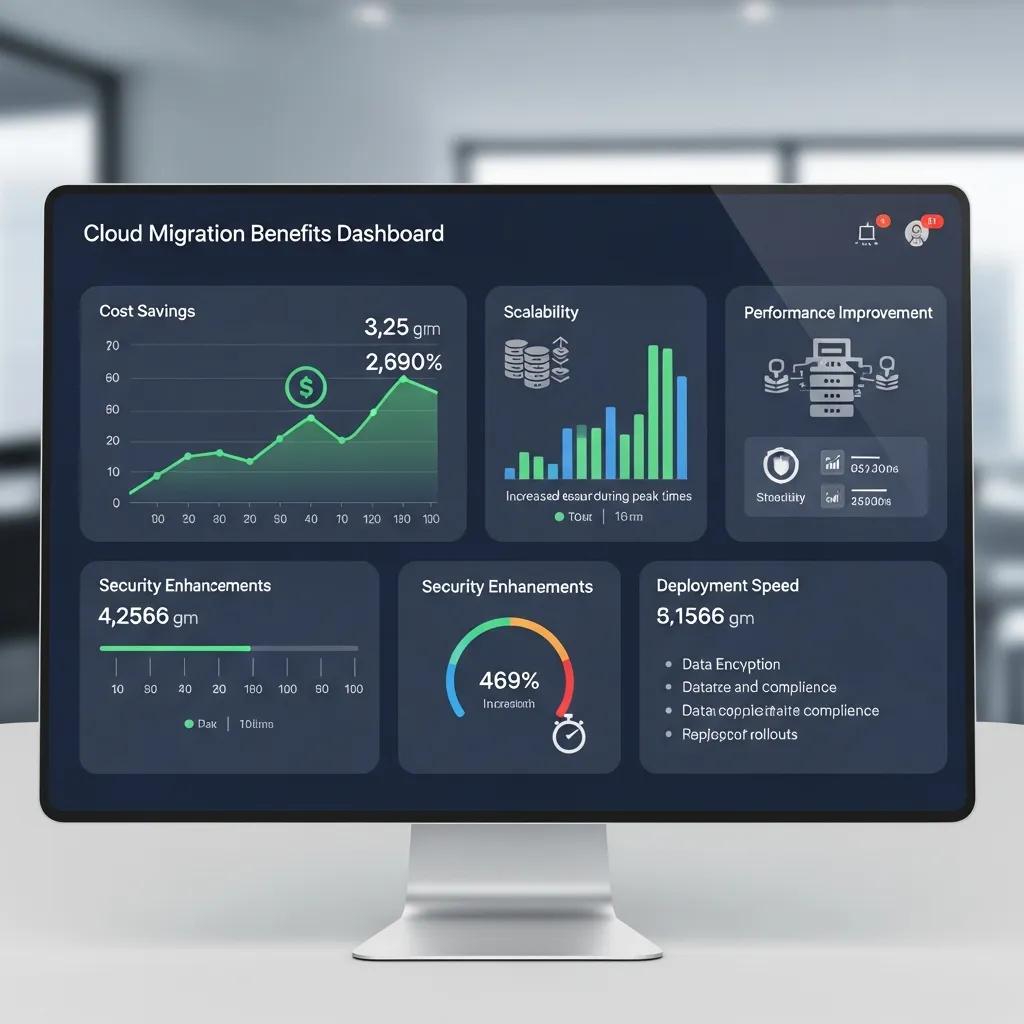
Dashboard showing cloud migration benefits such as cost savings and flexible scaling

Correctly executed cloud migration lowers operating costs, provides elastic capacity, strengthens security, and improves business continuity by consolidating infrastructure onto managed cloud platforms. These gains stem from separating compute/storage, pay-as-you-go billing, centralized access, and automated backup. For decision-makers, this means faster time-to-market, clearer operational spend, and fewer outages. cloud solutions

Primary benefits for executives at a glance:

  • Cost Optimization: Lower capital outlay and the ability to size resources to actual demand.
  • Scalability and Agility: Elastic compute and storage let teams scale quickly without long procurement cycles.
  • Resilience and Continuity: Built‑in replication and disaster recovery patterns reduce recovery time and the risk of data loss.

These improvements free IT teams to focus on innovation, shortening product cycles, and stabilizing operating budgets.

The table below helps leadership weigh cost, savings, and business impact.

Benefit CategoryTypical Savings/MetricBusiness Impact
Cost Optimization10–30% operational savings (benchmark range)Frees budget for innovation and reduces CAPEX
ScalabilityInstant resource scalingSupports variable demand without service delays
Business ContinuityFaster RTO/RPO (minutes to hours)Minimizes revenue loss from outages

This table aids executives in prioritizing migration based on ROI.

Precise Business Solutions offers tailored migration paths with proactive monitoring, 24/7 helpdesk, and a single point of contact, guiding assessment and execution to translate benefits into realistic budgets and timelines.

Effective Cloud Migration Approach for SMEs: From Consideration to Post-Migration

This paper outlines a practical approach to cloud migration for small and medium enterprises, covering steps from initial evaluation through post‑migration follow‑up. The framework is designed to guide organizations through cloud adoption while reducing risk and improving the chances of a smooth, measurable transition.

An effective approach to cloud migration for small and medium enterprises (SMEs), A Balobaid, 2020

How Does Cloud Migration Improve Business Scalability and Cost Efficiency?

Cloud migration unlocks scalability by decoupling capacity from hardware, allowing apps to consume elastic compute and storage on demand. Autoscaling, managed databases, and serverless components reduce overprovisioning while maintaining performance. Cost savings arise from shifting CAPEX to OPEX, pay-as-you-go pricing, reserved capacity, and continuous rightsizing via cost governance. Tagging, budgets, and automated scaling policies ensure measurable savings and aid forecasting.

Teams should begin with a phased assessment: inventorying workloads and dependencies to select a migration approach that avoids hidden operational costs.

Scalable Cloud Data Migration: Framework, Strategy, and Best Practices

This work describes a scalable framework for cloud data migration, detailing architecture and best practices applied across each phase of a migration. The methods help organizations achieve efficient transitions while aligning performance with strategic business goals through careful planning and execution.

Scalable Framework for Cloud Data Migration: Architecture,

Strategy and Best Practices, KC Batchu, 2025

How Do Cloud Migration Services Enhance Security and Business Continuity?

Migration services strengthen security by centralizing IAM, standardizing encryption/patching, and enabling unified logging/monitoring. Continuity improves via automated backups, region-aware replication, and orchestrated disaster recovery, shortening RTOs. Managed detection, incident response playbooks, and regular vulnerability assessments reduce risk. Clear runbooks and tested failback plans ensure business continuity.

With these controls, teams can proceed with a practical, phased migration plan.

How Does the Seamless Cloud Migration Process Work?

The migration follows discrete phases: assessment, strategy/planning, execution, validation/cutover, and post-migration optimization. Each phase has defined activities and deliverables, converting risk into actionable milestones and predictable timelines. This stepwise approach reduces downtime and manages contingencies. The list below outlines the end-to-end sequence.

  • Assessment: Inventory assets, map dependencies, and score readiness to prioritize workloads.
  • Planning: Choose migration patterns (the 6 Rs), design the target architecture, and build the cutover plan.
  • Execution: Transfer data securely, migrate applications, and run iterative validation.
  • Validation & Cutover: Perform final tests, switch DNS/traffic, and have rollback plans ready.
  • Optimization: Rightsize resources, enforce governance and cost controls, and move to managed operations.

These steps form the migration playbook. The table below maps deliverables and timelines for resource planning.

PhaseKey ActivitiesDeliverables / Typical Timeline
AssessmentInventory, dependency mapping, ROI analysisReadiness report, prioritized workload list (1–3 weeks)
PlanningArchitecture, migration pattern selection, cutover planMigration roadmap, test plans (2–4 weeks)
ExecutionData transfer, application migration, validationMigrated workloads, validation reports (variable)

Assessment and planning are critical. Precise Business Solutions provides migration assessments and strategic IT consulting, yielding clear roadmaps and prioritized recommendations. Their method focuses on dependency mapping, risk analysis, and transparent ROI estimates to inform executive decisions and technical cutover plans.

What Is Included in Cloud Migration Assessment and Planning?

A full assessment inventories assets, maps interdependencies, and scores technical readiness/business priority to form migration waves. It classifies workloads by pattern (rehost, replatform, refactor, repurchase, retire, retain) and highlights sensitive data/compliance needs. Deliverables include a migration roadmap, cost-benefit analysis, and a cutover timeline with rollback criteria, reducing surprises and speeding validation.

Planning outputs directly inform secure migration tactics and the cutover sequence.

How Are Data and Applications Migrated Securely and Efficiently?

Teams choose migration patterns aligning with business goals: lift-and-shift for speed, replatforming for optimization, and refactoring for cloud-native modernization. Secure transport uses encrypted transfers, staging with integrity checks, and automated data validation. Rollback/fallback procedures are prepared, and parallel testing confirms performance before cutover. The right pattern balances speed, cost, and long-term benefits.

With proper validation and governance, organizations can complete cutover and focus on optimization.

Which Cloud Platforms Are Supported in Managed Cloud Migration Services?

Most migrations target major public cloud providers—AWS, Azure, and Google Cloud—each with distinct strengths. Platform choice depends on workload profile, existing licensing, and data/analytics priorities. Understanding each provider’s advantages helps match technical needs to business outcomes. The table below compares platforms and their ideal use cases.

PlatformStrengthWhen to Use
AWSBroad service ecosystem and maturityDiverse workloads and deep service integration needs
AzureMicrosoft ecosystem and hybrid capabilitiesWindows/.NET environments and existing Microsoft licensing
GCPData analytics and ML toolsData-driven workloads and advanced analytics use cases

What Are the Advantages of AWS, Azure, and Google Cloud Migrations?

AWS offers the largest set of managed services, ideal for complex, heterogeneous environments needing broad integration. Azure provides native ties to Microsoft products and strong hybrid tooling, suited for Windows and .NET investments. Google Cloud excels in data analytics, machine learning, and cost-efficient compute for data-heavy workloads. Match platform strengths to workload demands, compliance, and long-term vendor strategy for optimal cost and capability.

Selecting the right platform informs how service providers adapt migrations.

How Does Precise Business Solutions Tailor Migration to Each Cloud Platform?

Precise Business Solutions assesses workload fit, mapping applications to platforms that best meet performance, compliance, and cost targets. Services include platform-specific configuration, governance, and post-migration tuning, preserving application behavior and access controls. They combine proactive monitoring, 24/7 helpdesk, custom scaling, and cost governance for efficient environments. This platform-aware approach reduces rework and speeds time to value.

Aligning platform selection and provider support simplifies subsequent security and compliance. Managed IT Insider

How Is Cloud Security and Compliance Ensured During and After Migration?

Security and compliance during migration rely on layered controls: encrypting data (in transit/at rest), applying least-privilege IAM, and continuous monitoring/logging for audit readiness. Migration plans map controls to regulatory requirements, documenting evidence and scheduling validations. Post-migration, managed security operations and disaster recovery maintain protection and continuity. The best practices below outline core controls for the migration lifecycle.

Key security best practices for migration include:

  • Encryption: Encrypt data in transit and at rest using managed key services.
  • Identity & Access: Apply least‑privilege IAM roles and enforce MFA.
  • Monitoring & Response: Enable centralized logging and automated alerting.

Applying these controls reduces breach risk and provides audit evidence for compliance.

Cloud Migration Strategies: Cost-Efficiency and Compliance Focus

This study emphasizes practical migration strategies that balance cost‑efficiency with compliance. Key takeaways include disciplined data classification, clear retention policies and role‑based access control — plus the importance of collaboration between IT and business stakeholders to keep migration objectives aligned with regulatory and budgetary constraints.

Developing Cloud Migration Strategies for Cost-Efficiency and Compliance, VR Thummala, 2024

Organizations can strengthen controls with managed security and resilience services. Precise Business Solutions includes managed security, disaster recovery, and compliance support, helping teams maintain protective controls and evidence collection. This operational support sustains compliance, speeds recovery, and offers a single point of contact.

What Are the Best Practices for Cloud Security and Data Protection?

Best practices blend preventive, detective, and responsive controls: enforce encryption, apply least-privilege IAM, run continuous vulnerability scans, and maintain immutable backups. Integrate logging into a SIEM for detection, and use runbooks/tabletop exercises to validate response readiness. Regular configuration reviews and automated compliance checks enforce guardrails, building a defensible security posture for audits and operational resilience.

How Does Cloud Migration Meet Industry Compliance Standards Like HIPAA and GDPR?

Meeting standards like HIPAA and GDPR requires mapping cloud controls to regulatory obligations, documenting shared-responsibility, and retaining audit evidence. Migration plans must specify data locations, protection, access authorities, and include retention/deletion processes for privacy rules. Post-migration validation and audit support confirm technical and procedural compliance. Organizations should expect evidence artifacts and configuration baselines for ongoing compliance.

These compliance steps complete the migration lifecycle, preparing organizations for secure, cost-effective cloud operations.

Frequently Asked Questions

What is the typical timeline for a cloud migration project?

Timelines vary based on infrastructure complexity, typically ranging from weeks to several months. Phases include assessment, planning, execution, and optimization. Assessment and planning usually take 3–7 weeks, with execution depending on application/data complexity. Thorough planning and staging are crucial for schedule adherence and minimal disruption.

What are the common challenges faced during cloud migration?

Common challenges include data loss, unplanned downtime, and legacy application compatibility. Inaccurate inventories or missed dependencies can cause delays and costs. Security and compliance during transition also add complexity. Mitigation involves thorough discovery, risk assessment, selecting the right migration pattern, and partnering with experienced providers.

How can organizations ensure data integrity during migration?

Ensure data integrity with encrypted transfers, integrity checks during staging, and automated validation. Conduct comprehensive pre-migration tests and maintain backups. Post-migration, compare source and destination datasets with reconciliation checks. Document the process and preserve logs for auditability.

What role does employee training play in successful cloud migration?

Employee training is essential for operating and securing the new cloud environment, understanding new processes, and following updated runbooks. Tailored training reduces errors and accelerates adoption, with ongoing resources supporting cloud service management and optimization post-cutover.

How can organizations measure the success of their cloud migration?

Measure success using pre-defined KPIs: cost savings, application performance, reduced downtime, scalability, and user satisfaction. Track post-migration operational metrics against baselines. Regular reviews against goals allow for adjustments to configurations, governance, and cost controls to achieve intended business outcomes.

What are the implications of cloud migration on IT staffing?

Cloud migration shifts IT focus from hardware maintenance to cloud service management, security, and optimization. While routine infrastructure tasks may require fewer staff, demand for cloud, security, and data skills increases, often necessitating retraining or new hires. This enables IT to act more strategically, supporting innovation and business alignment.

Conclusion

Seamless cloud migration offers cost efficiency, scalable capacity, and stronger security, fostering innovation and improving continuity. With a clear process and expert support, decision-makers can navigate complexity to realize full cloud benefits. Explore tailored migration plans matching your goals. Contact Precise Business Solutions for a practical, low-risk path to an agile, resilient cloud environment.

Innovative IT Solutions for Financial Services Success

Secure IT Solutions for Financial Services: Comprehensive Cybersecurity & Compliance Support

Financial firms need secure IT that combines managed security, compliance-focused controls, and resilient operations to protect client data and remain audit-ready. This article outlines how banking and financial IT solutions lower risk through proactive monitoring, threat detection, and structured compliance practices. You’ll learn the primary cyber threats aimed at finance, the regulatory frameworks that influence IT controls, the core technical solutions for data protection and continuity, and how managed services can bring enterprise-level security to SMB financial firms. We emphasize practical defenses—encryption, endpoint protection, continuous monitoring, and disaster recovery—mapped to FINRA, GLBA, FFIEC, PCI DSS and related expectations. The guidance highlights predictable SLAs, 24/7 detection and response, and cloud strategies that enable secure payments and remote access. After describing threats and controls, we show how managed IT security and tailored service delivery turn those controls into operational programs that sustain uptime and simplify audit readiness.

What Are the Key Cybersecurity Challenges Facing Financial Services?

Colleagues reviewing cybersecurity challenges in an office

Financial institutions operate in a concentrated threat environment. Sophisticated ransomware, targeted phishing, insider risk, and supply‑chain vulnerabilities can compromise transactional integrity and client confidentiality. Attackers exploit trusted relationships, weak patching, and exposed remote‑access systems, increasing the chance of breaches and outages. Regulatory expectations from FINRA, GLBA, FFIEC and PCI DSS require continuous controls, centralized logging, and retained evidence to avoid fines and reputational harm. Recognizing threat types and practical mitigations helps leaders prioritize investments across prevention, detection and response. The next section explains the concrete impacts of a successful intrusion and why quantifying downtime risk is essential for recovery planning.

How Do Cyber Threats Impact Financial Institutions?

Cyber incidents result in direct financial loss, regulatory penalties, customer attrition and long‑term reputational damage when controls fail. Ransomware can encrypt critical ledgers and delay payments; fraud or stolen credentials enable unauthorized transfers and immediate monetary exposure. Downtime interrupts transaction processing and reporting, which can provoke regulatory inquiries and contractual penalties; recovery typically requires coordinated incident response across IT, compliance and legal teams. Executives should translate likelihood into business impact scenarios to set SLAs, allocate contingency resources, and shape disaster recovery objectives and testing cadence.

Which Regulatory Compliance Standards Must Financial Firms Meet?

Financial IT must align to FINRA, GLBA, FFIEC, PCI DSS and SOX controls to protect data, preserve audit trails and demonstrate operational resilience. FINRA focuses on record retention and secure communications; GLBA requires safeguards for customer financial information and risk assessments; FFIEC guidance covers third‑party risk management and business continuity; PCI DSS protects payment card data; and SOX governs financial reporting controls.

Common IT controls that support these frameworks include encryption in transit and at rest, multi‑factor authentication, centralized logging with retention policies, and routine vulnerability scanning. Continuous monitoring and systematic evidence capture make audits faster and less costly while improving responsiveness during examinations.

How Does Precise Business Solutions Deliver Managed IT Security for Financial Institutions?

Managed IT security for finance combines continuous detection, vulnerability management and compliance‑centric operations to shrink breach windows and show regulatory alignment. Core services include 24/7 monitoring and managed detection & response (MDR), organized patching and vulnerability workflows, SIEM‑based logging, and endpoint protections that enforce least‑privilege. These elements run under SLA‑driven support models to deliver predictable response times and ongoing compliance documentation.

The following quick‑reference table maps managed security components to scope, SLA expectations, and compliance benefits for executive comparison.

Different managed security components align to specific scopes, SLA targets, and compliance outcomes.

ComponentAttributeBenefit
Managed Detection & Response (MDR)24/7 SOC monitoring and triageFaster detection and containment of threats
Vulnerability ManagementRegular scanning and patch orchestrationReduced attack surface and evidence for audits
SIEM & LoggingCentralized event collection and retentionStreamlined compliance reporting and forensic capability

This comparison shows how layered managed services provide both operational protection and the documentation needed for regulatory oversight, and it leads into the proactive controls that implement these capabilities at the technical level.

What Proactive Security Measures Protect Financial Data?

Proactive defenses focus on stopping attackers early and reducing dwell time through endpoint detection and response (EDR), network segmentation, secure configuration baselines, and threat‑intelligence‑driven hunting. EDR limits lateral movement and captures forensic data; segmentation reduces blast radius; automated patching closes known exposures. User training and phishing simulations lower human risk, while SIEM correlation accelerates incident prioritization. Together these measures shorten detection‑to‑containment windows and reduce incident impact, which also simplifies compliance reporting and remediation.

How Are Compliance Requirements Integrated into IT Security Services?

Integrating compliance means mapping regulatory controls to technical workflows—logging → retention → reporting—and embedding those workflows into day‑to‑day managed operations. Typical workflows capture events centrally, apply retention settings that meet FINRA/GLBA/PCI DSS expectations, and automate periodic reports for auditors. Managed services preserve configuration baselines, document change controls, and support evidence collection during audits to demonstrate control effectiveness. This alignment lowers the audit burden on internal teams and keeps systems continually ready for both compliance checks and rapid incident response.

What Are the Essential IT Solutions for Data Protection and Business Continuity in Finance?

Analyst reviewing data protection and continuity plans

Data protection and continuity combine encryption, immutable backups, disciplined key management, cloud security controls, and tested disaster recovery (DR) runbooks to preserve transaction integrity and maintain availability. Encryption at rest and in transit prevents data exposure while strong key management separates access from stored data. Backup strategies prioritize immutability and frequent snapshots, and DR planning defines recovery time objectives (RTO) and recovery point objectives (RPO) aligned to business impact analyses.

The table below compares common data protection mechanisms by RTO/RPO, compliance fit, and deployment model to help prioritize choices.

SolutionCharacteristicTypical Benefit
Encryption (at rest/in transit)Cryptographic protection plus key managementMeets regulatory encryption expectations
Immutable BackupsWrite‑once storage snapshotsProtects recovery copies from tampering and ransomware
Disaster Recovery as a Service (DRaaS)Orchestrated failover and testingFaster recovery with predictable RTO/RPO

Combining encryption, resilient backups and DR orchestration delivers both regulatory alignment and operational resilience, and it frames the tactical tradeoffs teams must manage when building continuity plans.

How Does Data Encryption and Backup Safeguard Financial Information?

Encryption reduces exposure by making data unreadable without keys, addressing GLBA and transaction confidentiality requirements, while immutable backups stop attackers from altering or deleting recovery copies. Key management enforces separation of duties and access controls, supporting auditability. Regular backup verification and restoration testing validate RPO targets and ensure ledgers and client records can be recovered. These controls lower breach liability, speed forensic analysis, and reduce downtime costs while strengthening compliance evidence for exams.

Why Is Disaster Recovery Critical for Financial Sector Resilience?

Disaster recovery protects transactional continuity and helps meet obligations to customers and counterparties when systems fail. Defining RTO and RPO from a business‑impact analysis clarifies acceptable downtime and data‑loss thresholds, guiding technical choices such as synchronous replication or snapshot cadence. A practical DR runbook lists roles, failover steps, communication templates and recovery checks; regular exercises reveal gaps and improve performance. Frequent testing, clear documentation and continuous improvement keep recovery capability aligned with evolving operational and regulatory needs.

Why Choose Precise Business Solutions for Financial Cybersecurity and IT Support?

Precise Business Solutions offers integrated managed IT and security services built for SMB financial firms that need enterprise‑grade controls without juggling multiple vendors. Our services include proactive monitoring, managed detection and response, vulnerability management, cloud optimization, and SLA‑backed 24/7 support focused on continuity and recovery. A single‑vendor model reduces coordination overhead between IT, hosting and digital teams, enabling faster remediation and clearer compliance evidence. Below are the core value propositions finance leaders typically evaluate when choosing a managed service partner.

Key value propositions explain why a tailored managed approach supports SMB financial firms.

  • 24/7 Responsive Support: Continuous monitoring and SLA‑driven response cut exposure and speed containment.
  • Scalable, Tailored Plans: Tiered services grow with your business and map to specific compliance scopes.
  • Integrated Service Delivery: A single point of contact combines IT, security and digital services to simplify vendor management.

These differentiators help finance teams maintain uptime, reduce vendor complexity and demonstrate compliance readiness—forming a clear path to a managed security engagement.

How Does 24/7 Support Enhance Financial IT Security?

Around‑the‑clock monitoring and a committed incident response capability lower mean time to detect and contain threats, directly reducing financial exposure and reputational risk. Continuous logging and alerts support timely regulatory reporting and preserve evidence for audits. SLA commitments set predictable response windows for critical incidents, and documented actions become part of compliance artifacts and post‑incident reviews. This operational consistency strengthens continuity and ensures obligations are met outside normal business hours.

What Makes Our IT Solutions Scalable and Tailored for SMB Financial Firms?

Scalability comes from modular service tiers that let small credit unions, advisory firms and payment processors adopt essential protections first and add advanced controls as they grow. Customization targets the regulatory scope—FINRA, GLBA, FFIEC or PCI DSS—and the firm’s risk profile, tailoring encryption, DR and monitoring accordingly. Our single‑vendor model and predictable SLAs help SMBs avoid coordination delays, speed remediation and produce clearer audit trails while supporting long‑term resilience and compliance alignment.

Frequently Asked Questions

What types of cyber threats are most prevalent in the financial sector?

The financial sector commonly faces ransomware, phishing, insider threats and supply‑chain risks. Ransomware can lock critical systems; phishing targets employees to harvest credentials; insider incidents stem from malicious or accidental actions; and third‑party vulnerabilities expose firms through vendors. Knowing these threat patterns helps organizations build targeted defenses and protect sensitive client information.

How can financial institutions ensure compliance with evolving regulations?

Maintaining compliance requires a proactive mix of ongoing audits, continuous monitoring and staff training. Keep abreast of regulatory updates—FINRA, GLBA, PCI DSS—and use automation to streamline reporting and evidence collection. Embed compliance in daily operations and update policies and controls as rules change to reduce risk and audit overhead.

What role does employee training play in cybersecurity for financial firms?

Employee training is essential because human error remains a major risk factor. Regular training on phishing recognition, password hygiene and secure data handling reduces exposure. Simulated phishing exercises reinforce learning and measure readiness. A well‑trained workforce is one of the most effective layers in a defense‑in‑depth strategy.

What are the benefits of using managed IT security services for financial institutions?

Managed IT security delivers 24/7 monitoring, faster incident response and access to specialized expertise. It eases the burden on internal teams so they can focus on business priorities. Managed services scale with growth and adapt to regulatory demands, using proven technologies and processes to strengthen security posture and support audit readiness.

How can financial firms measure the effectiveness of their cybersecurity strategies?

Measure effectiveness with metrics like mean time to detect/respond, number of detected threats, and audit outcomes. Regular penetration tests and vulnerability assessments reveal gaps. Track employee training completion and phishing simulation results. Define KPIs tied to business objectives to monitor and improve security performance.

What should financial institutions consider when developing a disaster recovery plan?

When building a DR plan, set RTO and RPO based on business‑impact analysis, define roles and communication protocols, and document recovery procedures. Regular testing and exercises are essential to surface gaps and improve performance. Ensure the plan adapts to changing regulations and technology to maintain operational resilience.

Conclusion

Robust IT solutions are critical for financial institutions to protect client data and meet regulatory requirements. By adopting managed security services, firms strengthen operational resilience, lower risk exposure and maintain continuous monitoring and support. A clear understanding of cyber threats and compliance obligations helps executives make decisions that safeguard the organization. To move forward, consider a tailored managed IT consulting engagement that aligns controls to your business priorities and audit needs.

Transform Your Medical Practice with Healthcare IT Solutions

Specialized IT Solutions for Healthcare SMBs — Secure, Compliant, and Built for Reliable Care

Small and mid-sized healthcare organizations require IT solutions that protect patient information, ensure clinical system uptime, and maintain compliance. This guide addresses key IT challenges, outlines HIPAA compliance controls, details managed services for streamlined operations, and explores cybersecurity strategies to mitigate breach risks. It offers practical steps for HIPAA risk assessments, implementing encryption and role-based access, improving EHR uptime with managed services, and deploying layered defenses against ransomware and phishing. Our aim is to provide practice leaders with clear, actionable guidance to prioritize investments that reduce audit risk, protect patient trust, and ensure uninterrupted care delivery.

What Are the Key IT Challenges Facing Healthcare SMBs Today?

Healthcare SMBs face a complex landscape of regulatory demands, escalating security threats, and critical reliance on EHR and telehealth platforms. Limited IT resources often lead to neglected monitoring, patching, and compliance, increasing vulnerability to ransomware, credential theft, and data loss. EHR interoperability and uptime are paramount; failures disrupt scheduling, billing, and patient care. This necessitates focused priorities: mapping PHI flows, robust backups, and vendor-managed services with predictable SLAs and audit-ready documentation.

The most urgent, practical IT challenges we see are:

  • Regulatory complexity and compliance burden: Many small practices lack documented policies, inventories, and scheduled risk assessments.
  • High ransomware and phishing risk: Limited security tooling and infrequent user training widen the attack surface.
  • EHR uptime and interoperability: System outages or failed integrations immediately disrupt patient care and revenue.

These priorities point directly to the controls and services in the next section—starting with how HIPAA and HITECH shape IT responsibilities.

How Do HIPAA and HITECH Regulations Impact Healthcare IT?

HIPAA and HITECH establish information security as an operational imperative. The HIPAA Security Rule mandates administrative, physical, and technical safeguards—including documented policies, access controls, and audit logging. HITECH amplified breach reporting and penalties, requiring practices to maintain risk assessments and remediation records. For SMBs, this means regularly scoping PHI-handling systems, maintaining accurate inventories of EHR endpoints and telehealth platforms, and having a robust incident response plan. Implementing these fundamentals reduces audit exposure and aligns IT tasks with legal expectations for patient data protection.

That regulatory baseline flows into concrete compliance controls and practical assessment steps small clinics can adopt right away.

Our Unrivaled Expertise in Healthcare IT Compliance & Security

At Precise Business Solutions, our authority in healthcare IT is built on years of dedicated experience and a deep understanding of the unique operational and regulatory landscape faced by medical SMBs. Our team comprises certified professionals specializing in HIPAA Security Rule implementation, HITECH Act compliance, and advanced cybersecurity frameworks tailored specifically for clinical environments. We don’t just offer IT services; we provide strategic partnership, ensuring your practice navigates complex compliance mandates and evolving threat landscapes with confidence.

We are committed to continuous education and hold certifications relevant to healthcare data protection, including:

  • HIPAA Compliance Professionals: Ensuring all solutions meet stringent regulatory requirements.
  • Certified Information Systems Security Professionals (CISSP): Demonstrating advanced cybersecurity knowledge.
  • Microsoft Certified Professionals: Expertise in critical infrastructure and cloud solutions.

Our proactive approach, informed by industry best practices and a thorough understanding of healthcare workflows, positions us as a trusted advisor. We translate complex technical and regulatory requirements into actionable, practice-specific strategies that protect patient data, maintain system uptime, and support uninterrupted care delivery.

For a practical view of HIPAA compliance, consider established approaches to audits and risk assessments.

HIPAA Security and Privacy: Audit and Risk Assessment for Mitigation

A HIPAA security and privacy compliance audit and risk assessment mitigation approach

A HIPAA security and privacy compliance audit and risk assessment mitigation approach, YB Choi, 2022

What Cybersecurity Threats Are Most Common for Medical Practices?

Medical practices frequently face ransomware, phishing-driven credential theft, and vulnerabilities from unmanaged endpoints or connected medical devices. Ransomware can halt clinical operations by locking EHRs and backups, while phishing often provides attackers initial access via compromised credentials. Unpatched systems enable lateral movement. Effective defenses include fast detection (EDR), managed IT security, network segmentation, immutable backups, and targeted staff training to significantly lower breach likelihood and impact.

Ransomware in healthcare poses operational and patient-safety risks that demand prioritized defenses. Understanding these threats helps SMBs invest where each dollar reduces the most risk. The next section outlines HIPAA-focused controls that do exactly that.

How Do HIPAA Compliant IT Solutions Protect Healthcare SMBs?

HIPAA-compliant IT integrates documented policies, technical safeguards, and continuous monitoring to protect PHI confidentiality, integrity, and availability, thereby reducing audit risk. Risk assessments identify PHI locations and flows, mapping controls like encryption, access management, and logging to prioritize remediation. Technical safeguards such as encryption (at rest and in transit), role-based access control (RBAC), and detailed audit trails limit exposure and provide auditor evidence. Administrative safeguards—written policies, BAAs, and staff training—ensure controls are followed and documented, bolstering compliance.

To make these controls easier to compare, the table below summarizes typical controls, their scope, and recommended cadence for SMBs.

ControlScopeRecommended Cadence
Risk AssessmentSystems that store or transmit PHI, third-party services, and physical locationsAnnually and after major system or process changes
EncryptionData at rest (databases, backups) and in transit (TLS for web/EHR access)Continuous—deploy once and verify periodically
Access Control / RBACUser accounts, roles, privileged access, and remote connectionsQuarterly reviews and after staffing or role changes

This comparison highlights which controls create audit evidence and cut exposure. Implementing them inside an operational plan helps prioritize remediation steps described below.

Checklist: Essential items to include in HIPAA risk assessments.

  • Define scope and map PHI flows so you know where protected data lives and moves.
  • Inventory vendors and sign BAAs for any service that handles PHI.
  • Rank findings by likelihood and impact; fix high-risk items first.

These actions turn compliance into a manageable roadmap for resource-constrained practices. After a risk assessment, the next priority is consistent encryption and access control.

HIPAA Compliance Solutions

Precise Business Solutions assists healthcare SMBs with HIPAA compliance through scoped risk assessments, encryption deployments, and access-control implementations. Our method prioritizes proactive remediation and clear documentation, securing PHI without disrupting clinical workflows.

What Are the Essential Components of HIPAA Risk Assessments?

A HIPAA risk assessment identifies PHI threats and vulnerabilities, yielding a prioritized remediation plan. Key components include scope definition (systems, locations, vendors), threat identification, likelihood/impact scoring, and a documented roadmap. For SMBs, practical tactics involve focused EHR endpoint inventories, regular backup integrity checks, and prioritizing high-impact, low-cost controls like MFA and essential patching. Routine assessments and post-change reviews demonstrate due diligence and enhance breach readiness.

Those assessment results then inform technical controls such as encryption and RBAC described next.

How Does Data Encryption and Access Control Secure Patient Records?

Encryption protects PHI at rest and in transit by rendering records unreadable without correct keys, while access control limits who can view or change them. TLS for data in motion and AES-class encryption for databases and backups diminish the utility of stolen files. Role-based access control enforces least privilege, ensuring staff only access necessary data, and robust audit logs provide investigation and compliance evidence. These measures collectively reduce unauthorized exposure and simplify forensic review.

A short implementation checklist:

  • Enable encryption for EHR storage and backups.
  • Require MFA for all remote access.
  • Run quarterly access reviews to remove stale or unnecessary privileges.

What Managed IT Services Optimize Medical Office Operations?

IT support team providing managed services to improve clinic operations and EHR reliability

Managed IT services centralize support, monitoring, and vendor coordination for medical practices, allowing clinicians to focus on patient care. Key benefits include 24/7 helpdesk support for rapid outage resolution, proactive monitoring to preempt performance issues, and EHR-focused support for integrations and updates. Predictable SLAs and fixed budgets transform variable IT risk into measurable uptime and faster incident resolution, safeguarding revenue and patient experience. Routine maintenance and monitoring reduce unplanned downtime and free staff from troubleshooting.

The managed components below tie technical work to clinical outcomes for healthcare SMBs.

Managed Service ComponentAttributeBusiness Benefit
24/7 HelpdeskSLA-driven incident responseLess clinical downtime and faster EHR recovery
Proactive MonitoringAutomated alerts and patchingEarlier issue detection and fewer outages
EHR Support & Vendor CoordinationIntegration management and change controlMore reliable workflows and better interoperability

These managed services translate technical activity into clinical continuity and predictable costs—a critical advantage for practices with limited internal IT resources.

How Does 24/7 IT Support Benefit Healthcare Practices?

24/7 IT support ensures prompt handling of incidents outside normal hours, protecting critical systems like scheduling, telehealth, and billing. Rapid response minimizes appointment cancellations, shortens EHR downtime, and reduces revenue loss. With a managed helpdesk handling routine troubleshooting, staff can focus on patient care, and SLA metrics provide clear performance data, enhancing patient satisfaction and operational resilience.

Rapid support works hand-in-hand with proactive monitoring to sustain uptime over time.

How Is Proactive Monitoring Used to Maintain EHR Systems?

Proactive monitoring automates checks for uptime, performance, and patch status, identifying issues before they cause outages. It tracks database responsiveness, integration health, and network latency, triggering remediation when thresholds are exceeded. Combined with automated patch management and scheduled maintenance, monitoring limits vulnerability exposure and prevents common EHR disruptions, leading to fewer emergency tickets, steadier performance, and documented compliance evidence.

Managed monitoring and support create a continuous improvement loop that lowers operational risk and informs capacity planning.

Optimize Operations with Managed IT

Precise Business Solutions offers managed IT for healthcare SMBs, including 24/7 support, proactive monitoring, and EHR coordination, all under SLA terms prioritizing uptime and predictable response. Our approach helps practices reduce downtime and achieve operational goals efficiently.

How Can Healthcare Cybersecurity Services Safeguard Patient Data?

Healthcare cybersecurity safeguards patient data through layered defenses across network perimeters, endpoints, identity systems, and email, coupled with rapid recovery planning. Effective strategies integrate firewalls, network segmentation, EDR, secure email filtering, identity management with MFA, and immutable backups with tested recovery plans. Regular vulnerability scanning and patch management reduce exploitable gaps, while security awareness training equips staff to detect social engineering. This layered approach minimizes attack success likelihood and recovery time.

To make that concrete, the table below maps common threats to defensive services and likely outcomes.

ThreatDefensive ServiceExpected Outcome
Ransomware encryptionEDR + immutable backups + network segmentationFaster recovery and lower operational impact
Phishing/credential theftEmail filtering + MFA + awareness trainingFewer successful account compromises
Unpatched endpointsPatch management + vulnerability scanningSmaller attack surface and fewer exploitable flaws

This mapping helps SMBs prioritize security investments that clearly reduce breach likelihood and shorten recovery time.

Checklist: Core cybersecurity actions every practice should adopt.

  • Install EDR on endpoints and require MFA for remote access.
  • Maintain immutable, versioned backups and regularly test DR procedures.
  • Run ongoing phishing simulations and remediate risky user behaviors.

What Are Effective Strategies for Ransomware and Malware Protection?

Effective ransomware defenses integrate prevention, detection, and recoverability. Harden endpoints and deploy EDR to limit initial compromise, segment networks to restrict lateral movement, and maintain immutable backups with a tested DR plan for ransom-free restoration. Regularly verify backups and keep offline copies. Enforce least-privilege access and MFA to mitigate credential misuse. Incident response playbooks, defining roles and notification steps, shorten recovery time. Validating these measures with tabletop exercises and restore tests ensures readiness.

Regular testing and drills prove the defenses will work when they’re needed most.

Why Is Security Awareness Training Critical for Healthcare Staff?

Human error is a primary cause of healthcare breaches; targeted security awareness training reduces phishing click rates and improves timely reporting. Role-based training, incorporating simulated phishing, clear reporting channels, and measurable metrics, drives continuous improvement. Training also provides compliance evidence, demonstrating active administrative safeguards. Pairing technical controls with ongoing staff education significantly reduces risk and fosters a stronger security culture.

Consistent training turns staff into an active line of defense against social engineering and other human-targeted attacks.

Partner with Precise Business Solutions

For healthcare SMBs seeking local, outcomes-focused IT support, Precise Business Solutions provides managed IT, cybersecurity, HIPAA compliance, and telehealth integration with proactive, SLA-driven support.

Contact us today for a consultation:

(281) 612-1133

504 Spring Hill Dr #420, Spring, TX

Frequently Asked Questions

What steps can healthcare SMBs take to enhance their cybersecurity posture?

Enhance cybersecurity with a layered approach: deploy EDR, conduct regular vulnerability scans, and patch software. Implement strong access controls (RBAC, MFA) and secure email filtering. Crucially, pair these technical controls with ongoing, role-based security awareness training to empower staff against phishing, aligning with significant cybersecurity best practices.

How often should healthcare SMBs conduct risk assessments?

Conduct full risk assessments annually and after major changes (e.g., new software, staffing shifts, infrastructure updates). Regular assessments identify vulnerabilities early, prioritize fixes, and ensure HIPAA compliance, serving as a dynamic security roadmap.

What role do managed IT services play in compliance with healthcare regulations?

Managed IT providers facilitate regulatory compliance through consistent processes and documentation, including scheduled risk assessments, continuous monitoring, patch management, and audit trails. They also manage BAAs and vendor coordination, allowing practices to focus on patient care while maintaining robust compliance.

What are the benefits of using encryption for patient data?

Encryption protects patient data by rendering it unreadable without correct keys, both at rest and in transit. This significantly reduces the utility of stolen files. It also provides recognized technical evidence for HIPAA compliance, demonstrating essential safeguards for PHI.

How can healthcare SMBs prepare for a potential data breach?

Prepare by developing and testing an incident response plan, assigning roles, outlining escalation paths, and documenting notification steps. Maintain current backups and conduct regular recovery drills. Train staff to recognize and report incidents promptly. Faster detection and response minimize operational and reputational impact.

What are the key components of a strong cybersecurity training program for healthcare staff?

An effective program features regular, role-based sessions on phishing awareness, password hygiene, and data handling. Utilize simulated phishing campaigns, provide clear reporting channels, and track metrics (e.g., click rates) to measure progress. This approach fosters a security-aware culture, reducing human-driven breaches.

Conclusion

Specialized IT solutions provide healthcare SMBs with the controls and continuity essential for regulatory compliance and patient data protection. Prioritizing managed services, encryption, and continuous monitoring enhances operational efficiency and reduces audit risk. These measures safeguard patient trust and ensure uninterrupted care. For tailored IT support, contact our team to discuss a practical plan.

Skip to content